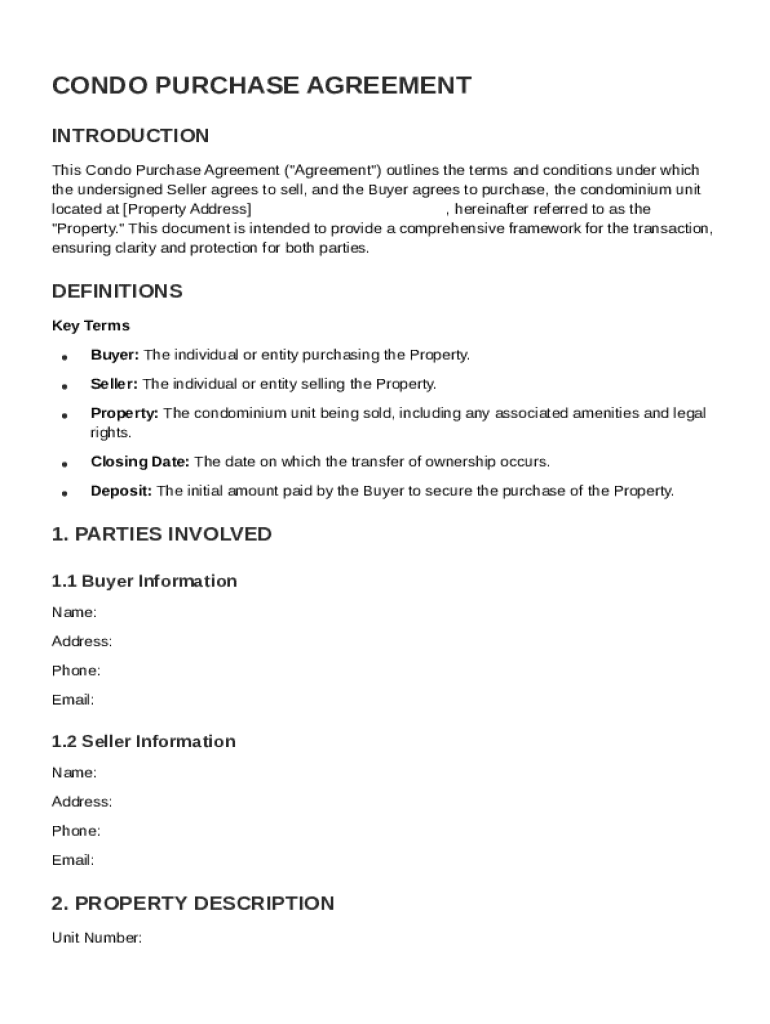
Condo Purchase Agreement Form
Use a Condo Purchase Agreement Template template to make your document workflow more streamlined.
What a condo purchase agreement does
A Condo Purchase Agreement Form records the buyer’s and seller’s agreement to transfer a specified condominium unit under stated terms. It identifies the property and parties, sets the purchase price and payment structure, assigns contingencies, addresses included fixtures and disclosures, and establishes closing obligations. The exact fields vary by state and transaction. With signNow, a brokerage can upload the agreement, review detected fillable fields, assign signatures and initials, send it to the parties, and retain the signed PDF with an audit trail. ESIGN and state electronic-transaction laws may recognize qualifying electronic signatures, while deeds and notarization remain separate requirements.
Who uses condo purchase agreements
Real-estate brokerages
Real-estate brokerages use the form to coordinate buyer, seller, broker, and attorney signatures while preserving property terms, contingencies, disclosures, and transaction evidence in one file.
Transaction participants
Buyers, sellers, closing agents, and condominium associations use related contracts, disclosure acknowledgments, inspection addenda, and consent forms to document responsibilities before closing.
Who benefits from condo agreements
The form is most useful when multiple parties must review identical property terms and produce a reliable execution record.
Independent real-estate agents can prepare unit-specific agreements, route buyer and seller signatures, and preserve the completed transaction file without coordinating repeated office visits. Condominium brokerages can reuse approved templates while checking each property’s price, contingencies, disclosures, and closing terms before assigning recipients and sending the final agreement. Closing and legal teams can review the executed agreement alongside its audit trail, then transfer the evidence into controlled transaction storage for later reference.
These tasks are executed by both individual contributors and centralized administrators depending on organizational policy and required controls.
How a condo agreement workflow works
A structured signing workflow keeps property terms, assigned parties, and completion evidence together from upload through closing.
Upload: Upload the agreement Check fields: Review detected fields Assign: Assign every signer Send: Send and track completion
 Best ROI. Our customers achieve an average 7x ROI within the first six months.
 Scales with your use cases. From SMBs to mid-market, airSlate SignNow delivers results for businesses of all sizes.
 Intuitive UI and API. Sign and send documents from your apps in minutes.
Steps to complete a condo agreement
Prepare the property terms first, then use signNow to route the agreement and preserve evidence of execution.
Upload document:
Upload the signed-ready agreement. Review fields:
Check property and party fields. Assign signers:
Assign buyer and seller roles. Complete signing:
Send, sign, and download evidence.
Best practices for condo purchase agreements
Accurate property terms, complete attachments, and a preserved signing record reduce disputes during condo transactions.
Verify every property term
Map fields to signers
Attach required addenda
Preserve transaction evidence
Platform requirements for condo agreements
Complete and sign a Condo Purchase Agreement Form through a current Chrome, Firefox, Edge, or Safari browser on Windows, macOS, iOS, or Android.
Browsers Chrome, Firefox, Edge, Safari Operating systems Windows 10+, macOS, iOS, Android Supported devices Desktop, iPhone, iPad, Android
For brokerage or closing teams, confirm managed-device policies, identity controls, and storage permissions before sending agreements. signNow Business includes templates and audit trails; Business Premium adds bulk send, while Enterprise adds advanced signer authentication and conditional fields.
Security for condo transaction records
Data in transit:
Data at rest:
Security certification:
Information security:
Electronic signatures:
Signer protection:
What the audit trail records
For a Condo Purchase Agreement Form, the audit trail documents signer identity events, document activity, timestamps, and evidence retrieval after execution.
Authenticate signer:
Timestamp event:
Hash document:
Seal record:
Track activity:
Export trail:
Recommended condo agreement setup
Configure the transaction around signer identity, document integrity, state requirements, and controlled access to the completed agreement.
| Setting | Recommendation |
|---|---|
| Authentication method | Email with SMS verification |
| Signature type | Electronic signature with signer intent |
| Audit trail | Enable completion certificate and audit trail |
| Document retention | Brokerage policy and state-law review |
| Encryption | TLS 1.2/1.3 and AES-256 storage |
Troubleshooting condo agreement signing
These answers address field detection, signer routing, electronic-signature validity, plan capabilities, and transaction-record preservation.
Upload the original PDF again, then review signNow’s detected fields before assigning recipients. Business templates can standardize recurring agreements, but staff should confirm each property address, unit number, price, and closing date manually.
Open the recipient settings and verify that every buyer, seller, broker, and authorized representative has the correct email address and field assignments. Resend only after correcting the routing order and required signature fields.
signNow Business includes legally binding eSignatures and audit trails. For stronger controls, Enterprise adds advanced signer authentication. Confirm that the chosen method demonstrates intent, consent, attribution, and record retention under ESIGN and applicable state law.
Consumer-facing electronic records may require an ESIGN disclosure under 15 U.S.C. §7001(c), including access to electronic records and withdrawal procedures. Obtain appropriate consent before sending if the transaction involves a consumer.
Business Premium includes bulk send for repeated agreements, while Enterprise adds conditional and formula fields. A single negotiated condo purchase agreement usually needs careful field review rather than bulk distribution.
Use signNow’s audit trail and completion certificate with the signed PDF. Store them with the closing file, but verify state recording, deed, notarization, and condominium-disclosure requirements separately with the closing agent.
Key performance indicators that demonstrate SignNow's proven track record.
BE READY TO GET MORE
Get this form now!

If you believe that this page should be taken down, please follow our DMCA take-down process.