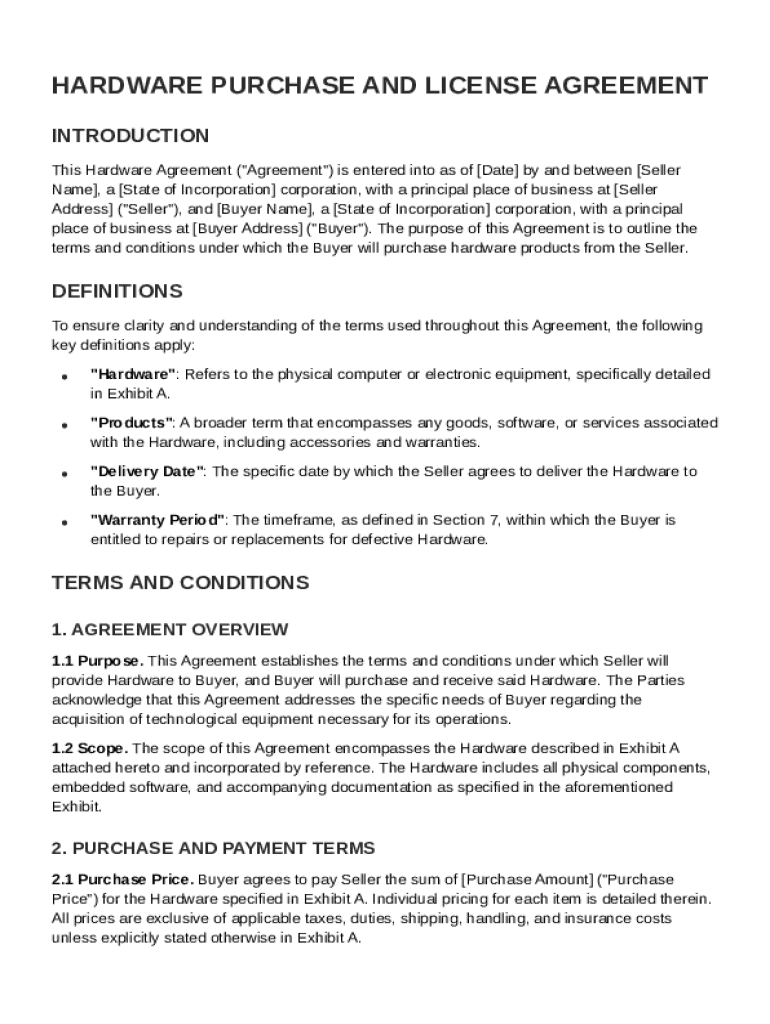
Hardware Agreement Form
Use a Hardware Agreement Template template to make your document workflow more streamlined.
What a Hardware Agreement Form covers
A Hardware Agreement Form records who receives, uses, accepts, returns, or maintains specified hardware and under which contractual terms. It can identify equipment, serial numbers, condition, delivery or acceptance details, responsibilities, fees, warranties, and signatures. With signNow, a sender uploads the form, reviews detected fillable fields, assigns them to signers, and sends the document electronically. Each signer reviews and signs on a supported device, while the completed record and audit trail preserve the transaction history. Contract-specific terms and applicable state law determine the agreement’s effect.
Who benefits from this form
Hardware Agreement Forms help organizations document custody, acceptance, and responsibilities whenever equipment changes hands.
Small technology service firms use Hardware Agreement Forms to document issued devices, customer acceptance, return duties, and responsibility for damage or loss. Construction companies use them for field-issued tools, machinery, and safety equipment, assigning custody details before crews begin work at a project site. Enterprise IT departments use reusable templates and delegated sending to record laptop, phone, and peripheral assignments across offices while preserving signer evidence.
These tasks are executed by both individual contributors and centralized administrators depending on organizational policy and required controls.
How the form workflow works
The Hardware Agreement Form moves from document preparation to assigned signing and then to an evidentiary record.
Prepare form: Place equipment details, obligations, and signature fields. Route document: Route assigned fields to each responsible signer. Collect signatures: Capture signatures, timestamps, and completion evidence. Preserve record: Download or archive the executed agreement securely.
Complete a Hardware Agreement Form
Use this signNow workflow to prepare, route, sign, and preserve the completed Hardware Agreement Form.
Upload form:
Upload the Hardware Agreement Form and inspect every equipment, term, and signer field. Review fields:
Let signNow detect fillable fields, then correct labels, required fields, and field assignments. Assign signer:
Add the responsible employee, customer, or supplier as the signer and set signing order. Store record:
Send the form, monitor completion, and retain the signed copy with its audit trail.
 Best ROI. Our customers achieve an average 7x ROI within the first six months.
 Scales with your use cases. From SMBs to mid-market, airSlate SignNow delivers results for businesses of all sizes.
 Intuitive UI and API. Sign and send documents from your apps in minutes.
Recommended Hardware Agreement Form setup
Configure the form around signer identity, equipment acceptance, contract evidence, and controlled access before sending it through signNow.
| Setting | Recommendation |
|---|---|
| Authentication method | Email verification with SMS OTP |
| Signature type | Typed or drawn electronic signature |
| Audit trail | Enable completion certificate and action history |
| Document retention | Retain through the contract lifecycle |
| Encryption | Use TLS 1.2/1.3 and AES-256 |
Legal standing for business use
A Hardware Agreement Form can document equipment terms, acceptance, responsibilities, and intent when the parties consent, sign, and retain an accessible record. ESIGN and applicable state law, including UETA or New York ESRA, generally support electronic records, but excluded documents and state-specific formalities remain outside that framework.

Security for signed hardware records
Transport encryption:
Stored encryption:
Control assurance:
Security certification:
Signer verification:
Identity controls:
Privacy and disclosure pitfalls
Hardware Agreement Forms can expose serial numbers, employee details, or customer information when completed documents are emailed without restricted access or controlled storage. A signer may approve equipment terms without seeing required disclosures, leaving consent evidence incomplete and creating questions about authorization during a later dispute. Shared links and broad folder permissions can let unintended recipients view Hardware Agreement Forms, signed equipment obligations, or confidential pricing information. A reusable template with outdated warranty, return, or acceptance language can bind a business to terms that no longer match the transaction.
Best practices for hardware agreements
Accurate equipment identification and preserved signing evidence make a Hardware Agreement Form easier to administer and review.
Identify each hardware item
Define custody responsibilities
Check every required field
Archive the signed record
Platform requirements for signing
Complete the Hardware Agreement Form in Chrome, Firefox, Safari, or Edge on Windows 10, Windows 11, or macOS. signNow also provides iOS and Android apps for mobile review and signing.
Browsers Chrome, Firefox, Safari, and Edge Desktop systems Windows 10, Windows 11, macOS Mobile apps iOS and Android signNow apps
Organizations should manage supported browsers and mobile applications through their device policy. For regulated or sensitive equipment records, confirm access controls, signer authentication, retention, and export procedures before deployment.
State rules and exclusions
Notarization
Wills
Court orders
Real-estate deeds
Hardware Agreement Form troubleshooting
Resolve field, routing, plan, security, validity, and archival questions before relying on a completed Hardware Agreement Form.
Upload the Hardware Agreement Form as a PDF or supported document, then inspect signNow’s detected fields. Auto-detection does not replace review: confirm serial-number, acceptance, initials, date, and signature fields before assigning recipients and sending.
Use signNow’s field assignment and signing order to route the Hardware Agreement Form to the employee, customer, manager, or supplier responsible for each section. Unassigned required fields can prevent completion or leave equipment details unsupported by signer evidence.
The signNow Business plan is listed at $8 per user per month with annual billing and includes templates, mobile apps, and audit trails. Subscription plans include 100 signature invites per user annually; review plan terms for overage treatment.
signNow provides TLS 1.2/1.3 encryption in transit and AES-256 encryption at rest. Use role controls, signer authentication, and restricted storage for Hardware Agreement Forms containing employee, customer, pricing, or equipment information.
ESIGN and applicable state electronic-transactions law can support an electronic Hardware Agreement Form when intent, consent, attribution, and record retention are established. Consumer-facing records may require the disclosure and access procedures in 15 U.S.C. §7001(c).
Export the completed Hardware Agreement Form together with its signNow audit trail and completion evidence. Keep the record readable and accessible for the contract’s lifecycle, then apply the retention rule governing the underlying business record.
Key performance indicators that demonstrate SignNow's proven track record.
BE READY TO GET MORE
Get this form now!

If you believe that this page should be taken down, please follow our DMCA take-down process.