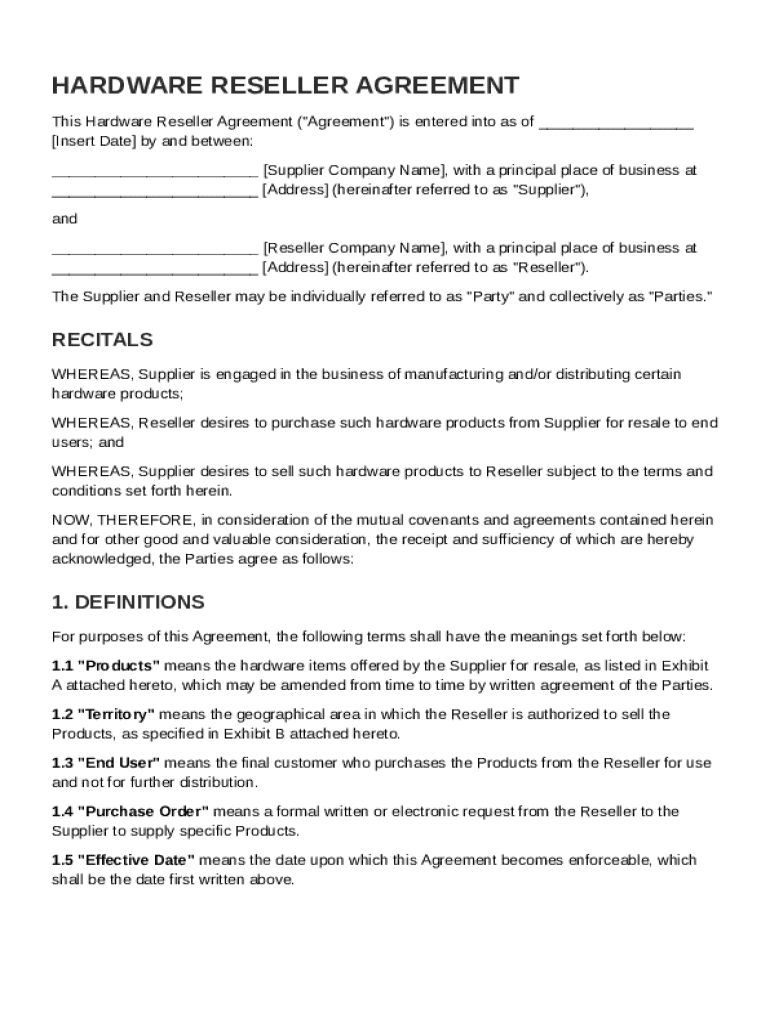
Hardware Reseller Agreement Form
Use a Hardware Reseller Agreement Template template to make your document workflow more streamlined.
What this reseller agreement does
A Hardware Reseller Agreement Form is a business contract that authorizes a reseller to market or sell specified hardware under agreed commercial rules. It records the supplier and reseller identities, covered products, territory, pricing or discount terms, ordering and payment duties, warranties, support responsibilities, intellectual-property limits, confidentiality obligations, and termination conditions. The parties review the populated document, demonstrate intent, and sign it. In signNow, the uploaded agreement can be checked for fillable fields, routed to each signer, completed electronically, and stored with an audit trail.
Who uses this reseller agreement
Hardware companies
Hardware distributors and manufacturers use this agreement to define territory, pricing, payment terms, warranties, support duties, and resale restrictions before a reseller markets equipment.
Reseller businesses
Resellers use it to document authorization, purchasing obligations, branding rules, customer support responsibilities, and termination procedures with the hardware supplier.
Users who complete this agreement
A hardware manufacturer’s channel operations lead can standardize reseller agreements, assign supplier and reseller fields, and preserve signed terms for territory, pricing, warranties, and support obligations. Tech Data uses airSlate SignNow to improve internal and external customer service while increasing speed to revenue, making its customer story relevant to distributor workflows. A reseller owner or procurement manager can complete the agreement from a desktop or mobile device, obtain supplier approval, and retain the final contract with its audit trail. The workflow suits businesses that repeatedly authorize hardware sales partners across defined territories or product lines.
How the agreement workflow works
The signNow workflow turns the supplier’s Hardware Reseller Agreement Form into a controlled signing sequence without changing the contract’s commercial terms.
Upload document: Upload the supplier’s agreement PDF to signNow. Detect fields: Auto-detect fields, then verify commercial and signature fields. Set roles: Assign supplier and reseller signing roles. Complete agreement: Send, sign, and preserve the completed record.
Complete the reseller agreement online
Prepare the Hardware Reseller Agreement Form in signNow by uploading, checking fields, routing, signing, and preserving the completed record.
Upload agreement:
Upload the completed agreement and let signNow detect fillable fields. Check fields:
Review detected fields and add missing dates, initials, or signature fields. Assign signers:
Assign each field to the supplier or reseller signer. Send document:
Send the agreement and monitor completion from the signNow dashboard. Store record:
Download the executed agreement with its audit trail.
 Best ROI. Our customers achieve an average 7x ROI within the first six months.
 Scales with your use cases. From SMBs to mid-market, airSlate SignNow delivers results for businesses of all sizes.
 Intuitive UI and API. Sign and send documents from your apps in minutes.
Features for hardware reseller agreements
signNow provides document preparation, signer routing, authentication, audit evidence, and integrations suited to supplier–reseller contract administration.
Field detection
Upload the supplier’s agreement and use detected fields to reduce manual placement work before assigning supplier and reseller signers.
Reusable templates
Route the same approved agreement structure to authorized hardware partners while preserving required pricing, territory, warranty, and support terms.
Audit trail
Capture supplier and reseller intent, signing events, timestamps, and document history in one agreement record.
Mobile signing
Let authorized parties review and sign the reseller agreement from supported desktop or mobile workflows.
Signer roles
Use role assignments to keep supplier, reseller, and internal approval responsibilities distinct during completion.
Business integrations
Connect agreement records with systems such as Salesforce, NetSuite, Microsoft Dynamics 365, or Google Drive for downstream handling.
Recommended agreement workflow setup
Configure the Hardware Reseller Agreement Form for identifiable signers, clear signature evidence, encrypted transfer, and controlled contract retention.
| Setting | Recommendation |
|---|---|
| Authentication method | Email invitation with SMS OTP |
| Signature type | Typed or drawn eSignature |
| Audit trail | Enabled for every agreement |
| Document retention | Retain under contract policy |
| Encryption | TLS 1.2/1.3 and AES-256 |
Review the agreement audit trail
After signing, signNow records the events that connect each supplier and reseller action to the executed Hardware Reseller Agreement Form.
Authenticate signer:
Capture timestamp:
Hash document:
Seal history:
Track actions:
Export evidence:
Authenticate hardware agreement signers
PKI signatures:
X.509 certificates:
Two-factor authentication:
SMS OTP:
ID verification:
Audit evidence:
Privacy and disclosure pitfalls
Leaving territory, product scope, discount schedules, or payment terms blank can create disputes over which hardware sales the reseller may pursue. Including personal contact information in a broadly shared agreement can expose data beyond the supplier’s and reseller’s authorized contract teams. Failing to capture clear signer intent, consent, or signer attribution can weaken the evidentiary record supporting the electronic agreement. Giving every channel employee edit access can allow unauthorized changes to warranty, pricing, termination, or exclusivity language.
Risks from an incomplete agreement
Unauthorized signer
Contract ambiguity
Signer dispute
Version conflict
Legal standing of the reseller agreement
A Hardware Reseller Agreement Form may be electronically executed under ESIGN, 15 U.S.C. chapter 96, and applicable state law, including UETA where adopted, when intent, consent, attribution, and record accessibility are established. Wills, certain court orders, and family law decrees are excluded from ESIGN’s electronic-record rules.

Ways to send and sign the agreement
- Use the signNow web app when channel teams prepare, assign, and monitor a Hardware Reseller Agreement Form from a desktop workflow.
- Use the mobile app when a supplier or reseller reviews and signs the agreement away from the office.
- Use kiosk mode when a supervised in-person process requires successive hardware representatives to sign on one managed device.
- Use a shareable signing link when the authorized supplier needs to distribute the same agreement through a controlled partner channel.
Hardware reseller agreement troubleshooting
Resolve field, signer, plan, legal-validity, disclosure, and record-preservation questions before sending this agreement to a hardware reseller.
Upload the source PDF again, then use signNow’s detected fields as a starting point and manually add any missing supplier, reseller, date, or signature fields. Business includes templates and audit trails, but field detection does not replace a contract review.
Business provides legally binding eSignatures, templates, mobile apps, and audit trails at $8/user/month with annual billing. Business Premium costs $15/user/month annually and adds bulk send, useful when sending the same reseller agreement to many partners.
A signer can open the email invitation or signing link without creating a signNow account in many workflows. If stronger attribution is required, use available authentication controls such as SMS verification or advanced signer authentication on Enterprise, priced at $30/user/month annually.
The agreement’s electronic signature can be supported under ESIGN, 15 U.S.C. chapter 96, and applicable state law, including UETA in adopting jurisdictions. Preserve intent, consent, signer attribution, and an accessible retained record; obtain legal review for unusual clauses or state-specific requirements.
For consumer-facing electronic records, ESIGN requires disclosure of the right to paper records, electronic-access capability, and withdrawal procedures under 15 U.S.C. §7001(c). A business-to-business reseller agreement may not trigger that consumer disclosure, but counsel should assess the parties and transaction.
Business includes audit trails, while signNow compliance materials identify ESIGN and UETA compliance. The completed agreement should be retained with its certificate or audit history, access controls, and a reproducible copy according to the company’s contract-retention policy.
Key performance indicators that demonstrate SignNow's proven track record.
BE READY TO GET MORE
Get this form now!

If you believe that this page should be taken down, please follow our DMCA take-down process.