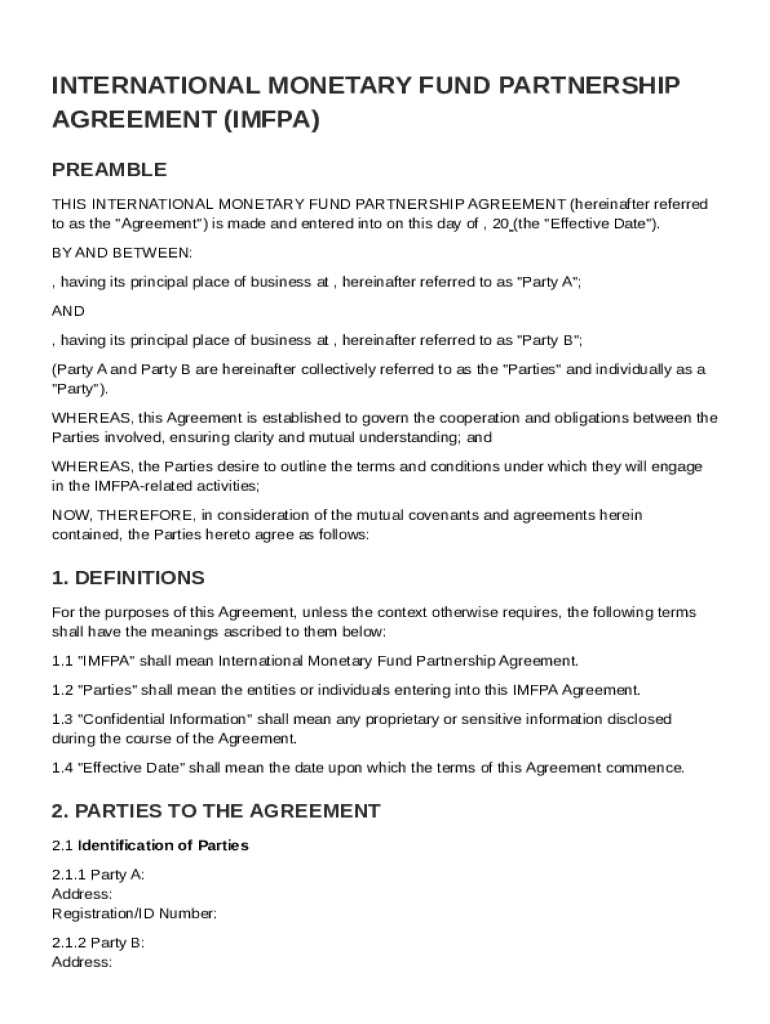
Imfpa Agreement Form
Use a Imfpa Agreement Template template to make your document workflow more streamlined.
What the Imfpa Agreement Form does
The Imfpa Agreement Form records agreed terms and the signatures of the parties responsible for accepting them. In signNow, upload the document, review automatically detected fillable fields, assign each field to its signer, and send invitations or a signing link. Each signer reviews the agreement and completes assigned fields from a supported device. signNow then produces the completed document and audit trail. Electronic-signature enforceability depends on intent, consent, attribution, and record retention under ESIGN and applicable state law, including UETA or New York ESRA.
Key features for Imfpa agreements
signNow combines form preparation, signer routing, authentication, audit evidence, and record access for the Imfpa Agreement Form workflow.
Document preparation
Upload the Imfpa Agreement Form and organize its required fields before sending it, reducing manual preparation and preserving the original document structure.
Field assignment
Assign each signature, date, and information field to the correct participant so every party sees only the work required from them.
Signer routing
Send the agreement through email invitations or signing links while maintaining a clear sequence for review and completion.
Audit trail
Use the completed agreement and audit trail together when internal teams need evidence of signer activity and document completion.
Mobile access
Access the signing workflow from signNow mobile apps when agreement participants review or sign away from their desks.
Record storage
Store the signed Imfpa Agreement Form with its completion history so authorized teams can retrieve the record later.
Complete the Imfpa Agreement Form
Use this sequence to prepare the Imfpa Agreement Form in signNow and preserve a complete signed record.
Upload:
Upload the Imfpa Agreement Form. Check fields:
Review automatically detected fields. Send:
Assign signers and send invitations. Complete:
Collect signatures and download records.
How the Imfpa audit trail works
The audit trail records who handled the Imfpa Agreement Form, what actions occurred, and when the completed record was finalized.
Authenticate signer:
Capture timestamp:
Link document:
Track changes:
Seal record:
Export evidence:
 Best ROI. Our customers achieve an average 7x ROI within the first six months.
 Scales with your use cases. From SMBs to mid-market, airSlate SignNow delivers results for businesses of all sizes.
 Intuitive UI and API. Sign and send documents from your apps in minutes.
Imfpa Agreement Form processing timeline
Follow four controlled stages to prepare, circulate, sign, and preserve the Imfpa Agreement Form record.
Prepare the agreement
Deliver to signers
Complete signer review
Archive completed record
Imfpa Agreement Form challenges
Missing signer assignments can leave required signatures incomplete and delay execution of the Imfpa Agreement Form. Incorrect dates, names, or agreement terms can create discrepancies between the signed record and the underlying transaction. Sending the form to the wrong recipient can expose confidential agreement information and require a controlled reissue. Saving the signed document without its audit trail can weaken evidence of the signing sequence and participant actions.
Best practices for completing the form
A controlled preparation and retention process helps keep the Imfpa Agreement Form complete, attributable, and available for later review.
Verify every agreement field
Assign fields to signers
Match authentication to risk
Archive the signed record
Risks of improper completion
Missing signature
Weak attribution
No audit trail
Wrong recipient
Legal standing of the agreement
An Imfpa Agreement Form may be admissible when the parties demonstrate intent, consent, signer attribution, and reliable record retention under ESIGN and applicable state law. Electronic records do not replace excluded wills, testamentary documents, certain court filings, or family-law decrees that require different legal procedures.

Security for signed agreements
Transport encryption:
Stored data:
Security certification:
Information security:
U.S. eSignatures:
Health information:



Imfpa Agreement Form troubleshooting
Resolve the most important Imfpa Agreement Form issues by checking the document, signer route, consent requirements, plan features, and applicable law.
Upload the correct Imfpa Agreement Form file, confirm that required fields are present, and use signNow’s field placement tools before sending. If the file contains unusual formatting, review every detected field manually because automatic detection does not replace document-specific quality control.
The Business plan includes legally binding eSignatures, audit trails, templates, and mobile apps at $8 per user per month with annual billing. Business Premium costs $15 per user per month annually and adds bulk send, kiosk mode, request payments, and quick invite links.
Use signNow’s audit trail with the completed agreement to document signer activity, timestamps, and the completion sequence. ESIGN and UETA recognize electronic signatures when intent, consent, attribution, and record retention requirements are satisfied; the transaction’s facts still determine enforceability.
If a signer cannot open the invitation, verify the email address, resend the invitation, or provide a controlled signing link. For stronger identity assurance, signNow Enterprise adds advanced signer authentication, while SMS codes can support an additional verification step.
Consumer-facing electronic records may require disclosure of the right to receive paper records and the ability to access electronic records under ESIGN, 15 U.S.C. §7001(c). Confirm that disclosure and consent requirements apply before sending the Imfpa Agreement Form.
Do not use an electronic agreement workflow for wills, codicils, testamentary trusts, or excluded court and family-law documents. ESIGN exceptions apply, and state law may impose additional notarization or filing requirements for the underlying transaction.
Key performance indicators that demonstrate SignNow's proven track record.
BE READY TO GET MORE
Get this form now!

If you believe that this page should be taken down, please follow our DMCA take-down process.