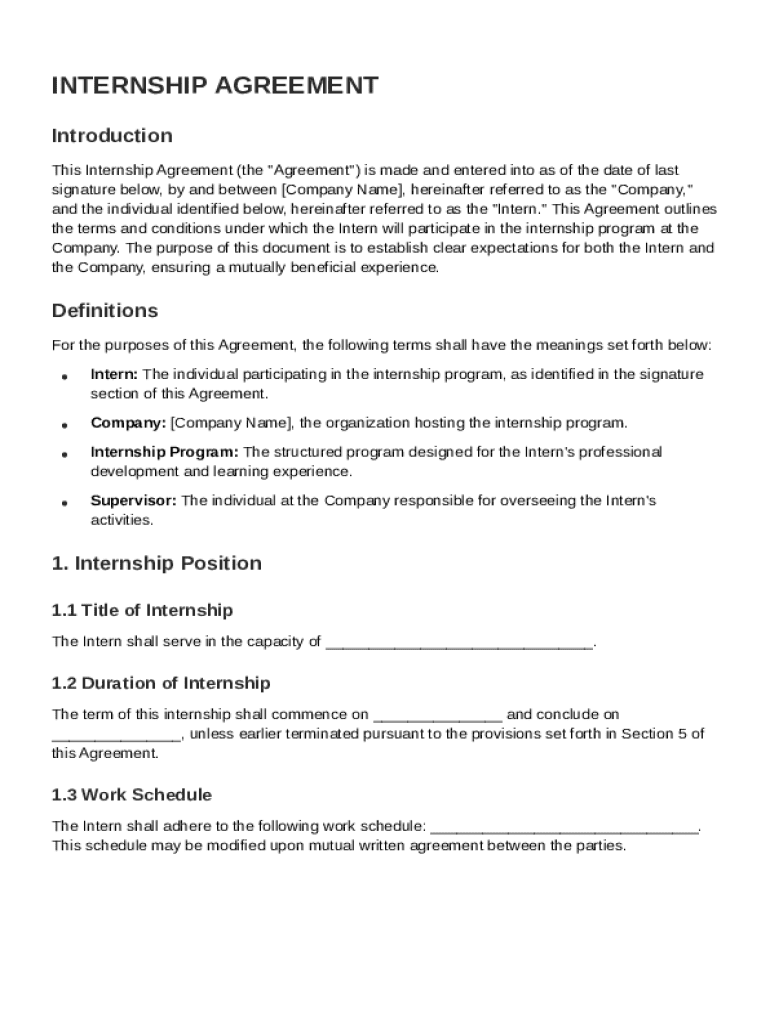
Internship Internship Agreement Form
Use a Internship Internship Agreement Template template to make your document workflow more streamlined.
What the internship agreement form covers
An Internship Internship Agreement Form is a written record of the placement terms between an intern, host organization, and, when involved, an educational institution. It identifies the parties, internship dates, work location, supervisor, duties, learning objectives, schedule, compensation or unpaid status, confidentiality expectations, and signatures. The parties review those terms, complete required fields, and sign the same record before the placement begins. Because requirements vary by school, employer, and state law, the form should be checked against applicable policies and counsel before use.
Avoiding internship agreement preparation errors
Internship dates, supervisor details, duties, and school requirements may be scattered across emails, causing incomplete agreement fields. Unclear learning objectives can make the internship agreement difficult to evaluate, administer, or distinguish from ordinary employment. Missing confidentiality, intellectual-property, or safety language can leave the organization and intern uncertain about workplace expectations. Separate signatures from the intern, school, and organization can delay placement approval when routing responsibilities are not defined.
Who uses this internship agreement
Host organizations
Employers use the form to document intern duties, supervision, location, schedule, confidentiality, safety expectations, and compensation status before the placement begins. The agreement gives human-resources and department teams one record for coordinating onboarding, school requirements, approvals, and signatures without relying on disconnected email attachments.
Schools and interns
Colleges, universities, and career programs use the form to confirm placement details, learning objectives, supervisor information, required approvals, and student consent. Program staff can review the final record before academic credit or field-placement authorization, while interns retain a clear reference for their responsibilities and schedule.
Best practices for internship agreements
A controlled template and documented signing workflow reduce placement disputes while keeping school and employer records consistent.
Complete every placement field before sending
Define educational goals and supervision clearly
Protect student and organization information
Preserve the final signed record
 Best ROI. Our customers achieve an average 7x ROI within the first six months.
 Scales with your use cases. From SMBs to mid-market, airSlate SignNow delivers results for businesses of all sizes.
 Intuitive UI and API. Sign and send documents from your apps in minutes.
Complete the internship agreement online
Use this workflow to prepare, route, sign, and preserve the completed Internship Internship Agreement Form in signNow.
Upload form:
Upload the completed Internship Internship Agreement Form. Check fields:
Review detected fields and add missing signature fields. Add signers:
Assign the intern, school, and host representative. Send agreement:
Send the agreement using the required signing order. Store record:
Download the signed form and completion certificate.
Recommended internship agreement setup
Configure the signing workflow around intern identity, school review, host approval, and controlled preservation of the final agreement.
| Setting | Recommendation |
|---|---|
| Authentication method | Email verification with SMS OTP |
| Signature type | Typed or drawn electronic signature |
| Audit trail | Capture timestamps, IP addresses, and actions |
| Document retention | Follow the organization’s written records policy |
| Encryption | TLS 1.2/1.3 and AES-256 protection |
Security for internship records
Transport encryption:
Stored document encryption:
Security assurance:
Information security:
Privacy controls:
Health data option:
Platform requirements for signing
Complete the Internship Internship Agreement Form through signNow using Chrome, Firefox, Safari, or Edge on Windows or macOS. Signers can also review and sign through signNow mobile apps for iOS and Android.
Browsers Chrome, Firefox, Safari, Edge Desktop systems Windows and macOS computers Mobile access iOS and Android mobile apps
Organizations should use managed accounts and approved storage policies when internship agreements contain student, supervisor, or school information. Administrators can control access, preserve audit records, and connect signNow with approved systems such as Google Drive, Microsoft 365, or Box when their records policy permits.
Audit trail for the internship agreement
The audit trail records evidence around the Internship Internship Agreement Form, separate from the agreement’s substantive placement terms.
Authenticate signer:
Timestamp actions:
Hash document:
Seal record:
Log activity:
Export audit trail:
Legal standing of the agreement
An electronically signed internship agreement may be admissible when the parties show intent, consent, attribution, and the ability to retain and reproduce the record under ESIGN, 15 U.S.C. chapter 96, and applicable UETA provisions. Those laws do not override exclusions for wills, codicils, testamentary trusts, certain court orders, or family-law decrees.

Risks from incomplete agreements
Incomplete approval
Placement dispute
Role ambiguity
Privacy exposure



Key performance indicators that demonstrate SignNow's proven track record.
Troubleshooting internship agreements
Resolve field, signer, evidence, plan, and privacy issues before the Internship Internship Agreement Form is finalized.
Open the uploaded Internship Internship Agreement Form in signNow and review auto-detected fields before sending. Add missing initials, dates, or signatures manually, then verify each field’s recipient and required status. The Business plan includes templates and audit trails for controlled recurring workflows.
Check that the intern, school representative, and host representative have distinct recipient assignments and valid email addresses. Re-send only after confirming the signing order. signNow records delivery and signing actions in the audit trail, helping identify which participant has not completed the form.
An electronic signature may satisfy ESIGN and applicable UETA requirements when intent, consent, attribution, and record reproduction are established. Review school policy and state requirements separately, especially if the agreement includes regulated information or a separate notarization requirement.
Use signNow’s audit trail and signed PDF together, because the agreement’s enforceability depends on the record and signing evidence rather than a signature image alone. Confirm that the final document remains accessible and reproducible under the organization’s records policy.
The Business plan includes 100 signature invites per user per year when billed annually, with overage fees applying. Business Premium adds bulk send, while Enterprise adds advanced signer authentication. Select the plan based on placement volume and required controls.
Avoid placing unnecessary student identifiers, health information, or unrelated personal data in the agreement. signNow provides encryption and access controls, while HIPAA compliance requires a business associate agreement when the workflow handles protected health information for a covered entity.
BE READY TO GET MORE
Get this form now!

If you believe that this page should be taken down, please follow our DMCA take-down process.