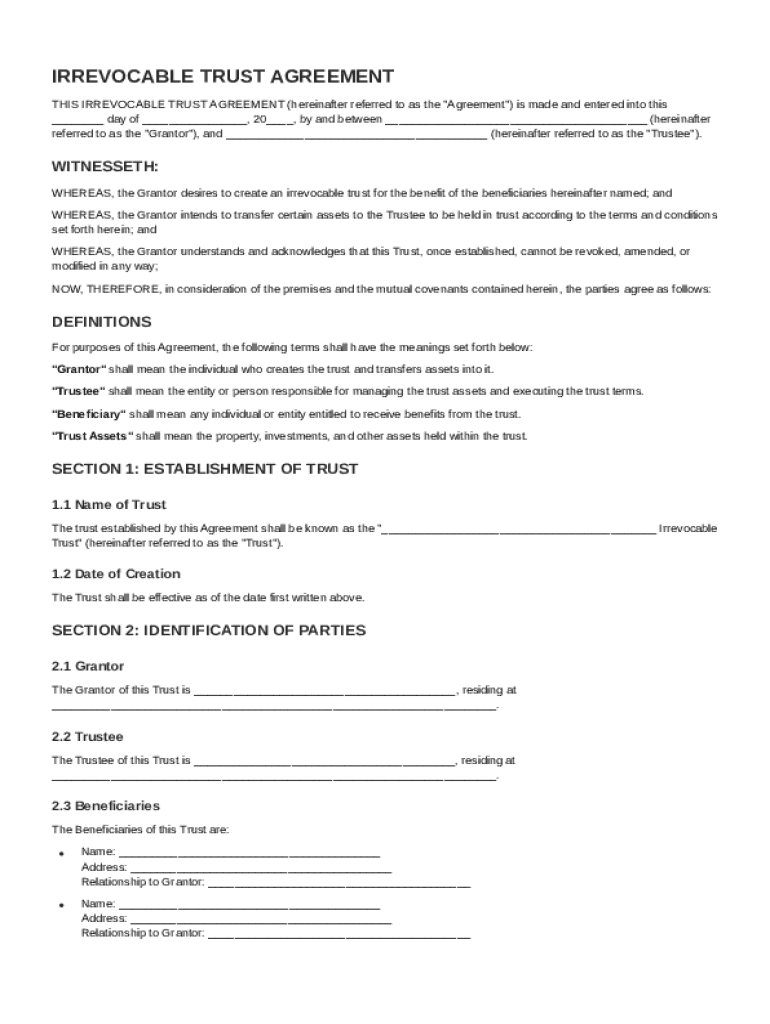
Irrevocable Trust Agreement Form
Use a Irrevocable Trust Agreement Template template to make your document workflow more streamlined.
What an irrevocable trust agreement does
An Irrevocable Trust Agreement Form records a trust arrangement that generally cannot be changed or revoked by the grantor after execution. It identifies the grantor, trustee, beneficiaries, transferred property, governing law, trustee powers, distribution terms, and required signatures. State trust law controls formation, amendment, funding, fiduciary duties, and execution requirements. An electronic signature may support a non-testamentary agreement under ESIGN and applicable state law, but ESIGN excludes testamentary trusts, wills, codicils, and certain court filings. An attorney should confirm whether this document requires witnesses or notarization.
Who uses this trust agreement
Estate-planning attorneys
Estate-planning attorneys use the agreement to collect grantor, trustee, beneficiary, governing-law, distribution, and signature details before reviewing state-specific execution requirements.
Trust administrators
Trust administrators and families use signed copies to document transfers, trustee duties, beneficiary rights, and ongoing administration without relying on paper circulation.
Recommended trust agreement setup
Configure the agreement around signer identity, execution evidence, secure storage, and the state law governing this specific trust.
| Setting | Recommendation |
|---|---|
| Authentication method | Use email verification with SMS OTP for trustees |
| Signature type | Use intent-based electronic signatures for non-testamentary agreements |
| Audit trail | Retain signer identity, timestamps, IP address, and actions |
| Document retention | Apply the governing record category and federal rule |
| Encryption | Use TLS in transit and AES-256 at rest |
How to complete the agreement
Use signNow to prepare the trust agreement, route it to the required parties, and preserve execution evidence for later administration.
Upload agreement:
Upload the completed trust agreement and review every grantor, trustee, and beneficiary field. Add fields:
Place signature, date, initial, and acknowledgment fields where required. Send for signature:
Send the agreement to each required signer in the intended order. Store records:
Download the completed agreement and preserve its audit trail.
 Best ROI. Our customers achieve an average 7x ROI within the first six months.
 Scales with your use cases. From SMBs to mid-market, airSlate SignNow delivers results for businesses of all sizes.
 Intuitive UI and API. Sign and send documents from your apps in minutes.
Features for this trust agreement
The workflow focuses on accurate trust terms, accountable execution, and records that remain connected to the agreement throughout administration.
Defined terms
Capture grantor, trustee, beneficiary, property, governing-law, and distribution information in one structured agreement before execution.
Signer routing
Route signatures to grantors, trustees, witnesses, or notaries according to counsel’s execution plan and state requirements.
Audit evidence
Preserve timestamps, signer actions, and completion evidence alongside the executed trust agreement for later administration.
Reusable template
Use reusable fields for recurring trust administration while reviewing each agreement for its specific property and beneficiary terms.
Controlled access
Apply access controls and encrypted storage to limit exposure of beneficiary, financial, and identifying information.
Record export
Download a completed agreement and its audit trail for counsel, trustees, or authorized record custodians.
What the audit trail records
For this agreement, the audit trail connects each signer’s identity and action history to the final trust document and its retained evidence.
Authenticate signer:
Capture timestamp:
Link document:
Seal record:
Log actions:
Retrieve evidence:
Trust agreement processing stages
Processing time depends on document accuracy, signer availability, and any state-required witness or notarization steps.
Prepare agreement
Deliver to signers
Collect signatures
Archive completion
Retention periods for trust records
Keep each Irrevocable Trust Agreement Form according to the record category, applicable federal rule, and any stricter state requirement.
Three years from filing
Six years for major understatement
Six years for HIPAA records
Six years for broker records
Three years for payroll records
Best practices for trust records
Good recordkeeping connects the executed agreement to its audit evidence, funding documents, retention rule, and state-law review.
Map retention to the record category
Export execution evidence promptly
Archive trust records securely
Review state execution requirements
State-law execution risks
Missing notarization
Testamentary trust
Family law document
Unacknowledged deed
Legal standing and evidence
A signed Irrevocable Trust Agreement Form can support admissible business records when intent, consent, attribution, and reliable retention are established under ESIGN and UETA. Those frameworks do not cover wills, codicils, testamentary trusts, court orders, or family-law decrees, and state trust law may impose additional formalities.



Troubleshooting trust agreement signing
Resolve field, plan, legal-classification, retention, access, and invitation questions before treating the signed agreement as complete.
Upload the final Irrevocable Trust Agreement Form as a PDF, then inspect signNow’s detected fields. Auto-detection does not decide whether a trustee, witness, or notary is legally required. Confirm the execution plan under the trust’s governing state law before sending.
Business includes legally binding eSignatures, templates, and audit trails at $8/user/month when billed annually. If the trust workflow requires bulk send, that feature is listed for Business Premium at $15/user/month annually, not Business.
A trust agreement may be e-signed under ESIGN and UETA when it is a non-testamentary transaction and required consent, intent, attribution, and record reproduction are present. ESIGN excludes testamentary trusts, so counsel must classify the document first.
Use signNow’s audit trail to preserve signer actions, timestamps, and completion evidence with the executed agreement. If the record contains protected health information, HIPAA compliance requires a business associate agreement and six-year retention under 45 CFR §164.530(j).
If a signer cannot open the invitation, verify the email address, resend the request, and check whether the message was filtered. signNow supports mobile apps and signing links, but the parties must still complete any required witness or notary steps.
The $8 Business plan includes 100 signature invites per user per year, with overage fees; it is not uncapped. The Site License is usage-based at $1.50 per signature invite and includes unlimited users for 1,000-plus documents annually.
Key performance indicators that demonstrate SignNow's proven track record.
BE READY TO GET MORE
Get this form now!

If you believe that this page should be taken down, please follow our DMCA take-down process.