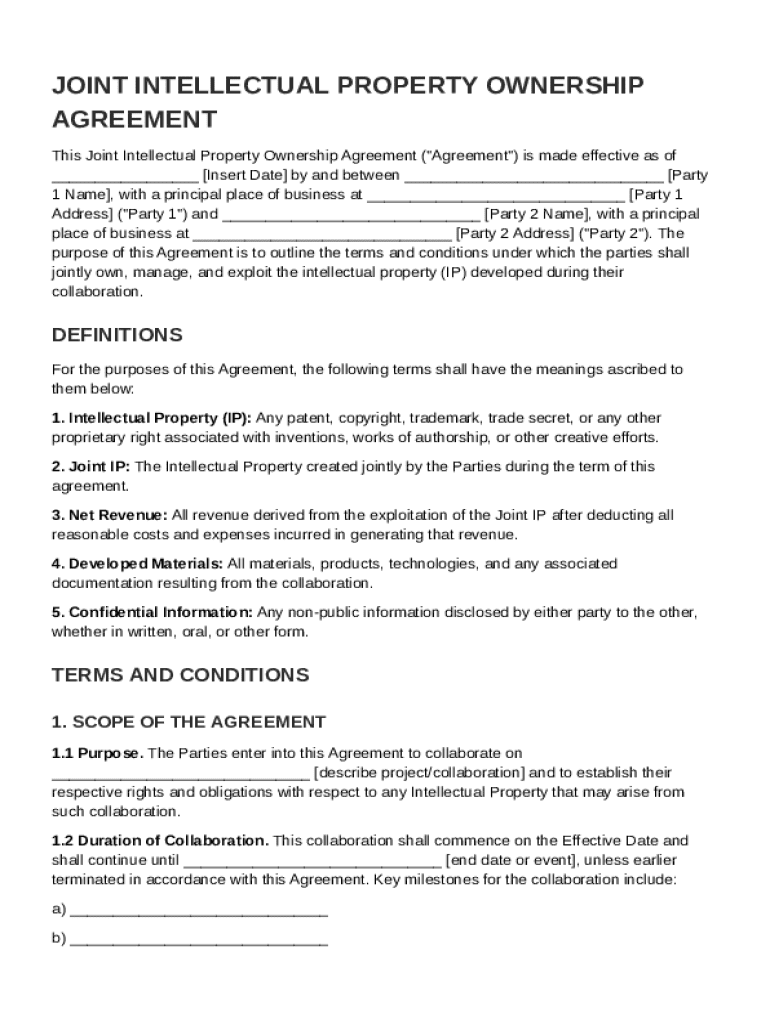
Joint Ip Ownership Agreement Form
Use a Joint IP Ownership Agreement Template template to make your document workflow more streamlined.
What a joint IP ownership agreement does
A Joint Ip Ownership Agreement Form records how two or more parties share rights in jointly created intellectual property. It identifies the contributors, covered work, ownership percentages or interests, permitted uses, licensing authority, expenses, income allocation, enforcement duties, and transfer restrictions. The parties sign to document mutual consent and reduce uncertainty over copyrights, patents, trade secrets, software, or other IP. U.S. enforceability depends on contract principles, applicable state law, and clear evidence of intent, attribution, and agreed terms. The form should be reviewed by qualified counsel when ownership or commercialization is material.
Documents and audiences covered
Co-created intellectual property
Founders and research collaborators use the form for software, inventions, designs, documentation, and jointly developed confidential information.
Commercialization workflows
Legal and operations teams use it for licensing, commercialization, contributor assignments, revenue allocation, and approval records involving multiple owners.
Who benefits from joint IP agreements
Joint ownership terms help collaborators establish rights before shared intellectual property is developed, licensed, or transferred.
A two-founder software company can define each founder’s contribution, ownership share, licensing authority, and approval rights before commercial release. A university-affiliated research venture can document inventor contributions, commercialization permissions, revenue allocation, and obligations created by sponsored research. An enterprise innovation program can standardize agreements for multiple teams while preserving role-based review, signature sequencing, and centralized records.
These tasks are executed by both individual contributors and centralized administrators depending on organizational policy and required controls.
How to complete the ownership agreement
Prepare the ownership terms first, then use signNow to route the agreement and preserve evidence of each signature.
Upload agreement:
Upload the completed agreement and review its party, IP, ownership, and signature fields. Check fields:
Use auto-detection to identify fillable fields, then correct labels and assign each signer. Assign signers:
Send the agreement in the agreed signing order to every co-owner and witness. Archive record:
Review the signed copy, certificate of completion, and audit trail before storing records.
 Best ROI. Our customers achieve an average 7x ROI within the first six months.
 Scales with your use cases. From SMBs to mid-market, airSlate SignNow delivers results for businesses of all sizes.
 Intuitive UI and API. Sign and send documents from your apps in minutes.
Key features for joint IP agreements
A structured agreement workflow helps co-owners define rights, collect signatures, and retain evidence without separating the final document from its signing history.
Party identification
Identify each co-owner, contributor, and authorized representative so the signature record connects the agreement to the correct parties.
IP description
Describe the jointly created software, invention, design, or confidential information with enough precision to define the ownership subject.
Ownership terms
Record ownership shares, license authority, revenue allocation, and expense duties in one accessible agreement.
Signer routing
Route the agreement to multiple parties in a defined order and capture each required signature.
Audit evidence
Preserve the signed document, completion certificate, timestamps, and action history for later review.
Controlled records
Use role-based access and integrations to keep the executed agreement connected to business records.
Recommended agreement workflow setup
Configure signing, access, evidence, and storage controls around the ownership terms and the parties authorized to approve them.
| Setting | Recommendation |
|---|---|
| Authentication method | Email verification with SMS OTP |
| Signature type | Electronic signature with recorded intent |
| Audit trail | Certificate of completion and action history |
| Document retention | Company policy matched to applicable claims period |
| Encryption and provisioning | TLS 1.2/1.3, AES-256, role-based access |



Best practices for shared IP ownership
Clear asset descriptions, complete contributor records, and preserved signing evidence make this agreement easier to administer and defend.
Define the covered intellectual property
Separate ownership from operating rights
Verify every contributor’s rights
Archive the complete signing record
What the agreement audit trail records
The audit trail documents who accessed, reviewed, signed, and completed the joint ownership agreement, supporting later attribution and record review.
Authenticate signer:
Capture timestamps:
Hash document:
Seal evidence:
Issue certificate:
Export audit trail:
Security controls for signed agreements
TLS 1.2/1.3:
AES-256 encryption:
SOC 2 Type II certified:
ISO 27001 certified:
ESIGN and UETA compliant:
HIPAA compliant with BAA:
Where joint ownership agreements fail
Unclear descriptions of jointly created software, inventions, artwork, or confidential know-how can leave the agreement’s subject matter open to dispute. Ownership percentages without matching licensing, revenue, expense, and enforcement rules may create operational deadlocks between co-owners. A missing assignment from an employee, contractor, or preexisting contributor can leave one party unable to transfer complete rights. Unsigned exhibits, inconsistent party names, or unassigned signature fields can weaken attribution and complicate proof of mutual assent.
Agreement completion and archival stages
The processing sequence follows the document from final drafting through signer review, execution, and preservation of the completed record.
Prepare the document
Deliver to signers
Review and sign
Complete and archive
Key performance indicators that demonstrate SignNow's proven track record.
Joint IP agreement troubleshooting
Resolve signer assignment, authentication, plan, enforceability, archival, and state-law questions before relying on the completed agreement.
Upload the final PDF again and inspect whether every co-owner has an assigned signature field. SignNow’s auto-detection can identify fillable fields, but the sender should confirm names, roles, and signing order before delivery.
Use signNow’s signing link or email delivery after confirming the recipient address. If stronger attribution is required, configure SMS authentication or another available signer-authentication control before sending the Joint Ip Ownership Agreement Form.
The Business plan includes legally binding eSignatures, audit trails, templates, mobile apps, ISO 27001, SOC 2, and GDPR support. Business Premium adds bulk send, kiosk mode, payments, and quick invite links.
Electronic execution can satisfy ESIGN and applicable UETA requirements when intent, consent, attribution, and record retention are established. Consumer-facing transactions may also require the disclosure and access procedures in 15 U.S.C. §7001(c).
Export the completed PDF and certificate of completion, then retrieve the audit trail from signNow. Store those records together under the organization’s documented legal and contractual retention policy.
If the agreement concerns a will, court order, family-law decree, or another ESIGN exception, do not assume electronic execution is sufficient. Confirm the applicable state-law signing, notarization, and filing requirements first.
BE READY TO GET MORE
Get this form now!

If you believe that this page should be taken down, please follow our DMCA take-down process.