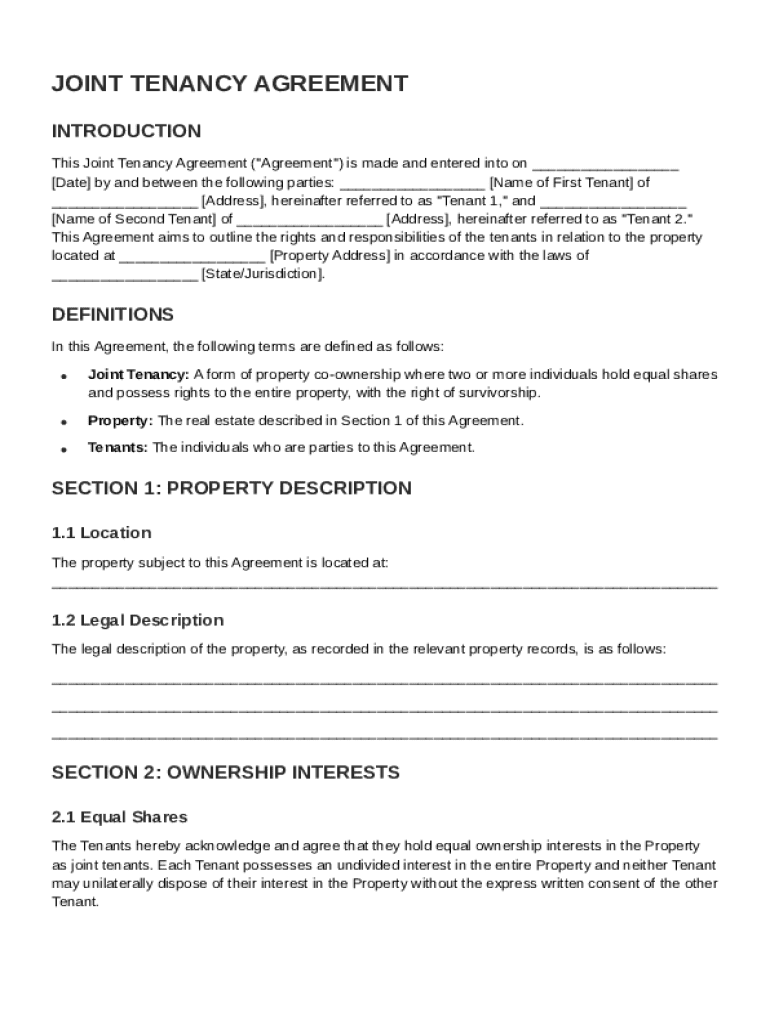
Joint Tenancy Agreement Form
Use a Joint Tenancy Agreement Template template to make your document workflow more streamlined.
What this joint tenancy form does
A Joint Tenancy Agreement Form records how two or more people intend to hold property together, including the co-tenants, property description, ownership terms, survivorship language, and signatures. It helps the parties preserve a shared written record of their agreement, but it is not automatically a substitute for a deed, title transfer, notarization, or county recording. State property law controls the required execution and recording formalities. signNow can route the form to each signer, capture electronic signing evidence, and retain the completed document for review.
Who uses this agreement form
Real estate
Real estate professionals prepare Joint Tenancy Agreement Forms for co-owners, ensuring each person reviews the ownership language, property description, survivorship terms, and signature requirements before the completed record is retained.
Co-owners
Individuals acquiring property together use the form to document co-tenant identities, ownership intentions, and execution evidence, while checking state recording, notarization, and deed requirements separately.
Features that support joint tenancy agreements
A structured digital workflow helps property owners and professionals prepare, circulate, sign, and retain Joint Tenancy Agreement Forms with fewer manual handoffs.
Structured completion
Place ownership terms, co-tenant names, property details, and signature fields in one controlled Joint Tenancy Agreement Form before sending it for execution.
Multiple signers
Collect signatures from multiple joint tenants without coordinating separate paper copies, reducing uncertainty about which version each person reviewed.
Audit trail
Capture timestamps, signer actions, and completion evidence so the executed agreement has a clear electronic signing history for later review.
Reusable template
Use reusable templates for recurring joint tenancy transactions while preserving the specific ownership and property information for each agreement.
Remote signing
Send the agreement from a desktop or mobile workflow, allowing co-tenants to review and sign without arranging one shared meeting.
Organized records
Store the completed agreement and its audit evidence together, supporting organized records management and easier retrieval during ownership or estate discussions.
How to complete the form online
Prepare the property and co-tenant information first, then use signNow to route the Joint Tenancy Agreement Form for review and signatures.
Upload form:
Upload the completed Joint Tenancy Agreement Form. Add fields:
Place fields for each co-tenant. Send agreement:
Send the assigned form for signatures. Store records:
Store the signed PDF and audit trail.
 Best ROI. Our customers achieve an average 7x ROI within the first six months.
 Scales with your use cases. From SMBs to mid-market, airSlate SignNow delivers results for businesses of all sizes.
 Intuitive UI and API. Sign and send documents from your apps in minutes.
How the audit trail records each signature
signNow records the identity, timing, integrity, and retrieval history surrounding each signature on a Joint Tenancy Agreement Form.
Signer authentication:
Timestamp capture:
Document hashing:
Tamper-evident seal:
Certificate creation:
Audit export:
Recommended workflow configuration
A controlled configuration keeps Joint Tenancy Agreement Forms consistent while preserving signer identity, document integrity, and access records.
| Setting | Recommendation |
|---|---|
| Authentication method | Email link with SMS verification |
| Signature type | Electronic signature with signer intent |
| Audit trail and encryption | Detailed audit trail with AES-256 encryption |
| Document retention | Retain under applicable state policy |
| User provisioning | Role-based access for authorized staff |
Security for signed property records
Data encryption:
Transport security:
Security certification:
Management standard:
Electronic signatures:
Regulated data:



Platform requirements for signing
Joint Tenancy Agreement Forms can be prepared and signed through supported desktop browsers, including Chrome, Firefox, Safari, and Edge, on Windows or macOS. signNow also provides mobile apps for iOS and Android, allowing co-tenants to review assigned fields and sign from supported mobile devices.
Browsers Use Chrome, Firefox, Safari, or Edge. Operating systems Use Windows, macOS, iOS, or Android. Mobile apps Use signNow mobile apps for signing.
Organizations managing property documents should apply role-based access, retain the completed agreement with its audit trail, and review whether state recording or notarization requires an additional in-person process. API, SSO, or managed-device requirements depend on the organization’s signNow plan and internal controls.
State rules and excluded documents
State acknowledgment
Title-record issue
Estate document
Court-order issue
Challenges when preparing the form
Using a generic agreement without identifying every joint tenant can create uncertainty about who accepted the ownership terms. Leaving survivorship language unclear may produce disputes about what happens when one joint tenant dies. Failing to separate the agreement from a deed can confuse private contract terms with state recording requirements. Assuming electronic signing replaces required notarization or recording may prevent the document from serving its intended property purpose.
Joint tenancy form troubleshooting
Resolve signing, authentication, and recordkeeping questions before relying on a completed Joint Tenancy Agreement Form.
Upload the Joint Tenancy Agreement Form as a PDF, then use signNow’s field tools to place names, dates, acknowledgments, and signature fields. Confirm that every required co-tenant has a separate assigned role before sending.
Use signNow’s audit trail to document email delivery, signer activity, timestamps, and completion events. The record supports evidence of the electronic transaction, but it does not replace state-specific deed recording or notarization requirements.
ESIGN and UETA generally recognize electronic signatures when intent, consent, attribution, and record retention requirements are satisfied. State property law may impose additional formalities, so review the applicable state recorder’s requirements.
Business includes legally binding eSignatures, templates, audit trails, and mobile apps at $8 per user per month when billed annually. Confirm whether your organization needs Business Premium features such as bulk sending.
Use signNow’s signer authentication options, including email-based access and stronger verification where configured. For a property transaction requiring higher assurance, document the selected authentication method in your internal procedure.
After all assigned parties sign, download the completed Joint Tenancy Agreement Form and its certificate or audit information. Store both records together, then complete any separate state filing, recording, or notarization step.
Key performance indicators that demonstrate SignNow's proven track record.
BE READY TO GET MORE
Get this form now!

If you believe that this page should be taken down, please follow our DMCA take-down process.