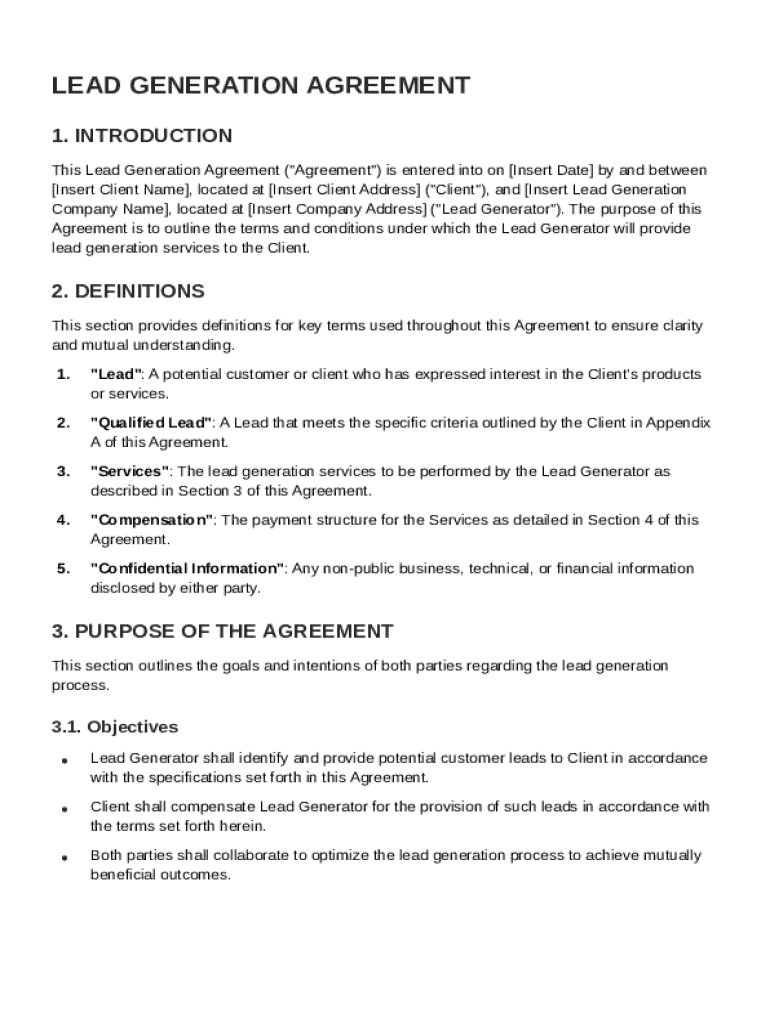
Lead Generation Agreement Form
Use a Lead Generation Agreement Template template to make your document workflow more streamlined.
What the Lead Generation Agreement Form does
A Lead Generation Agreement Form records the terms under which one party supplies, refers, or introduces prospective customers to another business. It identifies the parties, describes the lead or referral activity, sets compensation or payment conditions, and assigns responsibilities for follow-up, confidentiality, and data handling. The parties complete the fields, review the agreement, and sign it. With signNow, a sender uploads the document, places or confirms fillable fields, routes it to the required signers, and stores the completed agreement with its audit trail.
Businesses that use this agreement form
The form is useful when a business needs written terms before a lead is introduced, transferred, qualified, or compensated.
Solo marketing consultants can define lead ownership, referral fees, payment triggers, and client responsibilities before introducing prospects to another business. Real estate agencies can document lead referral arrangements between agents, brokerages, and partners while collecting signatures before sharing prospect information. Enterprise sales teams can standardize partner referral agreements, route approvals, and retain signed records across departments, regions, and lead-generation programs.
These tasks are executed by both individual contributors and centralized administrators depending on organizational policy and required controls.
Key features of the Lead Generation Agreement Form
The form organizes referral terms, lead information, approvals, and signatures into a record that teams can complete and manage online.
Structured fields
Upload the Lead Generation Agreement Form and place fields for lead details, referral terms, commission conditions, signatures, and dates. A structured template reduces omissions before the agreement reaches a prospect or partner.
Reusable templates
Use reusable Lead Generation Agreement Form templates for recurring referral arrangements. Standardized wording and field placement help sales teams collect consistent information without rebuilding the document for every lead source.
Signer routing
Send the agreement to each required signer in sequence or parallel, depending on the referral arrangement. signNow records signing actions so the completed agreement can be reviewed later.
Remote signing
Collect signatures from partners, agencies, or clients without requiring an in-person meeting. The completed Lead Generation Agreement Form remains available as an electronic record for business administration.
Audit evidence
Keep the signed agreement and its audit trail together. This preserves evidence of signer identity, timestamps, document activity, and the final record when a referral payment or scope dispute arises.
Business integrations
Connect completed agreements with systems such as Salesforce, NetSuite, or Google Drive. This can place signed referral records alongside lead records, financial workflows, or controlled business files.
How the audit trail supports this form
The audit trail connects the Lead Generation Agreement Form to signer activity, timestamps, document history, and the final completed record.
Authenticate signer:
Capture timestamps:
Record document state:
Log signer actions:
Seal completion evidence:
Export audit trail:
 Best ROI. Our customers achieve an average 7x ROI within the first six months.
 Scales with your use cases. From SMBs to mid-market, airSlate SignNow delivers results for businesses of all sizes.
 Intuitive UI and API. Sign and send documents from your apps in minutes.
Security for signed referral agreements
Transport encryption:
Stored data:
Security reporting:
Information security:
Electronic signatures:
Health information:
Platform requirements for completing the form
Lead Generation Agreement Forms can be prepared and signed through signNow using Chrome, Firefox, Safari, or Edge on Windows 10, Windows 11, or macOS. signNow also provides mobile apps for iOS and Android, allowing parties to review and sign referral agreements away from a desk.
Browser support Chrome, Firefox, Safari, Edge Desktop systems Windows 10, Windows 11, macOS Mobile access iOS and Android signNow apps
Organizations should use managed devices, current browser security updates, and controlled accounts when the form contains personal lead information. Enterprise deployments may add API access, SSO provisioning, role controls, and certificate or long-term validation requirements based on the organization’s policy and regulatory environment.



Pricing and features for agreement workflows
signNow provides verified plan details for preparing and signing Lead Generation Agreement Forms; competitor figures and features remain unverified here.
| Features | signNow | DocuSign | Adobe Sign | PandaDoc | Dropbox Sign |
|---|---|---|---|---|---|
| Annual Business plan price | $8/user/month annually | Not verified | Not verified | Not verified | Not verified |
| Free trial availability | 7 days, no card required | Not verified | Not verified | Not verified | Not verified |
| Audit trail support | Included with Business | Not verified | Not verified | Not verified | Not verified |
| Bulk sending availability | Business Premium includes bulk send | Not verified | Not verified | Not verified | Not verified |
| HIPAA compliance availability | Compliant; BAA required | Not verified | Not verified | Not verified | Not verified |
| Annual signature invite cap | 100 invites per user annually | Not verified | Not verified | Not verified | Not verified |
Record-keeping practices for this form
Retain the completed agreement and its supporting signing evidence according to the document’s business purpose, data sensitivity, and applicable legal requirements.
Archive the complete agreement record
Export signing evidence promptly
Set a documented retention rule
Control access to lead records
Risks when the agreement is incomplete
Referral dispute
Lead disclosure
Signer challenge
Privacy exposure
Lead Generation Agreement Form troubleshooting
These answers address field preparation, signer access, plan limits, electronic consent, and the legal record requirements relevant to this agreement.
Upload the source document again and check whether text fields, signature fields, dates, and lead-information fields were detected correctly. signNow lets the sender place or adjust fillable fields before routing the Lead Generation Agreement Form for signature.
Check the signer’s email address, resend the invitation, or provide a signNow signing link. The sender should confirm that the signer can access the document and that required fields for referral terms and signatures are not left incomplete.
The Business plan is listed at $8 per user per month with annual billing and includes legally binding eSignatures, templates, and audit trails. Business Premium is $15 annually and adds bulk send for repeated agreement workflows.
signNow states that paid subscription plans include 100 signature invites per user per year, with overage fees. The Site License uses $1.50 per signature invite and is designed for organizations processing 1,000 or more documents annually.
For a consumer-facing transaction, ESIGN requires consent to electronic records, access to the electronic format, and disclosure of the right to paper records under 15 U.S.C. §7001(c). Capture and retain the required disclosure before signing.
ESIGN and UETA generally recognize electronic signatures when intent, consent, signer attribution, and record retention and reproduction are established. A Lead Generation Agreement Form does not replace legal review for excluded documents such as wills or court orders.
Key performance indicators that demonstrate SignNow's proven track record.
BE READY TO GET MORE
Get this form now!

If you believe that this page should be taken down, please follow our DMCA take-down process.