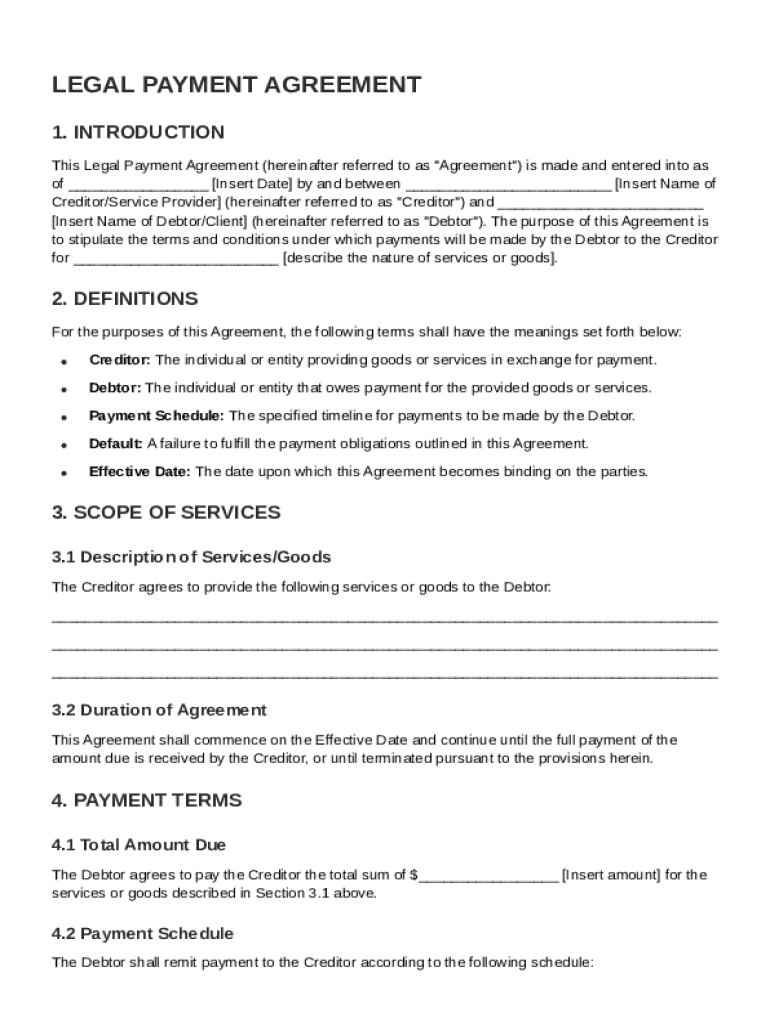
Legal Payment Agreement Form
Use a Legal Payment Agreement Template template to make your document workflow more streamlined.
What a legal payment agreement form does
A Legal Payment Agreement Form records who owes money, how much is due, when payment must occur, and what both parties accepted. It may include installment amounts, payment methods, late-payment terms, authorization details, signatures, and dates. With signNow, a sender uploads the document, reviews automatically detected fillable fields, assigns fields to signers, and sends it for completion. The resulting signed record and audit trail help connect the agreed terms to signer identity, transaction timing, and later record retrieval. State contract law still governs the agreement’s substantive terms.
How signNow handles this payment form
The signNow workflow converts a prepared Legal Payment Agreement Form into an assigned, signed, and traceable electronic record.
Upload document: Upload the prepared payment agreement PDF to signNow. Detect fields: Review auto-detected fields and add missing terms. Assign fields: Assign payment, signature, and date fields to participants. Complete record: Send, sign, and retain the completed agreement with its audit trail.
Complete the payment agreement in signNow
Use this sequence to turn a prepared Legal Payment Agreement Form into a signed, traceable payment record.
Upload form:
Upload the payment agreement PDF to signNow. Check fields:
Review detected fields and add missing payment details. Assign signers:
Assign signature and date fields to each signer. Send agreement:
Send the completed agreement for electronic signature. Store record:
Store the signed form with its audit trail.
Features that strengthen payment agreements
A Legal Payment Agreement Form works best when its payment terms, signer identity, approval sequence, and completed record remain connected throughout the transaction.
Clear terms
Define the amount, due dates, payment method, and consequences in one organized record, reducing ambiguity before either party signs the Legal Payment Agreement Form.
Signer attribution
Assign each signature, date, and acknowledgment to the correct participant, helping establish who accepted the payment obligations and when the agreement was executed.
Audit evidence
Capture the signed agreement and related activity in a searchable record, making payment commitments easier to retrieve during reconciliation or a business dispute.
Orderly approvals
Send the same agreement to multiple parties in a controlled sequence, so approvals and signatures follow the payment arrangement rather than relying on email attachments.
Reusable templates
Use reusable fields for recurring payment arrangements, limiting transcription errors when a business prepares similar agreements for customers, vendors, or service providers.
Accessible records
Keep the completed agreement available for review after signing, supporting consistent record handling for accounting, legal, and operations teams.
 Best ROI. Our customers achieve an average 7x ROI within the first six months.
 Scales with your use cases. From SMBs to mid-market, airSlate SignNow delivers results for businesses of all sizes.
 Intuitive UI and API. Sign and send documents from your apps in minutes.
Recommended payment agreement setup
Configure the Legal Payment Agreement Form around identifiable signers, documented intent, protected transmission, and retrievable completion evidence.
| Setting | Recommendation |
|---|---|
| Authentication method | Email link with SMS OTP |
| Signature type | Electronic signature with signer intent |
| Audit trail | Retain completed event history |
| Document retention | Apply business and applicable legal policy |
| Encryption | TLS 1.2/1.3 and AES-256 |
Security for payment agreement records
Transport encryption:
Stored encryption:
Control assurance:
Security certification:
U.S. eSignatures:
Healthcare use:
How the payment agreement audit trail works
The audit trail connects each signing event to the Legal Payment Agreement Form, creating a chronological record for internal review and dispute response.
Authenticate signer:
Capture timestamp:
Hash document:
Seal document:
Log actions:
Export evidence:
Legal standing of payment agreements
A Legal Payment Agreement Form can document mutual intent, signer attribution, and agreed payment terms when properly executed and retained. ESIGN, 15 U.S.C. ch. 96, and applicable state law, including UETA or New York’s ESRA, generally support electronic records in business transactions. Wills, court orders, and specified family-law documents remain excluded.

Risks of incomplete payment agreements
Proof gap
Enforcement risk
Consent dispute
Evidence gap
Best practices for payment agreement records
Accurate terms, controlled revisions, and connected audit evidence make the Legal Payment Agreement Form easier to administer and review.
Write complete payment terms
Preserve signed evidence
Apply an appropriate schedule
Control revised versions
Processing stages for payment agreements
Processing time depends on document readiness and signer availability; the workflow identifies each stage without assigning an unsupported completion deadline.
Prepare agreement
Deliver to signers
Await signatures
Archive completion
Platform requirements for signing
Prepare and sign the Legal Payment Agreement Form in Chrome, Firefox, Safari, or Edge on Windows or macOS. signNow also provides mobile apps for iOS and Android, allowing parties to review and sign the agreement from supported mobile devices.
Browsers Chrome, Firefox, Safari, and Edge Desktop systems Windows and macOS desktops Mobile systems iOS and Android mobile apps
Organizations should manage access through approved devices and user accounts when payment agreements contain bank details, account numbers, or other personal information. Teams using integrations, SSO provisioning, or API workflows should confirm the selected signNow plan and configure permissions before distributing the form.
Troubleshooting payment agreement signing
These answers address field assignment, signer identity, consent, plan limits, protected information, and the legal scope of electronic signing.
Upload the document again as a readable PDF and review auto-detected fields. Add payment amount, due date, signature, and date fields manually when detection does not identify them correctly. Confirm each field belongs to the intended signer before sending.
Use signNow’s signer assignment controls to identify the customer, vendor, or authorized representative. A completed email event alone does not replace signer attribution; require the assigned participant to review and execute the Legal Payment Agreement Form.
For consumer-facing transactions, provide the ESIGN electronic-record disclosure and confirm access to the electronic format, as required by 15 U.S.C. §7001(c). The disclosure should address paper records and withdrawal procedures before electronic execution.
The signNow Business plan is listed at $8 per user per month with annual billing and includes audit trails. Paid subscription plans include 100 signature invites per user per year; review plan limits before sending volume payment agreements.
signNow states that HIPAA compliance is available with a BAA. If the Legal Payment Agreement Form contains protected health information, use the required agreement and apply access controls appropriate to the healthcare workflow.
Electronic records generally support U.S. business transactions under ESIGN and applicable state law, including UETA or New York’s ESRA. Exclusions include wills, court orders, and specified family-law documents; obtain legal review for unusual transaction types.
Key performance indicators that demonstrate SignNow's proven track record.
BE READY TO GET MORE
Get this form now!

If you believe that this page should be taken down, please follow our DMCA take-down process.