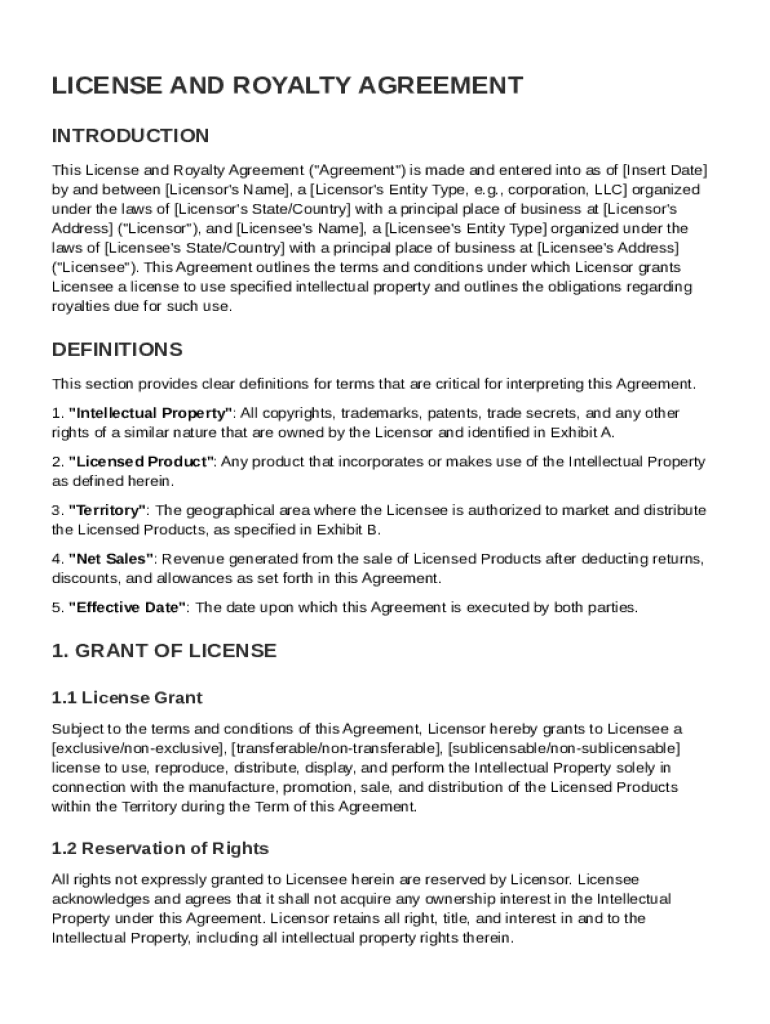
License And Royalty Agreement Form
Use a License And Royalty Agreement Template template to make your document workflow more streamlined.
What the license agreement does
A License And Royalty Agreement Form records the terms under which one party permits another to use specified intellectual property in exchange for defined consideration. It usually identifies the licensor and licensee, licensed property, territory, permitted use, term, exclusivity, royalty calculation, payment schedule, reporting duties, confidentiality, and termination rights. With signNow, upload the agreement, review automatically detected fields, assign signature and approval roles, send it electronically, and retain the completed document with its audit trail. ESIGN and UETA generally recognize qualifying electronic signatures, subject to transaction-specific and state-law requirements.
Key features for license agreements
signNow organizes the License And Royalty Agreement Form from field preparation through execution, evidence capture, storage, and downstream contract administration.
Field preparation
Upload the prepared License And Royalty Agreement Form and review automatically detected fields before assigning signatures, dates, initials, royalty schedules, and approval responsibilities to the correct parties.
Reusable templates
Reusable templates preserve recurring licensor, licensee, territory, term, payment, and royalty provisions, reducing repeated typing while keeping each transaction available for review before sending.
Flexible signing
Email delivery, signing links, and mobile access let counterparties review the agreement without coordinating an in-person meeting, while the sender controls the signing order and required fields.
Audit evidence
The completed agreement is accompanied by a signNow audit trail recording signing activity and timestamps, helping parties demonstrate intent and document the execution history.
Plan options
Business Premium adds bulk send for repeated licensing agreements, while Enterprise adds advanced signer authentication for transactions requiring stronger identity controls.
Connected records
Completed license agreements can be retained with their audit records and connected to systems such as Salesforce, NetSuite, Google Drive, Box, or Egnyte.
Business types that use license agreements
The License And Royalty Agreement Form fits businesses that grant, receive, administer, or audit rights to use intellectual property.
Solo software developers can use a reusable License And Royalty Agreement Form to document customer permissions, territory limits, support obligations, and royalty payments without rebuilding the agreement for every transaction. Media and publishing businesses can route content licenses, exclusivity terms, reporting duties, and royalty schedules to licensors, licensees, finance reviewers, and legal approvers in a defined sequence. Enterprise legal and finance departments can connect high-volume licensing workflows to CRM or ERP records, preserve audit trails, and control access across teams managing intellectual property portfolios.
These tasks are executed by both individual contributors and centralized administrators depending on organizational policy and required controls.
How to complete the agreement
Prepare the License And Royalty Agreement Form in signNow by checking every commercial term before routing it to the required signers.
Upload agreement:
Upload the completed agreement file. Check fields:
Review detected fields and add missing terms. Assign parties:
Assign licensor and licensee roles. Send agreement:
Send the agreement for ordered signatures. Store records:
Download the executed copy and audit trail.
 Best ROI. Our customers achieve an average 7x ROI within the first six months.
 Scales with your use cases. From SMBs to mid-market, airSlate SignNow delivers results for businesses of all sizes.
 Intuitive UI and API. Sign and send documents from your apps in minutes.
Recommended license agreement setup
Configure signing, evidence, storage, and access controls around the parties, royalty terms, and approval sequence stated in the License And Royalty Agreement Form.
| Setting | Recommendation |
|---|---|
| Authentication method | Email link with SMS verification |
| Signature type | Intent-based electronic signature |
| Audit trail | Enable completed audit trail export |
| Document retention | Retain agreement and certificate together |
| Encryption and provisioning | Use encrypted storage with admin-controlled users |
What the audit trail records
The signNow audit trail documents execution activity for the License And Royalty Agreement Form rather than replacing the agreement’s negotiated commercial terms.
Signer authentication:
Timestamp capture:
Document association:
Tamper evidence:
Action logging:
Evidence export:
Security for license agreement records
Data encryption:
ISO 27001:
SOC 2 Type II:
ESIGN and UETA:
HIPAA:
TLS protection:
Platform requirements for signing
Open the License And Royalty Agreement Form in Chrome, Firefox, Safari, or Edge on Windows or macOS. signNow also provides iOS and Android mobile apps for reviewing, completing, and signing assigned fields.
Browsers Chrome, Firefox, Safari, Edge Desktop systems Windows and macOS desktops Mobile apps iOS and Android signNow apps
Organizations should manage mobile access through their device and identity policies. Teams requiring centralized provisioning can evaluate signNow user administration, API access, SSO, and integrations with systems such as Salesforce, NetSuite, Google Workspace, Box, and Egnyte before deploying license workflows broadly.



Best practices for license agreements
Accurate commercial terms and complete execution records make the License And Royalty Agreement Form easier to administer and defend.
Define the licensed rights
Verify royalty calculations
Check every assigned field
Preserve execution evidence
Challenges when completing the agreement
Royalty percentages, minimum payments, reporting periods, or territory limits remain undefined, creating disputes about how the License And Royalty Agreement Form operates after signing. Signature fields are assigned to the wrong licensor, licensee, guarantor, or approving representative, leaving the agreement’s intended parties unclear. A referenced exhibit, royalty schedule, or intellectual-property description is missing from the executed document, weakening contract interpretation and administration. The signed agreement is retained without its audit trail, making it harder to demonstrate signer identity, intent, timestamps, and execution sequence.
Compare tools for license agreements
For License And Royalty Agreement Form workflows, compare field handling, audit evidence, authentication, and repeated sending across established eSignature platforms.
| Features | signNow | DocuSign | Adobe Acrobat Sign |
|---|---|---|---|
| Reusable agreement templates | Yes | Yes | Yes |
| Completed audit trail | Yes | Yes | Yes |
| Advanced signer authentication | Yes | Not verified | Not verified |
| Bulk agreement sending | Yes | Not verified | Not verified |
Troubleshooting license agreement signing
Use these answers to resolve field, authentication, plan, and electronic-record questions before sending a License And Royalty Agreement Form.
If the completed agreement needs stronger attribution, use signNow Business Premium or Enterprise authentication options, including SMS or advanced signer authentication where configured. The audit trail records signer actions and timestamps, supporting ESIGN and UETA evidence requirements without converting the contract into a PKI certificate.
The Business plan includes templates, legally binding eSignatures, and audit trails at $8/user/month with annual billing. Business Premium adds bulk send at $15/user/month, while Enterprise adds advanced signer authentication at $30/user/month. Confirm the selected plan before preparing repeated licensing agreements.
A license agreement can generally be signed electronically when the parties show intent, consent to electronic records, and can retain an accurate copy. ESIGN and applicable state law support electronic contracting, but separate rules may govern excluded records such as wills or court filings.
Upload the agreement as a PDF or supported document, then review signNow’s detected fields before adding signature, date, initials, and text fields. Detection does not decide which royalty terms require completion; the sender must verify every field against the intended license.
Business and Business Premium plans include 100 signature invites per user per year, with overage fees. The Site License uses $1.50 per signature invite and is intended for 1,000 or more documents annually. Check invite usage before sending high-volume agreement batches.
For consumer-facing licensing transactions, provide the ESIGN disclosure, explain the right to receive paper records, confirm electronic access, and explain consent withdrawal procedures under 15 U.S.C. §7001(c). Store the completed disclosure and agreement together in the signNow record.
Key performance indicators that demonstrate SignNow's proven track record.
BE READY TO GET MORE
Get this form now!

If you believe that this page should be taken down, please follow our DMCA take-down process.