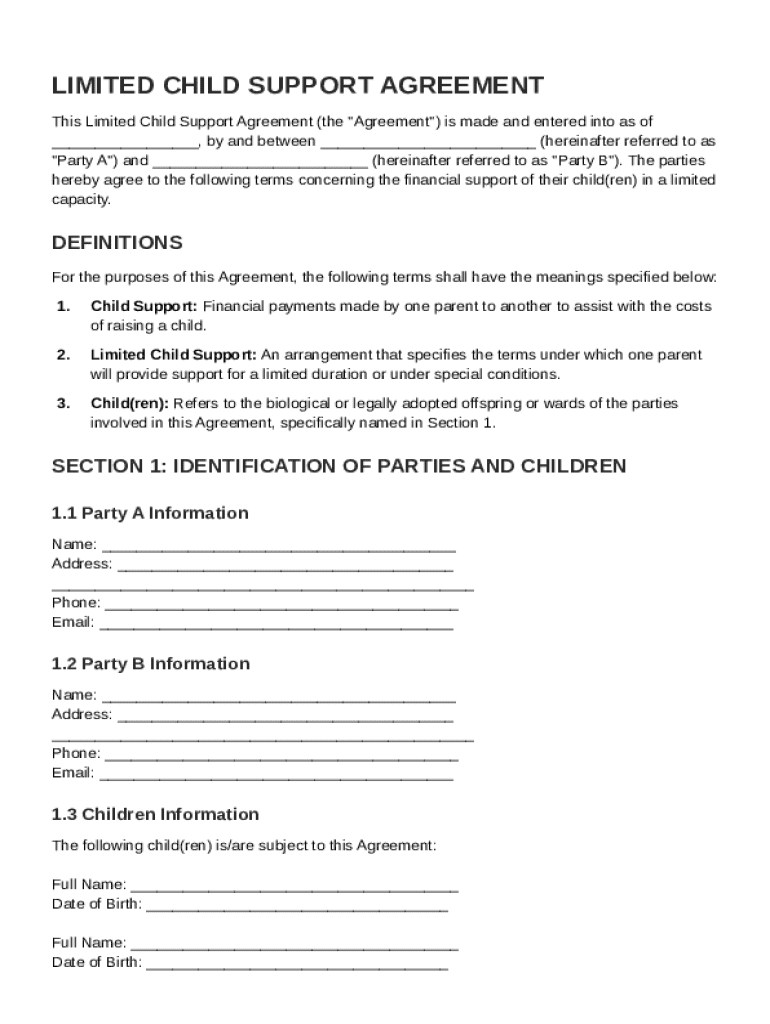
Limited Child Support Agreement Form
Use a Limited Child Support Agreement Template template to make your document workflow more streamlined.
What a limited child support agreement does
A Limited Child Support Agreement Form records a focused arrangement between parents about specified child support responsibilities. It can identify the child, parents, payment amount or covered expense, effective dates, and signatures, but it does not automatically replace a court order or state-required filing. The parties should confirm applicable family-law rules before signing. With signNow, a sender uploads the agreement, adds or detects fillable fields, sends it to the required signers, and stores the completed record with its audit trail.
Who uses this agreement form
Parents
Parents can use the form to document a narrow agreement about support payments or specified child-related expenses. They should verify whether their state requires court review or a different family-law filing before relying on the signed record.
Family-law teams
Family-law offices and agencies can prepare, route, and retain agreements with controlled signer access. A documented audit trail helps staff distinguish the completed agreement from drafts, but it does not replace legal review or a court order.
How the agreement workflow works
The signNow workflow keeps the agreement’s terms, parent actions, and completed record together from upload through archival.
Upload: Upload the agreement and review detected fields. Complete fields: Add child, parent, payment, date, and signature fields. Send: Send the prepared agreement to required parents. Archive: Store the signed record with its audit trail.
Set up the agreement workflow
Use identity checks, an auditable signing record, and retention controls suited to a child support agreement.
| Setting | Recommendation |
|---|---|
| Authentication method | Email verification with SMS OTP |
| Signature type | Typed or drawn electronic signature |
| Audit trail | Capture timestamps, IP addresses, and actions |
| Document retention | Keep records under applicable state law |
| Encryption | TLS 1.2/1.3 and AES-256 protection |
Choose a signing method for the agreement
- Use the web app when preparing the agreement, assigning fields, reviewing signer order, and monitoring completion from a desktop browser.
- Use the mobile app when a parent or caseworker needs to review and sign the agreement from an iOS or Android device.
- Use kiosk mode for supervised signing at an office or service location where both parties complete the agreement on one device.
- Use a shareable signing link when distributing the same agreement through an approved agency channel or secure case-management workflow.
 Best ROI. Our customers achieve an average 7x ROI within the first six months.
 Scales with your use cases. From SMBs to mid-market, airSlate SignNow delivers results for businesses of all sizes.
 Intuitive UI and API. Sign and send documents from your apps in minutes.
Track each agreement processing stage
Move from accurate preparation to delivery, parent review, completion, and controlled archival without adding unsupported filing deadlines.
Document preparation
Delivery to signers
Signer turnaround
Completion and archival
Retain a reliable agreement record
Preserve the signed terms, audit evidence, and governing state-law rationale together so the agreement remains understandable and retrievable.
Confirm state requirements before sending
Record precise support terms and dates
Export the audit trail with completion
Apply a documented retention schedule
Check state-specific document rules
Notarization requirements
Wills excluded
Family law documents
Real-estate deeds
Protect signer identity and evidence
PKI support:
X.509 certificates:
Two-factor authentication:
SMS OTP:
ID verification:
Signing evidence:
Review the agreement audit trail
The audit trail documents signer activity and record integrity separately from the agreement’s substantive child support terms.
Authenticate signer:
Capture timestamps:
Hash document:
Seal record:
Review events:
Export evidence:



Features that fit child support agreements
The workflow keeps the agreement’s limited scope visible while documenting each parent’s review, signature, and completed-record access.
Focused terms
Capture the child’s identifying information, parent details, support terms, covered expenses, and effective dates in one structured agreement.
Signer fields
Place signature, date, and initials fields for each parent so every required acknowledgement is visible before completion.
Signer order
Send the agreement to parents in a defined order when review or approval must occur before the final signature.
Audit trail
Preserve timestamps, signer actions, and delivery events with the completed agreement for later review by authorized parties.
Mobile signing
Let parents review and sign from a browser or mobile device when an in-person exchange is impractical.
Record access
Keep the signed agreement and certificate of completion together so authorized users can retrieve the record efficiently.
Avoid preventable agreement problems
Parents may enter different payment amounts, dates, or expense descriptions, creating an agreement that cannot be interpreted consistently later. A limited agreement may be treated as a complete custody or support order even though state law requires court approval or filing. Sending the form to the wrong parent or using an outdated email address can weaken signer attribution and delay completion. Keeping only the signed PDF without its audit trail can make it harder to show delivery, identity, and signing events.
Understand the agreement’s legal value
A signed Limited Child Support Agreement Form can document the parties’ intent and provide electronic evidence when executed with consent, attribution, and retained records under ESIGN, 15 U.S.C. chapter 96, and applicable state law. It cannot replace wills, court orders, adoption or divorce decrees, or other excluded family-law filings.

Troubleshoot child support agreement signing
Resolve field, identity, consent, enforceability, plan, and record-retention questions before relying on a signed agreement.
Upload the original PDF again and confirm that required fields are not flattened or password-protected. signNow can detect fillable fields during preparation, but the sender should review every detected field and add missing parent, child, amount, date, and signature fields manually.
The Business plan includes templates and audit trails, while Business Premium adds bulk send. A single agreement can still be prepared and sent on Business; choose a higher plan only when the workflow needs its additional functions.
Electronic signatures generally receive legal recognition under ESIGN, 15 U.S.C. chapter 96, and UETA or New York ESRA. Those laws do not decide whether a child support agreement needs court approval, notarization, or a state filing.
Use signNow’s SMS OTP or another available authentication control when stronger attribution is needed, and confirm the parent’s contact information before sending. Authentication supports evidence of the signing event but does not substitute for identity review required by state procedures.
For consumer-facing records, ESIGN’s consent rules under 15 U.S.C. §7001(c) require disclosure of electronic-record access and paper alternatives. Ensure each parent can access the agreement and understand how to withdraw consent before electronic signing.
After completion, download the signed agreement and certificate or audit record, then store them in the authorized case repository. Retention depends on the governing state and case requirements; no universal child-support retention period applies to every agreement.
Key performance indicators that demonstrate SignNow's proven track record.
BE READY TO GET MORE
Get this form now!

If you believe that this page should be taken down, please follow our DMCA take-down process.