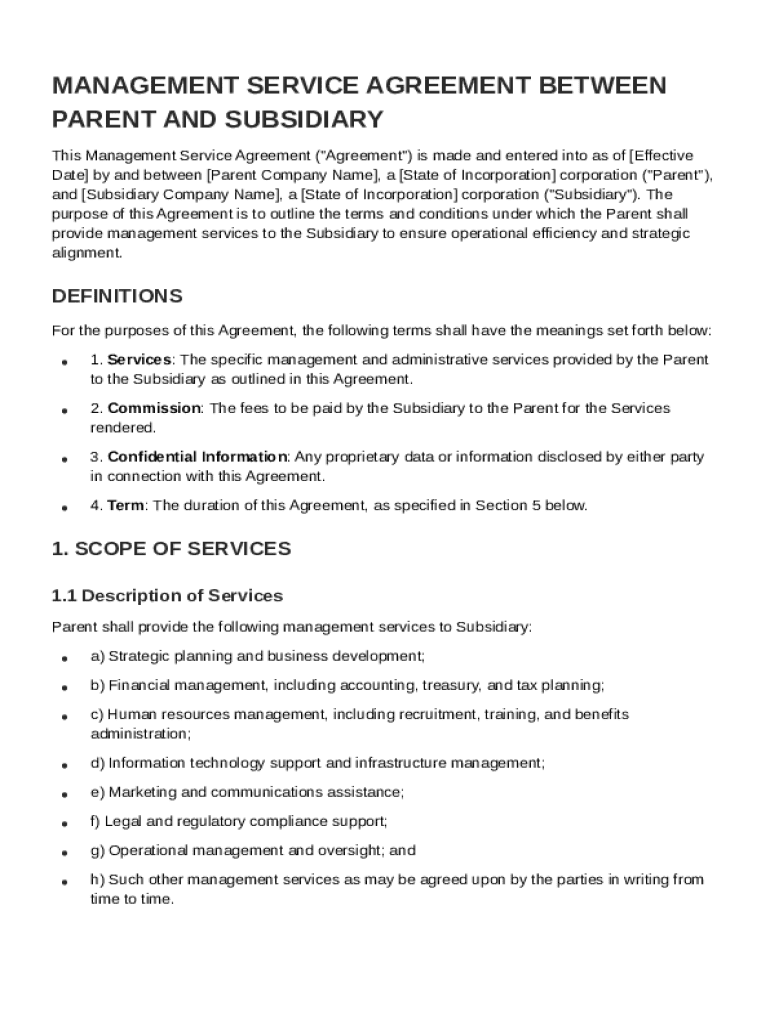
Management Service Between Parent And Subsidiary Agreement Form
Use a Management Service Between Parent And Subsidiary Agreement Template template to make your document workflow more streamlined.
What this management agreement does
A Management Service Between Parent And Subsidiary Agreement Form records how a parent company will provide administrative, financial, operational, or strategic services to a subsidiary. It identifies the parties, describes the services, assigns responsibilities, and establishes payment, confidentiality, approval, and termination terms. In the United States, the signed agreement can document related-party governance and support consistent execution across entities. Parties should confirm state-law requirements, tax treatment, authority to sign, and any transfer-pricing obligations with qualified counsel or tax professionals before relying on the completed form.
Business types that use the agreement
The form is useful wherever one legal entity provides documented management services to another entity under shared ownership or control.
Solo practitioners can use the form to document management services they provide to a controlled subsidiary, while separating service scope, invoices, and signature authority. Mid-market corporate groups can route recurring parent-subsidiary agreements through legal, finance, and operations reviewers before representatives sign the approved version. Enterprise groups can connect entity approvals with NetSuite, Microsoft Dynamics 365, Salesforce, or cloud storage while preserving signed copies and audit trails.
These tasks are executed by both individual contributors and centralized administrators depending on organizational policy and required controls.
How the agreement workflow works
The workflow moves from document preparation to verified entity signatures and a reproducible execution record.
Upload document: Upload the parent-subsidiary agreement template. Review fields: Auto-detect fields, then verify entity details. Route for signing: Send the approved version to authorized representatives. Preserve evidence: Store the executed agreement with its audit trail.
Complete and sign the agreement
Use a controlled workflow to prepare the parent-subsidiary terms, route them to authorized representatives, and preserve the executed record.
Upload form:
Upload the completed agreement template to signNow. Check fields:
Review detected fields and add missing entity information. Assign signers:
Assign parent and subsidiary representatives to signature fields. Send agreement:
Send the agreement through the selected signing order. Archive record:
Store the signed copy and audit trail with entity records.
Key agreement features and benefits
The form brings entity details, service terms, cost allocation, responsibilities, approvals, and signature evidence into one documented corporate arrangement.
Entity identification
Identify the parent and subsidiary legal entities, signing authority, effective date, and relationship so the agreement clearly binds the intended parties.
Service scope
Describe management, finance, human resources, technology, or administrative services with enough detail to distinguish included work from excluded responsibilities.
Fee allocation
Document fees, allocation methods, invoicing terms, and approval controls so related-party charges can be reviewed and supported by business records.
Responsibilities
Assign parent and subsidiary duties, information-sharing expectations, service levels, and escalation procedures for issues affecting operations or compliance.
Execution record
Capture authorized signatures, signing dates, and the final agreement in a controlled record that can be reproduced for internal review.
Audit evidence
Use signNow templates, audit trails, and controlled routing to reduce missing fields and preserve evidence of each entity representative’s signing event.
 Best ROI. Our customers achieve an average 7x ROI within the first six months.
 Scales with your use cases. From SMBs to mid-market, airSlate SignNow delivers results for businesses of all sizes.
 Intuitive UI and API. Sign and send documents from your apps in minutes.



Platform requirements for completing the agreement
Complete the Management Service Between Parent And Subsidiary Agreement Form in Chrome, Firefox, Safari, or Edge using Windows 10, Windows 11, macOS, iOS, or Android.
Browser support Chrome, Firefox, Safari, and Edge on Windows or macOS Mobile access iOS and Android devices support mobile signing Connection security TLS 1.2 or 1.3 protects transmitted agreement data
Parent-company administrators can prepare and route the agreement from a managed desktop, while authorized subsidiary representatives can review and sign on iOS or Android. Use supported browsers, current operating-system security updates, and a reliable connection so the completed agreement, signer actions, and audit trail remain accessible for corporate records.
Security for corporate agreement records
Stored data:
Data transmission:
Security assurance:
Information security:
Electronic signatures:
Protected health data:
What the agreement audit trail records
The audit trail documents the signing event separately from the agreement’s substantive management, payment, and governance terms.
Signer authentication:
Timestamp capture:
Document hashing:
Tamper sealing:
Action history:
Audit export:
Recommended agreement workflow setup
Use controlled identity checks, authorized signers, audit evidence, secure storage, and documented retention for this intercompany agreement.
| Setting | Recommendation |
|---|---|
| Authentication method | Email verification with SMS authentication |
| Signature type | Legally binding electronic signature |
| Audit trail | Capture timestamps and signer actions |
| Document retention | Retain under documented corporate policy |
| Encryption and provisioning | AES-256 storage with administrator-controlled users |
Best practices for this agreement
Accurate entity identification, clear service economics, controlled execution, and documented retention make the completed agreement more useful for governance and review.
Verify both entities before sending
Define services and charges precisely
Preserve the complete execution record
Set a documented retention rule
Legal standing of the signed agreement
A signed Management Service Between Parent And Subsidiary Agreement Form can support a U.S. business record when the parties show intent, consent, attribution, and reliable reproduction under ESIGN, 15 U.S.C. ch. 96, and applicable state law such as UETA or New York ESRA. Wills, court orders, family-law decrees, and other ESIGN exceptions remain outside this workflow.

Risks of incomplete agreement records
Unauthorized signer
Conflicting terms
Missing audit trail
Unclear allocations
Challenges when preparing the agreement
Using a trade name instead of each entity’s legal name can create uncertainty about which parent and subsidiary are bound by the agreement. Leaving service descriptions or allocation formulas vague makes invoices harder to review and may weaken the record supporting related-party charges. Routing the form to an employee without documented authority can create an execution dispute even when the electronic signature itself is captured. Editing service terms after approval without replacing the controlled version can cause the signed agreement, schedules, and internal records to conflict.
Examples of agreement workflows
Parent companies, subsidiaries, finance teams, and legal operations groups can adapt the workflow to their approval and recordkeeping structure.
Enterprise finance
Xerox used signNow with NetSuite integration to route documents to the right signers and formats. A similar parent-subsidiary workflow can connect entity approvals to finance operations.
- NetSuite-connected approval routing
- Controlled signer assignments
Xerox Director of NetSuite Operations Kodi-Marie Evans described signNow’s flexibility in obtaining the right signatures in the right formats through its NetSuite integration. That documented integration pattern is relevant when a parent company coordinates subsidiary agreements with finance or enterprise-resource-planning records.
Legal operations
Legal and operations teams can use a role-based signing order for a management-services agreement, keeping entity representatives separate from reviewers and administrators.
- Parent approval before subsidiary signature
- Audit trail for executed terms
A legal operations team can prepare one approved agreement template, route it first to the parent’s authorized representative, and then to the subsidiary’s representative. signNow preserves the completed document and audit trail, while counsel remains responsible for entity authority and state-law review.
Agreement completion and troubleshooting
Resolve field, authority, signature, security, and recordkeeping questions before sending this parent-subsidiary management agreement.
Upload the agreement as a PDF or supported document, then use signNow’s editor to place fields. If automatic detection misses a field, add it manually and verify each parent and subsidiary signer assignment before sending.
The Business plan includes legally binding eSignatures, audit trails, templates, mobile apps, ISO 27001, SOC 2, and GDPR support. Select Business Premium when bulk send is required, or Enterprise for advanced signer authentication and conditional fields.
Under ESIGN and UETA, an electronic signature can support a business agreement when intent, consent, attribution, and record reproduction are established. Confirm each representative’s authority and retain the signed agreement and audit trail with corporate records.
Use signNow’s audit trail to preserve timestamps, signer actions, and completion evidence. The audit trail supports the execution record, but it does not replace board approvals, tax analysis, transfer-pricing documentation, or state-law review.
For consumer-facing records, ESIGN requires disclosure of the right to receive paper records, access to the electronic format, and procedures for withdrawing consent under 15 U.S.C. §7001(c). A purely intercompany agreement may not trigger that consumer rule, but counsel should assess the parties.
Use role-based routing, signer authentication, and a controlled template so the parent and subsidiary representatives sign the same approved version. If the agreement includes regulated health information, signNow states HIPAA compliance requires a business associate agreement.
Key performance indicators that demonstrate SignNow's proven track record.
BE READY TO GET MORE
Get this form now!

If you believe that this page should be taken down, please follow our DMCA take-down process.