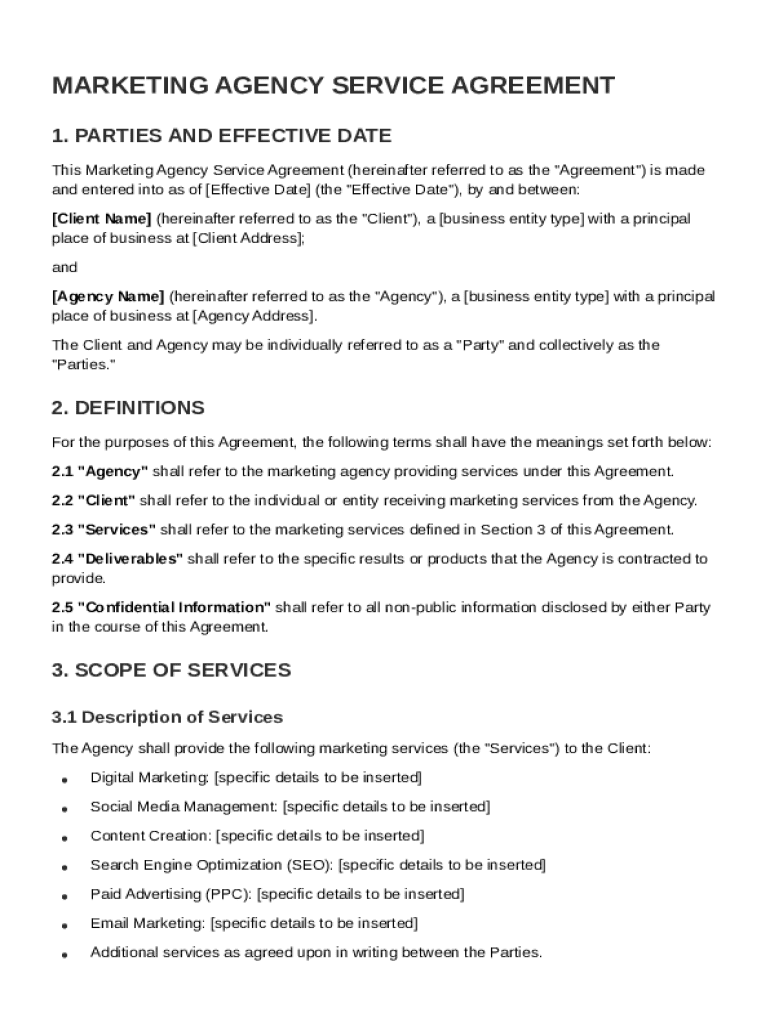
Marketing Agency Service Agreement Form
Use a Marketing Agency Service Agreement Template template to make your document workflow more streamlined.
What this marketing agency agreement does
A Marketing Agency Service Agreement Form is a business contract that records how an agency will provide marketing services to a client. It identifies the engagement’s scope, deliverables, fees, payment schedule, approvals, revisions, ownership, confidentiality, data handling, and termination terms. In signNow, the sender uploads the agreement, reviews automatically detected fillable fields, assigns fields to the agency and client, sends it for signature, and stores the completed document with an audit trail. The form does not replace legal review when state-specific contract terms require it.
Business types that benefit from this agreement
This agreement gives marketing engagements a documented scope, commercial framework, approval process, and record of each party’s responsibilities.
Solo marketing consultants use the agreement to define campaign scope, deliverables, approval rights, payment terms, and ownership before beginning client work. Boutique creative agencies use repeatable agreements for branding, content, and advertising engagements, reducing negotiation gaps while preserving project-specific fees, milestones, and revision limits. Enterprise marketing departments use the form with specialist agencies to document procurement requirements, confidentiality obligations, data handling, approval workflows, and measurable campaign responsibilities.
These tasks are executed by both individual contributors and centralized administrators depending on organizational policy and required controls.
How the agency agreement workflow works
The signNow workflow converts the completed agency contract into a routed, signed, and auditable business record.
Upload agreement: Upload the Marketing Agency Service Agreement Form to signNow. Review fields: Auto-detect fields, then confirm scope, fee, approval, and signature fields. Route signers: Route assigned fields to the agency, client, and approvers. Complete and store: Collect signatures and preserve the completed agreement with its audit trail.
Complete the marketing agency agreement
Follow this workflow to prepare, route, sign, and retain the Marketing Agency Service Agreement Form with its approval record intact.
Upload the form:
Upload the agency agreement PDF to signNow. Check the fields:
Review detected fields and add missing text, date, initials, and signature fields. Assign signers:
Assign each field to the agency, client, or authorized approver. Request signatures:
Send the agreement and monitor completion status in signNow. Store the record:
Download the executed agreement and completion certificate for your records.
 Best ROI. Our customers achieve an average 7x ROI within the first six months.
 Scales with your use cases. From SMBs to mid-market, airSlate SignNow delivers results for businesses of all sizes.
 Intuitive UI and API. Sign and send documents from your apps in minutes.
What the agency agreement audit trail records
The audit trail documents evidence around the Marketing Agency Service Agreement Form after routing, signing, and completion events occur.
Authenticate signer:
Capture timestamps:
Hash document:
Seal record:
Log activity:
Export evidence:
Recommended agreement workflow setup
Configure the Marketing Agency Service Agreement Form around signer identity, clear signature evidence, controlled access, and an organization-approved retention policy.
| Setting | Recommendation |
|---|---|
| Authentication method | Email plus SMS OTP for external clients |
| Signature type | Typed or drawn electronic signature |
| Audit trail | Enable completion certificate and event history |
| Document retention | Follow written contract-record policy |
| Encryption | TLS 1.2/1.3 and AES-256 protection |
Security controls for agency agreements
Transport encryption:
Storage encryption:
Control assurance:
Security management:
Signer authentication:
Event evidence:



Processing stages for agency agreements
Use these four stages to move the Marketing Agency Service Agreement Form from commercial drafting through signed-record storage without losing approval history.
Prepare the agreement
Deliver to signers
Review and sign
Archive the record
Record-keeping practices for agency agreements
Retain the signed agreement with its audit evidence, amendments, approvals, and related commercial records under a documented organizational policy.
Define a documented retention period
Export the agreement and audit trail
Restrict access to signed records
Maintain the complete contract file
Risks of incomplete agency agreements
Scope dispute
Approval challenge
Rights ambiguity
Evidence weakness
Pricing and plan facts for agency agreements
For a Marketing Agency Service Agreement Form workflow, compare verified signNow plan details with competitor information that is not verified in the available source data.
| Features | signNow | DocuSign | Adobe Sign | PandaDoc | Dropbox Sign |
|---|---|---|---|---|---|
| Starting price | $8/user/month, Business annual billing | Not verified | Not verified | Not verified | Not verified |
| Free trial | 7 days, no credit card required | Not verified | Not verified | Not verified | Not verified |
| Bulk send | Business Premium includes bulk send | Not verified | Not verified | Not verified | Not verified |
| Audit trail | Included with Business plan | Not verified | Not verified | Not verified | Not verified |
| Signature invite cap | 100 invites per user annually | Not verified | Not verified | Not verified | Not verified |
Troubleshooting agency agreement workflows
These answers address field detection, signer identity, plan selection, privacy, and legal handling for Marketing Agency Service Agreement Form workflows in signNow.
Business includes legally binding eSignatures, templates, and audit trails at $8 per user monthly with annual billing. It includes 100 signature invites per user annually; additional invites may incur overage fees. Use Business Premium when bulk sending agency agreements is required.
signNow supports ESIGN and UETA compliance for qualifying electronic transactions. The parties should demonstrate intent, consent, signer attribution, and record retention. State law and the agreement’s subject matter still control, and excluded documents such as wills require separate handling.
Use SMS OTP or another available authentication control when email access alone does not adequately establish signer identity. Business Premium adds features beyond Business, while Enterprise adds advanced signer authentication and conditional or formula fields.
The sender can upload the agreement, review auto-detected fillable fields, assign fields to the client and agency, and send it for signature. Verify every detected field manually because signNow cannot determine whether a business term is legally complete.
signNow encrypts data in transit with TLS 1.2/1.3 and at rest with AES-256. HIPAA compliance requires a business associate agreement and applies only when the workflow involves protected health information and the parties meet HIPAA obligations.
Business Premium costs $15 per user monthly with annual billing and includes bulk send. Enterprise costs $30 per user monthly with annual billing and adds payments, advanced integrations, formula fields, conditional fields, and advanced signer authentication.
Key performance indicators that demonstrate SignNow's proven track record.
BE READY TO GET MORE
Get this form now!

If you believe that this page should be taken down, please follow our DMCA take-down process.