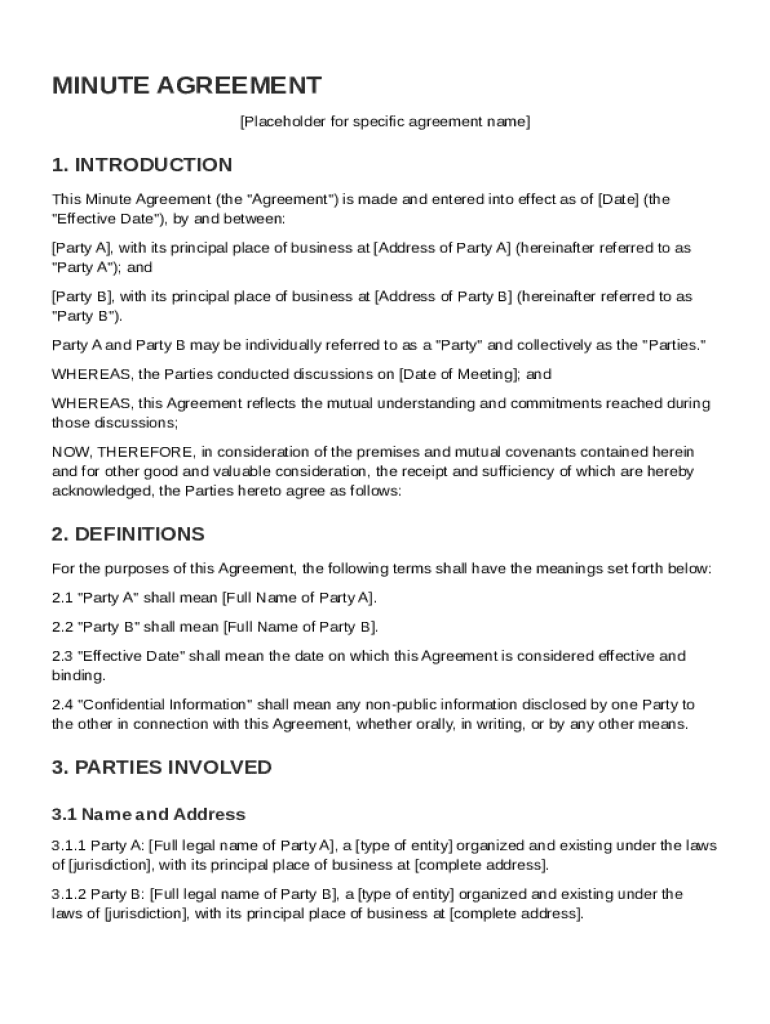
Minute Agreement Form
Use a Minute Agreement Template template to make your document workflow more streamlined.
What a minute agreement form records
A Minute Agreement Form records the decisions, approvals, and action items agreed during a business meeting. Complete it by identifying the meeting, participants, resolutions, responsible parties, and dates, then review the record with the attendees. With signNow, upload the form, allow the platform to detect fillable fields, place signature and date fields, and send it to authorized signers. Each signer reviews and e-signs the record, while the completed document and audit trail preserve evidence of the signing event under applicable ESIGN and UETA requirements.
Who uses this meeting record
Business meetings
Meeting organizers can document resolutions, voting outcomes, responsible owners, and approval dates before routing the record to attendees for signature.
Governance teams
Legal and compliance teams can preserve signed governance records, committee approvals, and action assignments with an associated audit trail.
Features that support signed meeting records
Minute Agreement Form combines structured meeting documentation with signNow tools for field preparation, authorized approval, electronic signing, and record retention.
Decision record
Record meeting decisions, resolutions, and assigned actions in one structured document that attendees can review before signing.
Signer roles
Identify each participant and signing role so the completed Minute Agreement Form connects approvals to authorized individuals.
Field detection
Upload an existing form and use detected fields to prepare signature, date, and text inputs without rebuilding the document.
Signer routing
Send the prepared agreement to signers by email or signing link, supporting sequential review when several approvals are required.
Audit trail
Preserve timestamps, signer actions, and document history with the completed record for later business or legal review.
Reusable template
Use templates for recurring meeting records while retaining the specific resolutions, participants, and dates for each meeting.
How the signing workflow works
The signNow workflow turns the prepared meeting record into a controlled sequence from upload through signed completion.
Upload: Upload the Minute Agreement Form to the signNow editor. Prepare: Auto-detect fields, then verify meeting and signature inputs. Route: Send the record to named attendees for review. Sign: Signers approve resolutions and complete assigned fields.
 Best ROI. Our customers achieve an average 7x ROI within the first six months.
 Scales with your use cases. From SMBs to mid-market, airSlate SignNow delivers results for businesses of all sizes.
 Intuitive UI and API. Sign and send documents from your apps in minutes.
How to complete the minute agreement form
Prepare the meeting record first, then use signNow to route, sign, and preserve the completed document.
Upload form:
Upload the current Minute Agreement Form to signNow. Check fields:
Confirm detected fields and add missing signature or date fields. Add signers:
Enter authorized attendees and send the document for review. Sign record:
Review the resolutions, sign electronically, and complete the record. Store evidence:
Download the signed form and audit trail for retention.
Recommended setup for signed meeting records
Configure the Minute Agreement Form around signer identity, approval evidence, secure transmission, and controlled access to the finished record.
| Setting | Recommendation |
|---|---|
| Authentication method | Email verification with SMS authentication |
| Signature type | Legally binding electronic signature |
| Audit trail | Retain completion certificate and action history |
| Document retention | Follow the organization’s approved records schedule |
| Encryption and provisioning | Use TLS and AES-256 with managed access |
Security for the signed record
Transport encryption:
Stored encryption:
Independent assurance:
Security certification:
Health data:
Electronic records:
Best practices for preserving meeting approvals
Accurate meeting details, assigned fields, exported evidence, and a documented retention rule make the signed record easier to verify later.
Identify every meeting detail
Review detected fields carefully
Export the audit trail
Apply the governing retention rule
Retention periods for related records
Retention depends on the record’s business purpose and regulated context; apply the longest applicable schedule and verify state requirements.
Three years: federal tax records
Three years: employment records
Six years: HIPAA records
Three years: payroll records
Seven years: SOX audit records
Risks of an incomplete minute agreement
Intent dispute
Incomplete record
Authority question
Evidence gap
Legal standing of a signed minute agreement
A signed Minute Agreement Form can help demonstrate meeting resolutions, signer intent, and approval history in a U.S. business dispute. ESIGN and UETA support electronic records when consent, attribution, and reproducible retention are established. These frameworks exclude wills, codicils, certain court filings, and specified family-law documents.

Minute Agreement Form troubleshooting
Resolve the specific preparation, signing, compliance, and record-preservation questions that arise when completing this meeting document.
Upload the current Minute Agreement Form as a PDF or supported document, then confirm that signNow detected the intended text, signature, and date fields. If a field is missing, add it manually before sending. Review the finished preview because auto-detection does not replace document review.
Business is signNow’s annual-billing plan at $8 per user per month and includes templates, audit trails, mobile apps, ISO 27001, SOC 2, and GDPR coverage. Business Premium is $15 per user per month annually and adds bulk send, kiosk mode, payments, and quick invite links.
For a meeting record involving protected health information, confirm that the organization has the required HIPAA business associate agreement. signNow identifies HIPAA compliance as requiring a BAA; the form itself does not replace privacy, access, or minimum-necessary controls.
ESIGN and UETA recognize electronic signatures when intent, consent, attribution, and record retention requirements are satisfied. For consumer-facing records, 15 U.S.C. §7001(c) also requires electronic-record disclosures and access procedures. Confirm that the meeting record is not an excluded document type.
Use SMS authentication or another available signer-verification control when email identity alone is insufficient. Enterprise pricing lists advanced signer authentication, while signNow’s compliance materials identify two-factor authentication for 21 CFR Part 11 workflows. Match authentication strength to the approval risk.
After completion, retrieve the signed Minute Agreement Form and its audit trail from signNow, then store both under the organization’s records policy. The audit trail should remain associated with the exact version containing the meeting date, resolutions, and signatures.
Key performance indicators that demonstrate SignNow's proven track record.
BE READY TO GET MORE
Get this form now!

If you believe that this page should be taken down, please follow our DMCA take-down process.