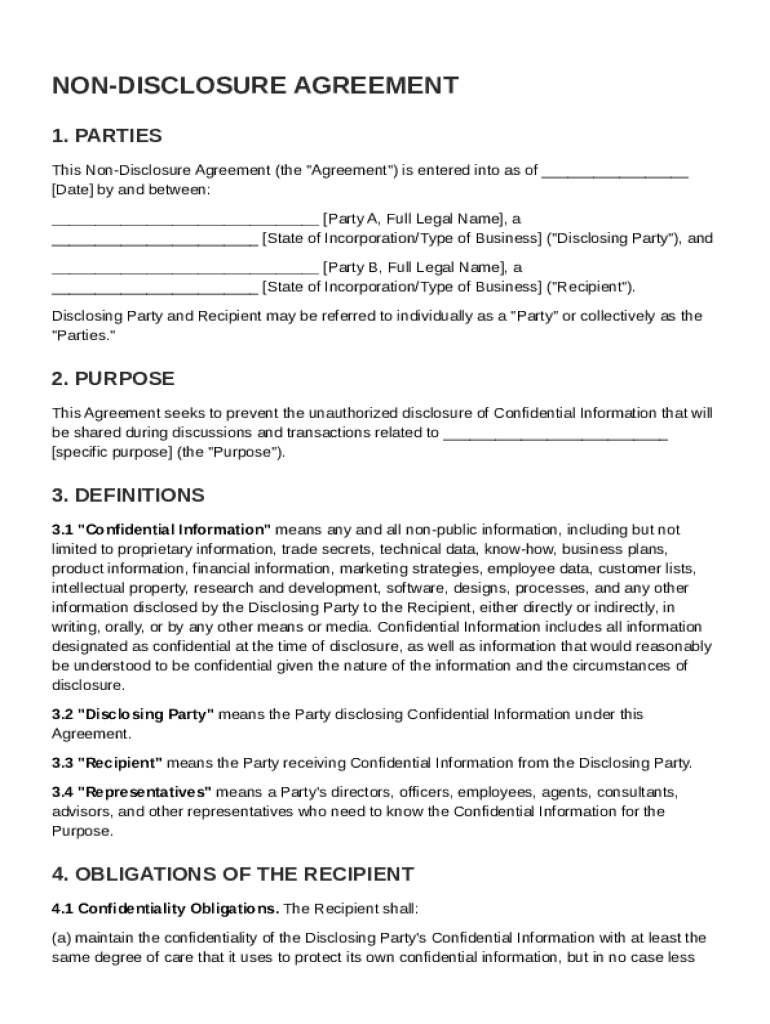
Non Disclosure For Business Agreement Form
Use a Non Disclosure For Business Agreement Template template to make your document workflow more streamlined.
What this business agreement covers
A Non Disclosure For Business Agreement Form records a party’s promise to protect specified business information from unauthorized use or disclosure. It normally identifies the parties, describes confidential information, states permitted purposes and exceptions, and sets obligations after signing. In signNow, upload the form, review detected fillable fields, assign signer roles, and send it for electronic signature. Each signer reviews the terms and signs with intent; signNow then returns the completed agreement with its certificate and audit trail. The contract’s enforceability still depends on its wording, evidence, and applicable state law.
Who uses this confidentiality agreement
Business agreements
Business owners and legal teams use this form to define confidential information, permitted disclosures, and obligations before sharing proprietary business details.
Industry workflows
Human resources, healthcare, finance, and construction teams use tailored confidentiality agreements for employees, contractors, vendors, and project participants.
How to complete the agreement online
Use this sequence to prepare the Non Disclosure For Business Agreement Form, route it to the correct parties, and preserve evidence of completion.
Upload form: Upload the completed Non Disclosure For Business Agreement Form. Check fields: Review auto-detected fields and assign each signer’s role. Send agreement: Send the agreement by email or a signing link. Store record: Collect signatures and store the completed audit record.
How the agreement audit trail works
The audit trail connects signer identity, document integrity, and every action taken on the Non Disclosure For Business Agreement Form.
Authenticate signer:
Capture timestamps:
Hash document:
Seal record:
Log activity:
Export evidence:
 Best ROI. Our customers achieve an average 7x ROI within the first six months.
 Scales with your use cases. From SMBs to mid-market, airSlate SignNow delivers results for businesses of all sizes.
 Intuitive UI and API. Sign and send documents from your apps in minutes.
Security for confidential agreements
Stored data:
Data transmission:
Service assurance:
Security management:
U.S. eSignatures:
Health information:
Recommended agreement workflow settings
Use explicit signer controls and preserve the completed agreement with its audit evidence for the confidentiality record.
| Setting | Recommendation |
|---|---|
| Authentication method | Email verification with SMS OTP |
| Signature type | Typed or drawn electronic signature |
| Audit trail | Export with the completed agreement |
| Document retention | Follow the business records policy |
| Encryption | AES-256 at rest and TLS 1.2/1.3 |
Features for this business agreement
signNow combines form preparation, signer routing, evidence capture, and storage options for a Non Disclosure For Business Agreement Form workflow.
Field detection
Upload the Non Disclosure For Business Agreement Form and review detected fields before sending, reducing manual setup while keeping control over the final document.
Signer roles
Assign parties to defined signer roles so the business, employee, contractor, or vendor signs the intended agreement sections in the correct order.
Remote signing
Collect signatures through email or a controlled signing link, allowing remote parties to complete the agreement without exchanging paper copies.
Audit trail
Capture timestamps, signer actions, and document history in an audit trail that supports later review of how the agreement was executed.
Reusable templates
Use templates for repeat confidentiality agreements while updating parties, protected information, and permitted disclosures before each transaction.
Business integrations
Connect completed agreements to services such as Google Drive, Box, Salesforce, or NetSuite for organized business-record handling.



Privacy and disclosure pitfalls
Including personal data that does not belong in the Non Disclosure For Business Agreement Form can unnecessarily expand disclosure exposure. Failing to capture each signer’s consent and intent may weaken evidence that the confidentiality obligations were accepted. Sending the agreement through an unrestricted link can expose confidential terms to an unintended recipient. Leaving permitted disclosures undefined can create disputes about whether sharing information breached the agreement.
Risks from incomplete agreements
Consent evidence
Confidentiality breach
Signer identity
Scope dispute
Best practices for signed agreements
Clear scope, controlled access, complete evidence, and a documented retention rule help preserve the business purpose of this confidentiality agreement.
Define the protected information precisely
Preserve the signed record and audit trail
Restrict access to confidential agreements
Apply the correct retention rule
Troubleshooting signed business agreements
These answers address field detection, signer identity, electronic-signature evidence, plan capabilities, and confidential-information controls for this agreement.
On the Business plan, upload the agreement as a PDF and review signNow’s detected fields before assigning signer roles. If a field is missing, add it manually and confirm the completed document layout before sending.
The Business plan includes legally binding eSignatures and audit trails. For stronger identity controls, Enterprise adds advanced signer authentication. Select the control that matches the agreement’s risk and the parties’ identity requirements.
Business Premium adds bulk send, which can distribute the same confidentiality agreement to multiple recipients. For one negotiated agreement, use the standard send workflow and verify every signer before delivery.
signNow lists ESIGN and UETA compliance for its Business plan. The agreement must still show signer intent, consent, attribution, and retained reproduction. Review state-specific contract requirements before relying on electronic execution.
A completed agreement includes its signing history and audit trail. Export both the signed PDF and available completion evidence, then store them under the retention policy selected for the business record.
HIPAA compliance requires a business associate agreement when protected health information is involved. signNow identifies HIPAA compliance as requiring a BAA; do not place unnecessary health information in a business confidentiality agreement.
Key performance indicators that demonstrate SignNow's proven track record.
BE READY TO GET MORE
Get this form now!

If you believe that this page should be taken down, please follow our DMCA take-down process.