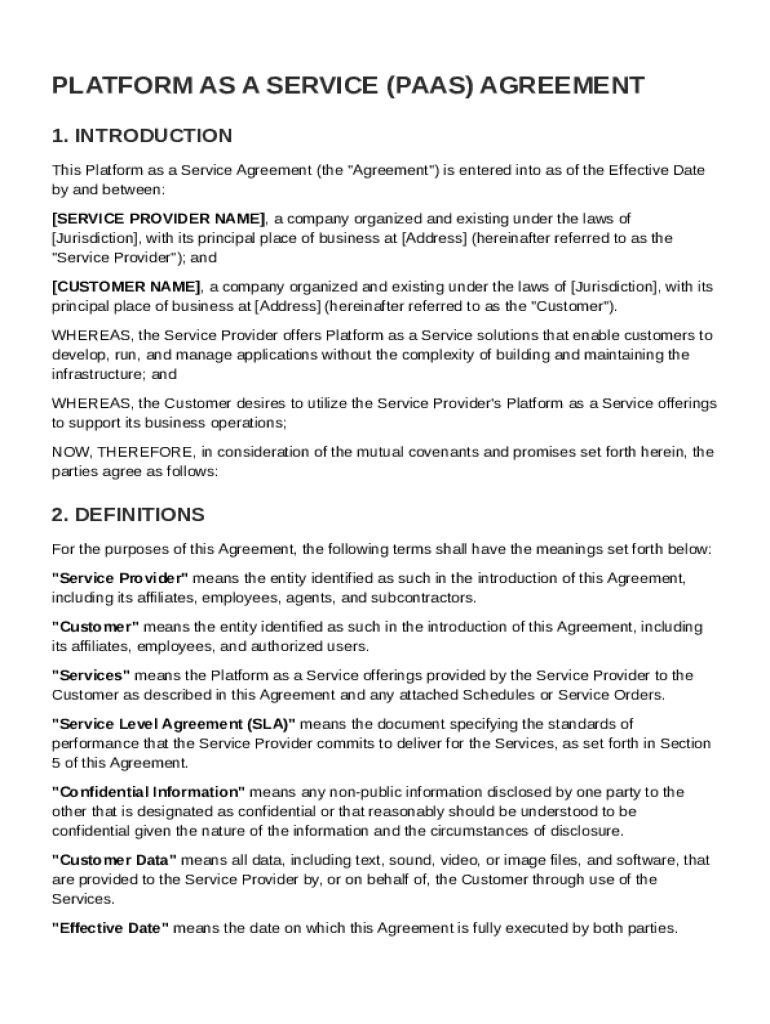
Paas Agreement Form
Use a Paas Agreement Template template to make your document workflow more streamlined.
What the Paas Agreement Form does
The Paas Agreement Form is a business agreement used to document the parties, obligations, authorization, and signatures connected with a platform-as-a-service arrangement. It records the agreed service scope, responsibilities, commercial terms, security expectations, and approval evidence in one document. With signNow, a sender uploads the form, reviews detected fillable fields, assigns each field to the correct signer, and sends it electronically. Signers complete the assigned fields and sign; signNow then returns the completed document with its audit trail for controlled storage and later reference.
Who uses this agreement form
Technology providers
Technology companies use the form for platform service contracts, implementation statements, security addenda, and renewal approvals requiring several business signers.
Procurement teams
Customer procurement and legal teams use it to review obligations, approve access terms, and retain a signed record for vendor governance.
Who benefits from the Paas Agreement Form
The form is useful wherever a platform service requires documented scope, accountable signers, and retrievable evidence of agreement.
Solo software consultants use the Paas Agreement Form to document platform scope, implementation responsibilities, access conditions, and payment terms before starting client work. Growing technology companies use it to coordinate procurement, security review, legal approval, and signatures across customers, vendors, and internal stakeholders. Enterprise procurement teams use the form to preserve negotiated service obligations, assign signing authority, and connect completed agreements with controlled records systems.
These tasks are executed by both individual contributors and centralized administrators depending on organizational policy and required controls.
How the Paas Agreement Form works
The signNow workflow moves the Paas Agreement Form from upload through field review, signing, and auditable record storage.
Upload form: Upload the Paas Agreement Form to signNow. Assign fields: Review detected fields and assign recipients. Send agreement: Send the agreement for electronic signatures. Archive record: Store the signed form with its audit trail.
 Best ROI. Our customers achieve an average 7x ROI within the first six months.
 Scales with your use cases. From SMBs to mid-market, airSlate SignNow delivers results for businesses of all sizes.
 Intuitive UI and API. Sign and send documents from your apps in minutes.
What the audit trail records
The audit trail separates signer activity from document setup, preserving execution evidence for the completed Paas Agreement Form.
Authenticate signer:
Capture timestamp:
Protect document:
Seal record:
Inspect audit trail:
Retrieve evidence:
Recommended Paas Agreement Form setup
Use controlled signer access, an auditable signature method, and retention rules aligned with the agreement’s business and regulatory context.
| Setting | Recommendation |
|---|---|
| Authentication method | Email verification with SMS OTP |
| Signature type | Electronic signature under ESIGN and UETA |
| Audit trail | Enable completion certificate and action history |
| Document retention | Retain for the contract policy period |
| Encryption | TLS 1.2/1.3 and AES-256 |
Features that support agreement completion
signNow organizes the Paas Agreement Form workflow around accurate field assignment, accountable signing, audit evidence, and accessible records.
Field detection
Upload the Paas Agreement Form and review detected fillable fields before assigning recipients, reducing manual field placement and helping preserve the form’s intended structure.
Role assignment
Assign names, dates, approvals, and signatures to specific recipients so the service provider, customer, and internal approver complete only their designated sections.
Signing workflow
Send the agreement by email and monitor signing progress from one workspace, giving the sender a clear record of outstanding actions without relying on paper circulation.
Audit trail
Capture signer actions, timestamps, and document history with the completed Paas Agreement Form, supporting later review of how the agreement was executed.
Reusable templates
Use reusable templates for recurring platform agreements while retaining the agreement-specific terms, signer roles, and approval sequence required for each transaction.
Mobile signing
Complete the form from desktop or mobile devices, allowing authorized business participants to review and sign without arranging an in-person exchange.



Platform requirements for signing
The Paas Agreement Form can be prepared in supported desktop browsers, while signNow mobile apps support review and signing on iOS and Android devices over encrypted connections.
Browsers Chrome, Firefox, Safari, Edge Desktop systems Windows and macOS desktops Mobile apps iOS and Android mobile apps
Enterprise deployments should also assess managed-device controls, user provisioning, SSO, API access, and records configuration before routing Paas Agreement Form transactions through production systems.
Security for signed agreements
Data encryption:
Security report:
Information security:
Signature compliance:
Health information:
Privacy framework:
Best practices for completing the form
Accurate field review, controlled approvals, and complete record preservation reduce disputes over what the Paas Agreement Form contains and who approved it.
Review fields against the source form
Define the approval sequence clearly
Retain the agreement with evidence
Control template changes carefully
Paas Agreement Form troubleshooting
Resolve field assignment, authentication, preservation, and compliance questions before sending the agreement to business signers.
Why is a Paas Agreement Form field assigned to the wrong signer? In signNow, open the document template, review each field’s recipient assignment, and resend only after confirming signer order. Role-based fields and templates help prevent customer, provider, and approver data from being exchanged.
Can the Paas Agreement Form be signed under U.S. law? signNow supports electronic signatures and audit trails aligned with ESIGN and UETA. Legal effect still depends on signer intent, consent, attribution, and the ability to retain and reproduce the completed agreement.
Why did a signer fail SMS authentication? Confirm the recipient’s phone number, resend the invitation, and check whether the selected authentication method is available under the account plan. Business Premium and Enterprise capabilities differ, so administrators should verify the configured workflow.
How can a team preserve the completed agreement? signNow provides document history and audit-trail records with the completed document. Export the agreement and completion evidence according to the organization’s retention policy, then place both in the approved records repository.
Which signNow plan includes bulk sending for repeated agreements? Bulk send is listed for Business Premium at $15 per user per month when billed annually. Business is listed at $8 per user per month annually, while bulk-send availability should not be assumed for that plan.
Does signNow support HIPAA workflows for this agreement? signNow identifies HIPAA compliance as available with a business associate agreement. Use that arrangement only when the Paas Agreement Form workflow involves protected health information and the required contractual safeguards are in place.
Key performance indicators that demonstrate SignNow's proven track record.
BE READY TO GET MORE
Get this form now!

If you believe that this page should be taken down, please follow our DMCA take-down process.