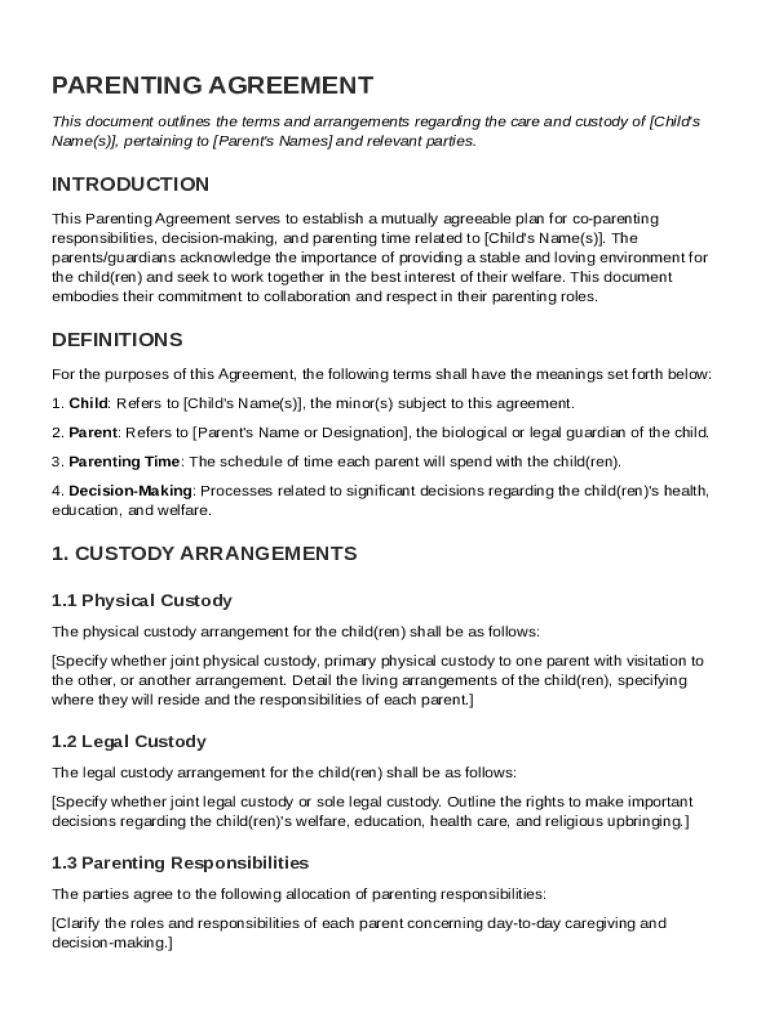
Parenting Agreement Form
Use a Parenting Agreement Template template to make your document workflow more streamlined.
What a Parenting Agreement Form does
A Parenting Agreement Form records how separated or co-parenting parents plan to handle a child’s care, time, communication, and shared responsibilities. The document can identify the parents and child, establish decision-making authority, set parenting-time schedules, address holidays and transportation, and describe expense arrangements. Parents should adapt the terms to their circumstances and check state requirements before relying on it in court. With signNow, a prepared form can be uploaded, fillable fields detected or placed, sent to each signer, completed electronically, and stored with an audit trail.
How the Parenting Agreement Form workflow works
The signNow workflow moves this agreement from a prepared document to a signed, reviewable record through four controlled stages.
Upload form: Upload the Parenting Agreement Form file. Add fields: Place fields for each parent. Route agreement: Send assigned fields to signers. Archive evidence: Store the signed record and audit trail.
Complete and sign the form in signNow
Follow this workflow to prepare the Parenting Agreement Form, route it to each signer, and preserve evidence of completion.
Upload form:
Upload the completed Parenting Agreement Form to signNow. Place fields:
Let signNow detect fields or place names, dates, initials, and signatures. Assign signers:
Assign each field to the correct parent or professional. Send agreement:
Send the form through email or a signing link. Store evidence:
Review the signed copy and audit trail before storage.
How the signNow audit trail records agreement
A Parenting Agreement Form audit trail preserves signer identity, document integrity, event timing, and retrievable completion evidence.
Authenticate signer:
Capture timestamp:
Hash document:
Seal record:
Log activity:
Export evidence:
 Best ROI. Our customers achieve an average 7x ROI within the first six months.
 Scales with your use cases. From SMBs to mid-market, airSlate SignNow delivers results for businesses of all sizes.
 Intuitive UI and API. Sign and send documents from your apps in minutes.
Protect signer identity and document integrity
Digital certificates:
X.509 certificates:
Two-factor authentication:
SMS OTP:
ID verification:
Signing evidence:
Use mobile tools for parenting documents
signNow provides iOS and Android mobile apps for reviewing and signing Parenting Agreement Form documents. Camera capture can turn paper pages into uploadable files, while offline signing supports work without continuous connectivity. Check current app requirements before deployment.
Mobile apps iOS and Android apps Offline signing Offline signing available Camera capture Camera captures paper pages
Parents can review schedules and signature fields on a phone or tablet, but should confirm every page before signing. Organizations handling sensitive family information should use managed devices, controlled access, and an approved retention process.
Features that support parenting agreements
signNow connects structured form completion, signer routing, authentication, audit evidence, and controlled storage to the specific tasks required for a Parenting Agreement Form.
Structured fields
Place parent names, child information, schedule terms, initials, and signatures in the correct locations. Required fields reduce omissions before the agreement reaches the other parent.
Signer routing
Send the same Parenting Agreement Form to each required signer in a defined sequence, reducing uncertainty about whose approval remains outstanding.
Audit trail
Capture signing times, signer actions, and document history so parents or authorized professionals can review how the final record was completed.
Signer security
Use SMS verification or other configured controls when the agreement contains sensitive addresses, school information, or financial responsibilities requiring stronger signer attribution.
Mobile signing
Review and sign from iOS or Android when parents cannot meet at one location, while retaining the same completed document record.
Secure storage
Keep the final Parenting Agreement Form and completion evidence together, supporting later review by parents, counsel, mediators, or a court.
Avoid gaps in parenting agreement workflows
Parents may leave holiday schedules, transportation duties, or decision-making authority undefined, creating ambiguity when circumstances change. Sharing a completed agreement by personal email can expose addresses, school information, medical details, or financial arrangements. A signer may complete fields without reviewing every page, leaving incorrect dates, initials, or child information in the final record. An electronic agreement may not satisfy a state court’s filing, notarization, or approval requirements for a specific family-law matter.
Check state rules before relying on terms
State filing rules
Notarization
Excluded documents
Real-estate deeds
Preserve Parenting Agreement Form records carefully
A signed Parenting Agreement Form can contain sensitive family, residential, medical, and financial details, so retention and access decisions should be documented.
Preserve the executed record and audit trail
Export completion evidence after signing
Apply the governing retention rule
Secure sensitive parenting information
Key performance indicators that demonstrate SignNow's proven track record.
Troubleshoot Parenting Agreement Form signing
Resolve field, authentication, plan, legal-scope, and record-storage questions before relying on a signed Parenting Agreement Form.
Upload the source file again and verify that the Parenting Agreement Form is readable, complete, and not password-protected. signNow can detect fillable fields, but a scanned or irregular layout may require manual field placement before sending.
Open the document settings and confirm that each signature, initials, date, and text field is assigned to the correct parent. An unassigned or misassigned field can prevent completion or place information in the wrong signer’s section.
Use signNow’s SMS OTP or another configured authentication control, then confirm the signer’s phone number. Stronger authentication helps attribute the Parenting Agreement Form signature but does not replace state-specific court, notarization, or filing requirements.
The Business plan is listed at $8 per user per month when billed annually and includes audit trails and templates. Business Premium adds bulk send; confirm the selected plan’s current limits before routing repeated agreements.
signNow is ESIGN and UETA compliant, but those laws do not eliminate family-law exclusions. Wills, court orders, and family-law decrees remain outside the federal electronic-record framework; check the applicable state court’s requirements.
After all assigned fields are completed, download the signed Parenting Agreement Form and certificate or audit-trail evidence. Store them together with access controls and the retention rule applicable to the record’s purpose and jurisdiction.
BE READY TO GET MORE
Get this form now!

If you believe that this page should be taken down, please follow our DMCA take-down process.