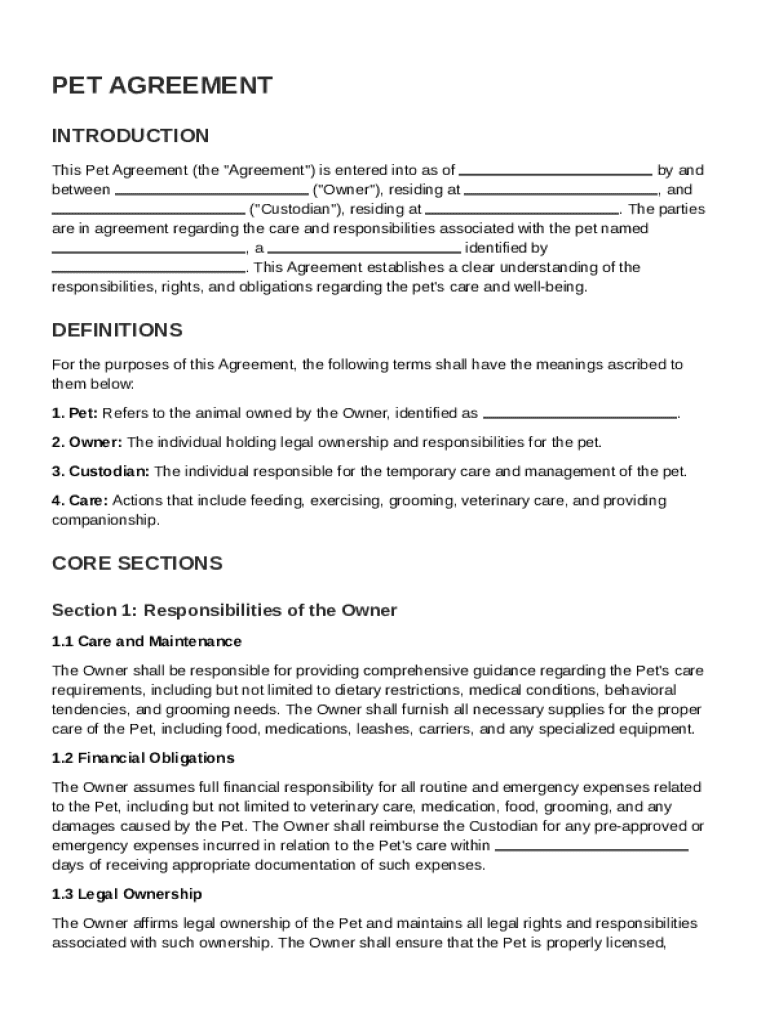
Pet Agreement Form
Use a Pet Agreement Template template to make your document workflow more streamlined.
What a Pet Agreement Form does
A Pet Agreement Form records the terms allowing a specific animal at a specific rental property. It typically identifies the tenant, property, pet, approved conditions, responsibilities, and signatures of the parties. A landlord or property manager can upload the agreement to signNow, review automatically detected fillable fields, assign signature fields, and send it electronically. Signers review the pet terms, provide consent, and receive a completed copy. ESIGN and applicable state electronic-transaction law may support the signed record when consent, intent, attribution, and retention requirements are met.
Who uses the Pet Agreement Form
Residential rentals
Landlords and property managers can use the Pet Agreement Form to document approved animals, tenant responsibilities, property rules, and signatures before adding a pet to an existing rental arrangement.
Property operations
Multifamily housing teams can use reusable Pet Agreement Form templates for recurring approvals, routing each agreement to the necessary tenant, owner, or property representative before filing the completed record.
Who benefits from a pet agreement workflow
Landlords and housing teams use a signed Pet Agreement Form to document animal-related rental terms before occupancy or pet approval.
Independent landlords use the Pet Agreement Form to document an animal’s description, approved occupancy terms, tenant responsibilities, and signatures before allowing a pet at a rental property. Property management companies use reusable Pet Agreement Form templates to collect consistent approvals across multiple buildings, route documents to tenants, and retain signed agreements with lease records. Multifamily housing operators use controlled Pet Agreement Form workflows to coordinate tenant, owner, and property staff approvals while documenting pet restrictions and acknowledged responsibilities.
These tasks are executed by both individual contributors and centralized administrators depending on organizational policy and required controls.
Features that simplify pet agreement signing
Pet agreement workflows become easier to manage when required pet details, signer actions, completed records, and recurring property documents stay together.
Field preparation
Upload an existing Pet Agreement Form and add fields for pet details, tenant information, property rules, signatures, and dates without rebuilding the document.
Signer routing
Send the completed Pet Agreement Form to tenants, property owners, or other signers by email, preserving the signing order and required fields.
Audit trail
Capture each signer’s intent, completed fields, timestamps, and document activity in an audit trail that supports later review of the agreement.
Mobile signing
Let parties review and sign the Pet Agreement Form from a desktop or mobile device when an in-person meeting is impractical.
Organized records
Store the signed agreement and completion record together so property teams can retrieve the pet terms alongside the related lease file.
Reusable template
Reuse an approved Pet Agreement Form template for recurring rentals while keeping required pet restrictions and acknowledgment language consistent.
 Best ROI. Our customers achieve an average 7x ROI within the first six months.
 Scales with your use cases. From SMBs to mid-market, airSlate SignNow delivers results for businesses of all sizes.
 Intuitive UI and API. Sign and send documents from your apps in minutes.
How the Pet Agreement Form works
The Pet Agreement Form moves from field preparation to signer delivery, completion, and organized storage in a traceable workflow.
Upload form: Upload the Pet Agreement Form and review detected fields. Complete fields: Add tenant, property, pet, and signature details. Send document: Send the agreement to each required signer. Save record: Store the signed agreement with its audit trail.
Steps to complete a pet agreement
Prepare the Pet Agreement Form with accurate animal, tenant, property, and approval information before sending it for signatures.
Choose form:
Upload the current Pet Agreement Form. Review details:
Check pet, tenant, and property fields. Add signers:
Assign every required signer. Track signing:
Send and monitor completion.



Security for signed pet agreements
Transport encryption:
Stored data:
Security certification:
Information security:
Privacy framework:
Electronic signatures:
Privacy and disclosure pitfalls to avoid
Pet descriptions may expose unnecessary personal information when the completed agreement is shared beyond landlords, tenants, and authorized property staff. A missing tenant or owner consent record can leave the Pet Agreement Form incomplete even when other required fields appear finished. Broad folder permissions can expose signed pet terms, animal details, or contact information to people without a property-management need. Inconsistent template language can create different pet restrictions across properties, making later review and enforcement more difficult.
Best practices for pet agreement records
Accurate fields, consistent templates, controlled access, and documented electronic consent make Pet Agreement Form records easier to administer and review.
Match pet details to lease records
Maintain an approved agreement template
Restrict access and export evidence
Confirm review and electronic consent
What the Pet Agreement Form audit trail records
The audit trail records signer activity and document history separately from the form’s rental terms, helping teams review how the agreement was completed.
Authenticate signer:
Capture timestamp:
Record document history:
Seal evidence:
Review completion:
Export audit trail:
Pet Agreement Form troubleshooting
These answers address field detection, electronic consent, plan limits, signer evidence, and record handling for Pet Agreement Form workflows.
Upload the Pet Agreement Form as a PDF or supported document, then review signNow’s detected fields before sending. Auto-detection does not replace checking the pet description, property address, tenant information, dates, and signature assignments.
The Business plan costs $8/user/month when billed annually and includes templates, audit trails, and mobile apps. Business Premium costs $15/user/month annually and adds bulk send, kiosk mode, request payments, and quick invite links.
A Pet Agreement Form can generally be e-signed when the parties demonstrate intent, consent to electronic records, and can retain the completed record. ESIGN and UETA support electronic signatures, subject to applicable state law and transaction-specific requirements.
For a consumer-facing electronic record, provide the ESIGN disclosure explaining the right to receive paper records, confirm electronic access, and explain withdrawal procedures. Keep the disclosure and consent evidence with the completed agreement.
Use signNow’s audit trail to review signer activity, timestamps, and document history associated with the completed Pet Agreement Form. Retain the signed document and audit trail together under the landlord’s or property manager’s records policy.
Business plans include 100 signature invites per user per year, with overage fees applying after the included amount. For high-volume property operations, review Business Premium, Enterprise, or Site License terms before selecting a plan.
Key performance indicators that demonstrate SignNow's proven track record.
BE READY TO GET MORE
Get this form now!

If you believe that this page should be taken down, please follow our DMCA take-down process.