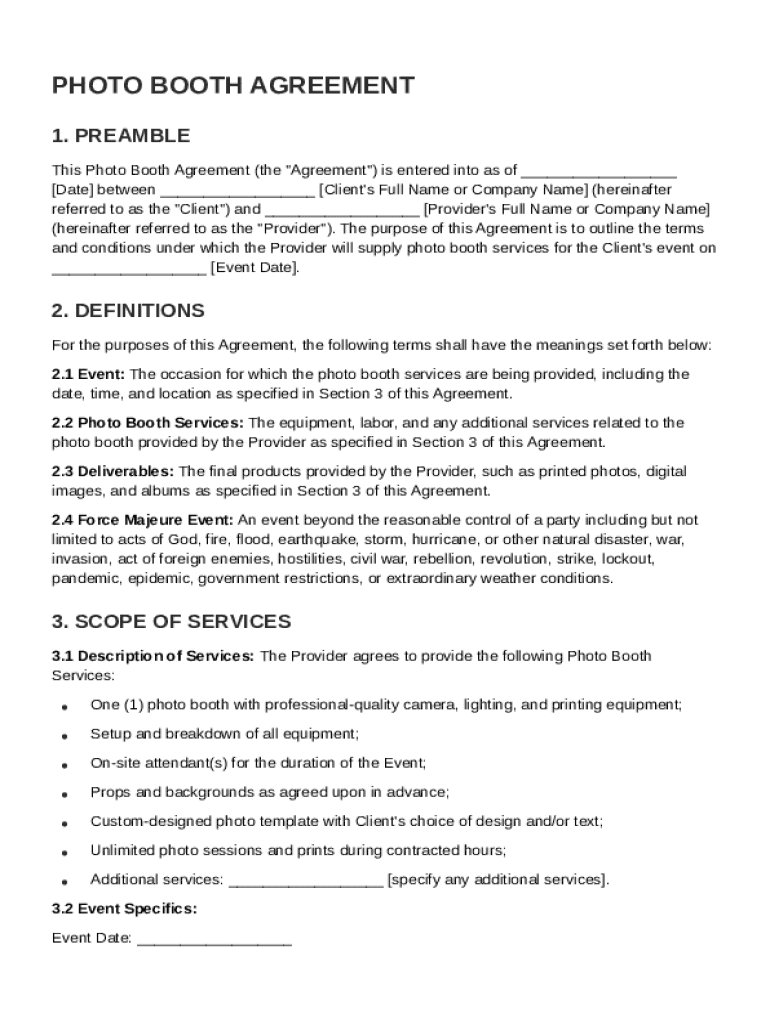
Photo Booth Agreement Form
Use a Photo Booth Agreement Template template to make your document workflow more streamlined.
What is a photo booth agreement form?
A Photo Booth Agreement Form records the terms between a photo booth provider and a customer for an event. It can identify the event date, venue, package, services, payment terms, setup requirements, cancellation rules, and permissions for using event images. With signNow, upload the agreement, auto-detect fillable fields, add provider and customer signature fields, send it for electronic signature, and store the completed PDF with its audit trail. ESIGN and UETA generally recognize qualifying electronic signatures for U.S. transactions, subject to applicable state law and document exclusions.
Who uses this agreement form?
Photo booth providers
Photo booth businesses use the form for event dates, venue access, package selections, setup windows, payment obligations, cancellation terms, and customer approvals.
Event customers
Event customers use it to review services, approve image-related permissions, confirm responsibilities, and sign before the scheduled event.
Key features for photo booth agreements
signNow connects the specific event details, customer approvals, signatures, and completed records required for a Photo Booth Agreement Form.
Event details
Capture the event date, venue, package, access window, and service details in one agreement before the photo booth is scheduled.
Payment terms
Record package pricing, deposits, remaining balances, payment dates, and cancellation terms so both parties can review financial obligations.
E-signatures
Add provider and customer signature fields to document acceptance of the agreed photo booth services before the event.
Reusable templates
Use conditional fields or tailored templates when package selections change the services, price, or setup requirements shown to customers.
Signing links
Send a signing link when customers need to complete the agreement without creating a signNow account or attending a meeting.
Audit trail
Keep the signed agreement and completion history together, supporting later review of event terms and signing activity.
 Best ROI. Our customers achieve an average 7x ROI within the first six months.
 Scales with your use cases. From SMBs to mid-market, airSlate SignNow delivers results for businesses of all sizes.
 Intuitive UI and API. Sign and send documents from your apps in minutes.
How the photo booth agreement works
A clear workflow keeps event terms, signatures, and completed records together from preparation through archival.
Upload template: Upload the provider’s Photo Booth Agreement Form template to signNow. Place fields: Auto-detect fields and add event, payment, and signature fields. Send agreement: Send the agreement to the customer by email or signing link. Archive record: Store the completed PDF and audit trail for later reference.
Complete the agreement in signNow
Use this sequence to prepare the event terms, collect signatures, and preserve the completed Photo Booth Agreement Form.
Upload agreement:
Upload the Photo Booth Agreement Form template. Check fields:
Review auto-detected fields and add missing event details. Assign signers:
Assign provider and customer signature fields. Send for signing:
Send the agreement through signNow. Store records:
Review the signed PDF and audit trail.
Choose a signing method for your agreement
- Use the signNow web app when preparing the agreement, reviewing event details, and placing provider and customer signature fields from a desktop browser.
- Use the signNow mobile app when confirming venue details or signing the Photo Booth Agreement Form from an iOS or Android device.
- Use kiosk mode at an event office or venue when customers need to review and sign the agreement on a shared device.
- Create a shareable signing link when multiple customers need access to the same approved photo booth agreement template.
Security for signed agreements
Transit encryption:
Storage encryption:
SOC 2 controls:
ISO certification:
Two-factor authentication:
Signing history:



Best practices for this agreement
Accurate event terms and controlled records reduce misunderstandings about services, payment, access, and customer approvals.
Describe the booked event precisely
Document payment and cancellation terms
Assign every required signature field
Archive the signed record securely
Photo booth agreement troubleshooting
These answers address field setup, signer access, plan selection, electronic consent, record evidence, and image permissions for this agreement.
Upload the provider’s current Photo Booth Agreement Form as a PDF or template, then use signNow’s field detection and editor to place event, payment, initials, and signature fields. Confirm the detected fields before sending because field detection cannot determine the provider’s intended contract terms.
A customer can sign through the email invitation or a shareable signing link, depending on the workflow. If access fails, resend the invitation, verify the recipient address, and confirm that the link has not expired or been restricted by the sender’s settings.
The signNow Business plan costs $8 per user per month with annual billing and includes legally binding eSignatures, audit trails, templates, and mobile apps. Business Premium costs $15 per user per month annually and adds bulk send and kiosk mode.
For a consumer-facing Photo Booth Agreement Form, electronic consent requirements may apply under ESIGN, including access to the electronic record and required consumer disclosures. Present the disclosure and preserve the signed agreement so the customer can reproduce the record.
signNow provides audit trails that record signing activity, including timestamps and document history. Download the completed agreement and audit trail together, then apply your business retention policy and any applicable state-law requirements for contract records.
If the agreement includes customer photographs or identifying information, limit access to authorized users and state whether images may be used for marketing. signNow supports role-based workflows and encrypted storage, but the provider remains responsible for lawful consent language.
Key performance indicators that demonstrate SignNow's proven track record.
BE READY TO GET MORE
Get this form now!

If you believe that this page should be taken down, please follow our DMCA take-down process.