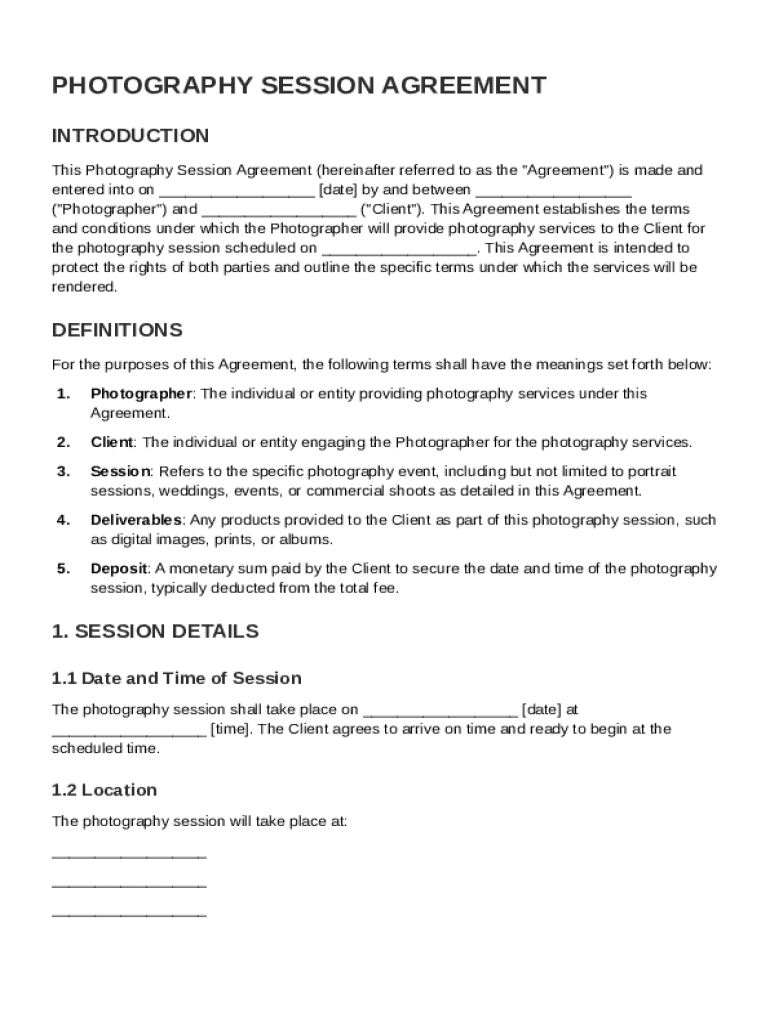
Photography Session Agreement Form
Use a Photography Session Agreement Template template to make your document workflow more streamlined.
What a photography session agreement does
A Photography Session Agreement Form records the terms between a photographer and client before a session takes place. It identifies the assignment, session date and location, deliverables, payment expectations, cancellation terms, and permissions for using images. The photographer uploads the document to signNow, reviews detected fields, assigns signature and consent fields, and sends it to the client or subject. The completed agreement and audit trail provide evidence of intent, signer attribution, and the agreed image-use permissions for the specific engagement.
Who uses photography session agreements
Independent photographers
Photographers use the agreement to document session scope, payment terms, cancellation rules, deliverables, and permitted image uses before work begins.
Studios and agencies
Studios and agencies use agreements to coordinate clients, subjects, assistants, licensing permissions, and repeat workflows across multiple photography sessions.
Features that support photography agreements
Photography Session Agreement Form workflows combine reusable fields, remote signing, mobile access, signer routing, and audit evidence for client-facing photography engagements.
Reusable template
A reusable Photography Session Agreement Form can capture session dates, locations, deliverables, payment terms, cancellation rules, and image-use permissions without repeatedly rebuilding the document.
Field detection
signNow identifies fillable areas after upload, helping photographers place signature, initials, date, and consent fields where the client must complete the agreement.
Remote signing
Email invitations and signing links let clients review the Photography Session Agreement Form remotely, reducing reliance on paper exchange before a scheduled session.
Audit trail
The completed agreement can remain associated with its audit trail, preserving timestamps, signer actions, and completion evidence for later client or licensing questions.
Mobile access
Mobile apps allow photographers to manage agreement signing from iOS and Android devices during on-location work, including selected offline signing workflows.
Signer routing
Role-based workflows help studios route agreements to clients, subjects, or authorized representatives in the required order before image production or publication.
How photography agreements move through signNow
Use this sequence to turn a prepared Photography Session Agreement Form into a signed, traceable record for the photographer and client.
Upload agreement: Upload the finalized Photography Session Agreement Form Check fields: Review detected fields and add missing consent fields Assign recipients: Assign signatures, initials, and dates to recipients Complete signing: Send, sign, and retain the completed record
Complete a photography agreement in signNow
Prepare the session terms first, then use signNow to place fields, collect signatures, and preserve the completed Photography Session Agreement Form.
Upload document:
Upload the completed agreement PDF Review fields:
Confirm fields for signatures and consent Add signer:
Enter the client’s verified email address Send agreement:
Send the agreement through signNow Save records:
Monitor completion and download evidence
 Best ROI. Our customers achieve an average 7x ROI within the first six months.
 Scales with your use cases. From SMBs to mid-market, airSlate SignNow delivers results for businesses of all sizes.
 Intuitive UI and API. Sign and send documents from your apps in minutes.
Protect photography agreements with verified signing
Public key infrastructure:
X.509 certificates:
Two-factor authentication:
SMS one-time passwords:
Identity verification:
Signing evidence:



Use photography agreements on mobile devices
Photography Session Agreement Form workflows can use signNow mobile apps on iOS and Android. Signers can review agreements, use camera capture for paper details, and continue selected signing tasks when connectivity is unavailable.
Mobile apps iOS 15 and Android 10 or later Offline signing Offline signing supported in mobile apps Camera capture Camera captures agreement pages and details
Photographers can prepare agreements before traveling to a session, collect signatures on an iPhone or Android phone, and synchronize completed records when online. Teams should confirm device management, app permissions, connectivity, and retention controls before deploying mobile signing for client consent and usage terms.
What the agreement audit trail records
The signNow audit trail documents signing evidence for Photography Session Agreement Form separately from the document preparation process.
Authenticate signer:
Capture timestamps:
Hash document:
Seal document:
Record actions:
Export trail:
Recommended setup for photography agreements
Configure the Photography Session Agreement Form around clear signer identity, explicit image permissions, evidence preservation, and controlled access to completed client records.
| Setting | Recommendation |
|---|---|
| Authentication and provisioning | Use email verification with controlled team access |
| Signature type | Use typed or drawn electronic signatures |
| Audit trail | Retain the completion certificate and event history |
| Document retention | Apply the studio’s written records policy |
| Encryption | Use TLS 1.2/1.3 and AES-256 protection |
Apply careful practices to photography agreements
Accurate parties, specific image permissions, and complete signing evidence make Photography Session Agreement Form records easier to administer and review.
Identify every agreement party and session detail
Separate image permissions by intended use
Assign fields to the correct signer
Archive the agreement with its audit trail
Legal standing of photography agreements
A Photography Session Agreement Form can provide admissible evidence when the parties demonstrate intent, consent to electronic records, signer attribution, and reliable retention under ESIGN and applicable state law, including UETA or New York ESRA. It should not be used to replace wills, court orders, family law decrees, or other excluded records.

Risks from incomplete photography agreements
Usage dispute
Weak evidence
Payment dispute
Consent challenge
Troubleshoot photography agreement signing
Resolve field, signer, plan, legal, and record-preservation questions before relying on a completed Photography Session Agreement Form.
Upload the final PDF again and review signNow’s detected fields before sending. Add signature, initials, date, and image-consent fields manually when the document’s labels or layout prevent accurate automatic placement.
Check the recipient email address, resend the invitation, or generate a signing link. If the client still cannot open the Photography Session Agreement Form, verify browser access and ask the recipient to use a current supported device.
Use SMS one-time passwords or another available authentication control when email-only access does not provide sufficient assurance. For sensitive commercial assignments, document the chosen signer-verification process in the workflow policy.
Business is listed at $8 per user per month with annual billing and includes templates and audit trails. Business Premium is $15 per user per month annually and adds bulk send, which can help studios distribute repeated agreements.
signNow states that its platform is ESIGN and UETA compliant. The Photography Session Agreement Form still needs signer intent, electronic-record consent where required, attribution, and reliable reproduction; state law and transaction circumstances remain relevant.
Export the completed Photography Session Agreement Form together with its audit trail and certificate of completion. Store both under the studio’s access controls and written retention policy so image permissions can be reviewed with the underlying agreement.
Key performance indicators that demonstrate SignNow's proven track record.
BE READY TO GET MORE
Get this form now!

If you believe that this page should be taken down, please follow our DMCA take-down process.