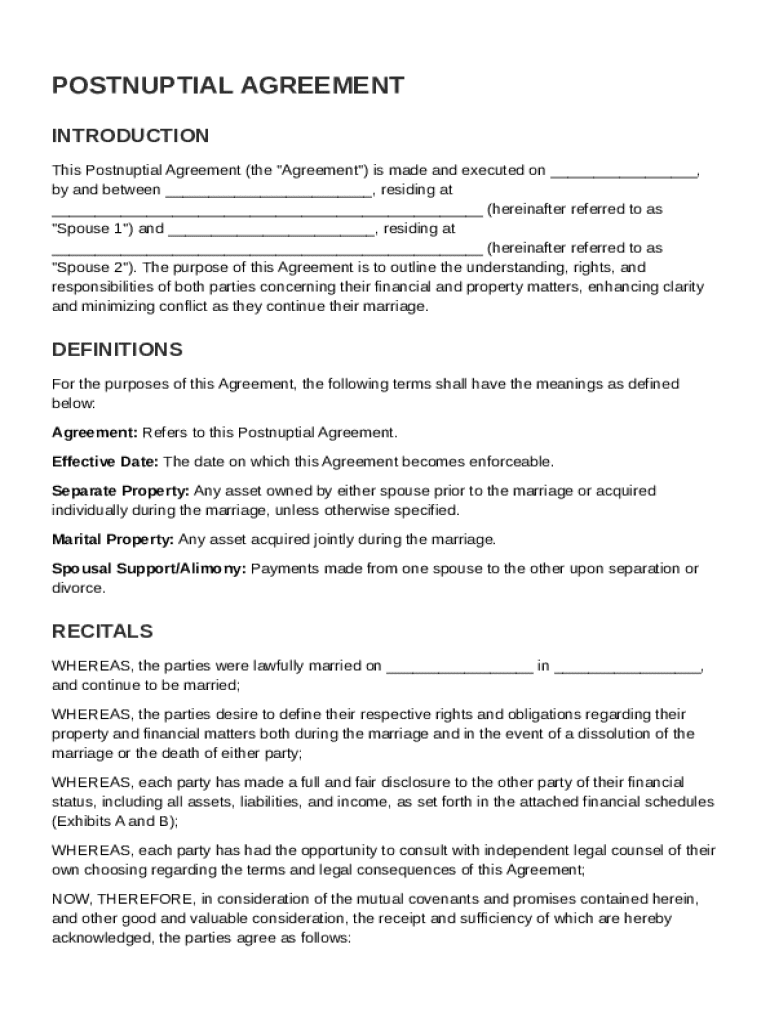
Postnup Agreement Form
Use a Postnup Agreement Template template to make your document workflow more streamlined.
What a Postnup Agreement Form does
A Postnup Agreement Form records financial and property terms spouses agree to after marriage. In the United States, its enforceability depends primarily on applicable state family law, including requirements concerning voluntary consent, disclosure, fairness, witnesses, or notarization. signNow handles the electronic workflow: upload the agreement, detect or place fields, assign each spouse, send it for review and signature, and retain the completed PDF with an audit trail. ESIGN and UETA generally recognize qualifying electronic records, but they do not override state rules or exclude family-law documents from required formalities.
Business types using postnup workflows
Postnup Agreement Form workflows are most useful where counsel must coordinate sensitive documents, two spouses, and a durable signing record.
Solo family-law practices can prepare attorney-approved templates, assign signature fields to both spouses, and preserve the completed agreement with an audit trail for the client file. Boutique marital-property firms can manage separate matters through controlled workspaces, delegated sending, and permission limits while keeping financial schedules and signed terms tied to the correct case. Enterprise legal departments can standardize approved postnup templates, provision users, and connect signing records to document repositories without giving every employee access to sensitive marital information.
These tasks are executed by both individual contributors and centralized administrators depending on organizational policy and required controls.
Features for Postnup Agreement Form workflows
signNow combines document preparation, assigned signing fields, delivery, audit evidence, and retention tools for a controlled Postnup Agreement Form workflow.
Field detection
Upload the agreement and review automatically detected fields before adding signature, initials, date, and disclosure fields for each participant.
Signer assignment
Assign every signature and initials field to a named signer, reducing the chance that one spouse signs the other spouse’s section.
Secure delivery
Send the agreement by email or signing link while keeping the signing sequence visible to the sender and authorized workspace users.
Audit trail
Capture timestamps, signer actions, and document history in an audit trail that accompanies the completed agreement.
Reusable templates
Use templates for approved postnup layouts so attorneys and administrators start from a controlled document version instead of rebuilding fields.
Mobile completion
Complete signing on desktop or mobile devices and retain the final PDF with its certificate of completion.
Complete a Postnup Agreement Form online
Use signNow to prepare the document, assign signature fields, collect signatures, and retain the completed Postnup Agreement Form with its audit trail.
Upload form:
Upload the completed Postnup Agreement Form PDF to signNow. Check fields:
Review detected fields and add signatures, initials, dates, and text fields. Assign signers:
Assign each field to the correct spouse or attorney reviewer. Send form:
Send the document by email or a secure signing link. Sign document:
Each signer reviews, consents, and applies the required signature. Store records:
Download the completed form and audit trail for secure records.
How signNow records the signing history
The audit trail preserves signer identity, document integrity, and event history for a completed Postnup Agreement Form.
Authenticate signer:
Capture timestamps:
Hash document:
Seal document:
Log events:
Export record:
 Best ROI. Our customers achieve an average 7x ROI within the first six months.
 Scales with your use cases. From SMBs to mid-market, airSlate SignNow delivers results for businesses of all sizes.
 Intuitive UI and API. Sign and send documents from your apps in minutes.
Recommended postnup workflow setup
Configure the signing process around signer identity, document integrity, audit evidence, and the retention rule governing the agreement.
| Setting | Recommendation |
|---|---|
| Authentication method | Email verification with SMS OTP |
| Signature type | Typed or drawn electronic signature |
| Audit trail | Retain completion certificate and event history |
| Document retention | Apply state-law matter retention policy |
| Encryption | AES-256 at rest and TLS 1.2/1.3 |



Mobile options for postnup signing
The signNow mobile apps support Postnup Agreement Form workflows on iOS and Android, including camera-based document capture and offline signing when available.
iPhone app iOS 15 or later Android app Android 9 or later Offline access Offline signing supported
Confirm that the signed file synchronizes after offline work, and review the completed audit trail before relying on the record. State law may separately require notarization or additional formalities for a postnuptial agreement.
Protect postnup signing records
Data at rest:
Data in transit:
Security reporting:
Security management:
Electronic signatures:
Signing evidence:
Challenges when preparing a postnup agreement
A postnuptial agreement may require state-specific formalities, so an electronically signed copy alone may not satisfy every enforceability requirement. Unclear property schedules or incomplete financial disclosures can create disputes even when both spouses successfully sign the document. Sending an outdated agreement version can leave signatures attached to terms that no longer reflect the spouses’ reviewed arrangement. A signing workflow cannot replace independent legal advice, voluntary consent, or review of whether the agreement is fair under applicable state law.
Retain postnup records responsibly
Keep the signed agreement, audit trail, and retention decision together, while checking the governing state-law and matter-specific requirements.
Preserve the signed agreement and audit trail
Choose retention by legal context
Limit access to sensitive information
Export records before administrative changes
Retention schedule for postnup records
A postnuptial agreement has no single federal retention period; apply the governing state-law and matter-specific policy, preserving the signed record and audit trail.
State-law period
Three years from filing
Until dispute resolved
Completion record
Matter closure
State-law limits and exclusions
Possible invalidity
Enforceability dispute
ESIGN exclusion
Separate filing rules
Recording rejection
Postnup Agreement Form troubleshooting
Resolve field, authentication, compliance, and record-handling questions before relying on a signed Postnup Agreement Form.
Business includes audit trails, templates, and mobile apps, which can support a Postnup Agreement Form workflow. Confirm that the chosen plan includes the authentication and retention controls your legal team requires.
signNow supports ESIGN and UETA compliance, but those laws do not decide whether a postnuptial agreement is enforceable under state family law. Ask state-law counsel about notarization, witnesses, disclosure, and voluntariness.
Use signNow’s field assignment and signer order controls to prevent either spouse from signing the wrong section. Review the final PDF and audit trail before treating the agreement as complete.
Business Premium includes bulk send, but bulk sending is usually unnecessary for a single postnuptial agreement. Use a controlled template only when counsel has approved repeated language and field assignments.
If an SMS code fails, verify the signer’s phone number, resend the code, and use the configured fallback authentication method. Advanced signer authentication is available through Enterprise capabilities and should be tested beforehand.
signNow encrypts data in transit with TLS 1.2/1.3 and at rest with AES-256, and provides SOC 2 Type II and ISO 27001 credentials. Confirm workspace permissions and export controls separately for sensitive marital records.
Key performance indicators that demonstrate SignNow's proven track record.
BE READY TO GET MORE
Get this form now!

If you believe that this page should be taken down, please follow our DMCA take-down process.