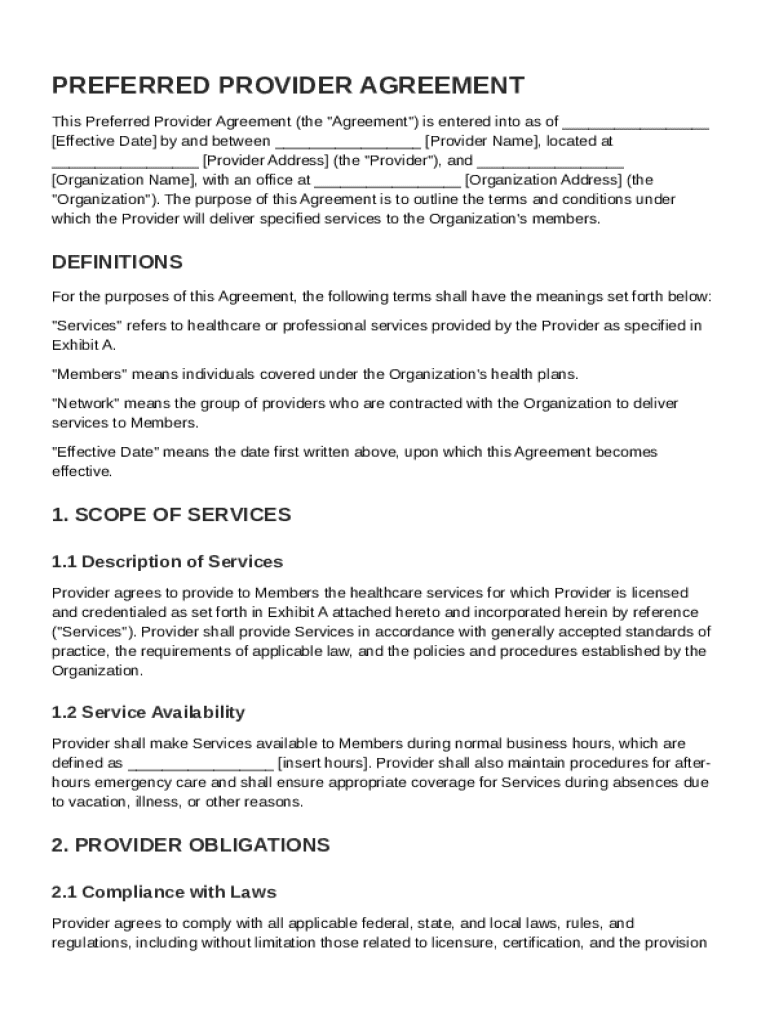
Preferred Provider Agreement Form
Use a Preferred Provider Agreement Template template to make your document workflow more streamlined.
What the Preferred Provider Agreement Form does
A Preferred Provider Agreement Form records the terms under which a provider receives preferred status from an organization, such as agreed services, rates, responsibilities, eligibility requirements, and signatures. It is a business agreement rather than a universal government form, so its fields and legal effect depend on the parties, contract language, and applicable state law. In signNow, the sender uploads the agreement, reviews detected fields, assigns signature and date fields, sends it to the provider, and retains the completed document with its audit trail.
Business types using provider agreements
The form supports provider relationships where preferred status depends on documented terms, approvals, and an identifiable signing record.
Solo healthcare practices can collect provider signatures, confirm service terms, and maintain a searchable agreement record without coordinating repeated in-person meetings. Regional provider networks can standardize preferred-status terms across clinics while routing agreements to authorized contracting staff and preserving each provider’s completed audit trail. Enterprise procurement teams can connect agreement workflows to existing systems, apply role-based access, and retain signed provider records for compliance, renewal, and dispute review.
These tasks are executed by both individual contributors and centralized administrators depending on organizational policy and required controls.
How to complete the provider agreement
The signNow workflow keeps the agreement’s negotiated terms, required fields, and signing evidence together from upload through storage.
Upload agreement: Upload the provider agreement and review its detected fields. Place fields: Add provider, organization, signature, date, and required approval fields. Send for signing: Send the agreement by email or a controlled signing link. Store records: Download the completed agreement with its audit trail.
How the provider agreement audit trail works
signNow records the evidence surrounding this agreement separately from the business workflow used to prepare and route it.
Authenticate signer:
Capture timestamp:
Record document integrity:
Seal evidence:
Check completion:
Retrieve audit trail:
 Best ROI. Our customers achieve an average 7x ROI within the first six months.
 Scales with your use cases. From SMBs to mid-market, airSlate SignNow delivers results for businesses of all sizes.
 Intuitive UI and API. Sign and send documents from your apps in minutes.
Why teams look for DocuSign alternatives
Organizations seek alternatives when they need different pricing models, stronger native automation, simpler bulk affidavit workflows, or more flexible identity-verification options than those available in a legacy envelope-based vendor.

Recommended provider agreement setup
Configure the workflow around signer identity, document integrity, access control, and the retention rule governing the provider relationship.
| Setting | Recommendation |
|---|---|
| Authentication method | Email invitation with SMS verification |
| Signature type | Electronic signature with signer intent |
| Audit trail | Completion certificate and action history |
| Document retention | Apply contract and state requirements |
| Encryption | TLS 1.2/1.3 and AES-256 |
Security controls for provider agreements
Data encryption:
Transport security:
Security reporting:
Information security:
Health data protection:
Electronic signatures:
Record-keeping practices for provider agreements
Accurate retention and audit records help contracting teams prove what was signed, when it was signed, and which version governed the provider relationship.
Confirm the applicable retention rule
Export the audit trail with the agreement
Archive records with controlled access
Apply the longest applicable period
State rules and document exclusions
State notary rules
Wills excluded
Family law exclusions
Deed acknowledgment
Privacy and disclosure pitfalls
Personal identifiers, payment terms, and provider credentials can remain visible to recipients who do not need access to the full agreement. A missing electronic-record consent disclosure can weaken the process when a consumer signs the agreement electronically. Shared links or broad workspace permissions can expose negotiated rates, tax details, or confidential provider information. Using an outdated agreement version can leave signatures attached to terms that no longer match the provider relationship.



Provider agreement platform comparison
signNow pricing and capabilities are shown first; competitor values are marked Not verified when the available source does not provide comparable facts.
| Features | signNow | DocuSign | Adobe Sign | PandaDoc |
|---|---|---|---|---|
| Starting annual price | $8/user/month | Not verified | Not verified | Not verified |
| Free trial | 7 days, no card | Not verified | Not verified | Not verified |
| Bulk send | Business Premium | Not verified | Not verified | Not verified |
| Audit trail | Included in Business | Not verified | Not verified | Not verified |
| HIPAA compliance | Available with BAA | Not verified | Not verified | Not verified |
Provider agreement troubleshooting questions
These answers address signing, plan, authentication, and compliance issues that can affect a Preferred Provider Agreement Form workflow.
Business plan includes templates, audit trails, mobile apps, and legally binding eSignatures at $8 per user per month with annual billing. If the agreement requires bulk sending, Business Premium adds that capability at $15 per user per month annually.
signNow’s electronic signature workflow is designed for ESIGN and UETA transactions. Confirm the signer’s intent, provide any required consumer electronic-record disclosure, and ensure the final record remains accessible and reproducible under 15 U.S.C. §7001.
Use signNow’s required fields and signing order to prevent an incomplete provider agreement. After signing, review the completion certificate and audit trail before treating the agreement as fully executed.
A signer can receive the agreement through an email invitation or a configured signing link. If stronger attribution is needed, signNow supports SMS-based authentication and advanced signer-authentication options on eligible plans.
For agreements containing protected health information, signNow identifies HIPAA compliance as requiring a business associate agreement. Confirm that the organization’s signNow arrangement includes the required BAA before processing PHI.
Business Premium includes bulk send, while Enterprise adds advanced integrations and signer-authentication options. The Business plan includes 100 signature invites per user annually; verify overage terms before sending large provider batches.
Key performance indicators that demonstrate SignNow's proven track record.
BE READY TO GET MORE
Get this form now!

If you believe that this page should be taken down, please follow our DMCA take-down process.