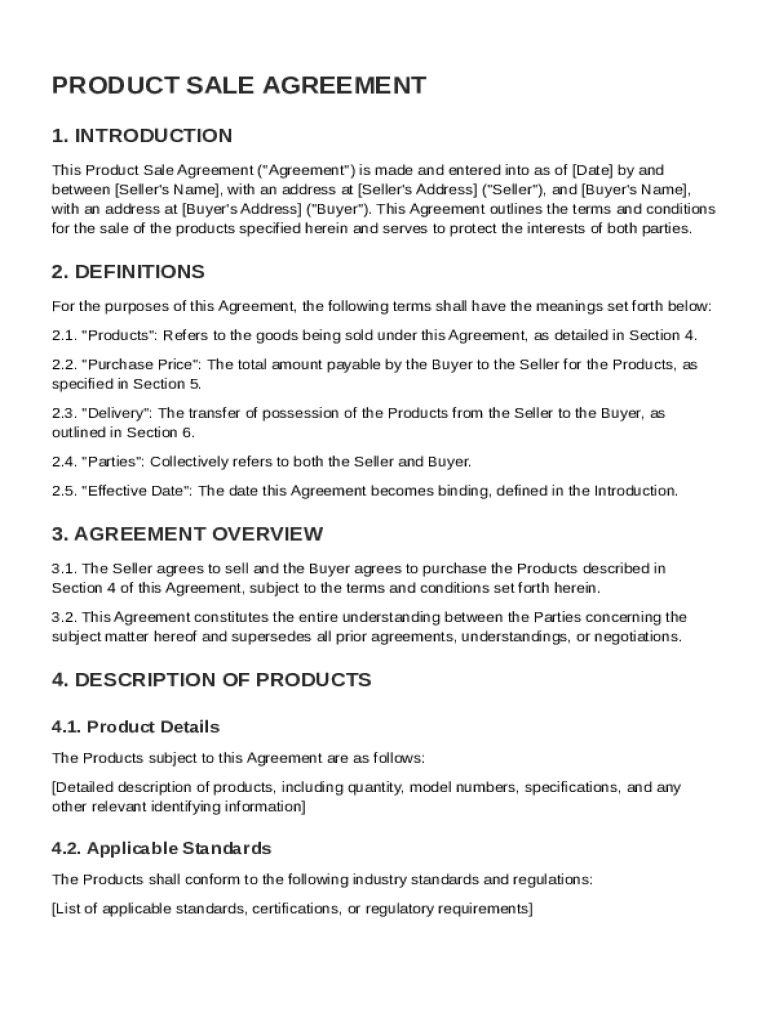
Product Sale Agreement Form
Use a Product Sale Agreement Template template to make your document workflow more streamlined.
What a Product Sale Agreement Form does
A Product Sale Agreement Form records the terms of a transaction in which one party sells goods or products to another. It identifies the product, quantity, price, payment terms, delivery obligations, warranties, ownership transfer, and remedies agreed by the parties. In signNow, a seller uploads the document, reviews or adds fillable fields, assigns signer roles, and sends it electronically. Each signer reviews the terms, provides intent and consent, and signs. The completed agreement and audit trail can then be retained as transaction evidence under the parties’ applicable contract and record-keeping policies.
Who uses this sale agreement form
Product sellers
Businesses selling equipment, vehicles, software, or other goods use this form to record the product description, purchase price, delivery terms, warranties, payment obligations, and signatures. signNow lets both parties review the completed agreement and preserve a certificate of completion.
Purchasing teams
Purchasers, distributors, contractors, and legal teams use the agreement to document acceptance of product specifications, delivery responsibilities, invoices, and remedies. A reusable signNow template helps teams collect consistent signatures without retyping transaction details for every sale.
Key features for product sale agreements
signNow combines structured agreement fields, signer routing, electronic execution, audit evidence, and integrations for product-sale documentation.
Transaction terms
Capture product descriptions, quantities, pricing, delivery terms, warranties, and payment obligations in one signed record that both parties can review before execution.
Fillable fields
Use detected or added fillable fields to reduce retyping and keep seller and buyer information in the correct locations on every agreement.
Signer routing
Assign signer roles and required fields so the seller and purchaser complete their respective portions before the agreement is finalized.
Flexible delivery
Send the agreement by email or a shareable link when parties are not meeting in person to complete the sale.
Audit trail
Preserve timestamps, signer actions, IP information, and document history with the completed Product Sale Agreement Form for later review.
Business integrations
Connect signed agreements with systems such as Salesforce, NetSuite, Google Drive, Box, or Procore for organized transaction processing.
How this agreement workflow works
A Product Sale Agreement Form moves from transaction details to signed delivery records through four controlled signNow steps.
Upload the form: Upload the completed Product Sale Agreement Form and let signNow identify fillable fields. Check fields: Review detected fields, then add product details, prices, dates, and signer roles. Send for signing: Send the agreement by email or generate a shareable signing link. Archive records: Collect signatures and store the completed agreement with its audit trail.
 Best ROI. Our customers achieve an average 7x ROI within the first six months.
 Scales with your use cases. From SMBs to mid-market, airSlate SignNow delivers results for businesses of all sizes.
 Intuitive UI and API. Sign and send documents from your apps in minutes.
What the audit trail records
The signNow audit trail connects each Product Sale Agreement Form signature to identity, time, document integrity, and retrievable completion evidence.
Authenticate signer:
Capture timestamps:
Hash document:
Seal history:
Issue certificate:
Export evidence:



Security for signed sale agreements
Data encryption:
SOC 2 Type II:
ISO 27001:
ESIGN and UETA:
Transport security:
Storage encryption:
Best practices for sale agreements
Accurate transaction fields, controlled signer access, and preserved evidence help keep each Product Sale Agreement Form reliable after signing.
Reconcile every commercial term
Assign fields to signer roles
Control approved agreement templates
Archive signed records securely
Recommended agreement workflow setup
Configure Product Sale Agreement Form signing around verified identity, documented intent, audit evidence, and an approved retention policy.
| Setting | Recommendation |
|---|---|
| Authentication method | Email plus SMS authentication |
| Signature type | Electronic signature with intent |
| Audit trail | Preserve certificate of completion |
| Document retention | Follow contract and state policy |
| Encryption | TLS 1.2/1.3 and AES-256 |
Documents requiring separate rules
State notarization
Wills and codicils
Family law decrees
Real-estate deeds
Legal standing of the agreement
A Product Sale Agreement Form can support an enforceable U.S. transaction when parties show intent, consent to electronic records, signer attribution, and reliable retention under ESIGN and applicable UETA or New York ESRA rules. Wills, certain court filings, and family-law decrees remain excluded under ESIGN.

Troubleshooting product sale agreements
These answers address field detection, signer access, authentication, plan limits, enforceability, and records handling for Product Sale Agreement Form workflows.
Upload the original Product Sale Agreement Form again, then check whether its PDF permissions or scan quality prevent field detection. On the Business plan, manually add signature, date, and transaction fields when automatic detection does not place them correctly.
Confirm that each required field has the correct signer role and that the signing order matches the transaction. signNow’s routing sends the agreement to the assigned parties; it does not determine whether the product terms themselves are legally accurate.
Use signNow’s SMS authentication or another available signer-authentication control when email alone does not provide sufficient identity evidence. For consumer-facing transactions, provide the electronic-record disclosure and meet 15 U.S.C. §7001(c) consent requirements.
The Business plan costs $8 per user per month with annual billing and includes 100 signature invites per user per year. Business Premium costs $15 and adds bulk send; overage fees may apply, so review plan limits before sending many agreements.
Electronic signatures can satisfy ESIGN and UETA requirements when intent, consent, attribution, and record retention are established. A Product Sale Agreement Form may still require notarization or separate state-law formalities for a particular transaction.
Export the completed agreement and audit trail from signNow, then store them under your organization’s approved retention policy. Product-sale records have no single universal federal retention period; contract, tax, industry, and state requirements may differ.
Key performance indicators that demonstrate SignNow's proven track record.
BE READY TO GET MORE
Get this form now!

If you believe that this page should be taken down, please follow our DMCA take-down process.