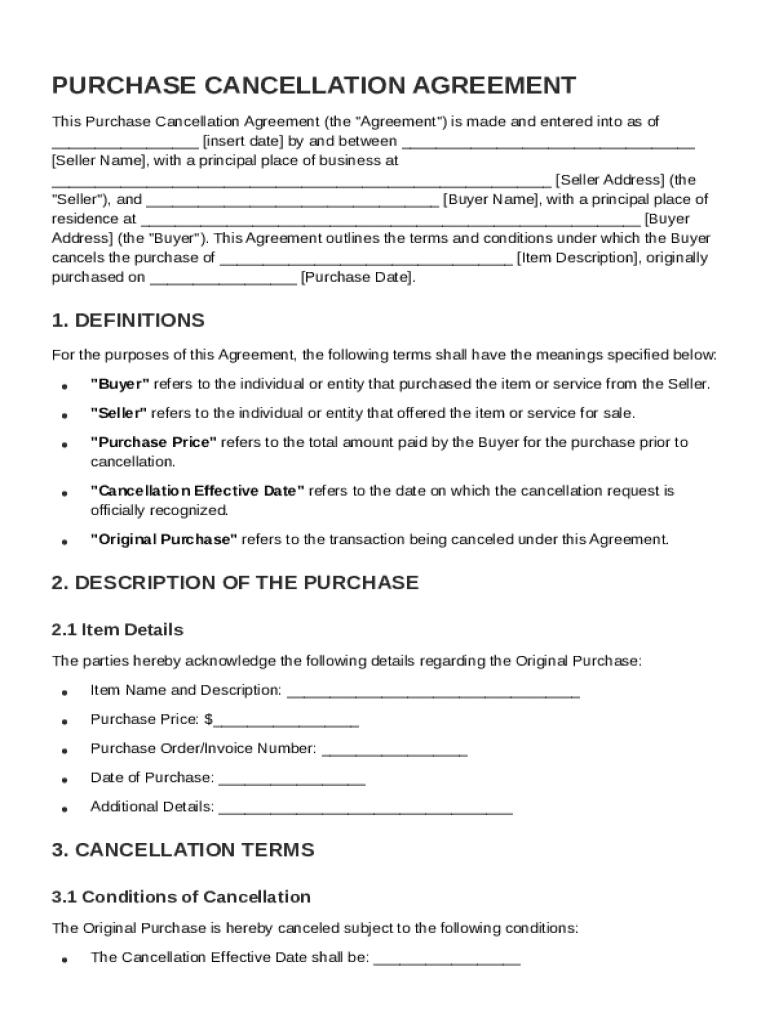
Purchase Cancellation Agreement Form
Use a Purchase Cancellation Agreement Template template to make your document workflow more streamlined.
What a purchase cancellation agreement does
A Purchase Cancellation Agreement Form records the parties’ decision to end or cancel a purchase and states what happens afterward. It can identify the buyer, seller, transaction or purchase reference, cancellation effective date, deposits, refunds, releases, remaining obligations, and required signatures. The form is not a universal substitute for state-specific notices, deeds, court filings, or other excluded records. For an eligible business transaction, signNow lets a sender upload the form, detect or place fields, route it to the named parties, capture signatures and audit events, and store the completed record.
How to complete the cancellation form
Prepare the cancellation terms first, then use signNow to identify fields, collect signatures, and preserve the executed agreement.
Upload form:
Upload the completed Purchase Cancellation Agreement Form. Check fields:
Review detected fields and add missing dates. Assign signers:
Assign buyer, seller, and witness roles. Send document:
Send the cancellation agreement for signatures. Archive record:
Store the executed copy and audit trail.
Recommended cancellation form setup
Configure the Purchase Cancellation Agreement Form around clear signer identity, complete execution evidence, and a retention rule selected for the transaction.
| Setting | Recommendation |
|---|---|
| Authentication method | Email verification with SMS OTP |
| Signature type | Typed or drawn electronic signature |
| Audit trail | Capture timestamps, IP, and action history |
| Document retention | Retain according to applicable state law |
| Encryption | AES-256 at rest and TLS 1.2/1.3 in transit |
 Best ROI. Our customers achieve an average 7x ROI within the first six months.
 Scales with your use cases. From SMBs to mid-market, airSlate SignNow delivers results for businesses of all sizes.
 Intuitive UI and API. Sign and send documents from your apps in minutes.
What the audit trail records
A signNow audit trail records the technical events surrounding this cancellation agreement, creating a separate evidence record from the agreement’s visible signature fields.
Authenticate signer:
Capture timestamp:
Hash document:
Seal document:
Track actions:
Export evidence:
Best practices for cancellation records
A reliable record combines accurate cancellation terms, attributable signatures, an exportable audit trail, and controlled long-term storage.
Apply the governing retention rule
Export the audit trail
Restrict agreement access
Verify cancellation details
Risks of incomplete cancellation forms
Disputed terms
Weak consent
Refund dispute
Evidentiary gap
Signer authentication for cancellation forms
PKI support:
X.509 certificates:
Two-factor authentication:
SMS OTP:
ID verification:
Audit evidence:
Mobile options for cancellation agreements
Use the signNow iOS or Android app to review, complete, and sign a Purchase Cancellation Agreement Form from a supported mobile device.
Mobile apps iOS and Android apps Offline signing Offline signing available Document capture Camera document capture
Mobile completion helps buyers, sellers, brokers, and legal teams handle cancellation paperwork away from the office. Capture a paper copy with the camera, continue signing when offline, and synchronize the completed document when connectivity returns.
Retention periods for cancellation records
Choose the retention rule based on the transaction and record category; these periods apply only when the stated authority governs the underlying record.
State-law period
Six years for HIPAA records
Three years for tax records
Six years for broker records
Later of three or one year
Troubleshooting cancellation form signing
Resolve field, consent, authentication, and legal-scope questions before sending the Purchase Cancellation Agreement Form for signature.
Upload the source document again in a supported file format, then review signNow’s detected fields before sending. Manually add any missing signature, date, or cancellation-term fields so the Purchase Cancellation Agreement Form cannot be completed with essential information blank.
The signNow Business plan costs $8/user/month with annual billing and includes templates, audit trails, and mobile apps. Business Premium costs $15/user/month annually and adds bulk send, kiosk mode, payments, and quick invite links.
Electronic signatures for a Purchase Cancellation Agreement Form generally receive legal recognition under ESIGN and applicable UETA rules when intent, consent, attribution, and record retention are established. State requirements and transaction-specific exceptions still require legal review.
Use signNow’s audit trail to preserve signer actions, timestamps, and document history with the completed agreement. Export both records after signing and restrict access to authorized transaction, legal, and records personnel.
For consumer-facing electronic records, review the ESIGN consumer-disclosure requirements in 15 U.S.C. §7001(c), including paper-record rights, electronic access, and consent withdrawal procedures. Add the required disclosure before requesting a consumer’s signature.
If the cancellation concerns a deed, court filing, family-law decree, will, or another excluded record, do not rely on this workflow alone. ESIGN exceptions and state law may require notarization, witnesses, wet ink, or in-person filing.
Key performance indicators that demonstrate SignNow's proven track record.
BE READY TO GET MORE
Get this form now!

If you believe that this page should be taken down, please follow our DMCA take-down process.