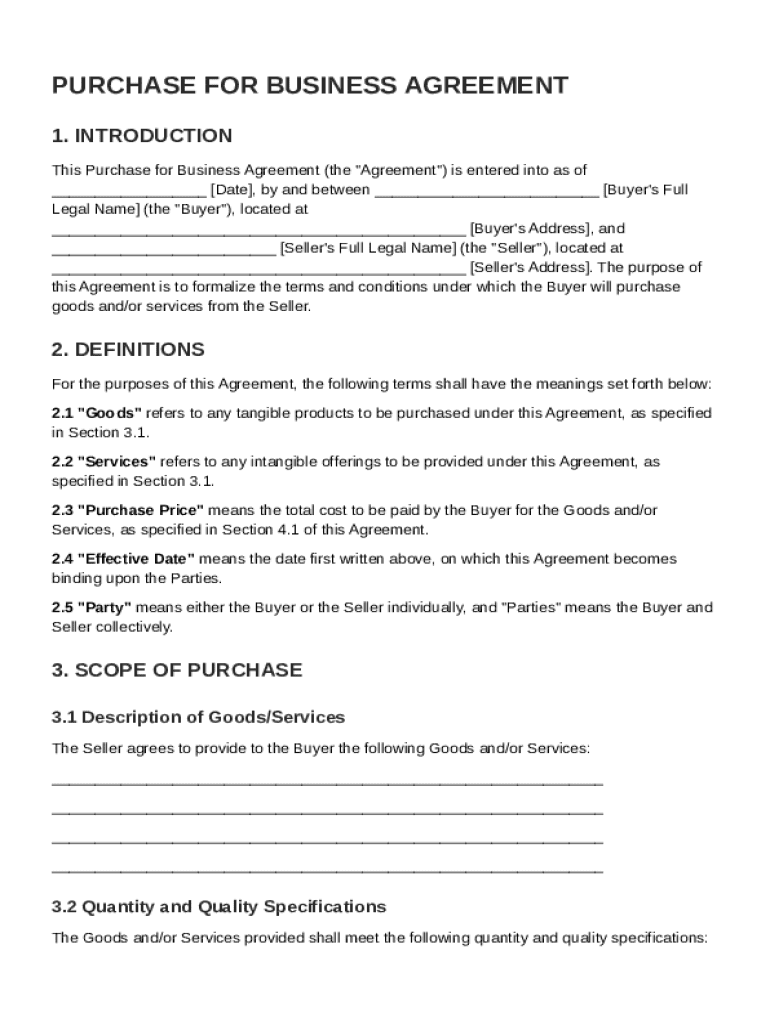
Purchase For Business Agreement Form
Use a Purchase For Business Agreement Template template to make your document workflow more streamlined.
What this purchase agreement form does
Purchase For Business Agreement Form records the buyer, seller, goods or services, pricing, delivery terms, approvals, and signatures for a business purchase. It gives the parties a structured record of what was agreed and when. With signNow, a sender uploads the agreement, places or detects fillable fields, assigns signers, sends the document, and stores the completed file with its audit trail. Electronic signatures may be recognized under ESIGN and applicable state law, but transaction-specific requirements still depend on the agreement and jurisdiction.
Business types that benefit from this form
Purchase For Business Agreement Form helps organizations document purchases clearly, obtain approvals, and preserve signed evidence across different operating models.
Solo consulting practices use Purchase For Business Agreement Form to document client purchases, scope deliverables, capture approvals, and retain signed terms without scheduling multiple in-person meetings. Construction contractors use Purchase For Business Agreement Form for equipment purchases, subcontractor approvals, and change-order acceptance, keeping commercial terms and signer evidence together for project records. Enterprise procurement teams use Purchase For Business Agreement Form to route high-volume vendor purchases through approved templates, delegated signers, audit trails, and controlled access across departments.
These tasks are executed by both individual contributors and centralized administrators depending on organizational policy and required controls.
Features that support purchase agreement workflows
Purchase For Business Agreement Form workflows combine field preparation, controlled routing, signer evidence, and record access so teams can complete purchases consistently.
Field placement
Upload the purchase agreement once, then place required signature, date, initials, and approval fields directly on the document before sending it.
Reusable templates
Reusable templates preserve approved purchase language and field locations, reducing accidental omissions when teams prepare similar agreements repeatedly.
Signer routing
Signer routing sends the agreement to specified recipients in the required order, supporting procurement approvals and counterparty execution.
Audit trails
Audit trails preserve timestamps, signer activity, and completion history so teams can review how a purchase agreement was executed.
Mobile signing
Mobile apps let authorized users review and sign purchase agreements away from a desktop when business operations require field or travel access.
Record access
Completed agreements remain associated with their signing evidence, supporting organized retrieval during internal reviews, vendor disputes, or contract administration.
Legal standing for business purchase agreements
A completed Purchase For Business Agreement Form can support admissibility when it shows signer intent, consent, attribution, and reliable record retention under ESIGN, 15 U.S.C. chapter 96, and applicable UETA rules. Those laws do not cover wills, codicils, testamentary trusts, court orders, or certain family-law decrees.

 Best ROI. Our customers achieve an average 7x ROI within the first six months.
 Scales with your use cases. From SMBs to mid-market, airSlate SignNow delivers results for businesses of all sizes.
 Intuitive UI and API. Sign and send documents from your apps in minutes.
How to complete this purchase agreement
Use this sequence to prepare, route, sign, and retain Purchase For Business Agreement Form in signNow.
Upload agreement:
Upload the completed Purchase For Business Agreement Form to signNow. Check fields:
Review detected fields and add missing signatures, dates, and approvals. Assign signers:
Assign each field to the correct buyer, seller, or approver. Send for signing:
Send the agreement, monitor activity, and resolve returned-document issues. Store evidence:
Download the completed agreement with its audit trail for records.
How the purchase agreement audit trail works
signNow records technical evidence around each Purchase For Business Agreement Form signing event, helping administrators review document history and completion details.
Authenticate signer:
Capture timestamp:
Hash document:
Seal document:
Build audit trail:
Export evidence:



Security for purchase agreement documents
Stored data:
Data transfer:
Security reporting:
Security management:
Electronic signatures:
Privacy compliance:
Privacy and disclosure pitfalls to avoid
Including unnecessary taxpayer, banking, or personal information in a purchase agreement increases exposure if the completed file is shared broadly. Sending the agreement without documenting electronic consent can weaken evidence that the signer agreed to transact electronically. Granting every team member editing or sending rights can expose approved purchase terms to unauthorized changes. Using an unapproved template can omit purchase price, delivery terms, acceptance criteria, or the parties’ legal names.
Best practices for purchase agreements
A controlled template, accurate signer assignments, and linked audit evidence reduce avoidable disputes when completing Purchase For Business Agreement Form.
Verify every purchase term before sending
Assign authorized signers and approval order
Archive the agreement with its audit trail
Restrict access to purchasing records
Purchase agreement troubleshooting questions
Resolve field, signer, plan, legal, access, and retention questions before treating the purchase agreement as complete.
Upload the agreement again as a readable PDF, then inspect detected fields before sending. signNow templates and field placement can preserve required purchase details, but the sender remains responsible for verifying prices, parties, dates, and approval fields.
Confirm every required field has the correct signer assignment and signing order. A recipient cannot complete another party’s assigned field, so review roles before resending the Purchase For Business Agreement Form.
Business pricing is $8 per user per month with annual billing and includes 100 signature invites per user each year. Check plan usage and overage terms before sending high volumes.
Use an approved template, restrict editing access, and confirm the buyer and seller’s legal names. signNow audit trails document activity, but they do not correct inaccurate commercial terms in the agreement.
ESIGN and applicable UETA rules generally recognize electronic signatures when intent, consent, attribution, and record retention are established. Excluded records include wills, codicils, and certain court orders, so review the transaction type before electronic signing.
Export the completed purchase agreement together with its audit evidence from signNow and store both under your organization’s records policy. Retention depends on the transaction, industry, and applicable federal or state requirements.
Key performance indicators that demonstrate SignNow's proven track record.
BE READY TO GET MORE
Get this form now!

If you believe that this page should be taken down, please follow our DMCA take-down process.