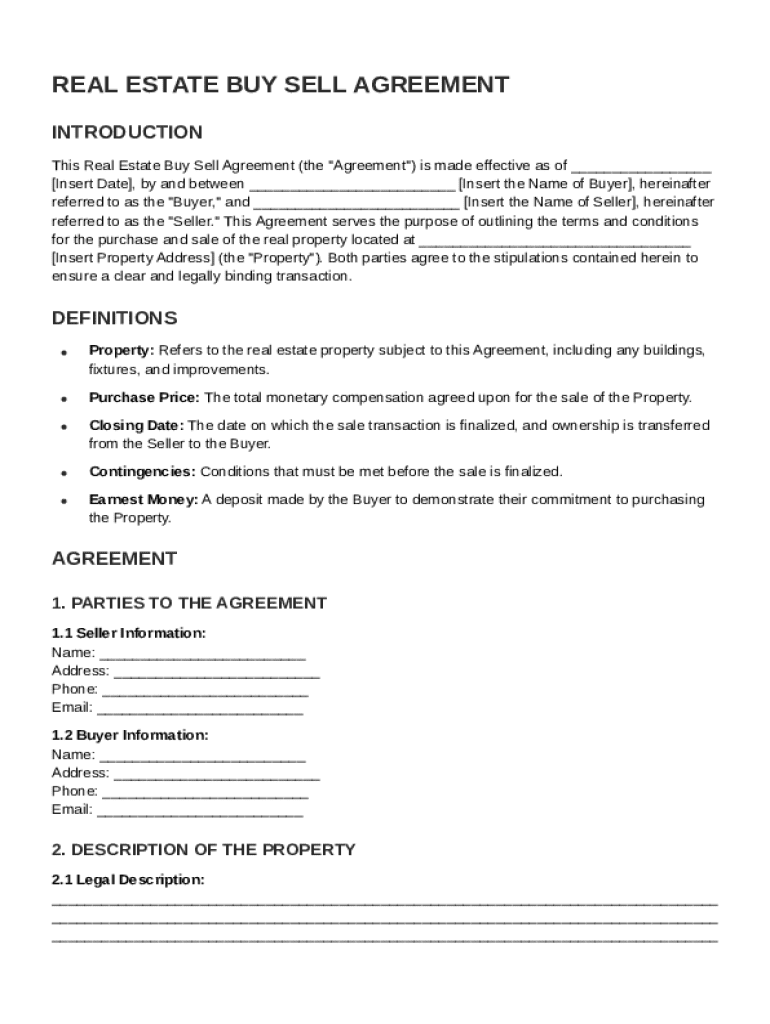
Real Estate Buy Sell Agreement Form
Use a Real Estate Buy Sell Agreement Template template to make your document workflow more streamlined.
What a real estate buy-sell agreement does
A Real Estate Buy Sell Agreement Form records the terms under which a buyer and seller agree to transfer property. It identifies the parties, property, purchase price, deposit, financing, contingencies, closing date, title obligations, and signatures. Once completed, the agreement documents mutual intent and allocates responsibilities before closing. State contract and real-estate laws govern enforceability, while ESIGN and UETA may recognize electronic signatures when consent, attribution, and record retention requirements are satisfied. Deeds and required notarizations may involve separate state procedures.
Who benefits from this agreement form
The form helps property professionals and transaction teams capture negotiated terms, obtain signatures, and preserve an organized closing record.
Independent real estate brokers use the form to capture negotiated price, contingencies, inspection terms, and closing responsibilities before coordinating signatures between buyers and sellers. Residential property investors use it to document acquisition terms, financing conditions, deposits, title requirements, and deadlines across multiple purchase transactions without relying on email threads. Commercial real estate firms use structured templates for acquisitions, dispositions, and negotiated amendments, giving legal and finance teams a consistent record of approvals and executed terms.
These tasks are executed by both individual contributors and centralized administrators depending on organizational policy and required controls.
Who uses this agreement form
Buyers and sellers
Buyers and sellers use the form to document property identity, price, deposit, financing, contingencies, inspection terms, closing date, and signature obligations before closing.
Transaction teams
Brokers, investors, attorneys, and transaction coordinators use it to route negotiated purchase terms, track signatures, and preserve the executed agreement with its audit trail.
Features that clarify property transactions
A structured agreement and signNow workflow keep negotiated property terms visible, attributable, and easier to retrieve throughout the transaction.
Defined terms
Record the buyer, seller, property address, legal description, purchase price, deposit, financing terms, and closing obligations in one transaction document.
Signer routing
Send the completed agreement to each identified signer in sequence or parallel, reducing uncertainty about who must approve the negotiated property transaction.
Audit trail
Capture signatures, initials, dates, and signer actions in an electronic record that supports later review of how the agreement was executed.
Reusable templates
Reuse an approved agreement structure for recurring residential or commercial transactions while adapting property-specific terms, contingencies, and deadlines for each deal.
Central records
Keep the executed agreement and completion certificate together so transaction teams can retrieve the signed terms when coordinating title, financing, or closing.
Remote signing
Use signNow mobile apps and signing links when buyers, sellers, brokers, or attorneys need to review and sign away from the office.
How the agreement workflow works
The signNow process moves the agreement from a negotiated document to an attributable, retained execution record.
Upload document: Upload the property agreement Check fields: Review detected fields and terms Route signers: Send to named parties Preserve record: Store the signed agreement and audit trail
 Best ROI. Our customers achieve an average 7x ROI within the first six months.
 Scales with your use cases. From SMBs to mid-market, airSlate SignNow delivers results for businesses of all sizes.
 Intuitive UI and API. Sign and send documents from your apps in minutes.
What the audit trail records
For this agreement, the audit trail connects signer authentication, document integrity, execution events, and retrieval evidence in a reviewable sequence.
Authenticate signer:
Capture timestamp:
Hash document:
Seal record:
Deliver certificate:
Export trail:
Ways to send and sign the agreement
- Use the signNow web app when preparing the agreement, placing fields, checking property terms, and sending the transaction to identified buyers, sellers, or representatives.
- Use the signNow mobile app when a broker, investor, or seller must review and sign the agreement from a phone or tablet during an active transaction.
- Use kiosk mode for an in-person office or property meeting where multiple participants sign from a managed device without exchanging personal login credentials.
- Generate a shareable signing link when the agreement must be distributed through a controlled transaction channel rather than a separate email invitation.



Recommended agreement workflow setup
Use a controlled signing configuration that identifies each party, preserves the completed record, and separates contract execution from state-specific deed requirements.
| Setting | Recommendation |
|---|---|
| Authentication method | Email verification with SMS OTP |
| Signature type | Electronic signature with signer intent |
| Audit trail | Retain signed file and completion certificate |
| Document retention | 3 years from filing for federal tax records |
| Encryption | TLS 1.2/1.3 and AES-256 |
Authentication for agreement signers
PKI signatures:
X.509 certificates:
Two-factor authentication:
SMS OTP:
ID verification:
Signing evidence:
Examples from property transactions
These examples show how property teams can combine negotiated terms, remote signatures, and retained execution evidence.
Property management
Martin Properties uses signNow to process property documents remotely for parties who may be working from different locations.
- Mobile and offline signing
- Executed records for necessary parties
The workflow lets Martin Properties coordinate signatures without requiring every participant to attend the same office. Tim Martin describes processing documents online with built-in security and compliance, including mobile and offline work. The example illustrates how a property business can keep transaction documents moving while preserving an execution record.
Residential transactions
A regional real estate transaction team uses a reusable agreement template for residential purchases and routes the final document to buyers and sellers.
- Structured property terms
- Separate deed review
The team enters the negotiated price, deposit, contingencies, and closing responsibilities before sending the agreement through signNow. Because a purchase agreement is distinct from a deed, the team separately confirms state acknowledgment and recording requirements instead of treating electronic signing as a substitute for every closing formalization.
Challenges when preparing the agreement
Leaving the legal description, purchase price, deposit, financing condition, or closing date incomplete can create uncertainty about the property transaction’s essential terms. Sending the agreement before assigning every buyer, seller, and representative signature field can produce an incomplete execution record or an unclear signing sequence. Treating an electronically signed purchase agreement as a deed can overlook state acknowledgment, witness, and recording requirements for transferring title. Storing the signed agreement without exhibits, amendments, or the audit trail can make the final negotiated terms difficult to verify later.
Record-keeping practices for property agreements
Preserve the executed agreement and evidence needed to explain who signed, what they signed, and when the transaction record was completed.
Set a documented retention rule
Export the audit trail
Archive the complete transaction file
Separate agreement from deed requirements
Legal standing and admissibility
A signed real estate agreement can be evidence of the parties’ transaction when it shows intent, consent, attribution, and a retained, reproducible record. ESIGN and applicable state electronic-transactions law may support electronic execution. Wills, codicils, testamentary trusts, court orders, and official court filings remain statutory exclusions.

Platform requirements for signing
Prepare and sign the Real Estate Buy Sell Agreement Form through Chrome, Firefox, Safari, or Edge on Windows or macOS. signNow also provides mobile apps for iOS and Android, allowing parties to review and sign property agreements away from a desktop.
Browsers Chrome, Firefox, Safari, and Edge Desktop systems Windows and macOS desktops Mobile apps iOS and Android mobile apps
Transaction teams should use managed devices and controlled accounts when agreements contain property addresses, financial terms, or personal information. Organizations needing automated routing can evaluate signNow API access, SSO provisioning, and integrations with Salesforce, Microsoft Dynamics 365, NetSuite, Google Drive, Box, or Procore.
Questions about signing this agreement
The answers below address field detection, signer attribution, electronic execution, plan features, deed formalities, and record retention for property transactions.
Upload the agreement as a clear PDF and inspect signNow’s detected fields before sending. Add or correct buyer, seller, initials, date, and signature fields manually when the source layout does not identify them accurately.
Use signNow’s signer roles and routing order to assign every signature to the correct buyer, seller, broker, or representative. Do not rely on a shared email address when attribution to an individual matters.
For interstate transactions, ESIGN provides federal recognition of qualifying electronic signatures. UETA generally governs intrastate transactions in adopting jurisdictions, while New York uses ESRA. Confirm state-specific contract requirements before sending.
A purchase agreement does not automatically satisfy deed formalities. Deeds require acknowledgment in all 50 states, and witness rules vary; Florida and South Carolina require two deed witnesses. Verify the recording office’s requirements separately.
The signNow Business plan includes legally binding eSignatures, templates, audit trails, and mobile apps at $8/user/month when billed annually. Business Premium is $15/user/month annually and adds bulk send and kiosk mode.
Export the signed agreement and audit trail from signNow, then store them with exhibits and amendments under the transaction’s retention policy. Federal tax records generally use 3 years from filing under IRC §6501(a), subject to exceptions.
Key performance indicators that demonstrate SignNow's proven track record.
BE READY TO GET MORE
Get this form now!

If you believe that this page should be taken down, please follow our DMCA take-down process.