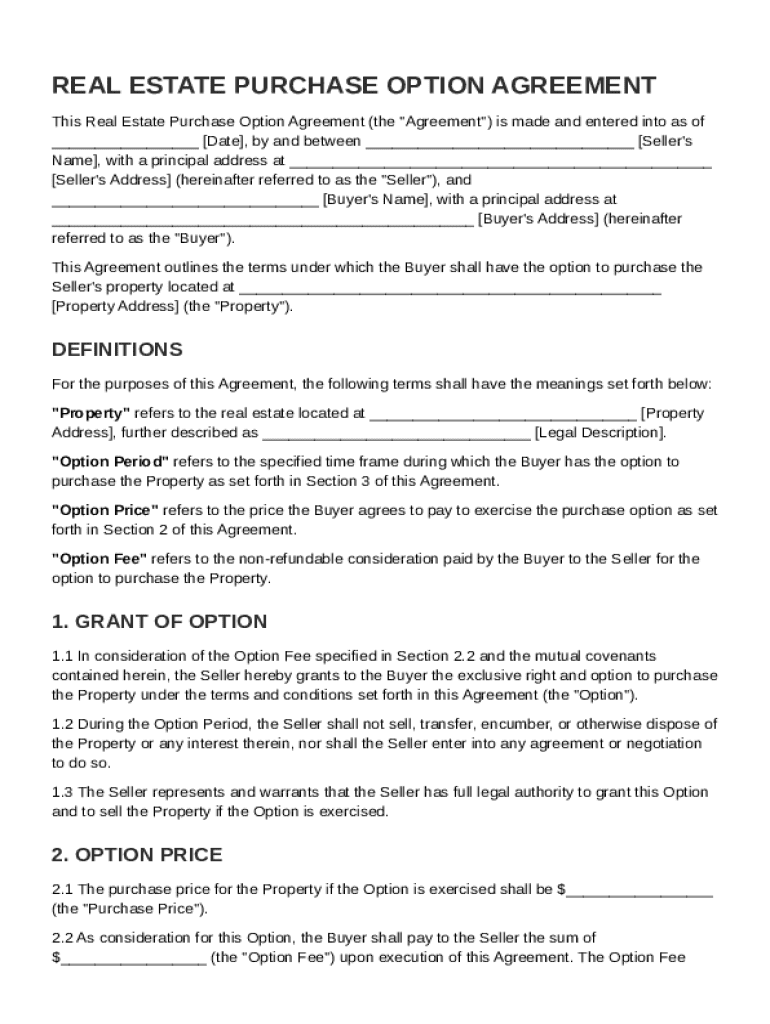
Real Estate Purchase Option Agreement Form
Use a Real Estate Purchase Option Agreement Template template to make your document workflow more streamlined.
What a purchase option agreement does
A Real Estate Purchase Option Agreement Form gives a buyer the contractual right, but not the obligation, to purchase identified real property during a stated option period. It records the parties, property description, option consideration, purchase price, exercise procedure, expiration date, closing terms, and signatures. The seller remains bound to the agreed option terms while the buyer decides whether to exercise. Enforceability depends on the agreement’s wording, applicable state contract and real-estate law, and any required formalities, so parties should obtain state-specific legal review before signing.
Who completes purchase option agreements
Real estate
Real estate brokers and investors use the agreement to document an option period, purchase price, property address, consideration, and exercise terms before a transaction proceeds.
Legal teams
Attorneys and transaction teams complete contract exhibits, consent forms, invoices, and related approvals while preserving signer identity and the final agreement record.
Key features for option agreements
A structured signNow workflow helps real-estate teams prepare, route, sign, and preserve the exact terms that control a property purchase option.
Deal terms
Capture the property address, parcel details, parties, option consideration, and purchase price in one structured agreement.
Signer routing
Assign buyer, seller, broker, and witness fields so every required participant signs the correct section.
Reusable templates
Reuse a reviewed purchase option template while updating property-specific terms for each transaction.
Remote signing
Collect signatures remotely through signNow instead of coordinating every approval in person.
Audit trail
Keep timestamps, signer actions, and completion evidence with the executed agreement for later review.
Secure records
Download the signed PDF and supporting completion record for controlled transaction storage.
How to complete the form
Prepare the property terms, configure the signature workflow, and preserve the completed agreement with its audit trail.
Define parties:
Identify the property and parties Add deal terms:
Enter price, consideration, and option period Place fields:
Assign signatures and required initials Complete agreement:
Send, sign, and save the completed record
How the signNow workflow works
signNow turns the prepared purchase option agreement into a controlled sequence from upload through signed-record storage.
Upload form: Upload the purchase option agreement and let signNow identify fillable fields. Check fields: Review property, price, date, notice, and signature fields before sending. Send agreement: Send the agreement to the buyer, seller, or authorized representatives. Preserve evidence: Store the completed PDF and audit trail after every signature.
 Best ROI. Our customers achieve an average 7x ROI within the first six months.
 Scales with your use cases. From SMBs to mid-market, airSlate SignNow delivers results for businesses of all sizes.
 Intuitive UI and API. Sign and send documents from your apps in minutes.
Recommended setup for purchase option agreements
Configure signer identity, signature evidence, access controls, encryption, and retention before circulating a purchase option agreement.
| Setting | Recommendation |
|---|---|
| Authentication method | Email verification with SMS OTP |
| Signature type | Electronic signature under ESIGN and UETA |
| Audit trail | Export completed document history |
| Document retention | Retain signed agreement and audit trail per state law |
| Encryption | TLS 1.2/1.3 in transit and AES-256 at rest |
Mobile options for this agreement
The signNow iOS app and Android app support reviewing and signing a Real Estate Purchase Option Agreement Form on mobile devices. Camera capture can convert paper pages into a document for preparation, while offline signing supports work without continuous connectivity.
Mobile apps iOS and Android apps Offline mode Offline signing with later synchronization Camera capture Camera capture for paper documents
For a brokerage or legal department, confirm managed-device policies before handling property, identity, or financial information. Use controlled accounts, appropriate signer authentication, and a documented process for synchronizing offline signatures, exporting the completed agreement, and retaining its audit trail.



Legal standing of the signed agreement
A signed Real Estate Purchase Option Agreement Form can provide evidence of intent, consent, attribution, and agreed property terms when its record is retained and reproducible. ESIGN and applicable UETA provisions generally support electronic contracts, but wills, court orders, family-law decrees, and other statutory exclusions remain outside that framework.

Record-keeping practices for signed agreements
Preserve the agreement, signing evidence, exercise notice, and related transaction records according to the governing state law and organizational policy.
Set a documented retention period
Export the audit trail
Protect agreement records
Track exercise and notice dates
Purchase option agreement processing stages
Processing time depends on document readiness, signer availability, and the option period written into the agreement.
Prepare agreement
Deliver to signers
Collect signatures
Archive records
What the audit trail records
The audit trail documents signer activity around the purchase option agreement rather than replacing the agreement’s substantive property terms.
Authenticate signer:
Capture timestamps:
Track document history:
Seal completion:
Connect actions:
Export audit trail:
Risks of incomplete option agreements
Ambiguous expiration
Missed deadline
Insufficient property details
Incomplete audit record
Challenges when preparing the agreement
Leaving the option exercise deadline, notice method, or option consideration unclear can create disputes over whether the buyer exercised validly. A property description that omits the address, parcel information, or included interests may make the intended subject matter difficult to identify. Sending the agreement before assigning seller, buyer, broker, or witness fields can produce incomplete signatures and delayed closing coordination. Storing only a downloaded PDF without the audit trail can weaken evidence about signer identity, timing, and document changes.
Troubleshooting purchase option agreements
Use these checks when a purchase option agreement has missing fields, signer questions, authentication concerns, or storage requirements.
Upload the source PDF again and review whether fields were detected correctly. signNow templates and manually placed fields can capture the property terms, dates, initials, and signatures that automatic detection misses.
Business includes legally binding eSignatures, audit trails, templates, and mobile apps at $8/user/month when billed annually. Business Premium is $15/user/month annually and adds bulk send.
Use SMS OTP or another available authentication control when the transaction requires stronger signer attribution. Enterprise adds advanced signer authentication; confirm the selected method before delivery.
Electronic execution generally relies on demonstrated intent, consent, attribution, and record retention under ESIGN and applicable UETA rules. State real-estate formalities may impose additional requirements.
Keep the signed PDF together with its audit trail, exercise notice, amendments, and closing records. The applicable state law or transaction policy determines retention; no universal option-agreement period applies.
Business plans include 100 signature invites per user per year, with overage fees. The Site License is usage-based at $1.50 per signature invite and is designed for 1,000 or more documents annually.
Key performance indicators that demonstrate SignNow's proven track record.
BE READY TO GET MORE
Get this form now!

If you believe that this page should be taken down, please follow our DMCA take-down process.