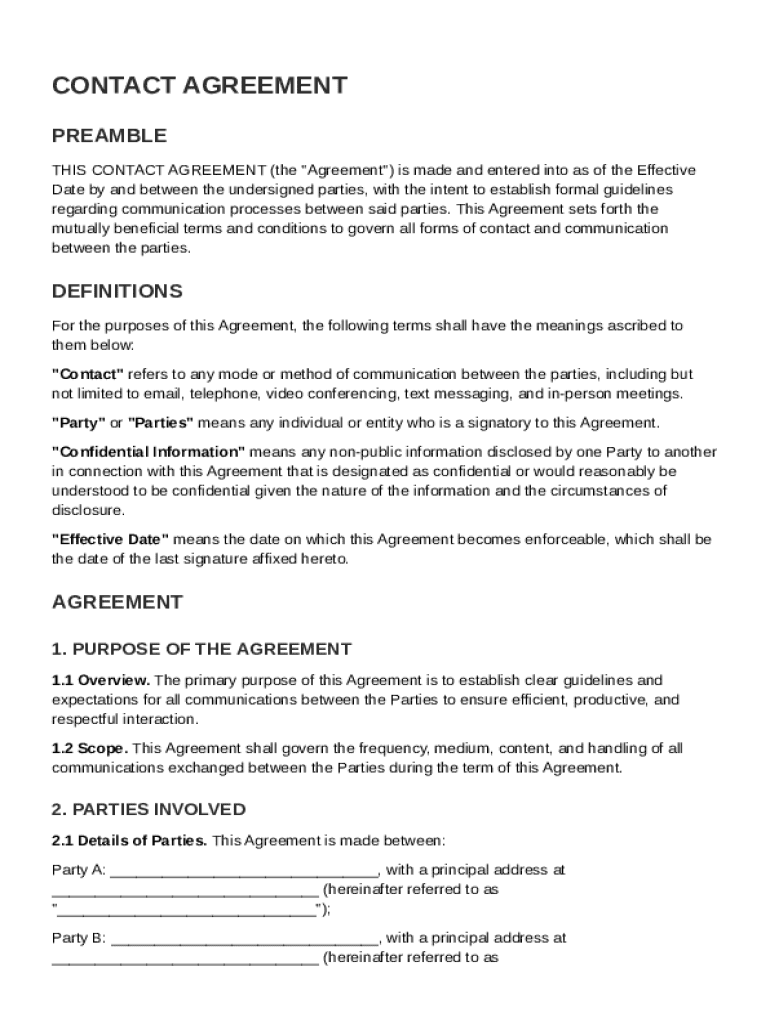
Contact Agreement Form
Use a Contact Agreement Template template to make your document workflow more streamlined.
What is a Contact Agreement Form?
A Contact Agreement Form records agreed contact details, communication preferences, or relationship terms between identified parties. It usually captures names, email addresses, phone numbers, organization details, consent language, dates, and signatures, although the exact fields depend on the form owner’s requirements. With signNow, upload the document, let the platform detect fillable fields, review or add signature and date fields, then send it to the named recipients. Each signer reviews the agreement, provides an electronic signature, and receives a completed copy while the audit trail records the signing activity.
Features for completing Contact Agreement Form
signNow organizes field preparation, recipient routing, signing, audit evidence, and storage around the Contact Agreement Form workflow.
Field detection
Upload the Contact Agreement Form and let signNow identify fillable areas before you review field placement. This reduces manual preparation while preserving control over names, contact details, consent language, dates, and signatures.
Recipient routing
Assign each Contact Agreement Form field to the correct recipient before sending. Clear ownership helps prevent missing contact information, unsigned consent statements, or signatures placed in another party’s section.
Flexible signing
Use typed, drawn, or uploaded signatures for the Contact Agreement Form, depending on the signer’s device and the organization’s process. The completed record preserves the signed document and related signing evidence.
Audit trail
Capture signer actions, timestamps, and document history in an audit trail connected to the Contact Agreement Form. This gives reviewers evidence of how the electronic record was completed and returned.
Document storage
Keep the completed Contact Agreement Form in an accessible electronic record after signing. signNow supports controlled document workflows so authorized teams can retrieve the agreement when contact details or consent history must be reviewed.
Mobile access
Prepare the Contact Agreement Form from a desktop or mobile device and send it electronically. Mobile access is useful when a customer, patient, tenant, or contractor must complete contact information away from an office.
How to complete the form
Prepare the Contact Agreement Form in signNow, route its assigned fields, collect signatures, and retain the completed record with its signing history.
Upload form:
Upload the current Contact Agreement Form file. Check fields:
Review detected fields and add missing fields. Assign recipients:
Assign contact, consent, date, and signature fields. Send form:
Send the prepared form to each signer. Store record:
Review the signed copy and audit trail.
 Best ROI. Our customers achieve an average 7x ROI within the first six months.
 Scales with your use cases. From SMBs to mid-market, airSlate SignNow delivers results for businesses of all sizes.
 Intuitive UI and API. Sign and send documents from your apps in minutes.
Recommended workflow setup
Configure the Contact Agreement Form workflow around signer identity, electronic intent, audit evidence, secure transmission, and the organization’s retention policy.
| Setting | Recommendation |
|---|---|
| Authentication method | Email verification with SMS code |
| Signature type | Electronic signature with signer intent |
| Audit trail | Retain the completed signing history |
| Document retention | Follow the governing business policy |
| Encryption | TLS 1.2/1.3 and AES-256 protection |
What the audit trail records
The Contact Agreement Form audit trail documents signer identity, timing, document activity, and retrieval evidence separately from the form’s field preparation.
Authenticate signer:
Capture timestamp:
Track document history:
Record field actions:
Seal document:
Export audit trail:
Security for contact agreements
Data encryption:
Security reporting:
Information security:
Health information:
U.S. eSignatures:
Signer authentication:



Platform requirements for the form
Complete the Contact Agreement Form through supported desktop browsers on Windows or macOS, or use signNow mobile apps on iOS and Android. Secure connections use TLS 1.2/1.3 for data in transit.
Browsers Chrome, Firefox, Safari, Edge Desktop Windows and macOS Mobile iOS and Android
Organizations deploying the Contact Agreement Form across teams should manage access through approved accounts, permissions, and retention procedures. Enterprise workflows may also use API access, integrations, or stronger signer authentication where the document’s information and business process require additional controls.
Best practices for signed contact agreements
Accurate field assignment, signer evidence, controlled access, and documented retention help preserve the Contact Agreement Form as a usable business record.
Verify the approved form before sending
Assign each field to the correct recipient
Export the signed record and audit trail
Match retention to the governing requirement
Contact Agreement Form troubleshooting
Use these answers to resolve field, access, legal-validity, plan, privacy, and retention questions specific to the Contact Agreement Form workflow.
Upload the approved Contact Agreement Form again, then inspect the detected fields before sending. If a field is missing or misplaced, add it manually and assign it to the correct recipient. signNow Business includes templates and audit trails for repeat workflows.
The signer can open the email invitation or signing link, review the Contact Agreement Form, and complete assigned fields without creating a signNow account when the workflow permits guest signing. Check the recipient email and resend the invitation if access fails.
Use a signing method that records intent and signer attribution. ESIGN and UETA generally recognize electronic signatures when intent, consent, attribution, and record retention requirements are satisfied. Consumer transactions may also require the disclosure in 15 U.S.C. §7001(c).
Business includes legally binding electronic signatures, templates, audit trails, and mobile apps at $8 per user per month when billed annually. Business Premium is $15 per user per month annually and adds bulk send and kiosk mode.
For sensitive contact information, configure stronger signer authentication and restrict document access to authorized recipients. signNow states that its service is HIPAA compliant when a business associate agreement is required, while ESIGN and UETA address electronic-signature validity.
Keep the signed Contact Agreement Form and its audit trail together according to the organization’s governing policy and any applicable sector or state rule. signNow provides electronic records and audit evidence, but it does not determine the legally required retention period.
Key performance indicators that demonstrate SignNow's proven track record.
BE READY TO GET MORE
Get this form now!

If you believe that this page should be taken down, please follow our DMCA take-down process.