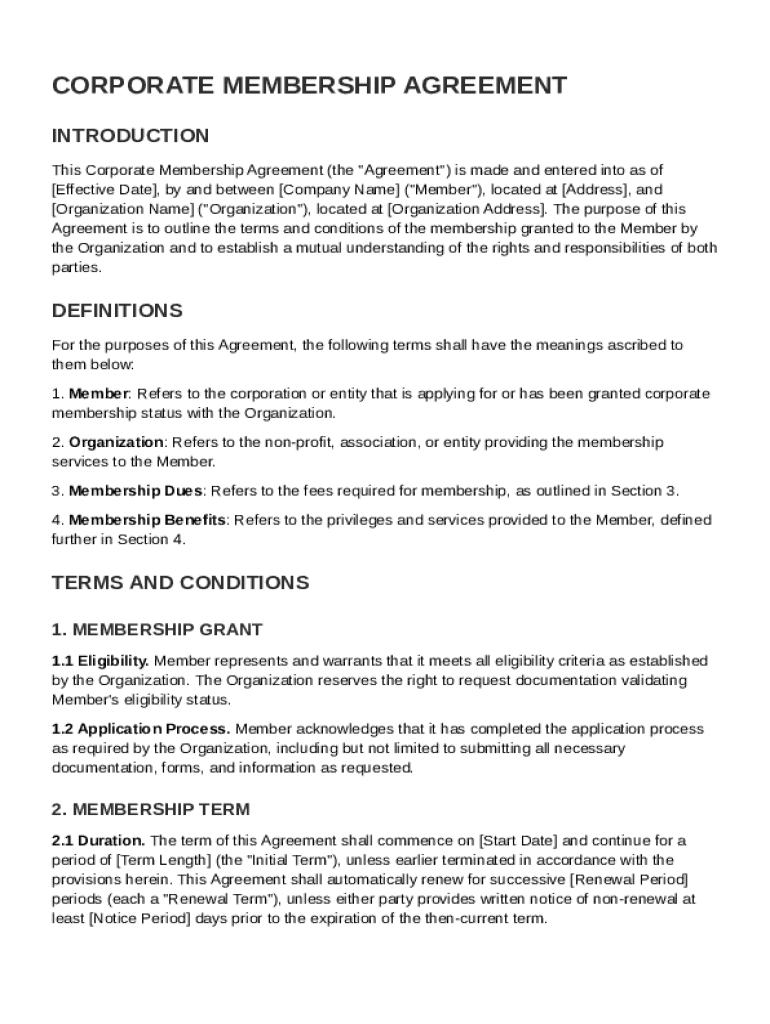
Corporate Membership Agreement Form
Use a Corporate Membership Agreement Template template to make your document workflow more streamlined.
What a corporate membership agreement does
A Corporate Membership Agreement Form records how members own, fund, govern, and approve actions for a business entity. It commonly identifies the company and its members, ownership percentages, capital contributions, voting rights, distributions, transfer restrictions, and signatures. The members review the completed terms, sign the agreement, and retain it with the entity’s governance records. signNow lets a sender upload the form, detect or add fields, assign member signers, collect electronic signatures, and preserve the completed document with an audit trail. State entity law and the company’s governing documents determine which terms and approvals apply.
Businesses that use this agreement
The form helps businesses document member ownership and governance decisions when several people must review and approve the same terms.
Solo practitioners can document ownership, contributions, and voting arrangements without rebuilding a membership agreement for every new business relationship. Growing partnerships can route amendments to multiple members, preserve approval evidence, and maintain a controlled agreement record as ownership changes. Enterprise legal and operations teams can standardize approved templates, delegate sending, and connect executed membership agreements with broader governance records.
These tasks are executed by both individual contributors and centralized administrators depending on organizational policy and required controls.
Who uses this membership agreement
Business members
Business owners and members use the form to document ownership percentages, capital contributions, voting rights, distributions, transfer restrictions, and approval responsibilities before signing.
Professional administrators
Attorneys, accountants, and operations administrators use the form to coordinate amendments, member approvals, executed copies, and governance records across an entity’s lifecycle.
How to complete the agreement
Complete the Corporate Membership Agreement Form by checking ownership terms, assigning corporate signers, and preserving the executed record.
Upload form:
Upload the current Corporate Membership Agreement Form and let signNow detect fillable fields. Check fields:
Review member names, ownership percentages, voting terms, and signature fields for accuracy. Assign signers:
Assign each signing role, add email addresses, and set the required signing order. Complete and store:
Send the agreement, monitor completion, and store the signed copy with its audit trail.
How the agreement workflow works
The signNow workflow keeps the Corporate Membership Agreement Form connected from upload through member signatures and final record storage.
Upload: Upload the current Corporate Membership Agreement Form into signNow. Prepare: Review detected fields and add member-specific information. Route: Assign each corporate member the required signature fields. Archive: Complete signing and preserve the audit trail.
 Best ROI. Our customers achieve an average 7x ROI within the first six months.
 Scales with your use cases. From SMBs to mid-market, airSlate SignNow delivers results for businesses of all sizes.
 Intuitive UI and API. Sign and send documents from your apps in minutes.
Features for corporate membership agreements
signNow connects form preparation, member-specific fields, signature routing, audit evidence, and controlled storage for Corporate Membership Agreement Form workflows.
Structured terms
Capture member names, ownership percentages, contributions, voting rights, and approval terms in one structured agreement that every signer reviews before execution.
Field detection
Auto-detected fields reduce manual placement work while letting the sender verify every member-specific value before sending the agreement for signature.
Signer routing
Assign signatures to members, managers, officers, or witnesses and control the signing sequence when the company requires ordered approvals.
Audit trail
The completed agreement includes an audit trail recording signer actions, timestamps, and document history for later internal review or dispute response.
Reusable template
Templates help teams start new membership agreements from an approved version instead of recreating ownership and governance terms from an old attachment.
Centralized records
Completed agreements can remain associated with their signing records, giving administrators a clearer file for ownership changes, renewals, and governance reviews.



Platform requirements for signing
Use signNow for the Corporate Membership Agreement Form through Chrome, Firefox, Safari, or Edge on Windows or macOS. signNow also provides iOS and Android mobile apps for reviewing and signing assigned agreement fields.
Browsers Chrome, Firefox, Safari, Edge Desktop systems Windows and macOS desktops Mobile apps iOS and Android mobile apps
Administrators should also confirm that managed devices permit email invitations, secure browser sessions, and access to the company’s approved storage process. Teams using Salesforce, Microsoft 365, Google Drive, NetSuite, Box, or another named signNow integration should verify permissions and retention controls before connecting the agreement workflow.
Inside the agreement audit trail
The audit trail preserves technical evidence around each member’s access, review, signature, and completion of the Corporate Membership Agreement Form.
Authenticate signer:
Capture timestamp:
Hash document:
Seal record:
Track actions:
Export trail:
Security for signed agreements
Data at rest:
Data in transit:
Security reporting:
Information security:
U.S. e-signatures:
Signer verification:
Corporate membership agreement challenges
Members may sign inconsistent versions when ownership percentages, voting rights, or contribution obligations change without centralized document updates. Handwritten corrections can obscure the final membership terms, creating disputes about capital contributions, distributions, voting rights, or withdrawal conditions. Missing signer roles or dates can make it difficult to prove which corporate representatives approved the agreement and when. Separate email attachments can scatter executed copies and supporting resolutions, delaying verification during ownership changes, audits, or internal reviews.
Best practices for membership agreements
Accuracy, signer authority, version control, and complete records make a Corporate Membership Agreement Form easier to administer and defend.
Verify entity and ownership details
Clarify member rights and duties
Route authorized signatures
Preserve the executed record
Processing stages for the agreement
The agreement moves from controlled preparation through signer delivery, member review, completion, and preservation of the executed corporate record.
Document preparation
Delivery to signers
Signer turnaround
Completion and archival
Legal standing of the agreement
A signed Corporate Membership Agreement Form can support a U.S. business record when the parties show intent, consent to electronic records, signer attribution, and reliable retention under ESIGN, 15 U.S.C. ch. 96, and applicable state law such as UETA or New York’s ESRA. These frameworks do not cover wills, codicils, testamentary trusts, or certain court and family-law documents.

Troubleshooting corporate agreements
Resolve signing, plan, access, and record questions without losing the agreement’s member-specific terms or audit evidence.
Business includes legally binding eSignatures, templates, audit trails, and mobile apps for preparing and routing a Corporate Membership Agreement Form. It is priced at $8 per user monthly with annual billing, while month-to-month pricing is $20 per user monthly.
Business Premium adds bulk send and costs $15 per user monthly with annual billing. That feature is useful when the same approved Corporate Membership Agreement Form must be sent separately to multiple member groups or entities.
The Site License costs $1.50 per signature invite and supports unlimited users, with SSO and full API capabilities available as add-ons. It may suit organizations processing at least 1,000 documents annually, subject to their configuration needs.
signNow lists ESIGN and UETA compliance for its platform, but the agreement must still reflect applicable state entity law and authorized signer approval. Confirm that each member intends to sign electronically and can access the record.
For consumer-facing records, ESIGN requires disclosure of the right to receive paper records, electronic-access capability, and withdrawal procedures under 15 U.S.C. §7001(c). Apply those disclosures when the membership workflow involves consumers rather than purely internal business parties.
If a member cannot complete a required field, reopen the document workflow and correct the field assignment before completion. Do not alter the executed PDF afterward; retain the original signed file and its audit trail together.
Key performance indicators that demonstrate SignNow's proven track record.
BE READY TO GET MORE
Get this form now!

If you believe that this page should be taken down, please follow our DMCA take-down process.