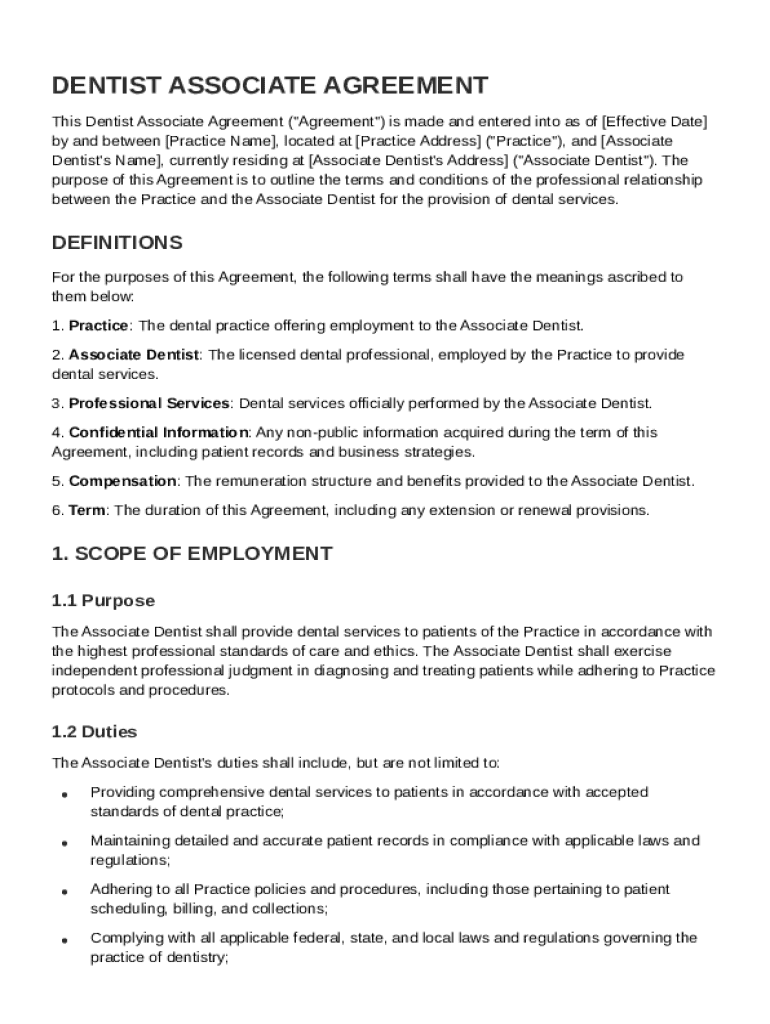
Dentist Associate Agreement Form
Use a Dentist Associate Agreement Template template to make your document workflow more streamlined.
What the dentist associate agreement does
A Dentist Associate Agreement Form is a written contract between a dental practice and an associate dentist that records the working relationship before services begin. It identifies the parties and sets terms such as duties, compensation, scheduling, confidentiality, ownership of records, and ending the relationship. The practice completes the document, reviews state-specific requirements, and obtains signatures from the parties. With signNow, the practice uploads the form, checks detected fields, assigns signers, sends it electronically, and stores the signed copy with its audit trail.
Who uses the dentist associate agreement
Dental practices
Dental practices use the form to document associate duties, compensation, scheduling, confidentiality, and termination terms before a dentist begins work.
Associate dentists
Associate dentists review and sign the agreement, while practice administrators coordinate fields, signer order, completed copies, and access permissions.
Complete the dentist associate agreement online
Use this sequence to prepare the Dentist Associate Agreement Form, route it to the right parties, and preserve the completed record.
Upload document:
Upload the completed Dentist Associate Agreement Form PDF to signNow. Check fields:
Review detected fields and add missing signature, date, and initials fields. Assign signers:
Assign each agreement field to the dentist or practice representative. Send and track:
Send the agreement and monitor completion from the document dashboard.
Recommended setup for dental associate agreements
Configure signer identity, signature evidence, access, and retention controls before sending an associate agreement for signature.
| Setting | Recommendation |
|---|---|
| Authentication method | Email verification with SMS OTP |
| Signature type | Electronic signature with signer intent |
| Audit trail | Capture timestamps, IP addresses, and actions |
| Document retention | Six years for PHI records under HIPAA 45 CFR 164.530(j) |
| Encryption | TLS in transit and AES-256 at rest |
 Best ROI. Our customers achieve an average 7x ROI within the first six months.
 Scales with your use cases. From SMBs to mid-market, airSlate SignNow delivers results for businesses of all sizes.
 Intuitive UI and API. Sign and send documents from your apps in minutes.
Features that support associate agreement workflows
signNow organizes the Dentist Associate Agreement Form from field preparation through signature, completion evidence, and controlled record access.
Structured fields
Place signature, initials, date, and required agreement fields directly on the dentist associate document, reducing omissions before delivery.
Signer routing
Route the agreement to the dentist and practice representative in a defined order, so each party signs the intended provisions.
Audit trail
Capture timestamps, IP information, and signing actions with the completed agreement for clearer contract administration and dispute review.
Record storage
Store the signed associate agreement with its completion evidence, supporting organized access when compensation or duties need review.
Reusable templates
Use templates for recurring associate agreements while preserving fields that differ by practice, dentist, schedule, or compensation arrangement.
Mobile signing
Review and sign from supported mobile applications when a dentist or practice representative is away from the office.
Choose how to send and sign the agreement
- Use the web app when the practice administrator prepares fields, assigns the dentist and representative, and needs a central view of agreement status.
- Use the mobile app when a dentist reviews and signs the associate agreement away from the practice office.
- Use kiosk mode when the practice manages an in-person signing session on a controlled device with the associate dentist.
- Use a shareable signing link when a practice needs to distribute the same prepared agreement through an approved communication channel.



Security controls for associate agreements
Transport encryption:
Storage encryption:
Security certification:
Information security:
Healthcare privacy:
Electronic signatures:
Privacy and disclosure pitfalls to avoid
Including patient identifiers or treatment details in the agreement can expose protected health information beyond the document’s employment purpose. Failing to capture clear electronic consent and signer intent can complicate evidence that each party agreed to the digital process. Giving every staff member editing access can permit unauthorized changes to compensation, duties, or termination provisions. Sending an outdated template can leave the signed agreement inconsistent with the practice’s current policies or state-law requirements.
Retention periods for associate agreement records
Keep signed agreements and related records according to the applicable record category, governing rule, and state requirements.
Six years for HIPAA-covered records
Three years for tax records
Later of two I-9 periods
Three years for payroll records
Five years for injury records
Record-keeping practices for signed agreements
Retain the signed agreement, completion evidence, and relevant access history according to the document’s purpose and applicable federal or state rule.
Remove unnecessary patient information
Export the audit trail
Map retention to record type
Control access and versions
Legal standing of associate agreements
A Dentist Associate Agreement Form records the parties’ employment or independent-contractor terms, compensation, duties, and signatures. ESIGN and applicable UETA provisions generally recognize electronic records and signatures when intent, consent, attribution, and reliable record retention are established. Wills, court orders, and certain family-law documents remain excluded.

Key performance indicators that demonstrate SignNow's proven track record.
Troubleshoot dentist associate agreement signing
Resolve field, signer, authentication, compliance, plan, and retention questions before treating the Dentist Associate Agreement Form as complete.
Upload the original PDF again, then inspect every detected field. signNow’s templates and field tools let you add missing signature, date, initials, or text fields before sending the agreement.
Verify signer email addresses, assigned fields, and routing order. A signNow Business plan supports templates, audit trails, and legally binding eSignatures; correcting assignments prevents the agreement from reaching the wrong party.
Use SMS OTP or another available authentication control when email-only attribution is insufficient. Stronger identity checks support attribution, while ESIGN and UETA require intent, consent, and a reproducible record.
signNow lists HIPAA compliance with a required BAA. If the agreement contains protected health information, execute the BAA and minimize patient data; the Dentist Associate Agreement itself usually needs employment terms, not treatment details.
Business Premium includes bulk send, while Business does not. For one dentist-specific agreement, use a template and individual routing; use bulk send only when each recipient receives the correct individualized document.
Export the completed agreement and its audit trail from signNow, then store both under the practice’s records policy. HIPAA-covered records require six years under 45 CFR 164.530(j), when that rule applies.
BE READY TO GET MORE
Get this form now!

If you believe that this page should be taken down, please follow our DMCA take-down process.