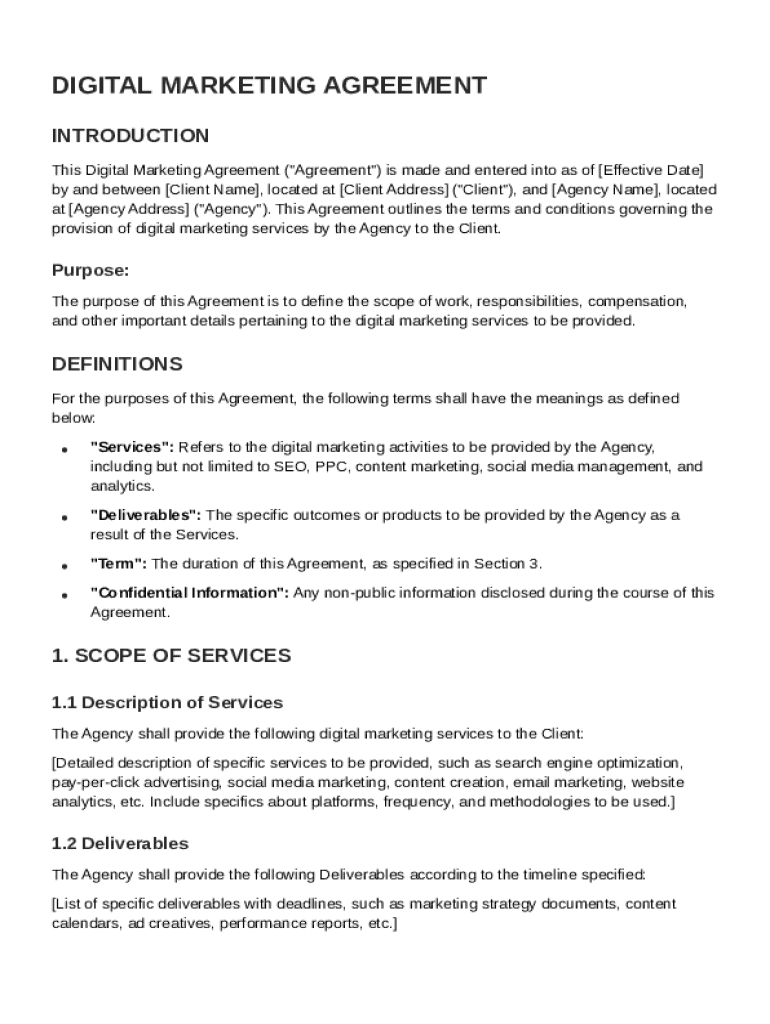
Digital Marketing Agreement Form
Use a Digital Marketing Agreement Template template to make your document workflow more streamlined.
What the Digital Marketing Agreement Form does
The Digital Marketing Agreement Form records the terms, responsibilities, and approvals for a marketing engagement between identified parties. It is completed by uploading the agreement, reviewing or adding fillable fields, assigning recipients, and collecting electronic signatures. signNow records signer actions, timestamps, and audit-trail details with the finished document. ESIGN and UETA can support electronic agreements when intent, consent, attribution, and record retention requirements are met. The form itself does not replace industry-specific disclosures, state-law requirements, or legal review of campaign terms.
Business types using marketing agreements
The form fits marketing agencies, internal marketing departments, and larger organizations managing recurring campaigns, vendors, and approvals.
Marketing agencies can send campaign scopes, approvals, and client agreements for electronic signature while retaining the completed record with its audit trail. In-house marketing teams can route vendor agreements and promotional approvals to designated signers without exchanging paper copies. Enterprise marketing operations can connect recurring agreements to Salesforce, NetSuite, or Microsoft 365 for controlled downstream processing.
These tasks are executed by both individual contributors and centralized administrators depending on organizational policy and required controls.
Complete the agreement in signNow
Use this sequence to prepare the Digital Marketing Agreement Form, route it to the correct parties, and preserve the completed record.
Upload agreement:
Upload the agreement PDF to signNow. Check fields:
Review detected fields and add missing ones. Assign recipients:
Assign each signer and signing order. Send document:
Send the agreement for electronic signature. Archive record:
Store the signed agreement and audit trail.
Recommended agreement workflow settings
Configure the Digital Marketing Agreement Form for identifiable signing, controlled access, and defensible electronic records.
| Setting | Recommendation |
|---|---|
| Authentication method | Two-factor authentication for external signers |
| Signature type | Electronic signature with intent capture |
| Audit trail | Timestamped IP and action history |
| Document retention | Retain signed agreements under business policy |
| Encryption and provisioning | AES-256 encryption with administrator-managed users |
 Best ROI. Our customers achieve an average 7x ROI within the first six months.
 Scales with your use cases. From SMBs to mid-market, airSlate SignNow delivers results for businesses of all sizes.
 Intuitive UI and API. Sign and send documents from your apps in minutes.
How the agreement audit trail works
The audit trail records signer identity, document activity, and completion evidence separately from the agreement’s visible signature fields.
Authenticate signer:
Capture timestamps:
Track document history:
Seal evidence:
Inspect events:
Retrieve audit trail:
Features that support agreement completion
Digital Marketing Agreement Form workflows combine structured fields, signer routing, evidence capture, and connected records for marketing engagements.
Field detection
Upload the agreement and let signNow identify fillable fields, reducing manual placement before the document reaches signers.
Signer routing
Route the Digital Marketing Agreement Form to named recipients, preserving signing order and responsibility for each approval.
Audit trail
Capture timestamps, IP details, and signing actions in an audit trail that supports later review of the agreement.
Reusable templates
Use templates for recurring marketing engagements while retaining consistent clauses, fields, and signer assignments.
Mobile signing
Let clients review and sign from desktop or mobile devices without requiring an in-person exchange of paper.
System integrations
Connect completed agreements with Salesforce, Google Drive, or NetSuite for downstream record handling.



Security controls for signed agreements
Stored data:
Data in transit:
Security reporting:
Information security:
Electronic signatures:
Healthcare workflows:
Record-keeping practices for agreements
Retain the executed agreement with its audit evidence, apply a documented policy, and avoid importing retention rules that do not fit the record.
Export the completed audit trail
Match retention to the record
Control agreement templates
Document consent before signing
Platform requirements for signing
Digital Marketing Agreement Form users can work through Chrome, Firefox, Safari, or Edge on Windows and macOS. signNow mobile apps support iOS and Android, while TLS 1.2 or 1.3 protects data in transit.
Browser support Chrome, Firefox, Safari, and Edge on Windows or macOS Mobile apps signNow mobile apps for iOS and Android Connection security TLS 1.2 or 1.3 for transmission
Organizations using the form should manage access through approved devices and administrator controls. Enterprise deployments may connect signNow through API integrations or SSO, while regulated workflows should confirm retention, authentication, and record-access requirements before launch.
Digital Marketing Agreement Form troubleshooting
Resolve field, plan, consent, authentication, and compliance questions before sending the Digital Marketing Agreement Form to external signers.
Upload the original Digital Marketing Agreement Form as a PDF or supported document, then review signNow’s detected fields before assigning recipients. If fields are missing, add signature, date, text, or checkbox fields manually and verify each party’s placement.
The Business plan includes templates and audit trails at $8/user/month when billed annually. Business Premium is $15/user/month and adds bulk send, kiosk mode, request payments, and quick invite links. Confirm the selected plan before designing a high-volume workflow.
For consumer-facing agreements, ESIGN requires disclosure of the right to paper records, electronic-access capability, and withdrawal procedures under 15 U.S.C. §7001(c). Configure the disclosure before sending when the recipient is a consumer rather than a business representative.
signNow supports ESIGN and UETA workflows, but enforceability still depends on intent, consent, attribution, and record retention. Preserve the completed agreement and audit trail so the business can reproduce the signed record for review.
Business Premium includes bulk send, while Business does not include that feature in the supplied plan details. For individualized agreements, send each document to its named recipients and verify the completed audit trail.
If the agreement contains protected health information, signNow identifies HIPAA compliance as requiring a BAA. Confirm the parties, data flow, and retention policy before using the form for a healthcare marketing engagement.
Key performance indicators that demonstrate SignNow's proven track record.
BE READY TO GET MORE
Get this form now!

If you believe that this page should be taken down, please follow our DMCA take-down process.