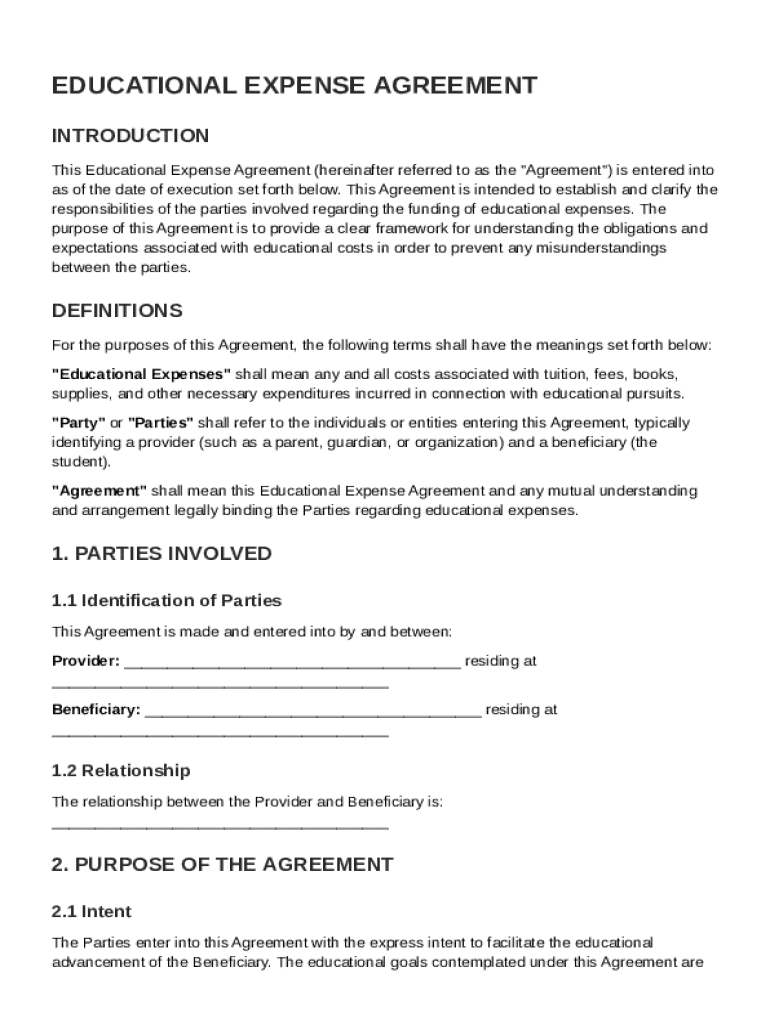
Educational Expense Agreement Form
Use a Educational Expense Agreement Template template to make your document workflow more streamlined.
What an educational expense agreement does
An Educational Expense Agreement Form records an employer’s or organization’s terms for paying or reimbursing a person’s education expenses. It identifies the learner, covered course or program, eligible costs, approval conditions, payment timing, and any repayment obligation if stated terms are not met. The parties review the completed fields, provide consent, and sign the agreement. With signNow, the sender uploads the form, places or confirms fields, routes it to the required signers, and stores the completed record with its audit trail. Specific tax treatment depends on the arrangement and applicable IRS rules.
Who benefits from this agreement
The form is useful wherever an organization pays for education and needs a clear record of eligibility, approval, obligations, and signatures.
Independent consultants and small professional practices use the form to document employer-funded courses, repayment terms, and employee acknowledgments without maintaining paper files. Mid-sized employers use the agreement for tuition reimbursement approvals, manager review, and employee signatures while preserving a consistent record for payroll and HR teams. Large universities, healthcare systems, and enterprises route education agreements through controlled templates, delegated senders, and auditable approval paths across multiple departments.
These tasks are executed by both individual contributors and centralized administrators depending on organizational policy and required controls.
Features for education expense agreements
signNow connects the agreement’s approval, signing, and recordkeeping needs in a workflow built around the document’s specific education-expense terms.
Structured terms
Capture the learner, institution, course, approved amount, and reimbursement conditions in one structured agreement.
Signer routing
Route manager, HR, finance, or employee signatures in the required order for education-expense approval.
Reusable templates
Use reusable templates to keep tuition, course, and repayment language consistent across agreements.
Audit trail
Record signer actions, timestamps, and completion history for later HR or finance review.
Mobile signing
Let signers complete the agreement from a desktop or mobile device without exchanging paper copies.
Secure records
Retain the completed agreement and supporting evidence under the organization’s records policy.
Complete the agreement in signNow
Use this workflow to prepare the education terms, collect the required signatures, and preserve a reviewable record.
Upload form:
Upload the Educational Expense Agreement Form to signNow. Check fields:
Review detected fields and add missing names, dates, amounts, and signature fields. Assign signers:
Assign the employee, education administrator, or other required signer. Send agreement:
Send the agreement by email or a controlled signing link. Store record:
Confirm completion and retain the signed document with its audit trail.
How this agreement moves through signNow
The form moves from field preparation to controlled review, signature collection, and evidence preservation.
Prepare document: Upload the agreement and confirm its education-expense fields. Route responsibilities: Assign each approval and signature field to the correct person. Complete signing: Collect signatures and review completion evidence. Preserve record: Store the signed agreement with its audit trail.
 Best ROI. Our customers achieve an average 7x ROI within the first six months.
 Scales with your use cases. From SMBs to mid-market, airSlate SignNow delivers results for businesses of all sizes.
 Intuitive UI and API. Sign and send documents from your apps in minutes.
Recommended agreement workflow setup
Configure the Educational Expense Agreement Form around verified signer identity, clear signature evidence, controlled access, and a documented retention decision.
| Setting | Recommendation |
|---|---|
| Authentication method | Email link with SMS OTP |
| Signature type | Typed or drawn eSignature |
| Audit trail | Capture timestamps and signer actions |
| Document retention | Follow contents-based records policy |
| Encryption | AES-256 at rest and TLS 1.2/1.3 |
How signNow records this agreement
The signNow audit trail preserves identity, timing, document integrity, and retrieval evidence for each Educational Expense Agreement Form.
Authenticate signer:
Capture timestamps:
Hash document:
Seal record:
Log events:
Export evidence:
Security controls for education records
Stored data:
Transport encryption:
Security reporting:
Information security:
Health information:
Electronic records:
Best practices for keeping agreements
A clear retention policy preserves the agreement, supporting records, and signing evidence without retaining sensitive education information unnecessarily.
Set a documented retention schedule
Export the audit evidence
Archive records securely
Match retention to record content
Platform requirements for signing
SignNow supports Educational Expense Agreement Form workflows through Chrome, Firefox, Safari, and Edge on Windows and macOS, with mobile access on iOS and Android. Use a current browser with TLS-secured connectivity and a reliable internet connection for uploading, signing, and retrieving records.
Browsers Chrome, Firefox, Safari, and Edge Operating systems Windows macOS iOS Android Devices Desktop and mobile web access
Organizations using managed devices should configure browser updates, access controls, and approved storage locations before distributing education agreements. Enterprise deployments may also use API access, SSO provisioning, and certificate or long-term validation settings where their record policy requires them. Confirm device management and identity requirements with the responsible administrator.
Privacy pitfalls to address
Including student birth dates, addresses, or financial details in an unrestricted agreement exposes personal information beyond the intended education workflow. Sending an agreement before recording electronic-consent language can weaken evidence that the student or employee agreed to sign electronically. Granting every department access to completed education agreements can disclose tuition, reimbursement, or academic information unnecessarily. Using personal email addresses without verification can misdirect agreements and make signer attribution harder during later review.
Legal standing of the agreement
An Educational Expense Agreement Form can support a U.S. business record when the parties demonstrate intent, electronic consent, signer attribution, and reliable retention under ESIGN and applicable state law, including UETA or New York ESRA. Those laws exclude wills, codicils, testamentary trusts, certain court orders, and family-law decrees.

State rules and document limits
State notarization
Excluded testamentary documents
Excluded decrees
Real-estate instruments
Troubleshoot educational expense agreements
Resolve signing, consent, plan, and retention questions by matching the agreement’s contents with signNow features and the governing U.S. authority.
Business includes legally binding eSignatures, templates, and audit trails at $8 per user per month with annual billing. If the agreement requires bulk sending, Business Premium adds that capability at $15 per user per month annually. Both figures come from signNow’s stated plan pricing.
A signNow audit trail supports ESIGN and UETA evidence by recording signer actions, timestamps, and document history. The platform’s ESIGN_UETA compliance does not replace the agreement’s need to show intent, consent, attribution, and retained reproducible records under 15 U.S.C. chapter 96.
If a student or employee signs as a consumer, provide the required electronic-record disclosure and confirm access to the electronic format under 15 U.S.C. §7001(c). Configure signNow’s signing flow so the person can review the Educational Expense Agreement Form before signing.
Business Premium includes bulk send, while Enterprise adds advanced signer authentication, formula fields, and conditional fields. Select the plan based on the agreement’s routing and field logic rather than assuming every account includes those features.
signNow lists HIPAA compliance with a BAA required. Use that configuration only when the agreement workflow involves protected health information, and apply the organization’s HIPAA policies separately from the education-expense terms.
A completed agreement should be downloaded or retained with its signNow audit trail and certificate of completion. The platform preserves signing evidence, but the organization must choose a retention period based on the agreement’s contents and applicable IRS, employment, healthcare, or state requirements.
Key performance indicators that demonstrate SignNow's proven track record.
BE READY TO GET MORE
Get this form now!

If you believe that this page should be taken down, please follow our DMCA take-down process.