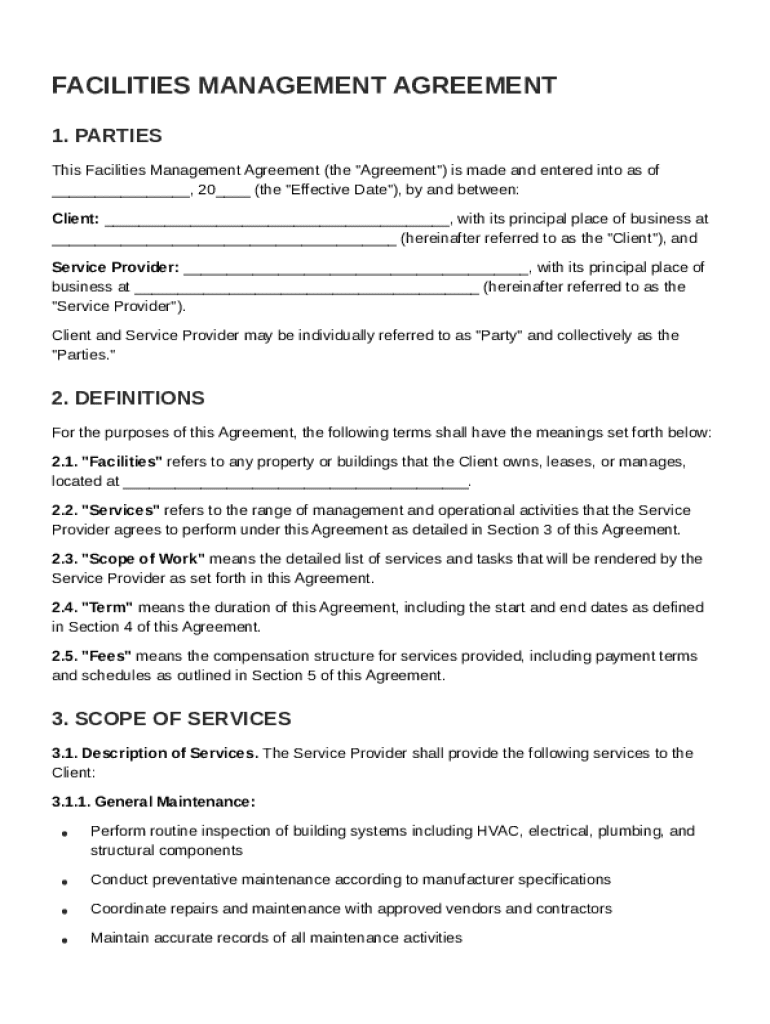
Facilities Management Agreement Form
Use a Facilities Management Agreement Template template to make your document workflow more streamlined.
What the facilities agreement covers
A Facilities Management Agreement Form records the working terms between a property operator and the party providing building services. It identifies the site, services, responsibilities, access arrangements, contacts, pricing or payment terms, service levels, and approval requirements. In signNow, upload the agreement, review automatically detected fillable fields, add missing fields, assign each signer, and send it electronically. Each participant reviews the defined obligations before signing. The completed PDF and audit trail preserve who signed, when, and how the agreement was completed for operational reference.
Who benefits from facilities agreements
The form serves property operators, facilities specialists, vendors, and enterprise teams coordinating recurring services, access, approvals, and documented obligations.
Solo facilities consultants can reuse a prepared agreement template, collect property-owner signatures remotely, and keep each approved scope of work with its completion record. Property management companies can route maintenance agreements to owners, tenants, and vendors in sequence while preserving role-based responsibility and searchable signed copies. Enterprise facilities departments can connect agreements to NetSuite, Microsoft 365, or Procore, standardize approvals, and manage high-volume contractor documentation across locations.
These tasks are executed by both individual contributors and centralized administrators depending on organizational policy and required controls.
Who uses a facilities agreement
Property operations
Property owners, facilities managers, and service providers use the form to define maintenance duties, access arrangements, response expectations, and approval responsibilities before work begins.
Service partners
Commercial tenants, contractors, and building administrators use the form to document recurring services, vendor obligations, site contacts, and completed approvals in one searchable record.
Features that support facilities agreements
signNow organizes the fields, approvals, signatures, and evidence needed to complete Facilities Management Agreement Form across property and service workflows.
Field detection
Auto-detected fields reduce manual setup when the uploaded Facilities Management Agreement Form already contains interactive fields, while manual placement handles scanned or incomplete documents.
Role assignment
Assigning fields by recipient keeps property owners, facilities managers, and vendors responsible for only the obligations and acknowledgments that belong to them.
Signing order
Sequential routing sends the agreement to the right decision-maker before the next signer, helping preserve the approval order required by the commercial arrangement.
Audit trail
Audit trails record signing activity for the Facilities Management Agreement Form, giving operations and legal teams a documented history alongside the executed agreement.
Mobile signing
Mobile apps let facilities managers review or sign from job sites, while offline support helps maintain workflow continuity where connectivity is limited.
Reusable template
Templates make recurring service agreements reusable, reducing repeated formatting work while keeping required fields, recipients, and facilities-specific terms visible before each send.
 Best ROI. Our customers achieve an average 7x ROI within the first six months.
 Scales with your use cases. From SMBs to mid-market, airSlate SignNow delivers results for businesses of all sizes.
 Intuitive UI and API. Sign and send documents from your apps in minutes.
Complete the facilities agreement online
Prepare the Facilities Management Agreement Form in signNow, assign responsibilities, and preserve the completed agreement with its audit trail.
Upload template:
Upload the agreement template to signNow. Check fields:
Review detected fields and add missing signature, date, or initials fields. Assign signers:
Assign each field to the correct facilities representative or vendor. Complete workflow:
Send the agreement, monitor completion, and download the signed record.
Choose the right signing method
- Use the signNow web app when preparing a detailed Facilities Management Agreement Form, placing fields, assigning recipients, and reviewing the final document on a larger screen.
- Use the signNow mobile app when a facilities manager or contractor needs to review and sign the agreement from a job site or while traveling.
- Use kiosk mode for an in-person handoff when multiple visitors, vendors, or site representatives must sign on one managed device.
- Create a shareable signing link when the same agreement must be offered repeatedly to approved contractors or service providers without sending individual invitations.
Set up the facilities agreement workflow
Configure signer identity, signature capture, audit evidence, retention, and encryption before distributing the facilities agreement.
| Setting | Recommendation |
|---|---|
| Authentication method | Email verification with SMS OTP |
| Signature type | Typed or drawn electronic signature |
| Audit trail | Capture timestamps, IP, and actions |
| Document retention | Follow the signed contract policy |
| Encryption | TLS 1.2/1.3 and AES-256 |



Use the agreement on mobile devices
Facilities teams can use the signNow iOS and Android apps to review and sign Facilities Management Agreement Form documents. Mobile workflows support offline signing and camera-based document capture for field work.
Mobile apps iOS and Android apps Offline signing Offline signing support Camera capture Camera-based document capture
For regulated deployments, administrators should manage approved devices, configure access controls, and review whether API access or SSO provisioning is needed. Store completed agreements and audit trails according to the organization’s contract, privacy, and industry recordkeeping policies.
Protect facilities agreement records
Transport encryption:
Storage encryption:
Security reporting:
Information security:
Healthcare protection:
Electronic signatures:
Best practices for facilities agreements
Use a controlled template, precise recipient assignments, and a preserved audit record when completing Facilities Management Agreement Form.
Verify every property and service term
Assign fields to the responsible parties
Preserve the signed agreement and audit trail
Test field signing before deployment
Avoid facilities agreement workflow errors
Service descriptions may omit equipment, locations, response windows, or exclusions, leaving the parties to interpret what Facilities Management Agreement Form actually requires. An unassigned signature or date field can block completion when the property owner, facilities manager, and contractor have different responsibilities. Sending an outdated agreement template can preserve incorrect pricing, renewal language, access instructions, or emergency contacts in the final signed record. Broad sharing permissions can expose property access details, vendor pricing, or personal contact information to people outside the facilities workflow.
Troubleshoot facilities agreement signing
Resolve upload, assignment, authentication, plan-limit, and enforceability questions before sending a facilities management agreement for signature.
Upload the original PDF again and confirm the file is not password-protected. signNow can detect fillable fields, but scanned pages may require manually placed fields before sending.
Open the recipient settings and confirm every signature, date, and initials field has an assigned recipient. Unassigned fields can prevent a Facilities Management Agreement Form from reaching completion.
Business includes templates and audit trails, while Business Premium adds bulk send and kiosk mode. Choose Enterprise when advanced signer authentication or formula and conditional fields are required.
Use signNow SMS authentication when the facilities vendor or contractor requires an additional identity check. For regulated records containing protected health information, HIPAA compliance requires a business associate agreement.
The completed agreement includes signing events and an audit trail. signNow supports ESIGN and UETA compliance, but the parties must still satisfy any contract-specific notarization or state-law requirement.
Business plans include 100 signature invites per user per year, with overage fees. The Site License uses $1.50 per signature invite and is designed for organizations processing 1,000 or more documents annually.
Key performance indicators that demonstrate SignNow's proven track record.
BE READY TO GET MORE
Get this form now!

If you believe that this page should be taken down, please follow our DMCA take-down process.