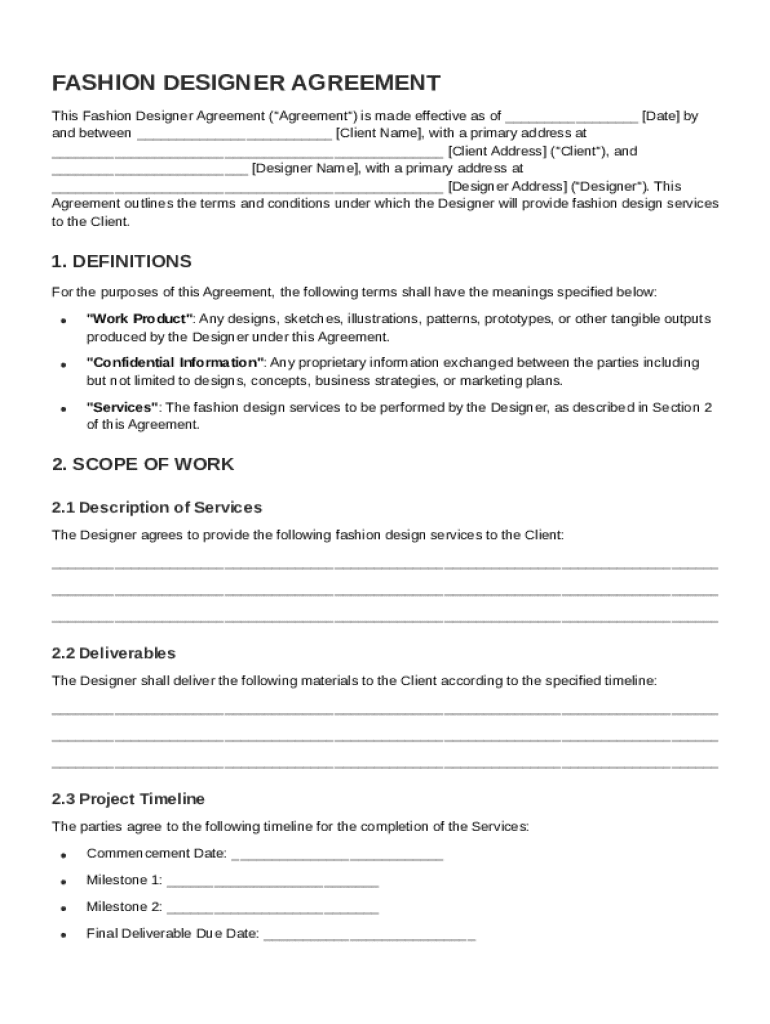
Fashion Designer Agreement Form
Use a Fashion Designer Agreement Template template to make your document workflow more streamlined.
What the fashion designer agreement does
A Fashion Designer Agreement Form records the working terms between a designer and another party for a defined fashion project. It can identify the parties, describe design services and deliverables, state compensation, address revisions and approvals, and allocate intellectual-property or licensing rights. With signNow, the sender uploads the agreement, reviews detected fillable fields, assigns signature and date fields, sends it to the required parties, and receives a completed copy with an audit trail. Contract enforceability still depends on the agreement’s wording, signer intent, consent, and applicable state law.
Who uses this agreement
Independent designers
Independent fashion designers use the agreement to document client commissions, deliverables, compensation, licensing permissions, revisions, and approval responsibilities before work begins.
Fashion businesses
Fashion studios and apparel companies use repeatable agreements for engagements involving designers, manufacturers, brand clients, and project-specific intellectual property terms.
Features for fashion designer agreements
signNow organizes the fashion designer agreement from field placement through signature, audit evidence, and controlled retrieval for each project.
Structured terms
Capture designer, client, project, compensation, licensing, and approval details in one controlled document, reducing uncertainty about which terms were accepted.
Fillable fields
Place signature, initials, date, and text fields directly on the agreement so each party completes the intended section before submission.
Signer routing
Route the agreement to the designer and client in a defined order, preserving the relationship between each signer and the accepted terms.
Reusable templates
Use templates for recurring designer engagements while retaining project-specific rates, deliverables, ownership clauses, and approval conditions in each copy.
Audit trail
Audit trails record signer actions, timestamps, and document history, supporting evidence of how the fashion designer agreement was completed.
Mobile signing
Mobile apps let designers and clients review and sign from supported devices, reducing dependence on studio or office meetings.
How the fashion designer agreement works
A fashion designer agreement moves from prepared terms to signed record through four signNow workflow stages.
Upload document: Upload the completed agreement PDF. Detect fields: Place signature, initials, and date fields. Set recipients: Add designer and client signers. Complete signing: Send, sign, and store the completed agreement.
 Best ROI. Our customers achieve an average 7x ROI within the first six months.
 Scales with your use cases. From SMBs to mid-market, airSlate SignNow delivers results for businesses of all sizes.
 Intuitive UI and API. Sign and send documents from your apps in minutes.
Complete and sign the agreement
Prepare the Fashion Designer Agreement Form in signNow by checking fields, assigning signers, and preserving the completed record.
Upload agreement:
Upload the Fashion Designer Agreement Form PDF to signNow. Review fields:
Check detected fields and add missing signature fields. Add signers:
Enter designer and client email addresses. Send agreement:
Send invitations and monitor completion status. Archive record:
Download the signed PDF and audit trail.
Recommended agreement workflow setup
Use a controlled signing configuration that matches the Fashion Designer Agreement Form’s parties, confidentiality needs, and record-management policy.
| Setting | Recommendation |
|---|---|
| Authentication method | Email link with SMS verification |
| Signature type | Typed or drawn electronic signature |
| Audit trail | Enabled for every completed agreement |
| Document retention | Secure archive under company policy |
| Encryption | TLS 1.2/1.3 and AES-256 |
Platform requirements for signing
Complete the Fashion Designer Agreement Form in supported Chrome, Firefox, Safari, or Edge browsers on Windows and macOS. signNow mobile apps support iOS and Android devices for reviewing and signing agreements.
Browsers Chrome, Firefox, Safari, Edge Operating systems Windows, macOS, iOS, Android Mobile options signNow mobile apps, camera capture
Organizations should verify managed-device policies before enabling mobile signing or camera capture. Teams using API access, SSO provisioning, or regulated workflows should confirm the selected signNow plan supports those controls and configure permissions before distributing designer agreements.
Security for signed agreements
Transport encryption:
Stored encryption:
Security certification:
Management certification:
Electronic signatures:
Regulated workflows:
Audit trail for the agreement
The signNow audit trail documents signer activity and record integrity separately from the agreement’s field and recipient setup.
Authenticate signer:
Timestamp actions:
Hash document:
Seal record:
Track history:
Export evidence:
Privacy and disclosure pitfalls
Personal measurements or contact details may appear in shared copies without recipient-specific access controls. A signer may not receive clear consent language before electronically approving the fashion designer agreement. Broad team permissions can expose designer rates, licensing terms, or client information to unauthorized users. Untracked downloaded copies can weaken control over revisions, disclosures, and the final signed agreement.
Fashion designer agreement troubleshooting
Resolve field, signer, consent, plan, authentication, and retention questions before distributing this agreement to a designer or client.
Upload the signed Fashion Designer Agreement Form as a PDF, then use signNow’s field editor to place signature, initials, date, and text fields. The Business plan includes templates and audit trails, helping preserve the agreed terms and signing history.
Review the signer’s email address and resend the invitation from signNow. A signer can often complete the document without an account. Business includes legally binding eSignatures, while Business Premium adds quick invite links for faster delivery.
For a consumer-facing agreement, provide the ESIGN disclosure, explain the right to receive paper records, confirm electronic access, and describe withdrawal procedures. These requirements come from 15 U.S.C. §7001(c), not from signNow.
The Business plan costs $8/user/month when billed annually and includes 100 signature invites per user annually. Business Premium costs $15/user/month annually and adds bulk send. Overage fees may apply after included invitations are used.
Use SMS authentication when email-only attribution is insufficient. Enterprise adds advanced signer authentication, while Site License can add HIPAA and 21 CFR Part 11 controls. Select authentication based on the agreement’s confidentiality and regulatory context.
Export the completed agreement and its audit trail after signing, then store both with controlled permissions. signNow provides audit trails, timestamps, and document history; ESIGN and UETA require reliable retention and reproduction of electronic records.
Key performance indicators that demonstrate SignNow's proven track record.
BE READY TO GET MORE
Get this form now!

If you believe that this page should be taken down, please follow our DMCA take-down process.