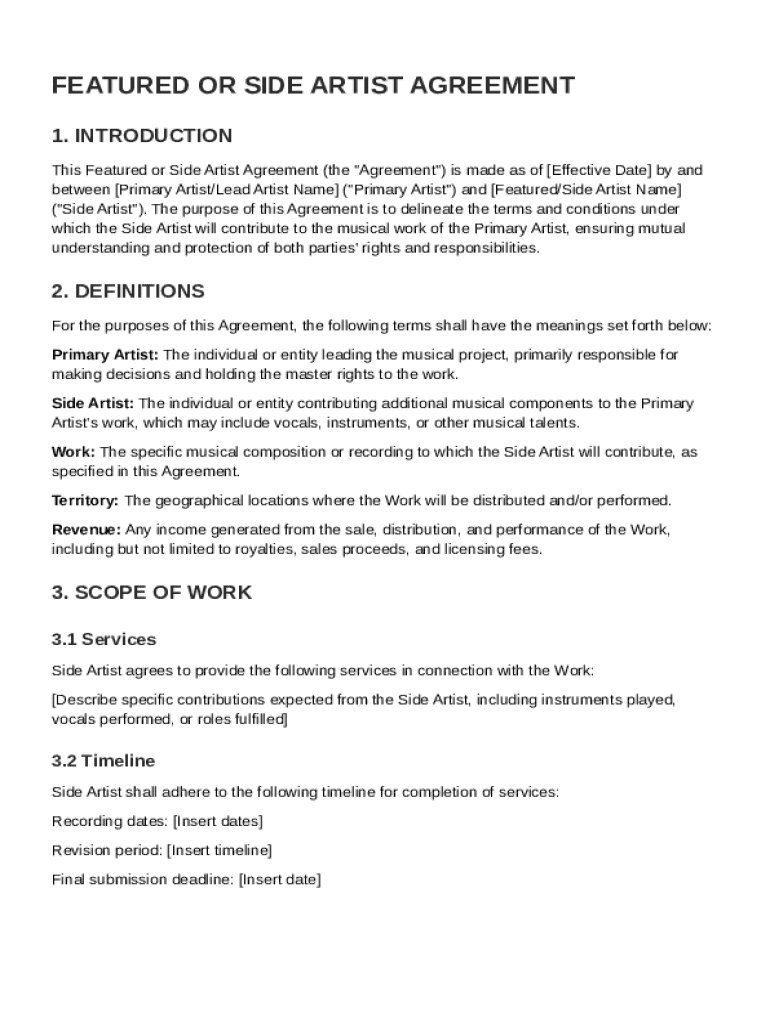
Featured Or Side Artist Agreement Form
Use a Featured Or Side Artist Agreement Template template to make your document workflow more streamlined.
What this artist agreement form covers
Featured Or Side Artist Agreement Form is a private music-industry contract used to record the terms for a featured or side artist’s participation in a recording or related project. It can identify the artist and project, describe performance or session duties, state compensation and royalty arrangements, allocate credits, define ownership and usage rights, and document approvals. The parties review the completed fields, demonstrate intent to sign, and receive a signed copy. signNow supports uploading the form, detecting fillable fields, routing it to designated participants, and preserving the completed record with an audit trail.
Key features for artist agreements
signNow organizes the Featured Or Side Artist Agreement Form workflow around accurate field placement, defined signer roles, documented consent, and retrievable completion records.
Field detection
Upload the artist agreement, review automatically detected fields, and add signature, initials, date, or text fields without rebuilding the document from scratch.
Signer roles
Assign separate roles to featured artists, side artists, producers, labels, managers, or witnesses so each participant receives the fields intended for them.
Term capture
Capture consent for compensation, credits, usage rights, approvals, and ownership terms in one completed agreement that all authorized parties can review.
Flexible delivery
Send the agreement by email, mobile workflow, kiosk mode, or shareable signing link according to the production environment and signer relationship.
Audit trail
Retain the completed agreement with timestamps, action history, and signer events so questions about approval or execution can be examined later.
Reusable templates
Use templates for recurring session or contributor agreements while updating project-specific fields such as track title, payment, credits, and usage scope.
How this artist agreement works
The signNow workflow turns the Featured Or Side Artist Agreement Form into a routed, signed record with defined terms and completion evidence.
Upload: Upload the artist agreement and review its detected fields. Prepare: Assign compensation, credit, usage, and approval fields. Route: Send the form to each required participant. Complete: Store the signed agreement with its audit trail.
 Best ROI. Our customers achieve an average 7x ROI within the first six months.
 Scales with your use cases. From SMBs to mid-market, airSlate SignNow delivers results for businesses of all sizes.
 Intuitive UI and API. Sign and send documents from your apps in minutes.
Ways to send and sign artist agreements
- Upload the Featured Or Side Artist Agreement Form in the signNow web app, review detected fields, and place any missing signature, initials, date, or text fields before assigning roles to each participant.
- Use the signNow mobile app when an artist or producer needs to review and sign from an iOS or Android device while traveling between studio, venue, or production locations.
- Choose kiosk mode for supervised signing at a studio or event where multiple participants use one managed device and staff can confirm the intended signer before completion.
- Generate a shareable signing link when artist representatives or recurring contributors need access without receiving a separate email invitation for each agreement.
How the artist agreement audit trail works
The audit trail documents how each participant received, reviewed, signed, and completed the Featured Or Side Artist Agreement Form.
Signer authentication:
Timestamp capture:
Document integrity:
Sealed record:
Event history:
Audit export:
Mobile options for artist agreements
Featured Or Side Artist Agreement Form can be reviewed through signNow mobile apps for iOS and Android. Users can capture paper pages with a device camera and continue signing when offline support is available.
Mobile apps iOS and Android apps Offline signing Offline signing available Document capture Camera-based document capture
Mobile workflows help artists, producers, and representatives review agreements away from a studio. Before sending, confirm that every compensation, credit, usage, approval, and signature field is complete. Organizations can also connect mobile use with managed devices, SSO provisioning, and audit-trail controls.
Record-keeping practices for artist agreements
Preserve the signed agreement, audit trail, and supporting project records under the schedule that governs the underlying engagement.
Apply the record schedule governing the transaction
Export the audit trail after completion
Restrict access to archived agreements
Reconcile terms before sending
Signer authentication and certificates
Digital certificates:
Certificate standard:
Two-factor authentication:
SMS OTP:
ID verification:
Audit evidence:



Key performance indicators that demonstrate SignNow's proven track record.
Artist agreement troubleshooting and FAQ
Resolve field, routing, electronic-signature, consent, plan, and retention questions before distributing the completed artist agreement.
Upload the original Featured Or Side Artist Agreement Form again, then inspect automatically detected fields before sending. Add any missing signature, initials, date, compensation, credit, or usage fields manually so every required term is assigned to the correct participant.
Use signNow’s signer-role assignment to separate featured artists, side artists, producers, labels, and representatives. Review each role’s assigned fields before delivery; a routing error can leave compensation, credits, or approvals attached to the wrong signer.
Business includes legally binding eSignatures, audit trails, templates, mobile apps, ISO 27001, and SOC 2. Business Premium adds bulk send and kiosk mode. Choose the plan based on the number of recurring artist agreements and delivery methods required.
The agreement’s enforceability depends on intent, attribution, consent to electronic records when required, and reliable retention. ESIGN, 15 U.S.C. ch. 96, and applicable state law, including UETA or New York ESRA, provide the relevant framework.
For consumer-facing electronic records, ESIGN, 15 U.S.C. §7001(c), requires disclosure of the right to paper, electronic access capability, and procedures for withdrawing consent. Apply this requirement when an artist signs as a consumer rather than in business activity.
Export the completed agreement and audit trail from signNow, then store both with the production or legal file. No single federal retention period is established here for this private artist contract, so apply the schedule governing the engagement.
BE READY TO GET MORE
Get this form now!

If you believe that this page should be taken down, please follow our DMCA take-down process.