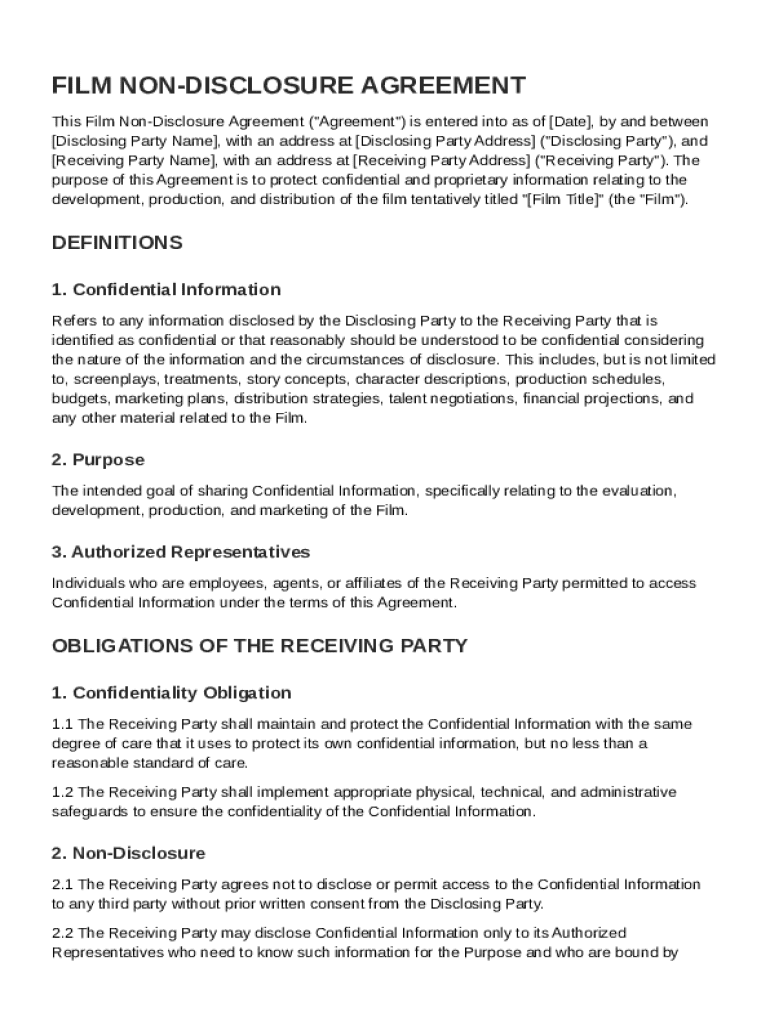
Film Non Disclosure Agreement Form
Use a Film Non Disclosure Agreement Template template to make your document workflow more streamlined.
What the film NDA form does
A Film Non Disclosure Agreement Form records the confidentiality terms used before sharing sensitive production information. It identifies the parties, describes protected materials such as scripts, footage, budgets, or treatments, states permitted use and disclosure limits, and records signatures and dates. In signNow, the sender uploads the agreement, reviews detected fillable fields, assigns recipients, and sends it for electronic signing. Each signer reviews the terms, demonstrates intent, and completes assigned fields. The signed PDF and audit trail preserve the resulting transaction record for the production team.
Who benefits from film NDA workflows
Film professionals use this form to control access to creative and commercial information before collaboration begins.
Independent film producers use the form to define confidential scripts, footage, budgets, and production plans before sharing materials with prospective collaborators. Production companies use reusable film NDA templates to coordinate confidentiality terms across cast, crew, vendors, and post-production partners before controlled project access. Media enterprises use role-based sending, audit trails, and integrations to manage large networks of production partners while preserving consistent confidentiality records.
These tasks are executed by both individual contributors and centralized administrators depending on organizational policy and required controls.
Key features for film NDAs
signNow connects document preparation, signer routing, mobile access, and audit evidence to the practical needs of Film Non Disclosure Agreement Form workflows.
Field detection
Upload the Film Non Disclosure Agreement Form and review detected fields before assigning each party’s signature, initials, date, or text input requirements.
Signer roles
Assign separate roles for producers, cast, crew, vendors, or other parties so each recipient sees only the fields intended for that signing sequence.
Signing links
Send a controlled invitation or signing link for the specific film agreement, reducing manual email exchanges and preserving a consistent document version.
Audit trail
Capture signer actions, timestamps, and document history with the completed Film Non Disclosure Agreement Form for later record review.
Reusable templates
Use reusable templates for recurring film projects while updating parties, project descriptions, confidential materials, and negotiated terms before each send.
Mobile signing
Access the agreement through signNow mobile apps when production teams need to review or sign away from a desktop workstation.
Complete the film NDA online
Use this focused workflow to prepare, circulate, sign, and preserve a Film Non Disclosure Agreement Form in signNow.
Upload:
Upload the film NDA PDF. Prepare:
Review detected fields and add missing ones. Send:
Assign signers and send invitations. Store:
Download the signed PDF and audit trail.
 Best ROI. Our customers achieve an average 7x ROI within the first six months.
 Scales with your use cases. From SMBs to mid-market, airSlate SignNow delivers results for businesses of all sizes.
 Intuitive UI and API. Sign and send documents from your apps in minutes.
Choose the right signing method
- Use the signNow web app to upload the Film Non Disclosure Agreement Form, place fields, and send it when reviewing the agreement on a desktop.
- Use the signNow mobile app when producers, cast, or crew need to review and sign the Film Non Disclosure Agreement Form away from the office.
- Choose kiosk mode when several people sign the Film Non Disclosure Agreement Form on one supervised device during a production meeting or intake session.
- Create a shareable signing link when recurring collaborators need access to the same Film Non Disclosure Agreement Form without separate email invitations.
How the film NDA workflow works
The Film Non Disclosure Agreement Form moves from document preparation to verified signing and organized record retention in four defined stages.
Upload document: Upload the completed film NDA PDF. Check fields: Review detected fields and add missing terms. Invite signers: Send the agreement to each signing party. Preserve record: Store the signed PDF and audit trail.
What the film NDA audit trail records
The audit trail documents the signing evidence behind a Film Non Disclosure Agreement Form without replacing the agreement’s confidentiality terms.
Authenticate signer:
Capture timestamps:
Record history:
Link activity:
Check integrity:
Export audit trail:
Recommended film NDA workflow setup
Configure the Film Non Disclosure Agreement Form around signer identity, document integrity, controlled access, and a retention policy suited to the production record.
| Setting | Recommendation |
|---|---|
| Authentication method | Email invitation with SMS verification |
| Signature type | Electronic signature with documented intent |
| Audit trail | Capture and export completion history |
| Document retention | Apply project and industry policy |
| Encryption | TLS 1.2/1.3 and AES-256 protection |
Security for film agreements
Transport encryption:
Stored encryption:
SOC 2 Type II:
ISO 27001:
Signature compliance:
Privacy controls:
Mobile access for film agreements
The Film Non Disclosure Agreement Form can be handled through signNow mobile apps for iOS and Android, including mobile review, offline signing, and camera-based document capture. Teams can prepare or complete an agreement while moving between production offices, locations, and meetings.
Mobile apps iOS and Android apps Offline mode Offline signing on mobile Camera capture Camera-based document capture
Production administrators should manage mobile access through organizational controls, confirm that each signer receives the intended agreement, and preserve the completed PDF with its audit trail. Enterprise deployments can also evaluate API access, SSO provisioning, and authentication requirements before connecting film NDA workflows to other systems.
Challenges when managing film NDAs
Sending a draft without identifying the project, parties, or permitted use can leave the Film Non Disclosure Agreement Form difficult to interpret. Sharing scripts or footage before signatures are complete may expose confidential production information without documented acceptance of the agreement. Using one generic confidentiality period for every production can conflict with negotiated terms, project schedules, or applicable state-law requirements. Storing the signed Film Non Disclosure Agreement Form without its audit trail can weaken the record supporting signer attribution and document integrity.
Best practices for film NDA records
Clear confidentiality terms and complete records help production teams demonstrate what was shared, who signed, and which version governed the relationship.
Define confidential film materials precisely
Export the audit trail with agreement
Match retention to record purpose
Archive signed records securely
Film NDA troubleshooting questions
Resolve signing, plan, authentication, and record-retention questions before distributing confidential film materials or relying on a completed agreement.
Business includes legally binding eSignatures, templates, and audit trails for a Film Non Disclosure Agreement Form. Confirm every signer’s email, review field assignments, and resend the pending invitation rather than creating a duplicate document that could create conflicting versions.
Business Premium adds bulk send and can distribute individualized Film Non Disclosure Agreement Forms when the same structure goes to many recipients. Verify the template fields, recipient mapping, and invite list before sending to cast, crew, or vendor contacts.
signNow Business costs $8 per user per month with annual billing, while month-to-month pricing is higher. The plan includes 100 signature invites per user per year, with overage fees; confirm usage before selecting it for a large production.
Enterprise adds advanced signer authentication, which can help verify parties receiving sensitive scripts, footage, or budgets. Stronger authentication does not replace clear Film Non Disclosure Agreement Form terms or the signer’s demonstrated intent under ESIGN and UETA.
signNow supports ESIGN and UETA requirements, but electronic validity still depends on intent, consent where required, attribution, and record retention. Review consumer-facing disclosure duties under 15 U.S.C. §7001(c) when a consumer signs electronically.
If a signed document is missing, search the signNow account and connected storage, then retrieve the completion record and audit trail. The Business plan includes audit trails; preserve the signed PDF and associated history together for production records.
Key performance indicators that demonstrate SignNow's proven track record.
BE READY TO GET MORE
Get this form now!

If you believe that this page should be taken down, please follow our DMCA take-down process.