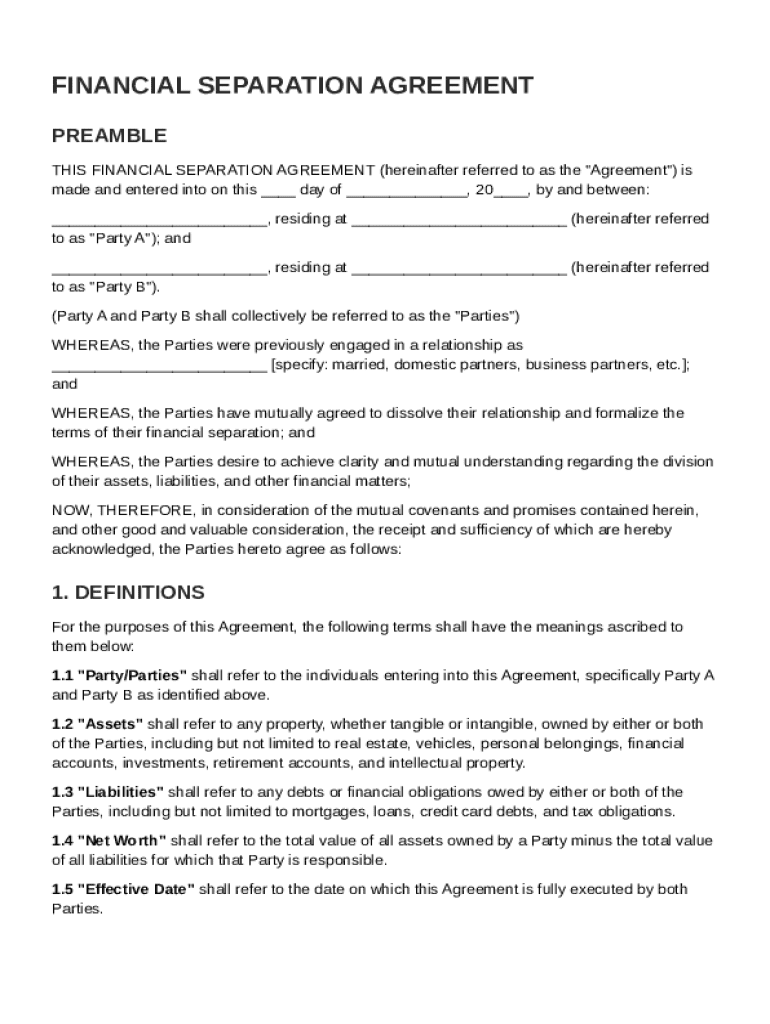
Financial Separation Agreement Form
Use a Financial Separation Agreement Template template to make your document workflow more streamlined.
What the Financial Separation Agreement Form does
A Financial Separation Agreement Form records how parties will handle financial responsibilities after separating their financial interests. It can identify the parties, describe allocated assets or obligations, state payment or transfer terms, and capture acknowledgments and signatures. With signNow, upload the document, let the platform detect fillable fields, assign fields to each signer, send the agreement for review, and preserve the completed PDF with an audit trail. Legal effect still depends on consent, authority, accurate terms, applicable state law, and any required notarization or filing.
Who benefits from this agreement workflow
Financial Separation Agreement Form is most useful when multiple parties must review, approve, and preserve documented financial terms.
Solo family-law practitioners can prepare financial separation terms, route the agreement to both parties, and preserve the signed document with its audit trail for the client file. Regional accounting firms can document financial allocation instructions and approvals, using reusable templates to reduce re-entry while maintaining separate signer records for each client matter. Enterprise legal departments can standardize separation agreements across business units, delegate sending through controlled roles, and connect executed records with existing contract-management or finance processes.
These tasks are executed by both individual contributors and centralized administrators depending on organizational policy and required controls.
How the financial agreement workflow works
signNow turns the Financial Separation Agreement Form into a routed, signed, and auditable electronic record.
Upload: Upload the agreement Prepare: Detect and place fields Send: Route to all parties Archive: Store the executed record
Complete the agreement in signNow
Prepare this financial agreement in four controlled stages before preserving the executed record.
Upload document:
Upload the Financial Separation Agreement Form Check fields:
Review detected fields and add missing ones Assign signers:
Assign signature fields to each party Complete signing:
Send, monitor, and download the executed agreement
 Best ROI. Our customers achieve an average 7x ROI within the first six months.
 Scales with your use cases. From SMBs to mid-market, airSlate SignNow delivers results for businesses of all sizes.
 Intuitive UI and API. Sign and send documents from your apps in minutes.
Features that support this agreement
signNow provides document preparation, signer routing, and evidence-preservation tools that fit the Financial Separation Agreement Form workflow.
Field detection
Upload the Financial Separation Agreement Form and use detected fields as a starting point, then review every amount, date, initials field, and signature assignment before sending it to the parties.
Signer routing
Assign separate signature, initial, and date fields to each party so every financial term is acknowledged by the person responsible for that provision, rather than relying on a single undifferentiated signature.
Signing order
Send the agreement through a defined signing order when one party must review financial terms before another signs. The routing record helps show how the completed agreement moved between identified participants.
Reusable template
Use templates when the same Financial Separation Agreement Form structure recurs. A controlled template reduces repeated field placement while allowing each matter’s parties, amounts, dates, and obligations to remain specific.
Audit trail
Retain the completed agreement with its signNow audit trail, including signing events and timestamps. Keeping the evidence package together makes later review easier when the parties’ financial obligations are questioned.
Mobile signing
Use signNow on desktop or mobile to collect signatures without requiring every participant to attend the same meeting. The final agreement can then be downloaded and stored under the applicable records policy.
Set up the financial agreement workflow
Configure authentication, signatures, evidence, retention, encryption, and access before sending the agreement for execution.
| Setting | Recommendation |
|---|---|
| Authentication method | Email link with SMS verification |
| Signature type | Electronic signature with signer intent |
| Audit trail | Export with the completed agreement |
| Document retention | Three years under IRC §6501(a) |
| Encryption | TLS 1.2/1.3 and AES-256 |
Preserve the completed agreement and evidence
Accurate retention and a complete audit package help preserve the financial separation agreement’s evidentiary value.
Apply the correct retention period
Export the audit trail
Archive records securely
Separate drafts from executed records
Choose retention rules by record type
A Financial Separation Agreement Form does not create one universal retention period; apply the rule governing the related record.
Three years after filing
Six years after filing
Six years from creation
Three years for payroll
Seven years for audit records
Check state rules and exclusions
State notary rules
Wills and codicils
Family law decrees
Real-estate deeds
Understand the agreement’s legal standing
A Financial Separation Agreement Form may provide evidence of the parties’ documented intent when consent, attribution, signature intent, and accurate record reproduction are established. ESIGN and applicable UETA rules generally recognize qualifying electronic records, but wills, codicils, family-law decrees, and court orders remain excluded from federal electronic-signature coverage.

Protect the signed financial record
Transport encryption:
Storage encryption:
Independent assurance:
Security management:
Electronic signatures:
Health information:
Review the agreement audit trail
The audit trail connects signer identity, document activity, and completion evidence for the Financial Separation Agreement Form.
Authenticate signer:
Capture timestamp:
Link document:
Record actions:
Export evidence:
Preserve record:
Resolve Financial Separation Agreement Form issues
Use the specific document, signer, plan, and legal requirement to diagnose a Financial Separation Agreement Form workflow problem.
On the Business plan, upload the Financial Separation Agreement Form, place signature and date fields, then send it to each party. If the agreement requires repeated routing or bulk delivery, Business Premium adds bulk send; verify that the selected plan matches the workflow rather than assuming every plan includes it.
Business includes audit trails, templates, and legally binding eSignatures at $8 per user per month with annual billing. Business Premium is $15 and Enterprise is $30. All paid plans include 100 signature invites per user annually, with overage fees applying after the included allowance.
For a consumer-facing agreement, provide the ESIGN disclosure explaining the right to paper records, electronic access, and withdrawal procedures under 15 U.S.C. §7001(c). Confirm the signer can access the completed agreement before requesting an electronic signature through signNow.
signNow supports SMS-based authentication and other signer-authentication options depending on plan configuration. Enterprise adds advanced signer authentication. Use the stronger method when the parties’ identity or the agreement’s financial sensitivity requires more than an email link.
HIPAA compliance is relevant only when the workflow includes protected health information, and a BAA is required. For a financial separation agreement without PHI, apply the legal and organizational controls relevant to the agreement instead of treating HIPAA as automatically applicable.
If a completed agreement is missing, check the document’s signNow status, signer routing, and audit trail before resending. Preserve the original document version and record the resend so the file shows which invitation produced the executed Financial Separation Agreement Form.
Key performance indicators that demonstrate SignNow's proven track record.
BE READY TO GET MORE
Get this form now!

If you believe that this page should be taken down, please follow our DMCA take-down process.