Retail Sale Agreement Form
Use a Retail Sale Agreement Template template to make your document workflow more streamlined.
What a retail sale agreement form does
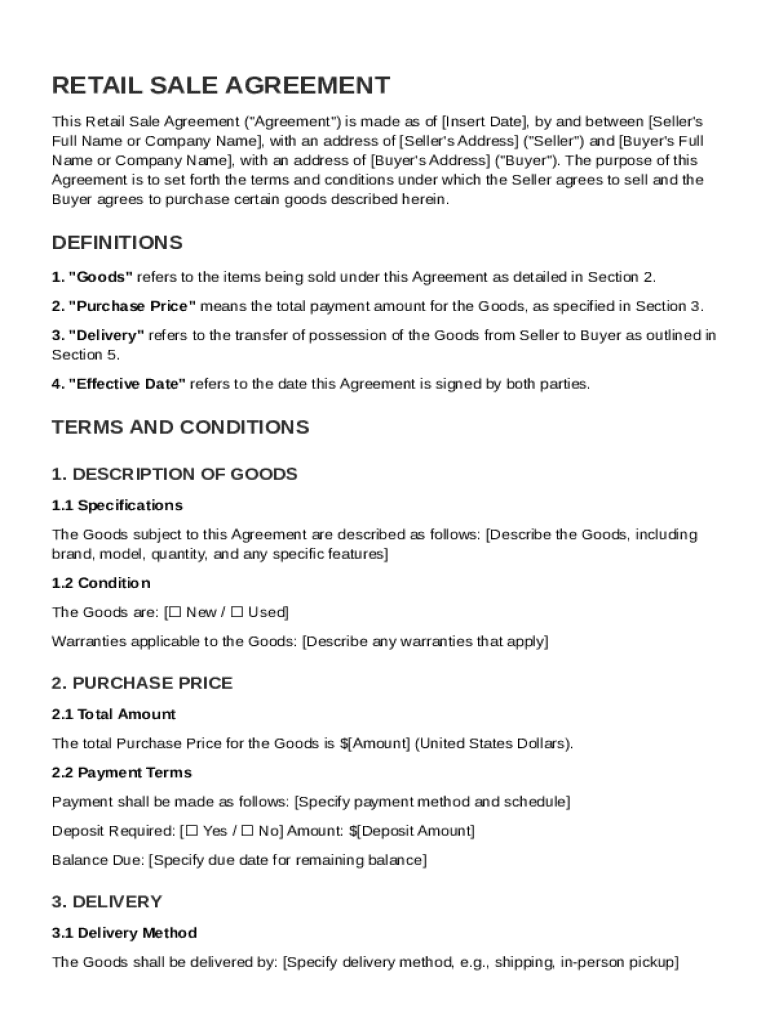
A Retail Sale Agreement Form records the terms under which a seller transfers goods or merchandise to a buyer. It can identify the parties, describe the items, state quantities and prices, document delivery or pickup terms, and capture signatures acknowledging the transaction. In signNow, upload the agreement, let the platform detect fillable fields, review or add fields for the seller and buyer, send it for signature, and retain the completed document with its audit trail. The form is a private transaction record, not a government filing or universal statutory form.
Business types using retail agreements
Retail sellers, distributors, and larger commercial teams use this form to document goods, pricing, acceptance, and fulfillment responsibilities.
Independent retailers use reusable templates to document merchandise details, customer acceptance, payment terms, and pickup or delivery obligations without preparing each agreement from scratch. Distributors and wholesale sellers send recurring purchase agreements to business buyers, assigning roles and preserving signed records for sales operations, accounting, and dispute review. Enterprise retail teams use shared templates, delegated sending, audit trails, and integrations to coordinate agreements across stores, sales representatives, procurement teams, and centralized administrators.
These tasks are executed by both individual contributors and centralized administrators depending on organizational policy and required controls.
How to complete this retail agreement
Follow this signNow workflow to turn the Retail Sale Agreement Form into a signed transaction record.
Upload agreement:
Upload the retail agreement file. Check fields:
Review detected fields and add missing seller, buyer, item, and price fields. Send for signing:
Assign signing roles and send the agreement. Complete signing:
Review, sign, and complete the agreement. Store evidence:
Download the signed file and audit trail.
Features that support retail sale agreements
signNow helps turn a Retail Sale Agreement Form into a structured, signed record while keeping the seller’s commercial terms and buyer acceptance together.
Field detection
Auto-detect fillable areas, then add fields for merchandise, quantity, price, delivery, payment, and signatures without rebuilding the retail agreement.
Role assignment
Assign seller and buyer roles so each party receives only the fields and signing actions needed to complete the sale.
Remote signing
Send the agreement by email or signing link when buyers and sellers cannot meet at the point of sale.
Mobile signing
Use mobile apps to complete merchandise agreements from a store, delivery location, or sales visit when a desktop is unavailable.
Audit trail
Capture timestamps, signer activity, authentication events, and completion evidence alongside the signed retail agreement.
Record management
Store the completed agreement with its audit trail and connect records to systems such as Salesforce, NetSuite, Google Drive, or Box.
 Best ROI. Our customers achieve an average 7x ROI within the first six months.
 Scales with your use cases. From SMBs to mid-market, airSlate SignNow delivers results for businesses of all sizes.
 Intuitive UI and API. Sign and send documents from your apps in minutes.
Recommended agreement workflow setup
Use a controlled template that assigns seller and buyer fields, records consent, and preserves the completed agreement with its signing evidence.
| Setting | Recommendation |
|---|---|
| Authentication method | Email verification with SMS OTP |
| Signature type | Typed or drawn electronic signature |
| Audit and retention | Export signed file and audit trail |
| Encryption | TLS 1.2/1.3 with AES-256 |
| User provisioning | Shared template with delegated sending |
How the audit trail records signing
The audit trail separates the signed Retail Sale Agreement Form from the evidence showing who acted, when they acted, and whether the record remained intact.
Authenticate signers:
Capture timestamps:
Hash document:
Seal record:
Track actions:
Export audit trail:
When this agreement becomes evidence
A signed Retail Sale Agreement Form can support a U.S. business transaction when the parties show intent, consent to electronic records, signer attribution, and reliable retention and reproduction. ESIGN and applicable UETA rules generally recognize qualifying electronic signatures. Wills, testamentary trusts, court orders, official court filings, and family law decrees remain excluded under 15 U.S.C. §7003.

Security controls for agreement records
Encryption controls:
Security certification:
ISO certification:
Privacy compliance:
Healthcare safeguards:
Regulated records:



Best practices for retail sale agreements
Accurate item terms, clear signer roles, and preserved completion evidence make a Retail Sale Agreement Form easier to administer and defend.
Record every material sale term
Assign seller and buyer fields
Preserve the signed record
Apply the correct retention rule
Challenges when completing this agreement
Leaving item descriptions, quantities, prices, or delivery terms in separate messages creates ambiguity about what the buyer actually accepted. Sending the agreement to an unverified email address can weaken attribution and expose transaction details to the wrong recipient. Failing to capture electronic-record consent may create problems when a consumer later disputes the use of electronic documents under ESIGN. Saving the signed agreement without its audit trail makes it harder to demonstrate signing time, signer activity, and record integrity.
Retail sale agreement troubleshooting
Resolve field, signer, plan, compliance, and retention questions before releasing merchandise or closing the transaction.
Upload the agreement to signNow, allow auto-detection to identify fillable areas, and inspect every detected field. Add missing seller, buyer, item, price, delivery, and signature fields manually before sending. A reusable template can reduce repeated field placement for recurring retail transactions.
Open the recipient settings and confirm that the seller and buyer have separate roles and valid email addresses. If a signer cannot access the message, resend the invitation or provide a controlled signing link rather than forwarding a completed signature request.
Business includes templates, audit trails, mobile apps, and legally binding eSignatures at $8/user/month with annual billing. Business Premium is $15/user/month annually and adds bulk send, kiosk mode, payments, and quick invite links for higher-volume agreement workflows.
Use signNow’s audit trail to preserve invitation, viewing, authentication, signing, and completion events with the Retail Sale Agreement Form. ESIGN and UETA focus on intent, consent, attribution, and record retention; the audit trail helps document those elements but does not replace accurate agreement terms.
A retail agreement may be signed electronically when the transaction satisfies ESIGN and applicable state electronic-transactions law. Consumer-facing records require the ESIGN disclosure, access demonstration, and withdrawal procedures under 15 U.S.C. §7001(c). Obtain legal review when state contract or consumer law adds requirements.
Export the completed Retail Sale Agreement Form together with its audit trail and store both in a controlled repository. For tax-related records, IRS retention generally begins with filing and follows IRC §6501(a): three years, with longer periods in specified circumstances.
Key performance indicators that demonstrate SignNow's proven track record.
BE READY TO GET MORE
Get this form now!

If you believe that this page should be taken down, please follow our DMCA take-down process.