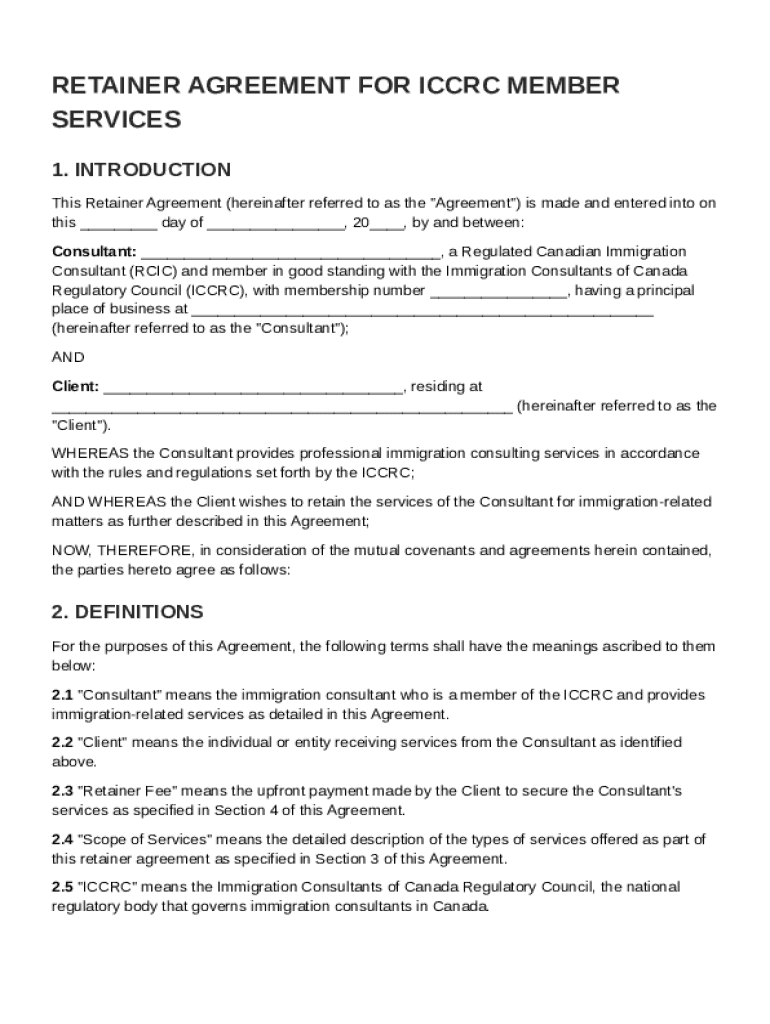
Retainer Iccrc Agreement Form
Use a Retainer ICCrc Agreement Template template to make your document workflow more streamlined.
What this retainer agreement form does
Retainer Iccrc Agreement Form records the agreement between an immigration consultant and client before defined services begin. It normally identifies the parties, describes the engagement, states fees and payment expectations, and sets responsibilities or communication terms. The completed document becomes a reference for the relationship rather than a government filing form. With signNow, a sender uploads the agreement, reviews detected fillable fields, assigns signing roles, sends it to the client, and retains the signed copy with its Audit Trail. Exact clauses should be reviewed against the applicable engagement and state-law requirements.
Who uses this retainer agreement form
Immigration consultants
Immigration consultants can send retainer agreements, collect client signatures, and preserve the agreed scope and fee terms in one controlled record.
Prospective clients
Clients review the defined services, payment terms, and responsibilities before signing, creating a clearer record for both parties.
Who benefits from this retainer agreement
Retainer Iccrc Agreement Form helps service providers document client engagements before work begins, from an individual practice to a multi-office legal organization.
Solo immigration consultants use the retainer agreement to document client scope, fees, communication expectations, and authorization before beginning case-related services. Small immigration practices use reusable retainer templates to collect consistent client details, obtain signatures, and preserve executed agreements with each matter’s audit record. Enterprise legal-service organizations use role-based workflows, shared templates, and centralized records to coordinate retainer agreements across offices while maintaining controlled access.
These tasks are executed by both individual contributors and centralized administrators depending on organizational policy and required controls.
How this retainer agreement works
The signNow workflow converts the retainer agreement into a controlled signing process while preserving the document and its signing history.
Upload form: Upload the completed retainer agreement template Detect fields: Auto-detect fillable fields and review placement Assign signers: Assign client and provider signing roles Complete record: Collect signatures and store the completed record
Features that support retainer agreements
Retainer Iccrc Agreement Form works best when its service terms, signing roles, and completed evidence remain connected throughout the engagement lifecycle.
Reusable template
Reusable fields capture client names, contact details, service scope, fees, and signature information consistently across retainer agreements.
Field detection
Auto-detected fields reduce manual preparation when an existing Retainer Iccrc Agreement Form is uploaded for completion.
Signer roles
Assigned roles clarify whether the client, consultant, witness, or authorized representative must complete each signing field.
Audit Trail
Audit Trails preserve timestamps, signer actions, and document history for later review of the executed retainer agreement.
Mobile signing
Mobile applications let clients review and sign the retainer agreement from supported iOS or Android devices.
Access control
Templates and controlled access help practices maintain consistent agreement language while limiting editing and sending permissions.
 Best ROI. Our customers achieve an average 7x ROI within the first six months.
 Scales with your use cases. From SMBs to mid-market, airSlate SignNow delivers results for businesses of all sizes.
 Intuitive UI and API. Sign and send documents from your apps in minutes.
What the retainer agreement Audit Trail records
The signNow Audit Trail records technical events surrounding Retainer Iccrc Agreement Form signing, separate from preparing the document itself.
Authenticate signer:
Capture timestamps:
Hash document:
Seal record:
Log actions:
Export evidence:
Recommended retainer agreement setup
A controlled configuration keeps Retainer Iccrc Agreement Form signing attributable, reviewable, and aligned with the practice’s records policy.
| Setting | Recommendation |
|---|---|
| Authentication method | Email link with SMS OTP for client signing |
| Signature type | Electronic signature with recorded signing intent |
| Audit trail | Enabled for every retainer agreement |
| Document retention | Retain under the practice record policy |
| Encryption | TLS 1.2 or TLS 1.3 in transit; AES-256 at rest |
Platform requirements for this retainer form
Retainer Iccrc Agreement Form can be prepared and signed through supported desktop browsers or signNow mobile applications.
Browser support Chrome, Firefox, Safari, and Edge on Windows and macOS Mobile devices iOS and Android devices support mobile signing Connection security TLS 1.2 or TLS 1.3 secures browser connections
Organizations using managed devices should confirm browser updates, mobile application permissions, and identity controls before distributing this retainer agreement. Enterprise deployments may also configure API access, SSO provisioning, certificate settings, and long-term validation according to internal retention and security policies.



Legal standing of this retainer agreement
A signed Retainer Iccrc Agreement Form can provide evidence of the parties’ intent, agreed services, and acceptance when the signing process establishes consent, attribution, integrity, and retained access. ESIGN and applicable state law such as UETA generally recognize qualifying electronic records, but wills, court orders, family-law decrees, and other statutory exclusions require separate treatment.

Privacy and disclosure pitfalls
Client personal information can appear in the signed agreement and become accessible to recipients who were not assigned a signing role. Missing electronic-consent language can weaken evidence that a client agreed to receive and sign the retainer agreement electronically. Overbroad workspace permissions can let staff edit, send, or download client retainer records without a documented business need. Unclear service descriptions or fee terms can create disputes about what the consultant agreed to provide.
Best practices for this retainer form
Accurate terms, controlled signing roles, and preserved evidence make the completed retainer agreement easier to review and administer.
Define the engagement before sending
Assign every signing role precisely
Keep evidence with the signed agreement
Review state and service requirements
Signer authentication for this agreement
PKI:
X.509 certificates:
Two-factor authentication:
SMS OTP:
ID verification:
Signing evidence:
Retainer agreement troubleshooting questions
These answers address field detection, signing access, plan selection, and legal evidence for Retainer Iccrc Agreement Form workflows.
Upload the agreement as a PDF or supported document, then review signNow’s auto-detected fields. Add or correct fields for the client’s identity, service terms, fees, dates, initials, and signatures before sending.
The Business plan costs $8 per user per month with annual billing and includes templates, mobile apps, and Audit Trails. It includes 100 signature invites per user annually; overage fees may apply.
Business Premium costs $15 per user per month with annual billing and adds bulk send, kiosk mode, request payments, and quick invite links. Choose it when the practice sends this agreement repeatedly to many clients.
Electronic signing can be recognized under ESIGN and applicable state law when intent, consent, attribution, integrity, and record retention are established. Consumer-facing transactions may require the ESIGN disclosure and paper-record access described in 15 U.S.C. §7001(c).
If the agreement includes protected health information for a healthcare-related engagement, signNow identifies HIPAA compliance as requiring a BAA. Confirm that the actual workflow, account configuration, and records policy satisfy the applicable HIPAA obligations.
If a client cannot access the signing link, verify the recipient address, resend the invitation, and check whether security controls or session timeouts interrupted access. The sender can review the Audit Trail without changing the agreement’s substantive terms.
Key performance indicators that demonstrate SignNow's proven track record.
BE READY TO GET MORE
Get this form now!

If you believe that this page should be taken down, please follow our DMCA take-down process.