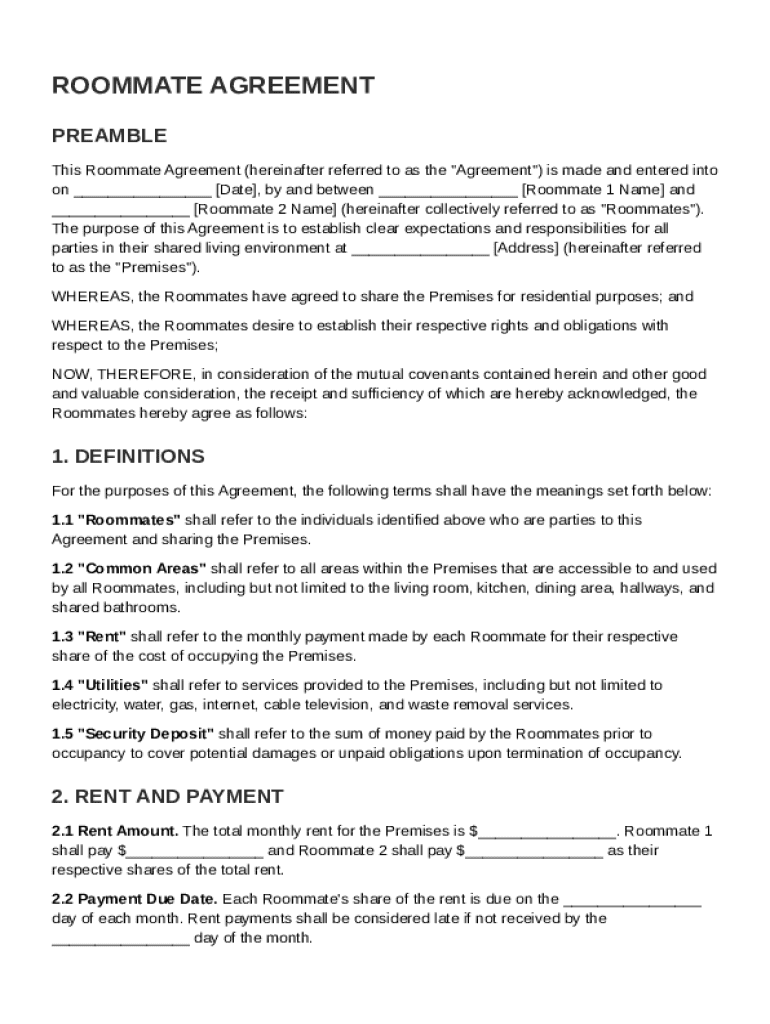
Roomate Agreement Form
Use a Roomate Agreement Template template to make your document workflow more streamlined.
What the Roomate Agreement Form does
A Roomate Agreement Form records how people sharing a home will divide rent, utilities, deposits, chores, guests, quiet hours, shared spaces, and move-out responsibilities. It is a private agreement between roommates, not a government filing or substitute for a landlord’s lease. Each person should review the same completed document, confirm consent to electronic records, and sign using an identifiable method. State contract law controls enforceability, while ESIGN, UETA, or New York ESRA may support electronic execution when their requirements are met.
Who uses the Roomate Agreement Form
Roommates
Roommates use the form to record shared occupancy terms, rent contributions, utility responsibilities, deposits, guests, quiet hours, cleaning, and notice expectations before signing one shared agreement.
Primary tenants
A primary tenant or property manager may circulate the agreement, but the landlord’s lease and state law remain separate sources of rights and obligations.
How the Roomate Agreement Form works
The process turns agreed household terms into one reviewable document that every named roommate can sign and retain.
Upload form: Upload the Roomate Agreement Form and inspect every roommate, address, rent, and house-rule field. Assign signers: Add each roommate as a signer and place signature, date, and initials fields. Send agreement: Send the agreement through signNow for each roommate’s review and electronic signature. Store records: Save the signed PDF and completion record for future household reference.
What the audit trail records
The signNow audit trail connects each Roomate Agreement Form signature event with identity, timing, document activity, and the final record.
Authenticate signer:
Capture timestamp:
Hash document:
Seal record:
Build history:
Export evidence:
 Best ROI. Our customers achieve an average 7x ROI within the first six months.
 Scales with your use cases. From SMBs to mid-market, airSlate SignNow delivers results for businesses of all sizes.
 Intuitive UI and API. Sign and send documents from your apps in minutes.
Platform requirements for signing
To complete the Roomate Agreement Form, use Chrome, Firefox, Safari, or Edge on Windows or macOS, or access signNow through Safari on iOS or Chrome on Android. signNow protects data in transit with TLS 1.2 or TLS 1.3.
Browsers Chrome, Firefox, Safari, and Edge on Windows or macOS. Mobile access Safari on iOS and Chrome on Android support signing. Connection security TLS 1.2 or TLS 1.3 protects transmitted signNow data.
For shared household records, use a current browser, a stable internet connection, and a device that allows each roommate to review the full document. Administrators can also connect signNow to supported storage or workflow services when the agreement needs controlled record access.
Recommended agreement workflow setup
Use one controlled Roomate Agreement Form, named signers, visible consent, and a retained completion record for each household.
| Setting | Recommendation |
|---|---|
| Authentication method | Email verification with SMS OTP |
| Signature type | Electronic signature with signer intent |
| Audit trail | Enabled for every completed agreement |
| Document retention | Keep signed PDF and audit trail together |
| User provisioning | Assign each roommate as a named signer |
Privacy pitfalls in roommate agreements
Including full addresses, phone numbers, or payment details without limiting access increases exposure if the signed agreement is shared improperly. Roommates may sign without reviewing house rules, utilities, deposits, or move-out terms, creating consent and interpretation disputes later. Sending separate edits to different roommates can produce inconsistent terms and weaken confidence that everyone signed the same agreement. Leaving completed PDFs and audit trails in personal inboxes makes retrieval difficult and increases the risk of unauthorized disclosure.
State rules and document limits
State notarization
Notary defect
Wills excluded
Court documents
Deed requirements
Legal standing of the agreement
A Roomate Agreement Form can document mutual intent when each roommate reviews the terms, consents to electronic records, and signs in a way that identifies the signer and preserves the record. ESIGN and applicable state law, including UETA or New York ESRA, may support electronic contracting; wills, certain court orders, and family-law decrees remain excluded.

Complete and archive the roommate agreement
The agreement moves from shared-term review to signer delivery, electronic completion, and organized record storage.
Prepare the agreement
Deliver to signers
Complete signer review
Archive signed records
Roomate Agreement Form troubleshooting
Resolve signing, field, plan, and record questions before roommates execute the agreement or rely on its terms.
On the Business plan, upload the Roomate Agreement Form, inspect detected fields, and add signature, date, and initials fields manually where needed. Auto-detection does not replace a visual review of rent amounts, addresses, roommate names, or house rules before sending.
signNow’s Business plan includes templates and audit trails, while Business Premium adds bulk send. For one household agreement, assign each roommate as a signer and verify routing order before delivery rather than using bulk send unnecessarily.
If a roommate cannot open the signing request, confirm the email address, resend the invitation, and verify browser access. signNow supports mobile apps, but the signer should review the entire Roomate Agreement Form before applying a signature.
Electronic signing can support a roommate agreement when intent, consent, signer attribution, and record reproduction are demonstrated. ESIGN and applicable state law govern the transaction; obtain separate legal advice if a state rule requires notarization or another formality.
Use signNow’s audit trail to review signer actions, timestamps, and completion history. Export the signed Roomate Agreement Form and its completion record together, then restrict access because the document may contain addresses, payment terms, and personal contact details.
Business Premium costs $15 per user per month with annual billing and includes bulk send; Business costs $8 per user per month annually. Subscription plans include 100 signature invites per user per year, with overage fees, so review usage before sending many agreements.
Key performance indicators that demonstrate SignNow's proven track record.
BE READY TO GET MORE
Get this form now!

If you believe that this page should be taken down, please follow our DMCA take-down process.