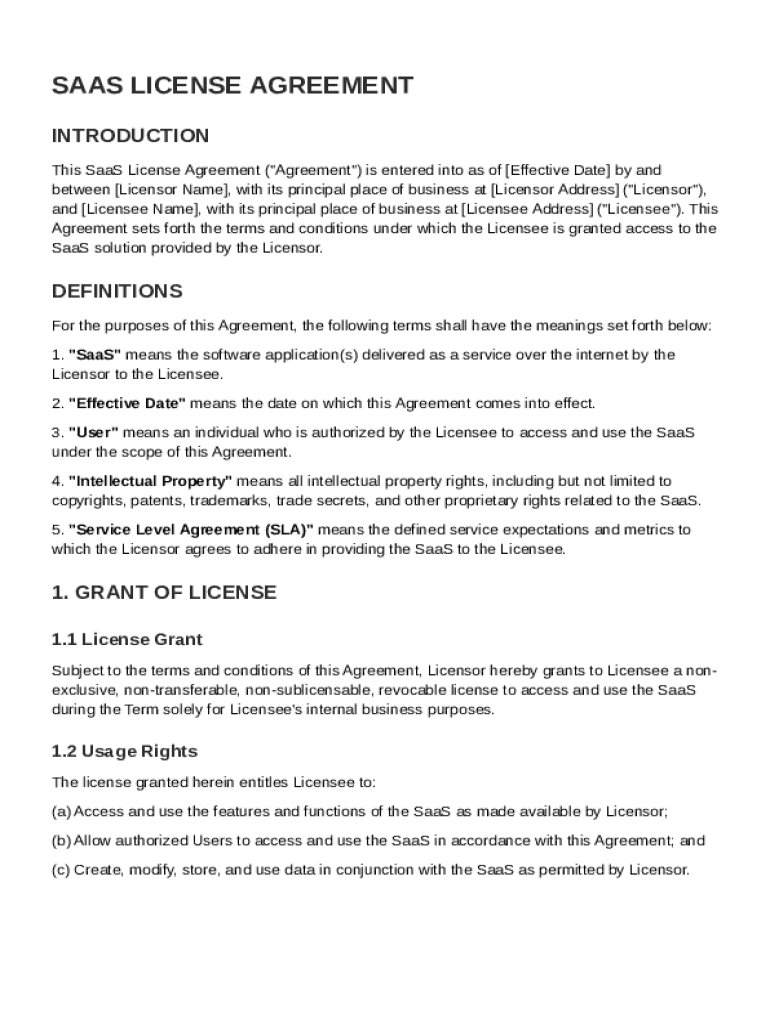
Saas License Agreement Form
Use a SaaS License Agreement Template template to make your document workflow more streamlined.
What a SaaS license agreement does
A Saas License Agreement Form records the terms under which a customer may use a provider’s software service. It usually identifies the parties, subscribed services, fees, access limits, support duties, data responsibilities, renewal or termination rules, and authorized signatures. With signNow, upload the agreement, auto-detect or place fillable fields, send it to the designated representatives, and collect signatures online. The completed document and audit trail preserve the executed version. U.S. electronic agreements generally rely on the ESIGN Act and applicable state law, including UETA or New York ESRA.
Businesses that use SaaS agreements
SaaS license agreements organize software access, payment, support, and renewal terms for providers, customers, and procurement teams.
Independent software consultants use the form to define implementation scope, subscription fees, support duties, and renewal terms for each customer without printing contract packages. Growing SaaS providers use reusable agreements to route customer contracts to authorized signers, preserve audit trails, and connect executed terms with CRM or ERP records. Enterprise procurement teams use the form to coordinate provider terms, security commitments, pricing schedules, and internal approvals across departments and distributed business units.
These tasks are executed by both individual contributors and centralized administrators depending on organizational policy and required controls.
Who uses this SaaS agreement
SaaS contracting
Software providers and customer procurement teams use the form for subscription agreements covering access rights, pricing, renewals, support, data handling, and termination.
Internal approval
Legal, finance, sales operations, and IT stakeholders review or approve the agreement before authorized representatives sign and retain the executed record.
Features for SaaS license agreements
signNow provides document preparation, signer routing, audit evidence, templates, mobile access, and integrations for completing SaaS license agreements.
Guided fields
Upload a SaaS agreement and place signatures, initials, dates, and other fields without recreating the document. The completed file retains the agreed subscription terms for review and recordkeeping.
Signer routing
Send the agreement to provider and customer representatives in a defined signing order. Each signer receives the same document version and completes only assigned fields.
Audit trail
Capture signer actions, timestamps, and document history in an audit trail. The record helps connect the executed SaaS agreement with the signing event and stored document.
Reusable templates
Save approved SaaS agreement layouts as templates. Reusable fields reduce omissions when the provider uses consistent pricing, service, renewal, and signature sections.
Mobile signing
Use signNow on desktop or mobile devices to review and sign subscription agreements. Mobile access helps authorized representatives complete the document without arranging an in-person meeting.
Business integrations
Connect executed agreements with Salesforce, NetSuite, Google Drive, Box, or other signNow integrations. Connected systems reduce duplicate entry and keep contract records available to the teams managing them.
 Best ROI. Our customers achieve an average 7x ROI within the first six months.
 Scales with your use cases. From SMBs to mid-market, airSlate SignNow delivers results for businesses of all sizes.
 Intuitive UI and API. Sign and send documents from your apps in minutes.
How to complete the SaaS agreement
Prepare the agreement’s commercial terms first, then use signNow to route the exact document version for signature and storage.
Upload agreement:
Upload the completed SaaS agreement to signNow. Place fields:
Review detected fields and add missing signatures. Add signers:
Enter authorized provider and customer signers. Complete record:
Send, sign, and save the audit trail.



Retention periods for signed agreements
A SaaS agreement has no single federal retention period; apply the record’s business purpose and any industry-specific rule governing its contents.
Business policy period
Three years for tax records
Six years for HIPAA
Six years for broker records
Seven years for SOX
Best practices for SaaS agreements
Accurate fields, authorized signers, complete audit evidence, and a documented retention policy make SaaS license agreements easier to administer.
Define every subscription obligation
Verify authorized signers
Preserve the signed record
Apply the correct retention rule
Security for signed SaaS agreements
Encryption:
Security reporting:
Information security:
Health data:
Electronic signatures:
Privacy controls:
What the SaaS audit trail records
The audit trail links the SaaS agreement to signer activity, timing, document history, and the completed record without replacing the agreement’s substantive terms.
Authenticate signer:
Timestamp event:
Track document:
Log actions:
Seal record:
Export evidence:
Challenges when completing SaaS agreements
Unclear subscription scope can leave product access, usage limits, renewal terms, and service responsibilities open to interpretation. Missing signer identity evidence can make it harder to connect the executed agreement to the authorized customer or provider representative. Manual copying between sales records and agreements increases pricing, billing, and effective-date errors before signature. Untracked amendments can separate revised SaaS terms from the original agreement and complicate contract administration.
Troubleshooting SaaS agreement workflows
Resolve field, consent, plan, and compliance questions before sending a SaaS license agreement for signature.
Upload the agreement as a PDF or supported document, then use signNow’s field detection and editor to place signature, date, and initials fields before sending it to the authorized parties.
The Business plan includes templates, audit trails, and legally binding eSignatures at $8 per user per month when billed annually. It does not include Business Premium bulk send features.
For consumer-facing electronic records, provide the ESIGN Act disclosure, explain paper-record rights, confirm electronic access, and describe consent withdrawal procedures under 15 U.S.C. §7001(c).
Use signNow’s audit trail to preserve signer actions, timestamps, and document history. ESIGN and UETA focus on intent, consent, attribution, and record retention rather than a particular signature image.
Business Premium includes bulk send at $15 per user per month billed annually. Business supports individual sending, while Enterprise adds advanced signer authentication and conditional fields.
If the agreement contains protected health information, signNow identifies HIPAA compliance as requiring a business associate agreement. Confirm the BAA and your safeguards before processing PHI.
SaaS agreement signing plan comparison
signNow pricing and plan capabilities are shown from the supplied product data; competitor values are marked when no verified comparison detail is available.
| Features | signNow | DocuSign | Adobe Sign | PandaDoc | Dropbox Sign |
|---|---|---|---|---|---|
| Starting price | $8/user/mo annually | Not verified | Not verified | Not verified | Not verified |
| Free trial | 7 days | Not verified | Not verified | Not verified | Not verified |
| Bulk send | Business Premium | Not verified | Not verified | Not verified | Not verified |
| Audit trail | Business included | Not verified | Not verified | Not verified | Not verified |
| HIPAA compliance | BAA required | Not verified | Not verified | Not verified | Not verified |
Key performance indicators that demonstrate SignNow's proven track record.
BE READY TO GET MORE
Get this form now!

If you believe that this page should be taken down, please follow our DMCA take-down process.