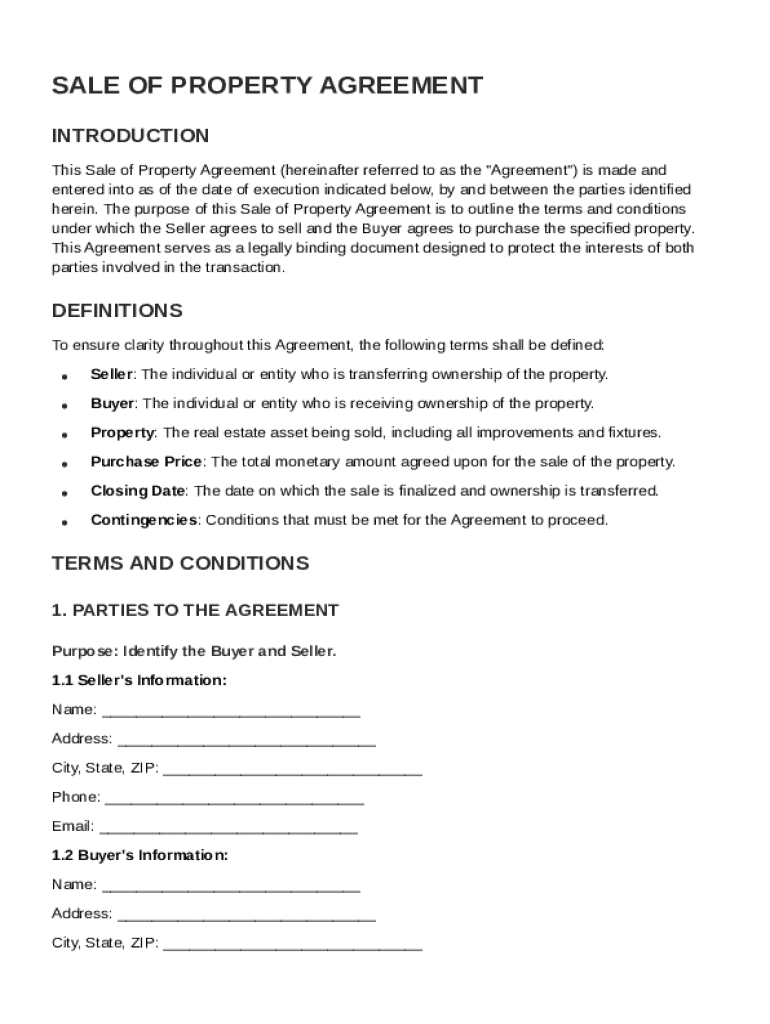
Sale For Property Agreement Form
Use a Sale For Property Agreement Template template to make your document workflow more streamlined.
What a property sale agreement does
A Sale For Property Agreement Form records the buyer’s and seller’s agreement to transfer identified real property under stated terms. It normally identifies the parties and property, purchase price, deposit, financing, inspections, contingencies, closing date, included items, default remedies, and signatures. The form is a contract, not the deed that records title. Parties should confirm state-specific requirements, disclosure duties, notarization, and recording procedures before relying on it. With signNow, a prepared agreement can be uploaded, fields assigned, sent to signers, completed electronically, and retained with an audit trail.
Businesses that use property agreements
Property brokers, management companies, and enterprise real-estate teams use structured agreements to coordinate parties, signatures, and transaction records.
Solo real-estate brokers can send a customized purchase agreement from a reusable template, collect buyer and seller signatures remotely, and retain the completed PDF with its audit trail for the transaction file. Regional property-management companies can route lease-sale documents and amendments to multiple parties, preserving signer order and access controls while reducing repeated manual handling across offices and transaction coordinators. Enterprise real-estate organizations can connect agreement workflows with CRM, ERP, and cloud storage systems, giving legal, finance, and sales teams a consistent record of executed property transactions.
These tasks are executed by both individual contributors and centralized administrators depending on organizational policy and required controls.
How to complete the property agreement
Prepare the negotiated property terms first, then use signNow to configure fields, route the document, and preserve evidence of completion.
Upload agreement:
Upload the negotiated agreement PDF to signNow. Check fields:
Review detected fields and add missing fields. Assign signers:
Assign buyer, seller, broker, and witness roles. Send for signing:
Send the agreement and monitor completion. Store records:
Download the executed agreement and audit trail.
Recommended setup for property agreements
Configure signer identity, signature evidence, access controls, and retention before sending a property agreement for execution.
| Setting | Recommendation |
|---|---|
| Authentication method | Email plus SMS OTP |
| Signature type | Electronic signature with intent |
| Audit trail | Export after completion |
| Document retention | Apply state and transaction rules |
| Encryption | AES-256 at rest, TLS 1.2/1.3 in transit |
Ways to send and sign property agreements
- Use the signNow web app when preparing a detailed property agreement on a desktop, reviewing clauses, assigning fields, and checking the final PDF before sending.
- Use the signNow mobile app when a broker, buyer, or seller needs to review and sign the property agreement from an iOS or Android device.
- Use kiosk mode for supervised, in-person signing at a brokerage or closing office when multiple parties share a managed device and staff control the signing session.
- Generate a shareable signing link when repeatedly collecting signatures for a controlled property-agreement workflow, while restricting distribution and tracking each completed transaction.
 Best ROI. Our customers achieve an average 7x ROI within the first six months.
 Scales with your use cases. From SMBs to mid-market, airSlate SignNow delivers results for businesses of all sizes.
 Intuitive UI and API. Sign and send documents from your apps in minutes.
Best practices for property sale agreements
Accurate party details, controlled versions, correct signature fields, and a documented final review reduce disputes over the property transaction.
Verify every property and party detail
Create a transaction-specific agreement version
Assign fields to the correct signers
Review completion before closing
Why teams look for DocuSign alternatives
Organizations seek alternatives when they need different pricing models, stronger native automation, simpler bulk affidavit workflows, or more flexible identity-verification options than those available in a legacy envelope-based vendor.

Security for signed property agreements
Data at rest:
Data in transit:
Independent assurance:
Security management:
Privacy controls:
Electronic signatures:
Platform requirements for property agreements
The signNow web workflow for a Sale For Property Agreement Form runs in Chrome, Firefox, Safari, or Edge on Windows or macOS. Signers can also use signNow mobile apps on iOS and Android to review and complete assigned fields.
Browsers Chrome, Firefox, Safari, Edge Operating systems Windows, macOS, iOS, Android Mobile apps signNow iOS and Android apps
Brokerages should manage devices, accounts, and access permissions according to their security policy. Teams connecting property agreements to CRM or storage systems should confirm the required signNow plan, API access, SSO provisioning, and retention controls before deployment.



Property agreement workflow examples
These examples show how property professionals can organize signatures without confusing an agreement with the deed or closing filings.
Real estate broker
A property broker prepares a purchase agreement containing the property address, price, contingencies, and closing terms, then routes it to the buyer and seller for execution.
- Reusable agreement template
- Buyer and seller routing
- Completed audit trail
The broker can preserve the executed agreement and signing history in the transaction file while keeping the negotiated terms in one controlled document. The workflow does not replace state-required deed recording, notarization, title work, or legal review.
Martin Properties
Martin Properties uses online document execution for property-related transactions and works with parties who may sign from different locations or while traveling.
- Remote document execution
- Mobile and offline work
- Secure transaction records
Founder Tim Martin describes processing and executing documents online, including mobile and offline work. For a property sale, the same workflow can help coordinate parties, but the agreement should still be checked against applicable state requirements and any separate closing documents.
Property agreement compliance risks
Missing deed formalities
Incomplete execution record
Absent notarization
Unclear property terms
Challenges when preparing property agreements
Property descriptions may omit a legal description, parcel identifier, or included fixtures, creating uncertainty about what the parties agreed to transfer. Buyer and seller names, signer roles, or signature dates may not match the identities and execution requirements used elsewhere in the closing file. A signed agreement may be mistaken for a recorded deed, even though title transfer and recording follow separate state and county procedures. Changes made after signing can create competing versions unless amendments are separately executed, dated, and linked to the original property agreement.
Key performance indicators that demonstrate SignNow's proven track record.
Troubleshooting property agreement workflows
These answers address field detection, plan capabilities, electronic-signature evidence, signer identity, record storage, and the distinction between agreements and recorded deeds.
Upload the agreement as a PDF and inspect signNow’s detected fields before sending. Add or correct fields for the buyer, seller, broker, witness, or notary rather than assuming every blank was identified automatically.
A signNow Business plan includes templates, audit trails, mobile apps, and legally binding eSignatures. Business Premium adds bulk send and kiosk mode, which may help teams handling repeated property workflows.
Electronic execution can support ESIGN and UETA requirements when intent, consent, attribution, and record retention are established. State law may impose additional rules for acknowledgments, deeds, disclosures, or closing documents.
Use signer authentication appropriate to the transaction, such as email plus SMS OTP. Enterprise adds advanced signer authentication; stronger controls may be appropriate when property value or organizational policy warrants them.
Download the completed agreement and signNow audit trail after all required fields are finished. Preserve both together, then verify whether the state and county require a separate notarized or recorded deed.
Do not use the agreement as a substitute for a deed, title filing, or required notarization. signNow can document signatures, while the applicable state Secretary of State, county recorder, or closing authority controls separate filing requirements.
BE READY TO GET MORE
Get this form now!

If you believe that this page should be taken down, please follow our DMCA take-down process.