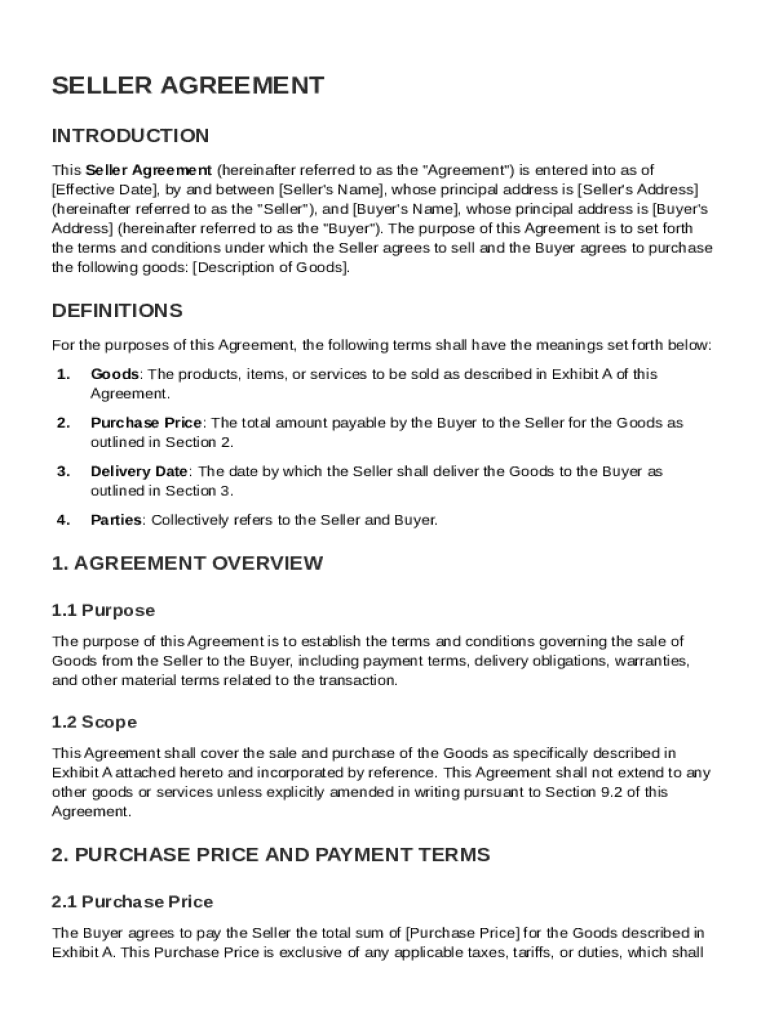
Seller Agreement Form
Use a Seller Agreement Template template to make your document workflow more streamlined.
What a Seller Agreement Form does
A Seller Agreement Form records the terms under which a seller and another party will complete a business transaction. It commonly identifies the parties, describes the goods, services, property, or transaction, states payment and delivery obligations, and captures signatures and dates. The exact legal effect depends on the agreement’s language, authority of the signers, and applicable state law. With signNow, a sender uploads the agreement, adds or confirms fields, assigns recipients, sends invitations, and retains the executed document with its audit trail. ESIGN and UETA generally recognize qualifying electronic signatures, subject to statutory exclusions and transaction-specific requirements.
Who uses Seller Agreement Form
Business transactions
Independent sellers and buyers use Seller Agreement Form to document transaction terms, responsibilities, payment conditions, delivery expectations, and acceptance before performance begins.
Industry workflows
Real estate, construction, and financial-services teams adapt seller agreements for property, project, asset, or commercial transactions while preserving signer identity and approval evidence.
Business types using seller agreements
Seller Agreement Form supports transactions where a seller and another business party must document terms, responsibilities, and consent.
Independent real estate brokers can send seller agreements for remote signature, preserving a dated record before listing or transaction work begins. Construction contractors can route seller or subcontractor agreements between field personnel and office staff, reducing paper handling while retaining the signed document. Enterprise sales teams can standardize seller agreement templates, assign signing roles, and connect completed records to controlled business systems.
These tasks are executed by both individual contributors and centralized administrators depending on organizational policy and required controls.
Complete the seller agreement online
Prepare the agreement, assign every required field, obtain signatures, and retain the completed document with its audit evidence.
Upload document:
Upload the agreement Place fields:
Add seller and buyer fields Invite signers:
Send signing invitations Store evidence:
Download the completed record
 Best ROI. Our customers achieve an average 7x ROI within the first six months.
 Scales with your use cases. From SMBs to mid-market, airSlate SignNow delivers results for businesses of all sizes.
 Intuitive UI and API. Sign and send documents from your apps in minutes.
Audit evidence for seller agreements
The audit trail documents the signing event separately from the Seller Agreement Form’s commercial terms, creating a reviewable record of execution.
Authenticate signer:
Capture timestamps:
Record document hash:
Seal completion:
Trace document history:
Export evidence:
Features for seller agreements
signNow helps teams prepare, route, sign, and retain Seller Agreement Form records while keeping signer actions connected to the executed document.
Field placement
Upload the existing Seller Agreement Form, then use signNow fields for seller names, transaction terms, dates, initials, and signatures without rebuilding the document.
Signer roles
Assign each signature, date, and acknowledgment field to the correct party so the completed seller agreement records responsibility clearly.
Remote signing
Send the agreement by email or signing link and monitor completion without requiring every signer to create an account.
Audit trail
Capture timestamps, signer actions, and document history alongside the executed agreement to support later contract administration and review.
Reusable templates
Reuse an approved seller agreement template while preserving consistent clauses, field assignments, and signing order across transactions.
System connections
Connect completed agreements with supported services such as Google Drive, Box, Salesforce, or NetSuite for controlled downstream handling.
Seller agreement preparation challenges
Leaving seller identity, payment terms, property details, or signature dates incomplete can create ambiguity during later performance or dispute review. Sending the wrong version to a signer can produce conflicting obligations and require a documented correction or replacement agreement. Failing to assign each required field to the correct signer may leave acceptance, initials, or dates missing from the executed record. Storing only the signed PDF without its audit trail weakens the evidence showing who signed, when, and through which authentication event.
Best practices for seller agreements
Use controlled templates, explicit signer assignments, proportionate authentication, and evidence-preserving storage when completing Seller Agreement Form.
Confirm the approved agreement version
Assign every required field clearly
Match authentication to transaction risk
Archive the agreement and audit trail
Platform requirements for seller agreements
Seller Agreement Form can be prepared in Chrome, Firefox, Safari, or Edge on Windows 10 or macOS, with signNow mobile apps available for iOS and Android.
Browsers Chrome, Firefox, Safari, Edge Operating systems Windows 10, macOS, iOS, Android Mobile apps iOS and Android signNow apps
Teams should keep browsers updated, use secure network connections, and manage access through organizational controls. Enterprise deployments may also require API access, SSO provisioning, managed devices, or additional authentication configuration for seller agreements containing sensitive commercial information.
Seller agreement signing plan comparison
signNow plan details are verified; competitor values are marked Not verified where the available vendor reference does not provide comparable data.
| Features | signNow | DocuSign | Adobe Sign | PandaDoc |
|---|---|---|---|---|
| Starting annual price | $8/user/month | Not verified | Not verified | Not verified |
| Free trial availability | 7 days, no card | Not verified | Not verified | Not verified |
| Bulk send availability | Business Premium | Not verified | Not verified | Not verified |
| Audit trail availability | Business plan | Not verified | Not verified | Not verified |
| HIPAA availability | Compliant, BAA required | Not verified | Not verified | Not verified |
Seller Agreement Form troubleshooting
Resolve field, signer, plan, authentication, legal-effect, and record-preservation questions before relying on a completed Seller Agreement Form.
Upload the source agreement again as a readable PDF and check that fields are assigned after signNow detects fillable areas. Add missing fields manually before sending the document.
Use signNow’s field assignment controls to give every signature, date, and acknowledgment field to the intended seller or counterparty. Review the recipient order before sending.
Business includes templates, audit trails, and mobile apps at $8/user/month when billed annually. Business Premium is $15/user/month and adds bulk send and kiosk mode.
signNow supports ESIGN and UETA compliance. Legal effect still depends on intent, consent, attribution, and retaining a reproducible record under 15 U.S.C. chapter 96 and applicable state law.
Use SMS authentication or stronger controls where the transaction requires more signer assurance. Enterprise adds advanced signer authentication, while Site License can add HIPAA and 21 CFR Part 11 controls.
Export the completed agreement together with its audit trail and store both records under the business retention policy. signNow encrypts data in transit with TLS 1.2/1.3 and at rest with AES-256.
Key performance indicators that demonstrate SignNow's proven track record.
BE READY TO GET MORE
Get this form now!

If you believe that this page should be taken down, please follow our DMCA take-down process.