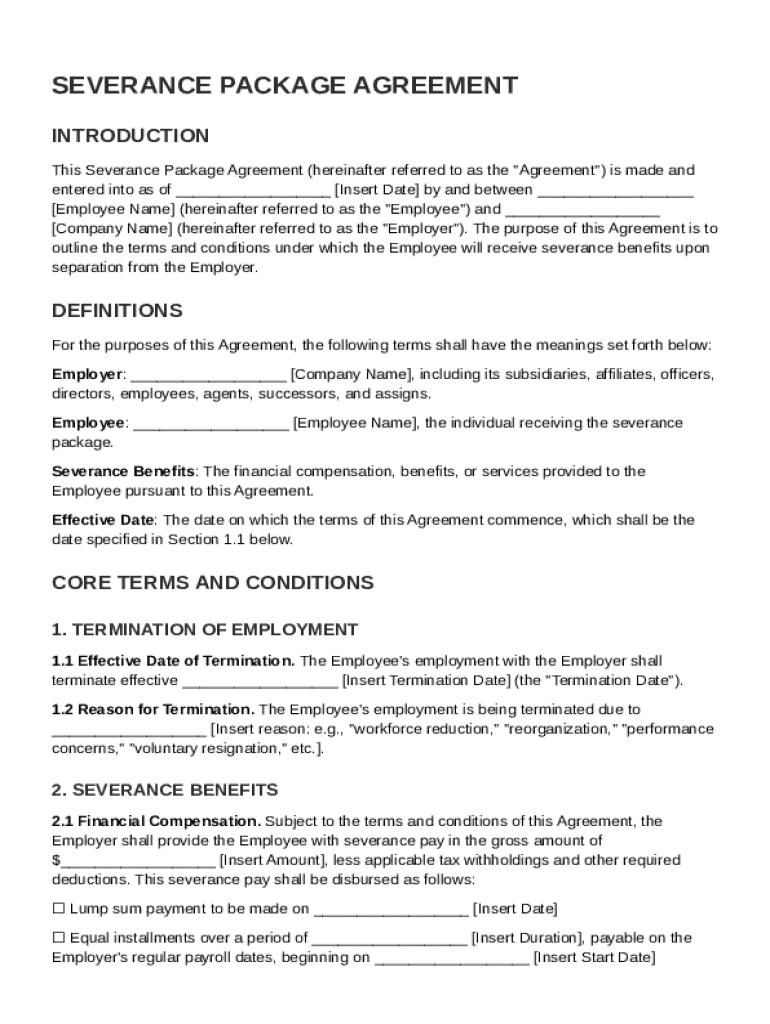
Severance Package Agreement Form
Use a Severance Package Agreement Template template to make your document workflow more streamlined.
What a severance agreement form does
A Severance Package Agreement Form records the terms an employer and departing employee accept when employment ends. It can identify the parties, state severance payments or benefits, describe releases and continuing obligations, and capture signatures. In signNow, the sender uploads the prepared agreement, places fields for each signer, sends it for review, and receives a completed PDF with an audit trail. Employment, contract, tax, and state-law requirements vary, so HR or legal counsel should approve the language before signing.
Businesses that use severance agreements
The form serves employers that need a consistent, reviewable record of separation terms and employee acceptance.
Small businesses use Severance Package Agreement Form to document employee departures, payment terms, benefits continuation, confidentiality obligations, and signed acknowledgment without coordinating paper packets. Multi-state employers use the form to standardize HR review, capture employee consent, and preserve a complete agreement record while obtaining jurisdiction-specific legal review. Enterprise HR departments use reusable templates, role-based routing, and audit trails for high-volume workforce changes, while legal teams approve language before distribution.
These tasks are executed by both individual contributors and centralized administrators depending on organizational policy and required controls.
Legal standing of severance agreements
A Severance Package Agreement Form may be admissible when the parties demonstrate intent, consent, signer attribution, and reliable record retention under ESIGN and applicable state law, including UETA or New York ESRA. These rules do not cover wills, codicils, testamentary trusts, court orders, or family-law decrees.

How the form works in signNow
Prepare the approved separation terms first, then use signNow to route signatures and preserve the completed record.
Upload agreement: Upload the approved agreement and let signNow detect fillable areas. Place fields: Add employee, employer, witness, and date fields as required. Send for signature: Send the form by email or a secure signing link. Archive records: Store the signed PDF with its audit trail.
Features for severance agreement workflows
signNow combines field placement, controlled routing, authentication, audit evidence, and storage options for the full Severance Package Agreement Form lifecycle.
Fillable fields
Place employee, employer, date, initials, and signature fields directly on the prepared agreement, reducing missed fields before routing.
Role-based routing
Send the same approved separation language to defined signers and monitor completion without exchanging paper copies.
Audit trail
Capture timestamps, actions, and signing history alongside the completed agreement for later review.
Signer verification
Use SMS OTP or advanced authentication controls when the organization requires stronger signer verification.
Mobile signing
Let authorized users review and sign from supported mobile applications when separation discussions occur away from the office.
System connections
Connect completed agreements with HR, storage, and business systems through named signNow integrations.
 Best ROI. Our customers achieve an average 7x ROI within the first six months.
 Scales with your use cases. From SMBs to mid-market, airSlate SignNow delivers results for businesses of all sizes.
 Intuitive UI and API. Sign and send documents from your apps in minutes.
Recommended setup for severance agreements
Use role-based access, documented consent, and an auditable signing process for each Severance Package Agreement Form.
| Setting | Recommendation |
|---|---|
| Authentication method | Email link with SMS OTP for sensitive agreements |
| Signature type | Typed or drawn electronic signature |
| Audit trail | Enable timestamped audit history with TLS and AES-256 |
| Document retention | Retain signed records under applicable state policy |
| User provisioning | Assign HR and legal access by role |
Ways to send and sign the agreement
- Use the web app when HR needs to upload, review, route, and monitor a Severance Package Agreement Form from a desktop workspace.
- Use the mobile app when an authorized employee or manager must review and sign the agreement away from a desk.
- Use kiosk mode for supervised, on-site signing when the organization controls the device and needs a guided signer experience.
- Use a shareable signing link when approved agreement language can be distributed through a controlled HR or legal communication.
What the audit trail records
The audit trail connects the employee’s signing event to the completed Severance Package Agreement Form and preserves evidence for later review.
Authenticate signer:
Capture timestamp:
Link document history:
Seal document:
Review events:
Export evidence:
Security for severance records
Transport encryption:
Stored data:
Security reporting:
Information security:
Electronic signatures:
Protected information:



Best practices for severance agreements
A reliable Severance Package Agreement Form process combines approved language, complete fields, controlled access, and defensible recordkeeping.
Approve terms before uploading
Configure every required field
Preserve the complete record
Control access and revisions
Challenges when preparing severance agreements
Leaving payment amounts, benefits continuation, release language, or effective dates blank can create disputes about what the parties actually accepted. Using one template across states without reviewing state-specific employment rules may omit required notices, consideration terms, or restrictions on releases. Sending the agreement before HR and legal approval can expose inconsistent severance promises or unauthorized changes to employer policy. Failing to preserve the signed PDF and audit trail can make it harder to prove consent, signer attribution, and document integrity.
Risks of incomplete severance records
Consent gap
Attribution dispute
Incomplete agreement
Evidence weakness
Processing a severance agreement
A controlled sequence helps HR teams prepare, route, complete, and archive each Severance Package Agreement Form.
Prepare the document
Deliver to signers
Signer turnaround
Complete and archive
Severance agreement troubleshooting
Resolve plan, signing, consent, authentication, and retention questions before distributing a Severance Package Agreement Form.
Business includes legally binding eSignatures, templates, audit trails, mobile apps, ISO 27001, and SOC 2. Upload the agreement, place signer fields, and send it for review. The plan’s 100 signature invites per user per year and overage terms should be assessed before high-volume use.
Business Premium adds bulk send, kiosk mode, request payments, and quick invite links. Use bulk send only when agreements share approved language and individualized fields. Review each populated document before delivery because severance terms may differ by employee, location, or separation reason.
A signed form can be supported by an audit trail showing intent, signer attribution, timestamps, and the signing history. ESIGN and UETA establish electronic-record validity, but state employment law and agreement language still determine enforceability.
For consumer-facing electronic records, ESIGN requires disclosure of the right to paper, access to the electronic format, and procedures for withdrawing consent under 15 U.S.C. §7001(c). Obtain appropriate consent before routing a covered record electronically.
Enterprise adds advanced signer authentication, including controls suited to higher-risk workflows. Configure the authentication method before sending and confirm that the employee can complete it. Do not treat authentication alone as legal advice about release enforceability.
Export the completed agreement and audit trail after signing, then preserve them together in controlled storage. Retention depends on the record’s purpose and applicable federal, state, or industry rule; no universal severance-specific period is established here.
Key performance indicators that demonstrate SignNow's proven track record.
BE READY TO GET MORE
Get this form now!

If you believe that this page should be taken down, please follow our DMCA take-down process.