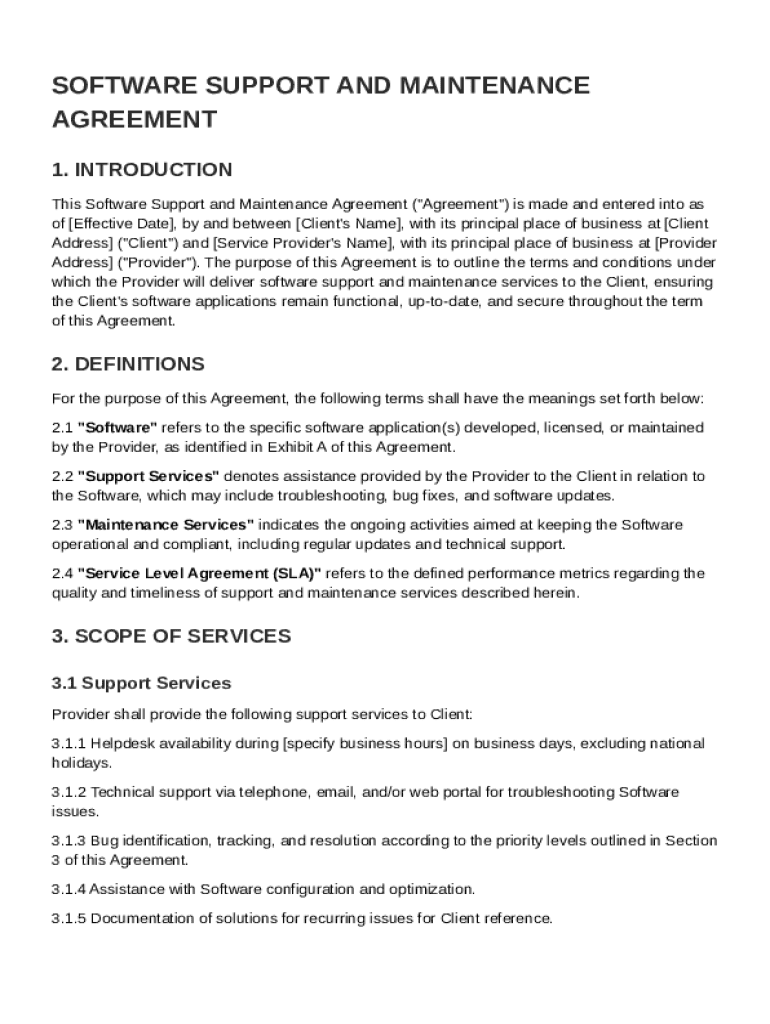
Software Support And Maintenance Agreement Form
Use a Software Support And Maintenance Agreement Template template to make your document workflow more streamlined.
What this support agreement does
A Software Support And Maintenance Agreement Form records the terms under which a software provider maintains a customer’s product and responds to service issues. It usually identifies the parties, covered software, support channels, service hours, response targets, maintenance windows, updates, fees, renewal, termination, and escalation procedures. The parties complete those provisions, review the operational commitments, and sign the agreement. With signNow, a sender uploads the form, places or confirms fillable fields, routes it to authorized representatives, and stores the completed agreement with an audit trail for later reference.
Features that clarify service commitments
A structured agreement and traceable signing workflow help software providers and customers preserve the exact support obligations they approved.
Defined scope
Capture covered products, support channels, service hours, response targets, maintenance windows, and escalation contacts in one structured agreement for both parties to review.
Signing order
Route the agreement to provider and customer representatives in the required order, reducing uncertainty about who must approve service commitments.
Reusable template
Use reusable signNow templates for recurring software renewals while updating customer-specific products, fees, contacts, and effective dates before sending.
Audit evidence
Preserve the signed agreement with timestamps, signer activity, and completion evidence so procurement and service teams can verify the executed terms.
Mobile signing
Support typed or drawn signatures from desktop and mobile devices, allowing authorized representatives to complete the agreement without coordinating a paper exchange.
System connections
Connect executed agreements with systems such as NetSuite, Salesforce, Microsoft 365, Google Drive, or Box for controlled operational recordkeeping.
Recommended agreement setup
Configure the support agreement around authorized signers, traceable execution, controlled access, and the retention rule that applies to its records.
| Setting | Recommendation |
|---|---|
| Authentication method | Email verification with SMS OTP |
| Signature type | Typed or drawn electronic signature |
| Audit trail | Enable completion certificate and action log |
| Document retention | Apply six years for HIPAA records |
| Encryption | Use TLS 1.2/1.3 and AES-256 |
How to complete this agreement
Use this sequence to prepare, route, execute, and preserve the Software Support And Maintenance Agreement Form in signNow.
Upload document:
Upload the support agreement PDF to signNow. Check fields:
Auto-detect fields, then add missing signer and date fields. Assign signers:
Enter authorized representatives and set signing order. Send agreement:
Send the agreement and monitor completion status. Store records:
Download the signed PDF and audit trail.
 Best ROI. Our customers achieve an average 7x ROI within the first six months.
 Scales with your use cases. From SMBs to mid-market, airSlate SignNow delivers results for businesses of all sizes.
 Intuitive UI and API. Sign and send documents from your apps in minutes.
How the audit trail records signing
The signNow audit trail documents who interacted with the support agreement, when each action occurred, and how the completed record can be retrieved.
Authenticate signer:
Capture timestamps:
Record document hash:
Seal document:
Track actions:
Export evidence:
Legal standing of electronic execution
A signed software support agreement creates a clearer record of service obligations, pricing, and approval authority. For qualifying U.S. transactions, ESIGN, 15 U.S.C. ch. 96, and applicable UETA rules recognize electronic signatures when intent, consent, attribution, and record retention are demonstrated. State law and transaction-specific exclusions still require review.

Record-keeping practices for support agreements
Keep the signed agreement, signing evidence, amendments, and retention decision together so service obligations remain traceable.
Set the retention period before sending
Export the audit trail with the agreement
Archive executed agreements securely
Reconcile amendments before renewal
Challenges in support agreements
Undefined response times leave customers uncertain when software incidents qualify for priority support or service-level escalation. Maintenance windows, update responsibilities, and customer dependencies may remain unclear, creating avoidable service interruptions and disputes. Renewal, termination, and fee language can conflict with the vendor’s order form or procurement policy. Unsigned amendments may leave the parties relying on outdated support terms after products, contacts, or service levels change.
Security for signed support agreements
Transport encryption:
Stored encryption:
Security reporting:
Information security:
Electronic signatures:
Health information:



Platform requirements for signing
Complete the Software Support And Maintenance Agreement Form in Chrome, Firefox, Safari, or Edge on Windows 10 or later and macOS 12 or later. signNow mobile apps support iOS 15 or later and Android 10 or later. Use an up-to-date browser with TLS 1.2 or TLS 1.3 enabled for secure access.
Browsers Chrome, Firefox, Safari, Edge Desktop systems Windows 10+, macOS 12+ Mobile systems iOS 15+, Android 10+
Organizations can manage signing on company-owned Windows, macOS, iOS, and Android devices, while signNow integrations connect agreement records with systems such as NetSuite, Salesforce, Microsoft 365, Google Drive, Box, or Procore. Enterprise deployments may also configure API access, SSO provisioning, and controlled repositories according to their security policy.
Examples of support agreement workflows
Real signNow customer stories illustrate workflows that can be adapted to software support and maintenance agreements without inventing agreement-specific results.
Software services
Optica Ventures LLC’s COO, Brian Fitzgibbons, describes a signing workflow designed to remain straightforward for internal teams and customers receiving business documents.
- Customer-facing signing
- Simple team workflow
For a software support agreement, the same principle keeps service terms accessible to both parties: the provider prepares the document, assigns the customer’s authorized signer, and retains the executed copy. The available signNow customer story supports ease of use, but it does not publish an outcome specific to this agreement.
Enterprise procurement
Xerox uses signNow with NetSuite integration to route documents to the right signers and formats, a workflow relevant to software procurement and maintenance agreements.
- NetSuite-connected routing
- Role-based signatures
A maintenance agreement can follow the same controlled path when procurement, legal, and the customer each have defined signing roles. Xerox’s published story confirms flexibility around signatures and formats through NetSuite, while no agreement-specific savings or turnaround figure is provided.
Key performance indicators that demonstrate SignNow's proven track record.
Troubleshooting this support agreement
Resolve field, signer, plan, legal, security, and recordkeeping questions before treating the agreement as fully executed.
Upload the original agreement PDF again and inspect each detected field. signNow supports templates and field placement, but the sender remains responsible for confirming service terms, dates, fees, and signer assignments before sending.
Check the recipient email, signing order, and authentication settings. Resend only after confirming the authorized representative. signNow records invitations and signer actions in the audit trail for the completed agreement.
Business includes legally binding eSignatures, audit trails, templates, and mobile apps at $8/user/month with annual billing. Business Premium is $15/user/month annually and adds bulk send and kiosk mode.
An electronic signature can support a qualifying U.S. transaction under ESIGN and UETA when intent, consent, attribution, and record retention are demonstrated. Review state law and any special transaction requirements before relying on electronic execution.
Enable stronger signer authentication, such as SMS verification where appropriate, and restrict the agreement to the intended recipient. signNow supports HIPAA compliance with a BAA, but HIPAA applies only when the workflow handles protected health information.
Export the final PDF and completion certificate or audit trail, then apply the organization’s retention policy. HIPAA-regulated documentation requires six years under 45 CFR §164.530(j); other software contracts follow applicable contract, tax, regulatory, and state requirements.
BE READY TO GET MORE
Get this form now!

If you believe that this page should be taken down, please follow our DMCA take-down process.