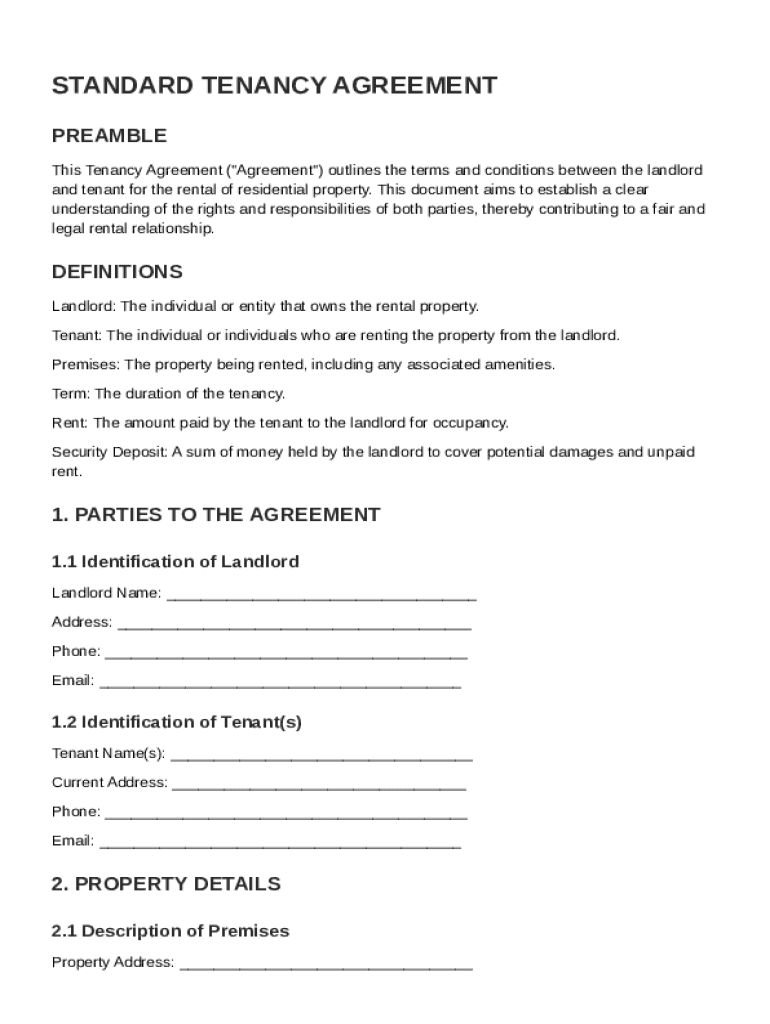
Standard Tenancy Agreement Form
Use a Standard Tenancy Agreement Template template to make your document workflow more streamlined.
What a standard tenancy agreement does
A Standard Tenancy Agreement Form records the terms under which a landlord lets a residential property to a tenant. It normally identifies the parties and premises, states rent and payment dates, addresses deposits and utilities, and sets rules for occupancy, maintenance, entry, renewal, and termination. Because landlord-tenant requirements vary by state and locality, the form must be reviewed for required disclosures before signing. In signNow, upload the agreement, place or detect fields, route it to the landlord and tenant, and retain the completed record with its audit trail.
Who uses this tenancy form
Property managers use a Standard Tenancy Agreement Form to collect landlord and tenant details, define rent, deposits, maintenance duties, and occupancy terms, then send the completed lease for electronic signatures before move-in. Real estate leasing teams use the form to standardize rental terms across properties, reduce missing fields, and preserve signed agreements with an audit trail for tenant communications and future dispute review.
Features for tenancy agreement workflows
signNow organizes the Standard Tenancy Agreement Form from field preparation through signer routing, evidence capture, mobile review, and record storage.
Fillable fields
Place landlord, tenant, date, rent, deposit, initials, and signature fields on the agreement so each required term has an assigned completion point.
Signer routing
Route the lease to named parties in sequence, helping the landlord and tenant review the same version before signing.
Audit trail
Capture signer actions, timestamps, and document history in an Audit Trail that can support later review of the lease execution.
Reusable templates
Use reusable templates for recurring property agreements while updating property-specific rent, address, deposit, and disclosure information before sending.
Mobile signing
Review and sign tenancy agreements from supported mobile apps when property managers or tenants are away from a desktop workstation.
System connections
Connect completed agreements with systems such as Google Drive, Box, Salesforce, or Microsoft 365 for controlled operational access.



 Best ROI. Our customers achieve an average 7x ROI within the first six months.
 Scales with your use cases. From SMBs to mid-market, airSlate SignNow delivers results for businesses of all sizes.
 Intuitive UI and API. Sign and send documents from your apps in minutes.
How to complete the tenancy agreement
Follow these steps to prepare, sign, and retain a Standard Tenancy Agreement Form with the required parties and lease terms.
Upload agreement:
Upload the lease document to signNow. Check fields:
Review detected fields and add missing rent, deposit, and signature fields. Assign signers:
Assign landlord and tenant roles, then send the agreement. Store records:
Review the signed copy and download its audit trail.
What the tenancy audit trail records
The signNow Audit Trail documents execution evidence separately from the lease’s property, payment, and occupancy terms.
Authenticate signer:
Capture timestamp:
Track document history:
Seal completion:
Link evidence:
Export audit trail:
Mobile options for tenancy agreements
Complete a Standard Tenancy Agreement Form through the signNow mobile apps for iOS and Android, including supported offline workflows.
Mobile apps iOS 16+ and Android 10+ Offline signing Offline signing available in mobile app Camera capture Camera capture for paper agreements
Property managers can prepare or review tenancy agreements away from the office, capture a paper document with a phone camera, and continue signing when connectivity is limited. Confirm that the final agreement contains every required state disclosure before relying on it.
Security for signed tenancy records
Data at rest:
Data in transit:
Security reporting:
Information security:
Signer verification:
Signing evidence:
Best practices for tenancy agreements
Accurate fields, jurisdiction-specific disclosures, controlled signing, and complete execution records reduce avoidable lease disputes and administrative rework.
Verify property and payment details
Review jurisdiction-specific disclosures
Assign every required field
Preserve the complete execution record
Risks outside the lease form
Missing disclosure
Unclear term
Deposit evidence
Wrong document
Tenancy agreement troubleshooting
Resolve signing, access, evidence, and state-law questions before relying on a completed Standard Tenancy Agreement Form.
Business includes legally binding eSignatures, templates, audit trails, and mobile apps at $8/user/month with annual billing. It includes 100 signature invites per user annually; additional invites may incur overage fees. Business Premium adds bulk send for repeated tenancy workflows.
Use signNow’s Audit Trail to preserve signer actions, timestamps, and document history. ESIGN and UETA support electronic signatures when intent, consent, attribution, and record retention requirements are satisfied. State landlord-tenant law still governs lease disclosures and enforceability.
A residential lease may contain names, addresses, financial information, and identity details. Limit document access through role-based controls, disclose electronic-record terms where required, and retain only the records your business and applicable state law require.
Business Premium is the signNow plan identified in the product data as including bulk send. Business supports templates and audit trails, but do not assume bulk-send access without confirming the current plan configuration.
Use signNow’s mobile apps to review and sign the tenancy agreement from an iOS or Android device. If the document was photographed, inspect the image for missing pages, blurred initials, or unreadable lease terms before sending it.
Electronic signing does not replace state-required notarization, witnesses, disclosures, or recording rules. ESIGN excludes wills, court filings, family law decrees, and certain other records, while a tenancy agreement must also comply with applicable state landlord-tenant law.
Key performance indicators that demonstrate SignNow's proven track record.
BE READY TO GET MORE
Get this form now!

If you believe that this page should be taken down, please follow our DMCA take-down process.