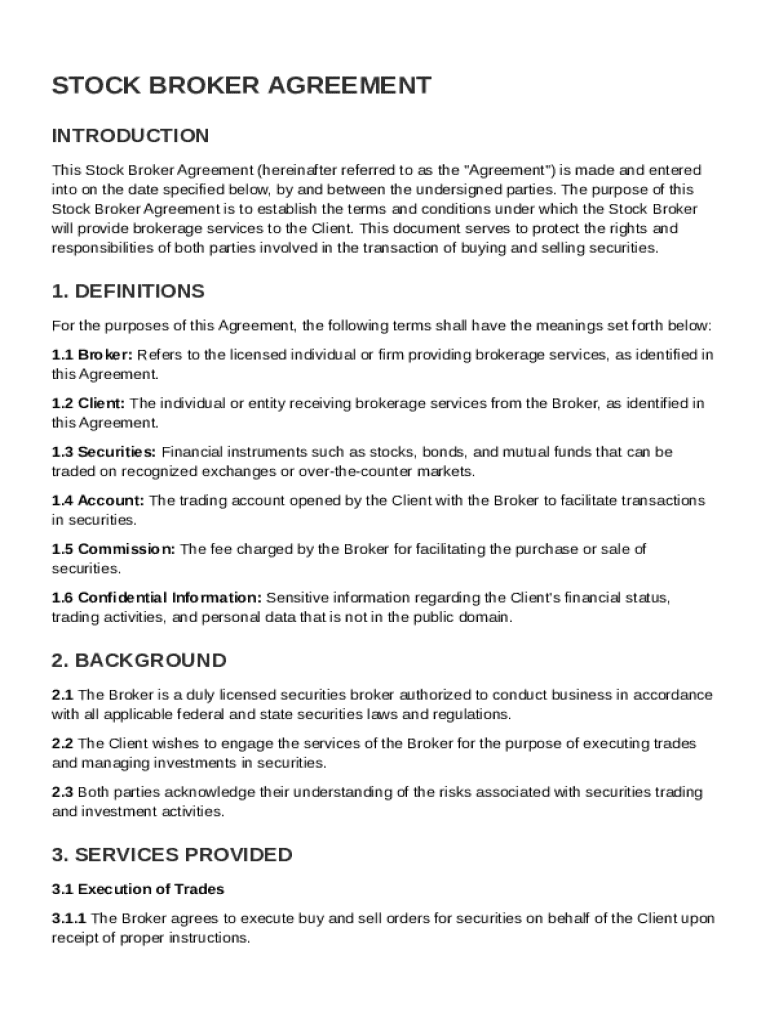
Stock Broker Agreement Form
Use a Stock Broker Agreement Template template to make your document workflow more streamlined.
What the Stock Broker Agreement Form does
The Stock Broker Agreement Form records the terms under which a stock broker and client establish or document their working relationship. It can identify the parties, describe services or authority, state compensation and account-related terms, and capture required signatures and dates. In signNow, the sender uploads the agreement, reviews detected fillable fields, assigns fields to the broker and client, and sends it for completion. The signed PDF and audit trail preserve evidence of intent, attribution, timestamps, and document history. ESIGN and UETA may support electronic execution when their requirements are met.
Who benefits from this agreement workflow
Stock Broker Agreement Form workflows serve independent advisors, regional broker-dealers, and enterprise financial-services teams that need signed records and controlled approval processes.
Solo financial advisors can prepare client-specific Stock Broker Agreement Forms, collect signatures remotely, and retain a complete transaction record without coordinating paper exchanges. Regional broker-dealers can standardize agreement templates, route broker and client signatures by role, and connect completed records to compliance-controlled storage. Enterprise financial-services teams can use shared templates, delegated sending, and audit trails to manage high-volume agreements across branches while preserving consistent signing evidence.
These tasks are executed by both individual contributors and centralized administrators depending on organizational policy and required controls.
How Stock Broker Agreement Form works
signNow turns the Stock Broker Agreement Form into a controlled signing workflow from document upload through completed audit-trail storage.
Upload: Upload the agreement template. Detect fields: Auto-detect and verify fields. Assign roles: Assign broker and client roles. Complete: Send, sign, and archive evidence.
Complete the Stock Broker Agreement Form
Follow this focused workflow to prepare the Stock Broker Agreement Form, assign each signer’s fields, and preserve the completed agreement with its audit evidence.
Upload form:
Upload the agreement template. Check details:
Confirm broker and client details. Add fields:
Place signature and date fields. Send document:
Send the agreement for signing. Archive records:
Download the executed agreement and audit trail.
 Best ROI. Our customers achieve an average 7x ROI within the first six months.
 Scales with your use cases. From SMBs to mid-market, airSlate SignNow delivers results for businesses of all sizes.
 Intuitive UI and API. Sign and send documents from your apps in minutes.
Recommended agreement workflow setup
Configure the Stock Broker Agreement Form around verified signer identity, controlled access, an exportable audit trail, and retention requirements applicable to broker-dealer records.
| Setting | Recommendation |
|---|---|
| Authentication method | Email verification with SMS OTP |
| Signature type | Typed or drawn electronic signature |
| Audit trail | Enable completion certificate and action log |
| Document retention | Retain under brokerage policy and 17 CFR §240.17a-4 |
| Encryption | AES-256 at rest with TLS 1.2/1.3 |
Key features for Stock Broker Agreement Form
signNow provides document preparation, role-based signing, reusable templates, audit evidence, and connected storage for Stock Broker Agreement Form workflows.
Field detection
Upload the Stock Broker Agreement Form and review detected fields before assigning broker, client, and representative information. This reduces blank fields and keeps each party responsible for the terms requiring their confirmation.
Role routing
Assign signature, date, initials, and text fields to named roles so the agreement follows the intended broker-client sequence. Role-based routing reduces accidental completion by the wrong participant.
Remote signing
Send the agreement by email or a controlled invite link, allowing clients to review and sign without exchanging paper copies. The completed document remains connected to its signing history.
Reusable templates
Use signNow templates for recurring Stock Broker Agreement Form workflows while preserving standardized language and field placement. Authorized senders can reuse the approved structure without rebuilding each agreement.
Audit evidence
Capture timestamps, signer actions, and document history in the audit trail. The resulting evidence helps demonstrate how the agreement was presented, reviewed, and executed under an electronic-signature workflow.
System connections
Connect completed agreements with systems such as Salesforce, NetSuite, Google Drive, Box, or Microsoft 365. Integration reduces manual rekeying and supports controlled access to finalized brokerage records.
What the agreement audit trail records
The audit trail adds transaction evidence beyond the signed page, documenting who interacted with the Stock Broker Agreement Form and how completion occurred.
Authenticate signer:
Capture timestamp:
Log actions:
Seal record:
Create certificate:
Export evidence:
Recordkeeping practices for signed agreements
A controlled recordkeeping process helps financial-services teams preserve the Stock Broker Agreement Form, its signing evidence, and any later amendments.
Apply the correct broker-dealer retention period
Reconcile the signed file and audit trail
Limit access to authorized personnel
Preserve original agreement versions
Risks of mishandling the agreement
Consent evidence
Signer identity
Record integrity
Broker authority
Audit trail
Security for Stock Broker Agreement Form
Encryption at rest:
Encrypted transmission:
Independent assurance:
Security certification:
Electronic signature compliance:
Protected information:



Troubleshooting Stock Broker Agreement Form workflows
Resolve field, signer, consent, plan, and recordkeeping questions before the Stock Broker Agreement Form is circulated or relied upon.
Upload the original Stock Broker Agreement Form as a PDF or supported document, then use signNow’s field-detection tools to review detected fields manually. Confirm every signer, date, initials, and financial term before sending the document.
The Business plan includes templates, audit trails, mobile apps, and legally binding eSignatures. Business Premium adds bulk send, kiosk mode, request payments, and quick invite links, which may suit repeated broker agreement workflows.
For consumer-facing electronic records, obtain consent under ESIGN, including paper-record disclosure, electronic-access capability, and withdrawal procedures under 15 U.S.C. §7001(c). Record consent with the agreement’s audit trail before relying on electronic delivery.
signNow supports ESIGN and UETA requirements, but the agreement must still show intent, signer attribution, consent, and reliable record retention. State law, brokerage rules, and transaction-specific requirements may impose additional controls.
Use signNow authentication options appropriate to the transaction, including SMS verification where needed. Enterprise adds advanced signer authentication, while Site License can add SSO and other regulated-workflow controls.
Keep the executed Stock Broker Agreement Form and completion certificate together. signNow audit trails record actions, timestamps, and related signing evidence, helping the brokerage reproduce the transaction record during an internal or regulatory review.
Key performance indicators that demonstrate SignNow's proven track record.
BE READY TO GET MORE
Get this form now!

If you believe that this page should be taken down, please follow our DMCA take-down process.