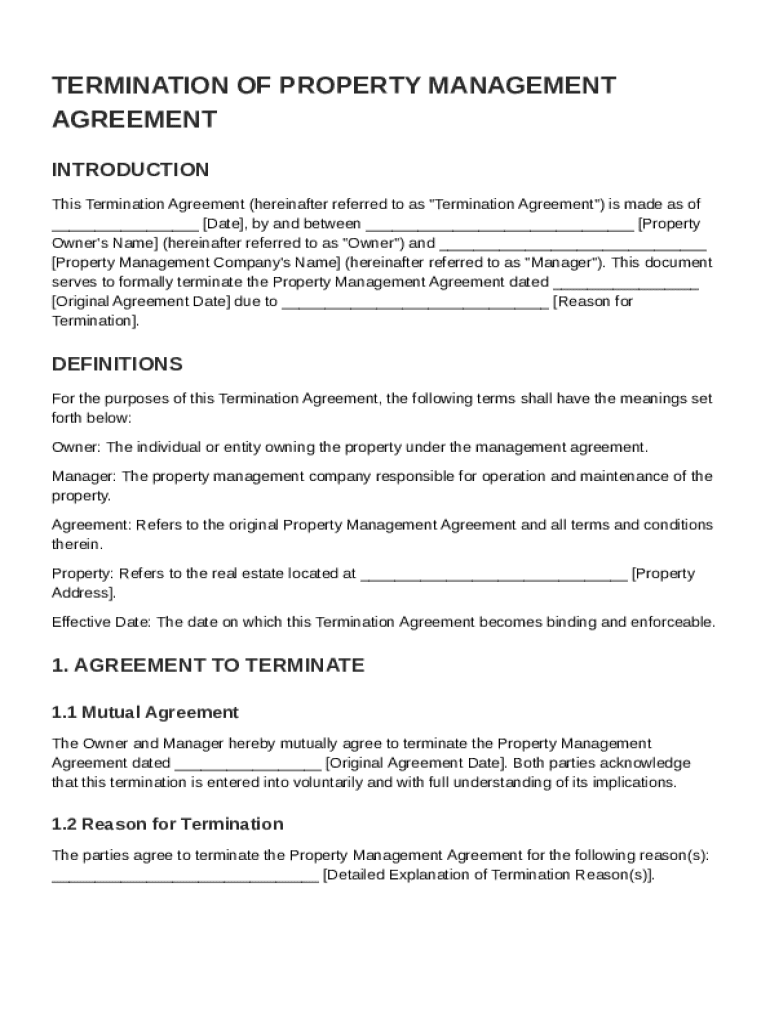
Terminate Property Management Agreement Form
Use a Terminate Property Management Agreement Template template to make your document workflow more streamlined.
What this termination agreement does
A Terminate Property Management Agreement Form records the parties’ decision to end a property management relationship and identifies when that change takes effect. It usually connects the owner, manager, property, notice date, effective termination date, and remaining obligations in one signed record. The form does not replace the underlying management contract or state-law notice requirements; those terms control if they differ. With signNow, the parties can upload the document, review detected fields, sign electronically, and retain the completed agreement with an audit trail under ESIGN and applicable UETA rules.
Who benefits from this agreement workflow
The form is useful wherever a property-management relationship must be ended in writing, signed by the relevant parties, and retained with evidence of completion.
Solo property managers use the form to document the end of an owner-management relationship, record the effective termination date, and preserve the signed agreement without arranging an office meeting. Regional property management firms use reusable termination templates for multiple owners, assigning property-specific fields and routing each agreement to authorized staff and counterparties. Enterprise real estate operators use role-based access, shared templates, audit trails, and controlled retention when many properties require consistent termination documentation across regional teams.
These tasks are executed by both individual contributors and centralized administrators depending on organizational policy and required controls.
How this agreement works in signNow
The signNow workflow turns a completed property-management termination document into a routed, signed, and traceable electronic record.
Upload form: Upload the termination agreement into signNow. Assign fields: Review detected fields and assign parties. Send agreement: Send the agreement through the selected route. Complete record: Collect signatures and store completion evidence.
Steps to complete this agreement
Prepare the property-specific terms first, then use signNow to detect fields, route signatures, and preserve the completed termination record.
Upload agreement:
Upload the termination agreement into signNow. Check fields:
Review auto-detected fields and correct property details. Assign signers:
Assign the owner, manager, and required signers. Send for signing:
Send the agreement and monitor completion. Store records:
Download the signed PDF and audit trail.
Ways to send and sign this agreement
- Use the signNow web app when you need to upload the termination agreement, identify fields, assign signers, and monitor completion from a desktop workflow.
- Use the signNow mobile app when a property manager or owner must review and sign the termination agreement away from the office.
- Use kiosk mode when both parties are present and one managed device must collect signatures during an office appointment or property handover.
- Use a shareable signing link when you need to distribute the same termination agreement through a portal, email, or client communication.
 Best ROI. Our customers achieve an average 7x ROI within the first six months.
 Scales with your use cases. From SMBs to mid-market, airSlate SignNow delivers results for businesses of all sizes.
 Intuitive UI and API. Sign and send documents from your apps in minutes.
Recommended setup for this agreement
Configure the termination workflow around signer identity, document integrity, access control, and the property management company’s retention policy.
| Setting | Recommendation |
|---|---|
| Authentication method | Email link with SMS OTP |
| Signature type | Typed or drawn electronic signature |
| Audit trail | Enabled with completion certificate |
| Document retention | Retain under state contract policy |
| Encryption | TLS 1.2/1.3 and AES-256 |
How the audit trail records termination
The audit trail documents the technical history behind the termination agreement, separate from the business decisions and property terms written in the form.
Authenticate signer:
Timestamp actions:
Hash document:
Seal record:
Track activity:
Export audit trail:
Security for termination records
AES-256 encryption:
TLS transmission:
SOC 2 Type II:
ISO 27001:
ESIGN and UETA:
GDPR and CCPA:
Why teams look for DocuSign alternatives
Organizations seek alternatives when they need different pricing models, stronger native automation, simpler bulk affidavit workflows, or more flexible identity-verification options than those available in a legacy envelope-based vendor.

Privacy and disclosure pitfalls
Including tenant phone numbers, bank details, or forwarding addresses without limiting access exposes unnecessary personal information. Failing to capture electronic consent can weaken evidence that each party agreed to receive and sign the termination agreement electronically. Allowing every employee to edit or send the agreement can create conflicting termination dates, notice terms, or property references. Sending an unsigned draft as the final record makes it difficult to prove delivery, signer identity, and agreement completion.
Rollout and retention for this agreement
A controlled rollout helps property managers prepare, send, complete, and preserve each termination agreement without losing its supporting record.
Prepare the template:
Send first agreement:
Onboard the team:
Seven-day trial:
Completion record:
Retention policy:
Access review:
Archive securely:
Features for property management terminations
The workflow connects the agreement’s property details, required signatures, completion evidence, and retained record in one controlled signing process.
Field detection
Upload the termination agreement and let signNow detect fillable areas before you assign property owner, manager, date, and signature fields.
Signer routing
Route the agreement to the property manager and owner in a defined order, reducing missed approvals and clarifying who must sign first.
Completion record
Capture signed copies alongside completion evidence, helping staff connect the termination date with the agreement that recorded it.
Reusable templates
Use reusable templates for recurring management terminations while preserving property-specific addresses, parties, dates, and notice provisions.
Mobile signing
Let authorized staff send agreements from mobile devices when property operations occur outside the office or during an on-site transition.
Access controls
Restrict templates and completed records through roles, permissions, and authenticated access suited to a property management team.
Record-keeping practices for termination agreements
Clear property details, controlled access, audit-trail export, and policy-based retention make the completed termination record easier to retrieve and evaluate.
Match the original agreement details
Export the audit trail promptly
Restrict access and templates
Apply a documented retention policy
Platform requirements for signing
The signNow web workflow for this termination agreement uses current Chrome, Firefox, Safari, or Edge on Windows or macOS, with TLS 1.2/1.3 protecting data in transit. Signers can also review and complete assigned fields through signNow mobile apps for iOS and Android.
Browsers Chrome, Firefox, Safari, and Edge Desktop systems Windows and macOS desktop access Mobile apps iOS and Android mobile apps
Property management teams should use managed devices when agreements contain owner, tenant, or property information. Enterprise deployments may also require API access, SSO provisioning, and administrator-controlled permissions; configure those controls according to the organization’s security policy before broad template sharing.
Troubleshooting this termination workflow
Resolve field, signer, plan, and electronic-record questions before the agreement is sent, signed, and archived as evidence of termination.
Upload the agreement as a supported document, then use signNow’s field detection and review the detected property address, termination date, initials, and signature fields before sending. Business includes templates and audit trails, while Business Premium adds bulk send and kiosk mode for repeated workflows.
A typed or drawn signature can satisfy an electronic-signature workflow when the signer shows intent and consents to electronic records. ESIGN and UETA recognize qualifying electronic signatures, but state contract terms or a separate notarization requirement may still control the agreement.
Business includes audit trails, templates, mobile apps, and legally binding eSignatures at $8 per user per month when billed annually. Subscription plans include 100 signature invites per user each year; overage charges can apply, so review usage before sending repeatedly.
Business Premium is the signNow plan that includes bulk send and kiosk mode. Use bulk send only when each agreement has the correct property, parties, dates, and termination terms; otherwise, send individually to prevent cross-property record errors.
If a signer cannot open the email, verify the address, resend the invitation, or provide a signNow signing link. If stronger proof is needed, add SMS OTP or another available authentication method before the signer completes the agreement.
For a consumer-facing electronic record, ESIGN requires disclosure of the right to receive paper records, access to the electronic format, and a withdrawal procedure under 15 U.S.C. §7001(c). Include those disclosures when the transaction involves a consumer rather than only business parties.
Key performance indicators that demonstrate SignNow's proven track record.
BE READY TO GET MORE
Get this form now!

If you believe that this page should be taken down, please follow our DMCA take-down process.