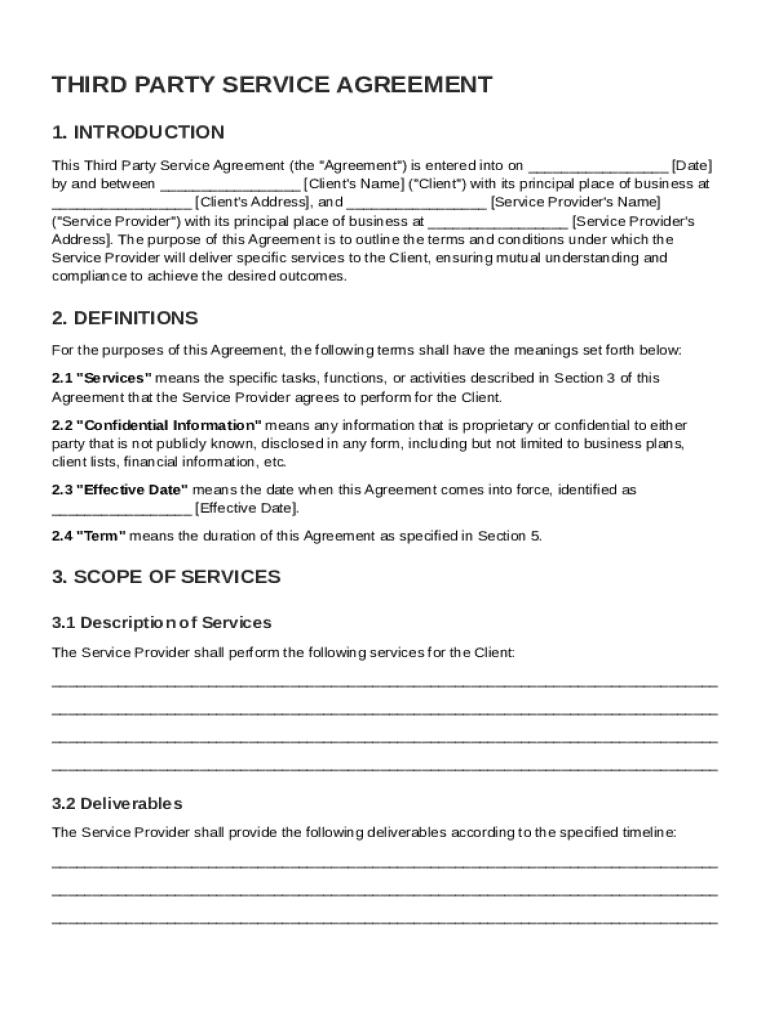
Third Party Service Agreement Form
Use a Third Party Service Agreement Template template to make your document workflow more streamlined.
What the agreement form records
A Third Party Service Agreement Form records the terms under which an outside provider, contractor, or service partner performs defined work for an organization. It normally identifies the parties, services, payment terms, confidentiality duties, data handling, responsibilities, and signatures. With signNow, upload the agreement, let the editor detect fillable areas, add signer and date fields, send it to the named parties, and retain the completed PDF with its audit trail. ESIGN and applicable state electronic-transactions law can support enforceability when intent, consent, attribution, and record retention are established.
Who uses this agreement form
Businesses and vendors
Organizations use this agreement for outsourced services, contractor engagements, technology vendors, facilities providers, and other third parties whose work requires documented responsibilities and approval.
Internal teams
Legal, procurement, finance, operations, and healthcare teams route agreements to authorized representatives while preserving signatures, dates, access controls, and audit evidence.
Features for third-party agreements
signNow connects form preparation, signer routing, authentication, audit evidence, and storage around the specific agreement your organization needs executed.
Field detection
Upload the Third Party Service Agreement Form and let signNow detect fillable areas before reviewing every field manually.
Signer routing
Assign signatures, initials, dates, and text fields to each authorized third party representative.
Remote signing
Send the agreement by email or a controlled signing link without requiring an in-person meeting.
Audit trail
Capture signer actions, timestamps, IP information, and document history in an auditable completion record.
Record storage
Keep the signed agreement and completion evidence together for later contract administration or review.
Team controls
Use role-based access, templates, and delegated sending to keep recurring third-party agreements consistent across teams.
How the agreement workflow works
The signNow process keeps the agreement’s terms, assigned signers, and completion evidence connected from upload through archival.
Upload: Upload the Third Party Service Agreement Form. Review: Auto-detect and verify fillable fields. Route: Send assigned fields to authorized signers. Archive: Store the signed PDF and audit trail.
 Best ROI. Our customers achieve an average 7x ROI within the first six months.
 Scales with your use cases. From SMBs to mid-market, airSlate SignNow delivers results for businesses of all sizes.
 Intuitive UI and API. Sign and send documents from your apps in minutes.
How to complete the agreement
Use this signNow workflow to prepare the Third Party Service Agreement Form, route it to authorized representatives, and preserve evidence of completion.
Upload form:
Upload the completed agreement PDF to signNow. Check fields:
Review detected fields and add missing signatures, dates, or initials. Assign signers:
Assign each field to the correct third party representative. Send agreement:
Send the agreement and monitor its signing status. Store records:
Download the signed PDF and audit trail after completion.
Recommended agreement setup
Configure signer identity, signature evidence, access protection, and retention around the agreement’s parties and regulatory obligations.
| Setting | Recommendation |
|---|---|
| Authentication method | Email verification with SMS 2FA |
| Signature type | Intent-based electronic signature |
| Audit trail | Export completion evidence with PDF |
| Document retention | Six years for HIPAA records |
| Encryption | TLS 1.2/1.3 and AES-256 |
Security for agreement records
Transport encryption:
Stored encryption:
Independent controls:
Security management:
Electronic transactions:
Health information:
Platform requirements for signing
Complete and sign the Third Party Service Agreement Form in Chrome, Firefox, Safari, or Edge using Windows, macOS, iOS, or Android with TLS 1.2 or 1.3.
Desktop browsers Chrome, Firefox, Safari, and Edge on Windows 10, Windows 11, or macOS. Mobile browsers Safari on iOS and Chrome on Android support mobile signing. Secure connection TLS 1.2 or 1.3 protects connections during form access and signing.
Teams can use signNow on managed Windows and macOS computers or supported iOS and Android devices. Administrators should control access through approved devices, configure SSO or API connections where required, and verify certificate or long-term validation requirements for regulated records.
State rules and document exclusions
Missing notarization
Excluded wills
Excluded decrees
Recording rejection
Retention periods for signed agreements
Choose the retention rule based on the agreement’s subject matter, parties, and regulated records—not merely the signature date.
Three years: tax records
Six years: tax understatement
Six years: HIPAA records
Six years: broker records
Thirty years: exposure records
Privacy and disclosure pitfalls
Attaching personal addresses, banking details, or identity information to every copy can expose data beyond the agreement’s intended recipients. Skipping ESIGN consumer disclosure requirements can weaken consent evidence when an individual signs electronically in a consumer-facing transaction. Leaving completed agreements visible to all workspace users can disclose vendor pricing, confidential services, or protected information. Using an unrestricted signing link can make signer attribution difficult when the agreement requires a specific authorized representative.
Third-party agreement troubleshooting
Resolve field assignment, signer identity, consent, plan, and retention issues before treating the Third Party Service Agreement Form as complete.
Upload the agreement as a PDF, review signNow’s detected fields, and manually add any missing signature, date, initials, or text fields before sending it.
Assign every field to the intended representative rather than relying on document order. A signer receives only fields assigned to that signer, reducing attribution errors.
For consumer-facing electronic records, provide the ESIGN disclosure, explain paper-record rights, confirm electronic access, and document consent under 15 U.S.C. §7001(c).
Business includes legally binding eSignatures, templates, audit trails, and mobile apps at $8/user/month when billed annually. Business Premium adds bulk send at $15/user/month.
Use SMS authentication or stronger signer authentication when identity risk requires it. Enterprise adds advanced signer authentication at $30/user/month annually.
Keep the signed PDF and exported audit trail together. Select the retention period based on the agreement’s subject matter, such as HIPAA’s six-year rule under 45 CFR §164.530(j).
Key performance indicators that demonstrate SignNow's proven track record.
BE READY TO GET MORE
Get this form now!

If you believe that this page should be taken down, please follow our DMCA take-down process.